Sign In
To register a BatChat account, please ensure you have installed the latest version of the BatChat app on your phone. You can download it by visiting the BatChat official website https://www.batchat.com.
Feature Introduction
BatChat accounts require a mobile phone number for registration. This account is for personal use only. It is recommended to keep your ID safe for future account login.

- If you want to use other special IDs, open the BatChat APP and go to "BatChat Mall" - "Special ID Zone" to purchase your desired ID;
- Currently, registration only supports mobile phone numbers from mainland China (+86).
Registration Process
- Open BatChat on your mobile device, read and agree to the "Privacy Policy" and "User Agreement";
- Click "Register New Account", fill in "Nickname" and "+86 Mobile Number", check the agreement to relevant terms, and click the "Agree and Continue" button;
- Pass the image verification, enter the SMS verification code received on your registered mobile number;
- Congratulations on successfully registering BatChat! Click "Start Chatting" to begin using BatChat.
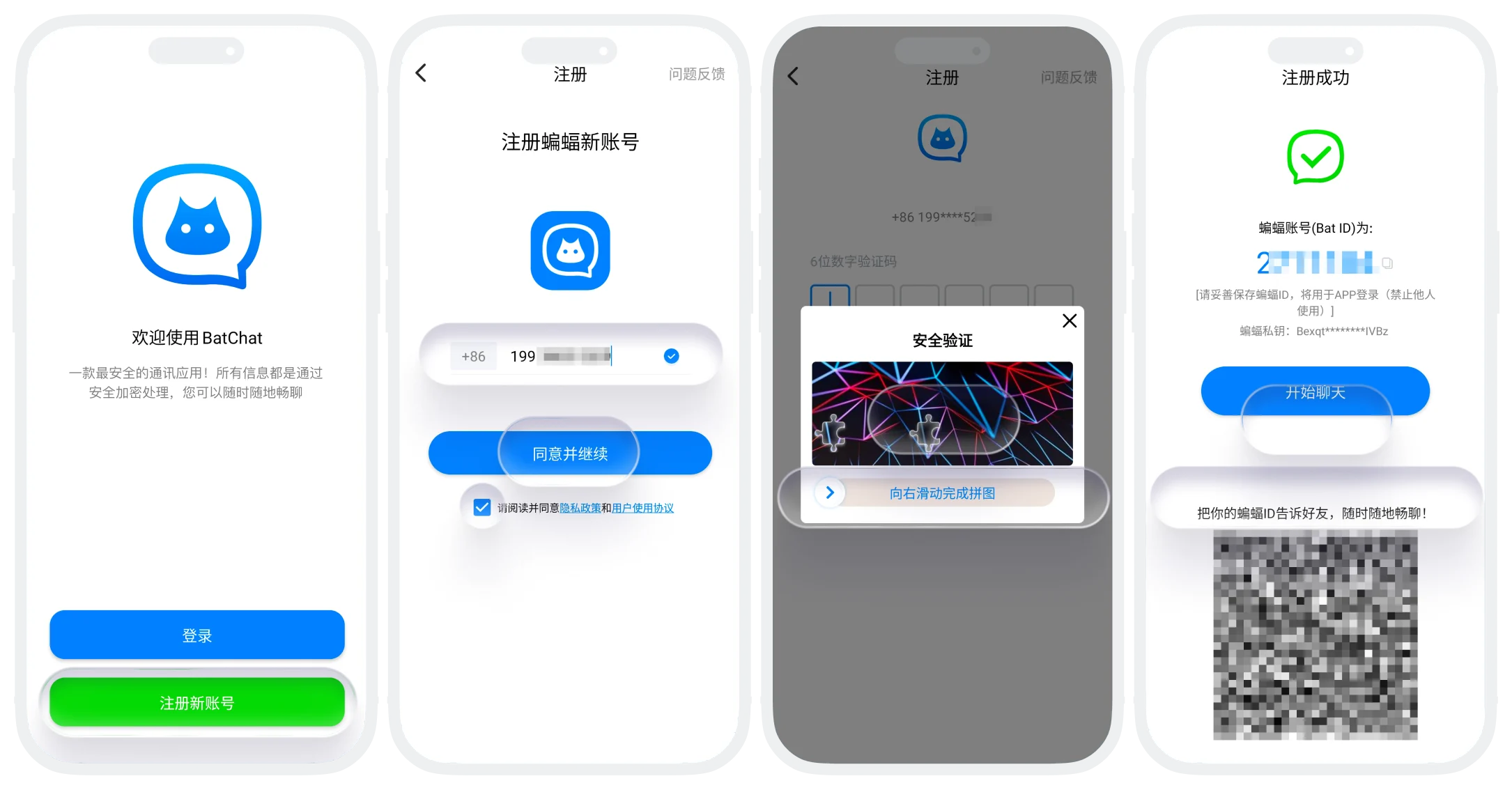

BatChat only supports account registration on mobile devices. After successful registration, you can log in and use BatChat on various devices such as computers, phones, and tablets.
FAQ
To ensure the security of BatChat accounts and effectively identify and prevent malicious bulk registration behavior, BatChat limits the number of accounts that can be registered on one device to maintain platform order. If you do need to register more accounts, it is recommended to use a new device for registration.
