Change Bound Mobile Number
If you need to change your bound mobile number, the BatChat APP provides you with two secure ways to change:
- Use the original mobile number to directly verify and change (recommended method);
- Use a backup verification method to change (applicable when the original mobile number is unavailable).
Change Method 1
Applicable Conditions: You can still use the original bound mobile number to receive SMS normally.
Operation Process:
- Open the BatChat APP, go to "My" - "Settings" - "Account" page, click "Mobile Number";
- Click "Change Bound Mobile", the system will send a verification code to the original mobile number;
- Enter the correct verification code, then enter the new mobile number and complete verification, the change is successful.
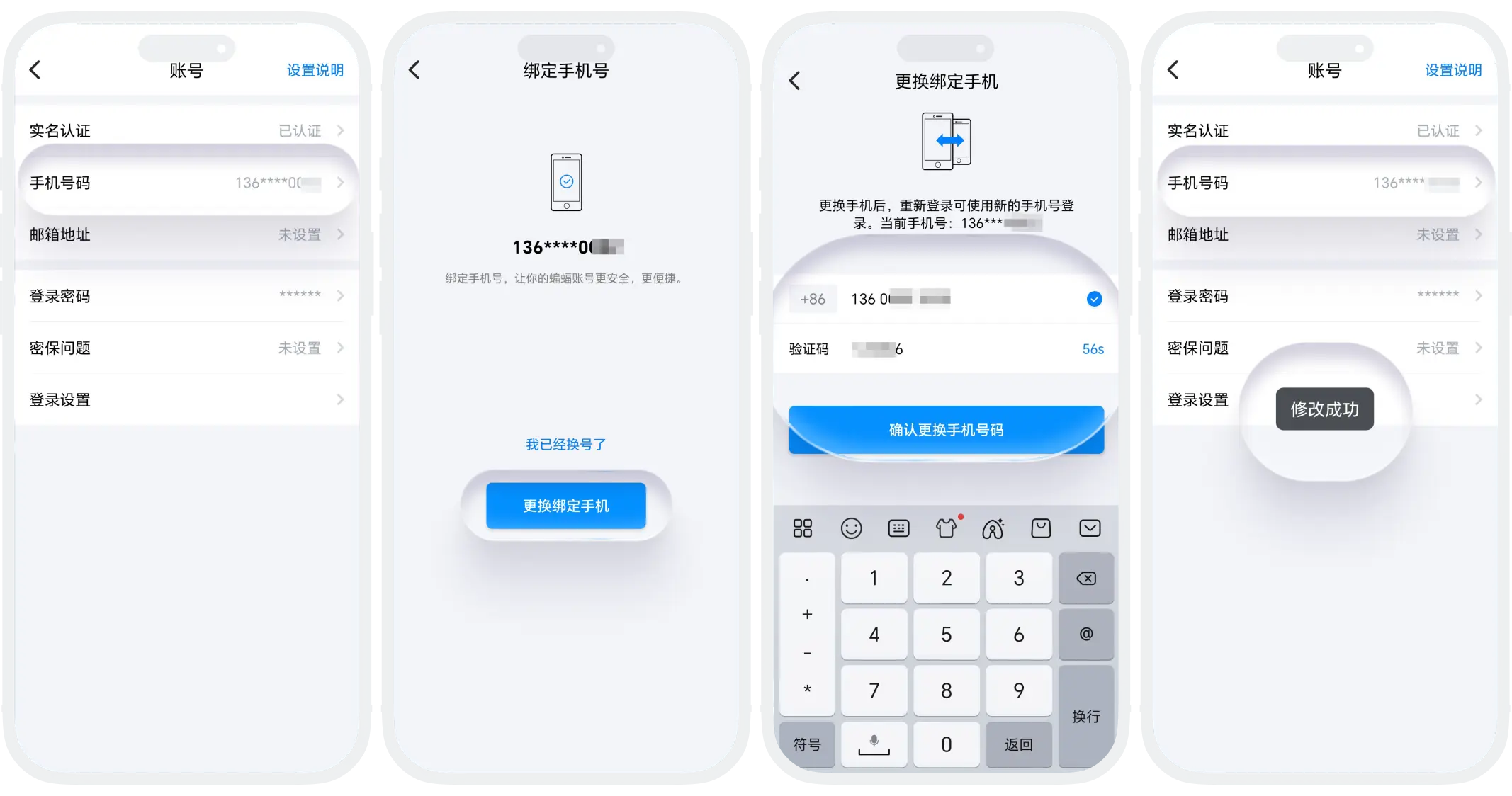
Note: This method is the most convenient and is recommended.
Change Method 2
Applicable Conditions: The original mobile number has been deactivated, lost, or cannot receive SMS.
Operation Process:
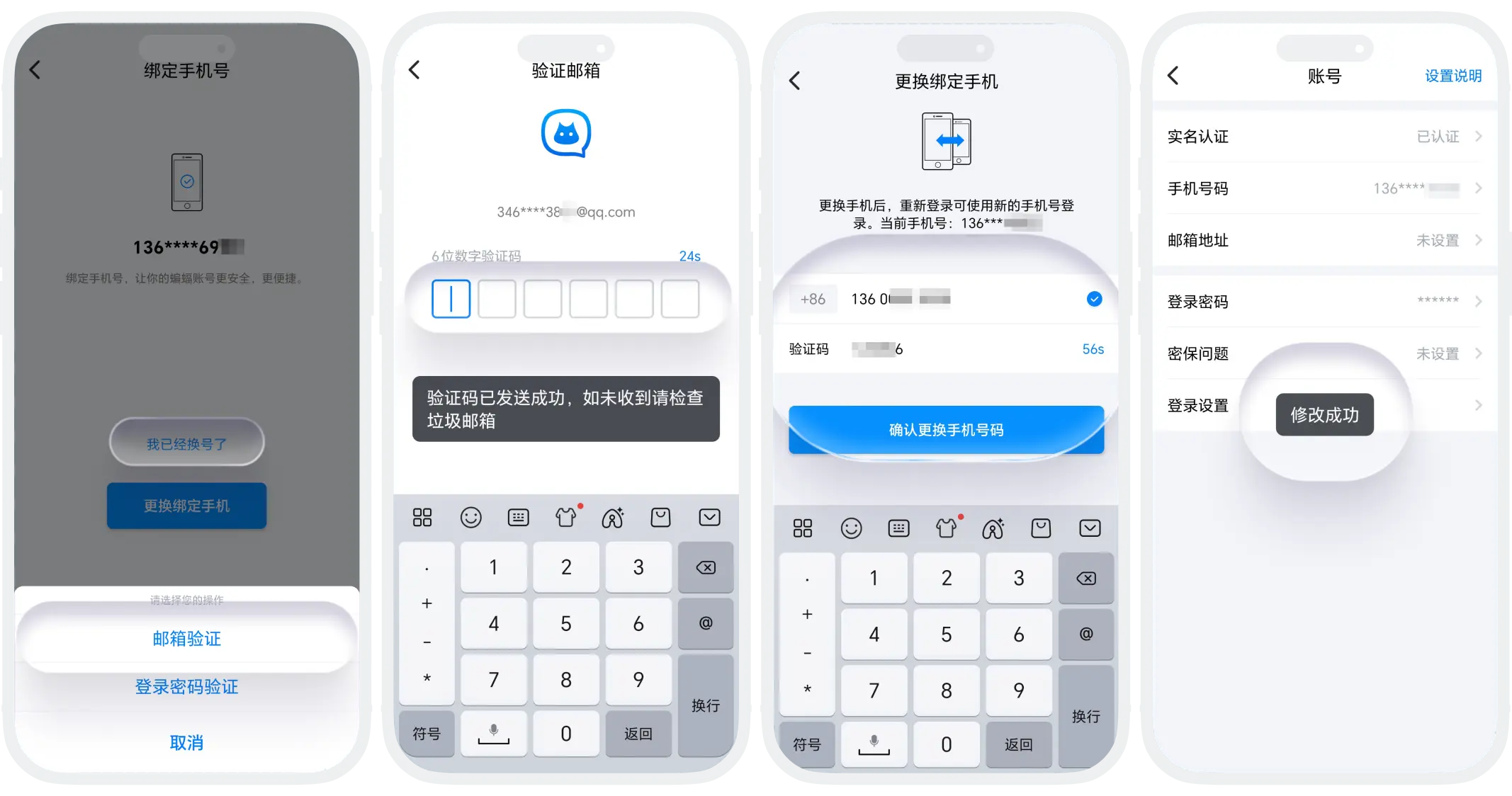
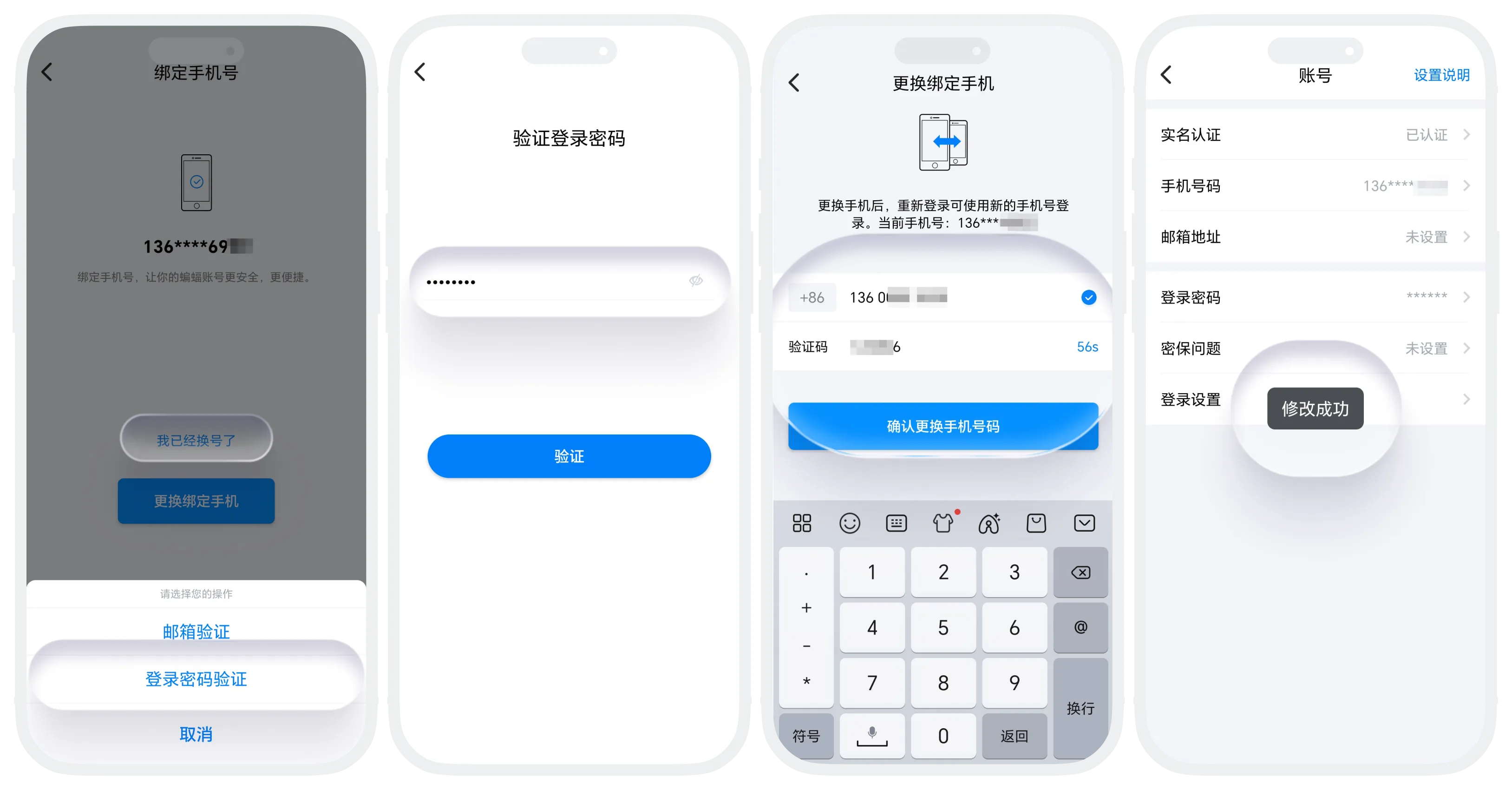
- Open the BatChat APP, go to "My" - "Settings" - "Account" page, click "Mobile Number";
- Click "I've Changed My Number", select backup verification method - email verification or enter login password verification:
- Email verification (only available when you have bound and the email is accessible): The system will send a verification code to the bound email, enter the email verification code to complete identity verification;
- Login password verification (only available when the current device is the registered device): Enter the current account's login password for identity verification;
- After verifying identity through either of the above methods, enter your new mobile number, receive and enter the SMS verification code of the new mobile number to complete the change.

Account Security Recommendations
- Bind a backup email: Even if not frequently used, it is recommended to bind an accessible email;
- Set memorable security questions: Choose questions that only you know the answers to;
- Update backup information in time: It is recommended to ensure email and security information are accurate and valid before changing mobile numbers;
- Avoid using temporary mobile numbers: Try to bind long-term used mobile numbers.
Was this page helpful?
