Delete Account
The platform supports users to destroy registered accounts themselves. There are two ways to delete accounts:
- Directly Destroy Account: This feature will directly destroy the current account and cannot be recovered;
- Set Destruction Password: The destruction password is an advanced security protection feature that allows you to quickly and thoroughly destroy the current BatChat account in special circumstances. This feature is designed for emergency privacy protection scenarios. When you believe your account security is seriously threatened, you can immediately trigger the account destruction process by entering the preset destruction password.
Directly Destroy Account
In addition to immediately destroying the account through the above destruction password on the unlock page, you can also go to "My" - "Settings" - "Security", click Destroy Account, and select the destruction time:
- Destruction Time Limit (e.g., 1 month, 12 months, etc.): If you do not log in and use the BatChat account within the set time limit, the account will be automatically destroyed;
- Immediate Destruction: Clicking will directly destroy the current account, cannot be recovered, please operate with caution.
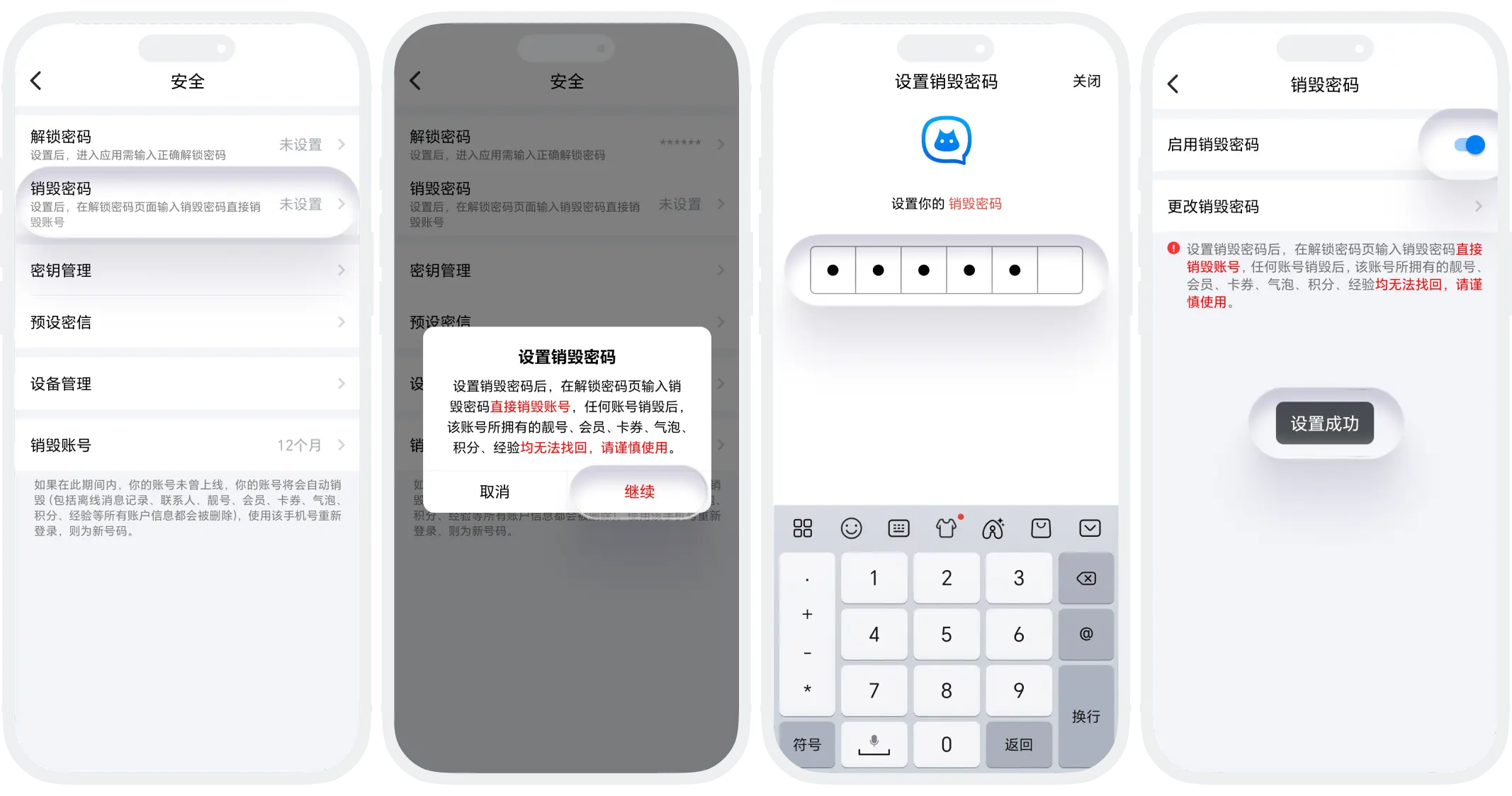
Set Destruction Password
- In the BatChat APP, click "My" - "Settings" - "Security" - "Destruction Password";
- Read and confirm the risk warning, click "Set Destruction Password";
- Enter the destruction password and confirm to complete the setting.
Change Destruction Password
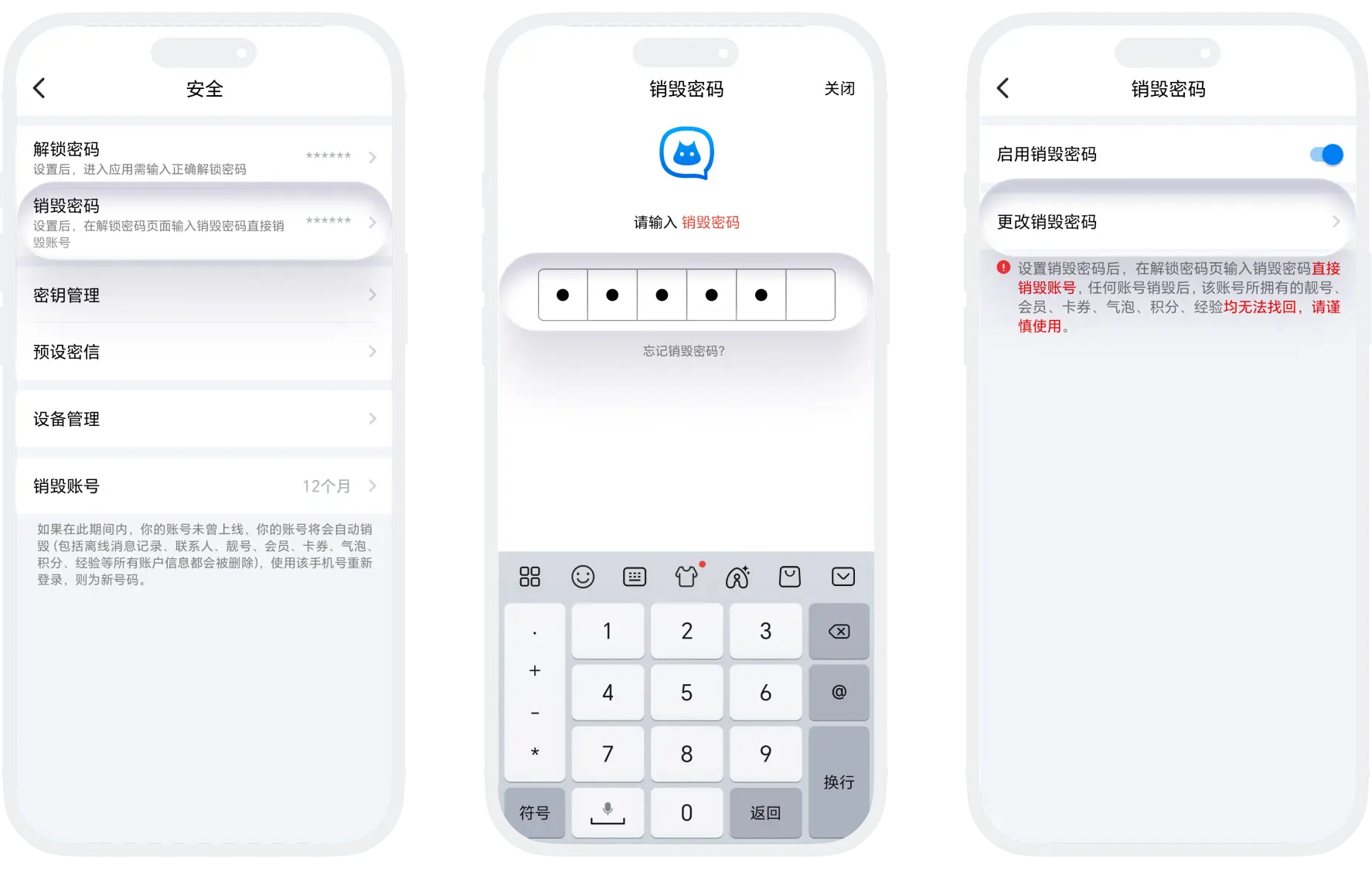
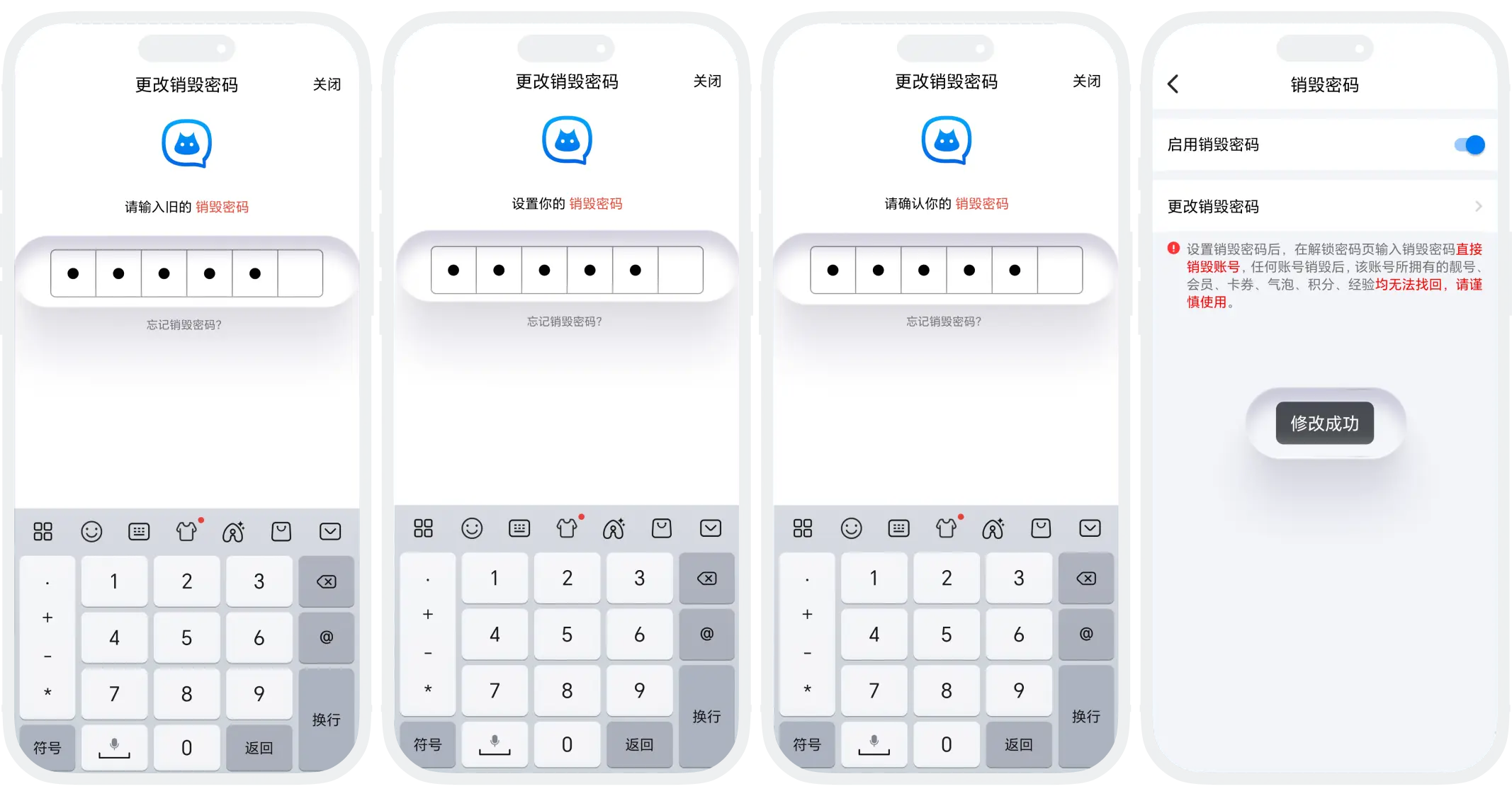
- In "My" - "Settings" - "Security", click "Destruction Password", verify the current destruction password, and enter the settings page;
- Click "Change Destruction Password", set a new destruction password, confirm the new password and complete the change.
Destruction Password Usage Process
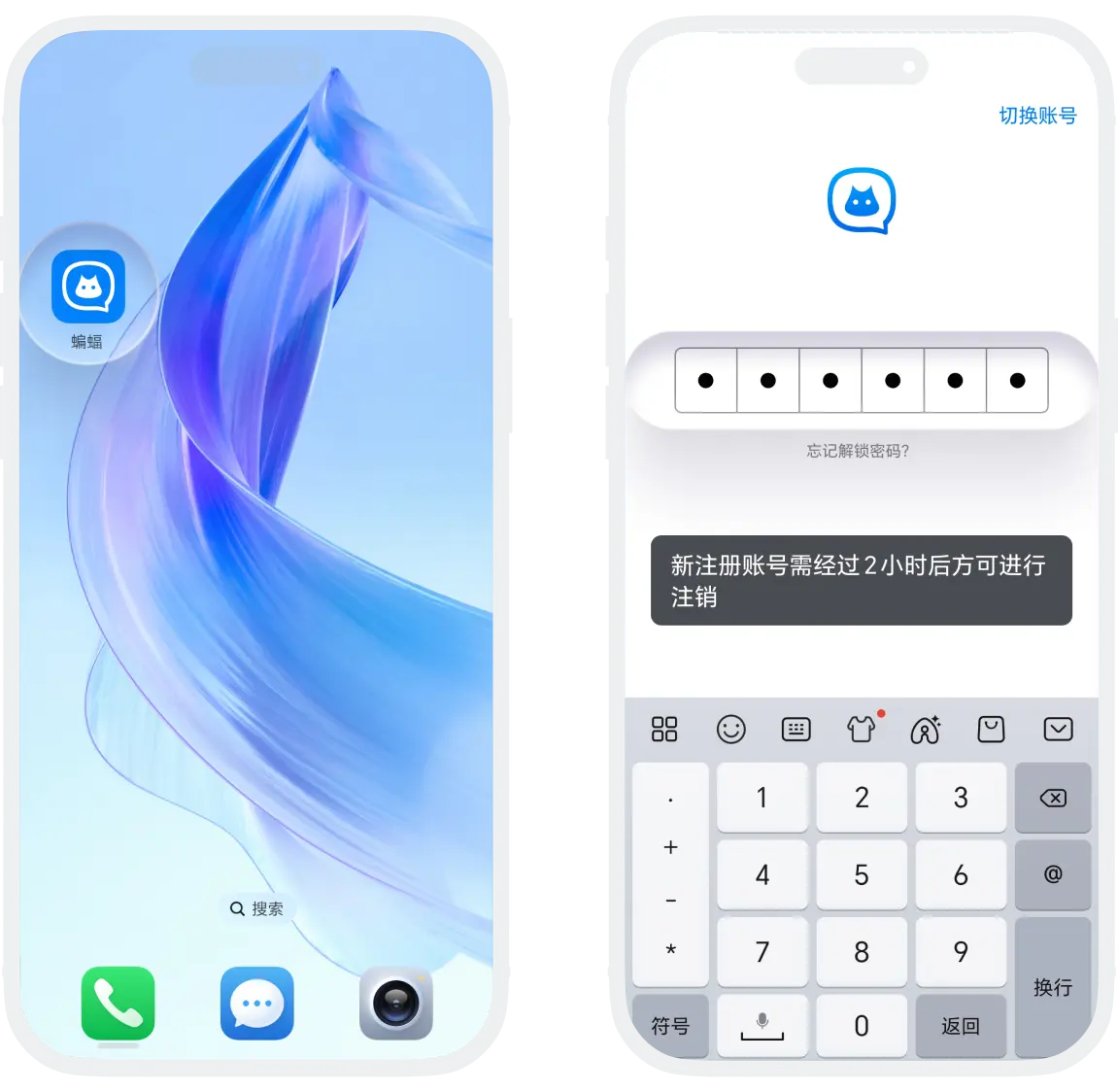
- In the password lock interface of the application, enter the preset destruction password in the unlock password input box;
- The system will immediately execute the destruction process (newly registered accounts cannot be deleted within 2 hours). After account destruction, all data cannot be recovered (including but not limited to account basic data, membership benefits, virtual assets, experience points, social relationships, chat records, etc.), please operate with caution.

Warning:
- Account destruction is irreversible: Once the destruction operation is executed, there is no way to recover the account or data;
- No confirmation step: The destruction password takes effect immediately after input, with no secondary confirmation, please enter with caution.
FAQ
Unlock password: For daily use, protecting the application from being opened by others; Destruction password: For emergency use, directly and permanently destroying the entire account. The two must be set to different passwords.
Yes, but you need to wait for a 3-day cooling-off period. The new account will be a completely new account with no association with the original account.
Was this page helpful?
