Security Question
The security question feature provides you with an additional layer of account security protection. By setting security questions and answers, when you forget your password or need identity verification, you can quickly restore account access by verifying security information. To enhance security, security questions support identity verification and recovery through bound mobile numbers or emails.
Setting Steps
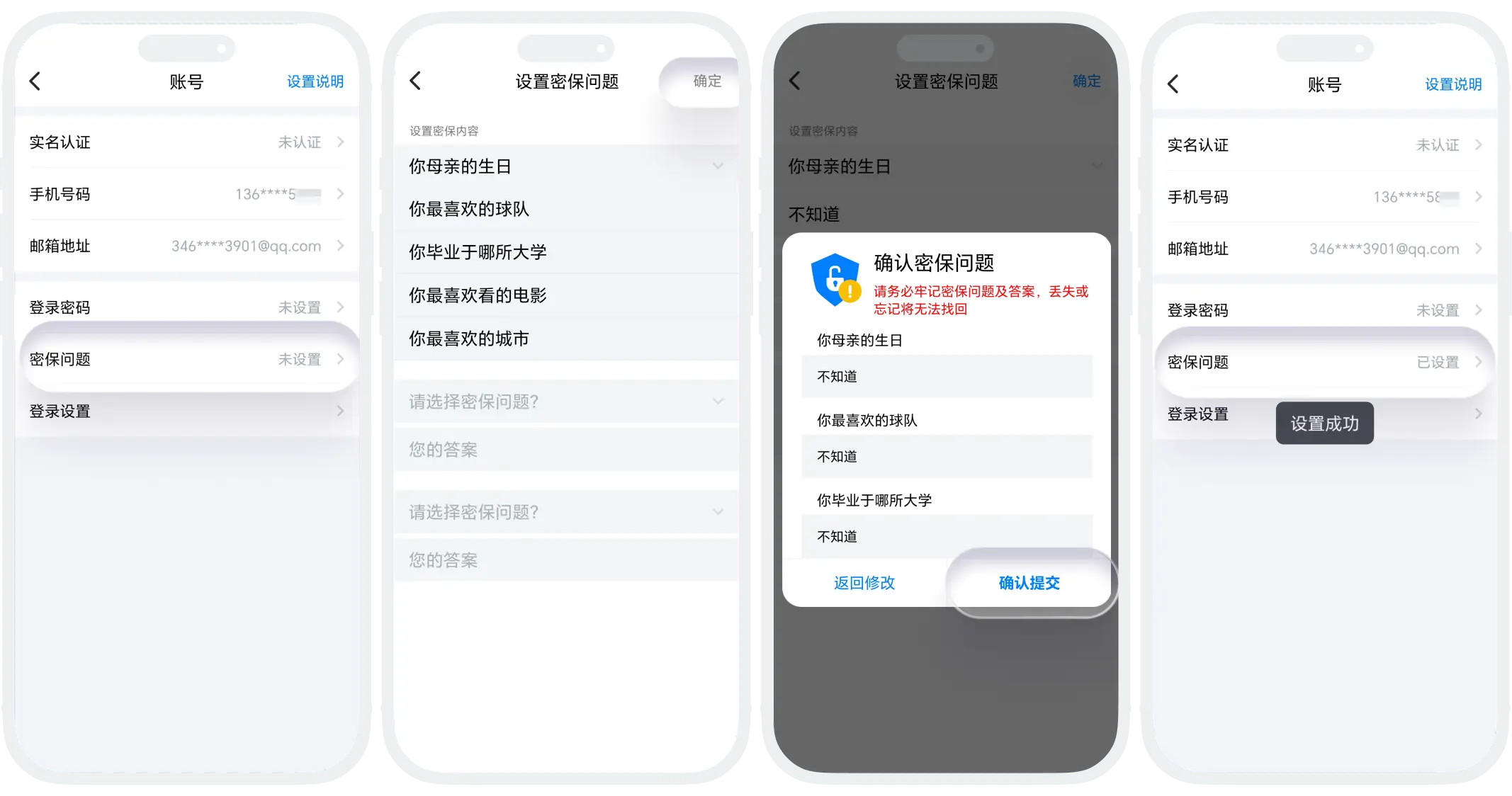
- Open the BatChat APP, click "My" - "Settings" - "Account" - "Security Question";
- Select 3 questions from the multiple questions provided by the system as your security questions, and set unique and memorable answers for each selected question;
- After setting, click "Confirm" in the upper right corner to save the settings.
Modify Security Questions
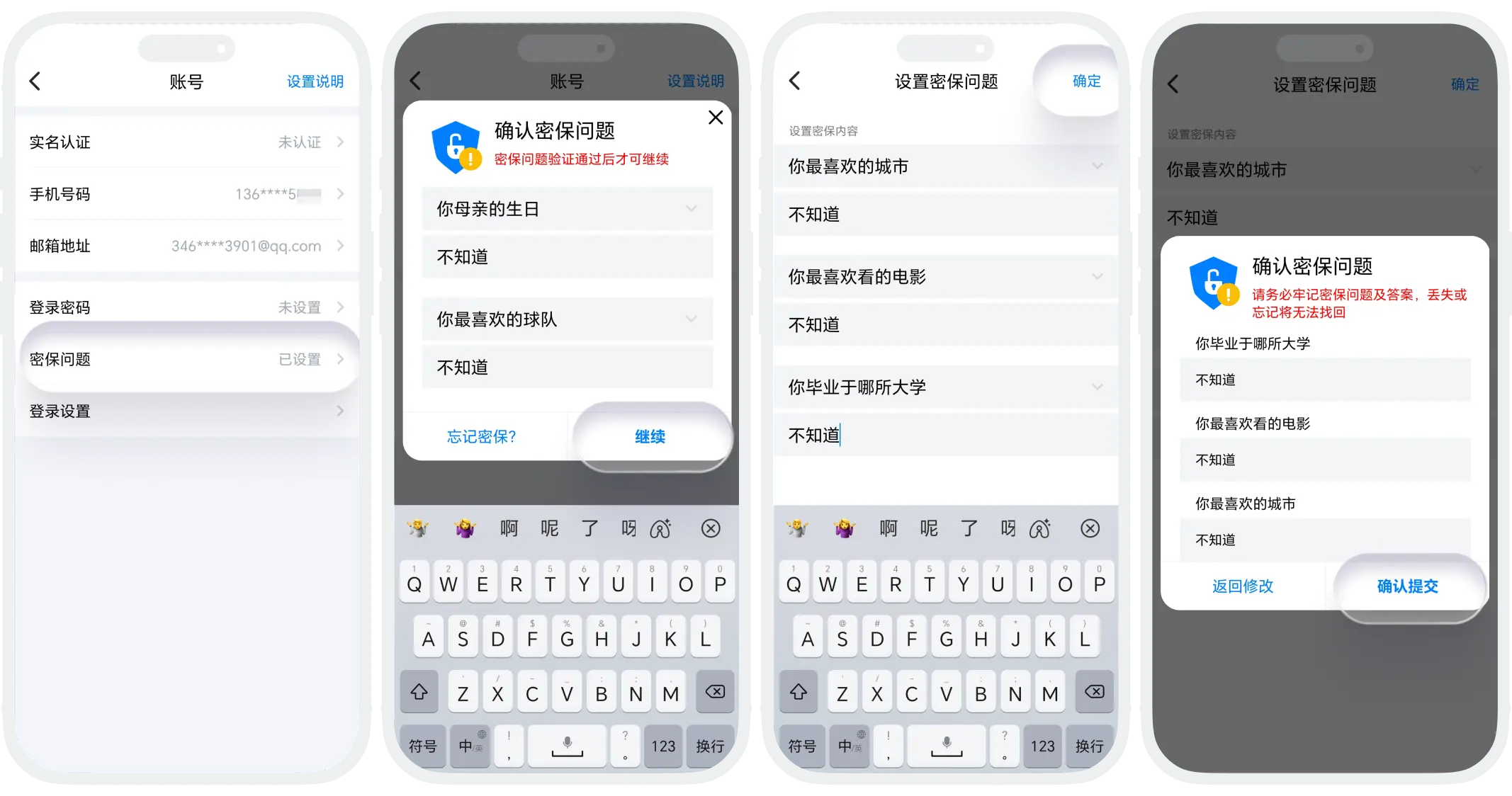
- In the BatChat APP, go to "My" - "Settings" - "Account" - "Security Question";
- Please first answer the already set security questions, then select new security questions and set answers;
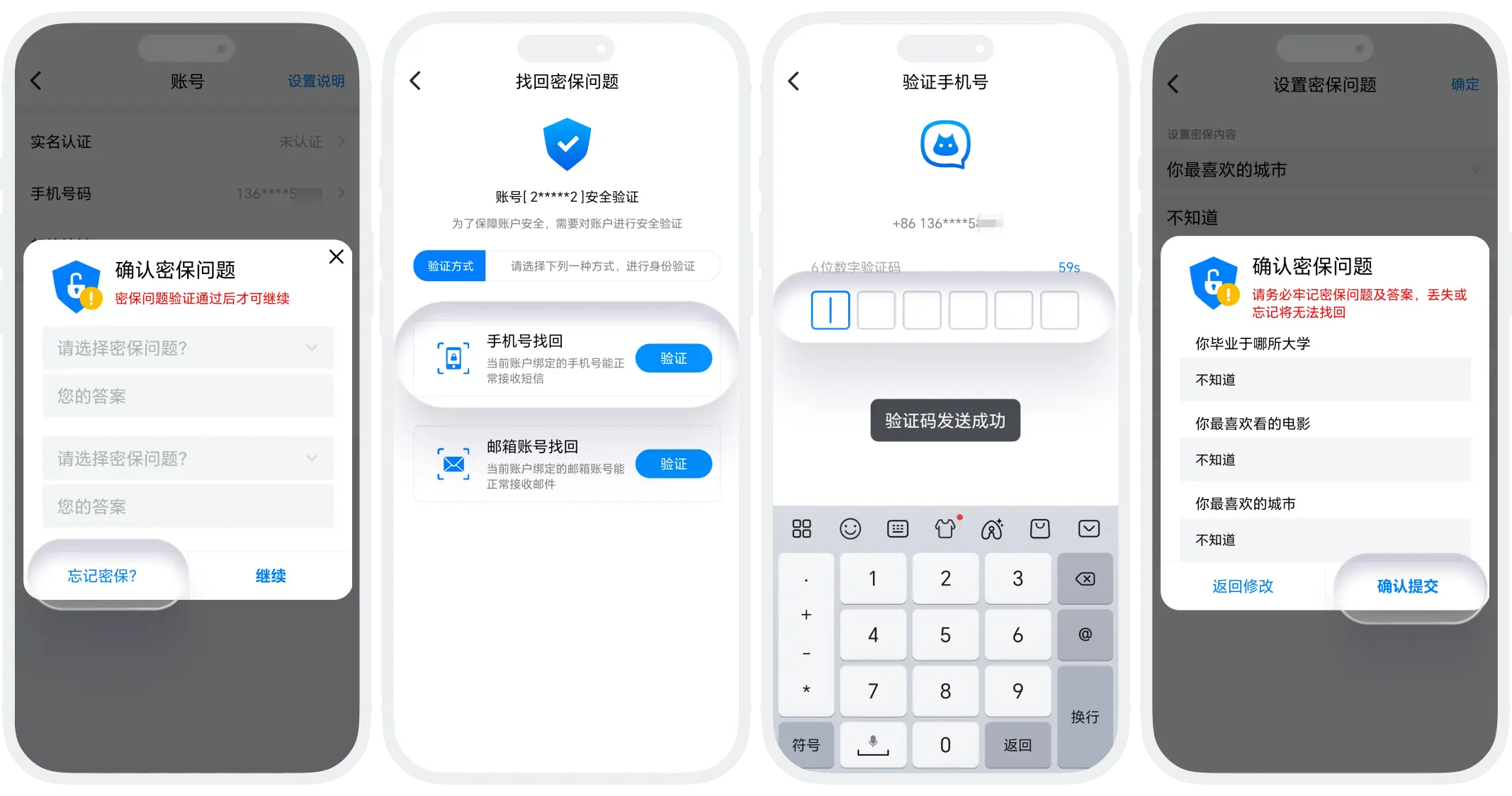
- If you forget the original security questions, you can click "Forgot Security Questions", select mobile number or email verification, and reset the security questions after verification.

- Please select questions with long-term certain answers, and record security answers in a safe place;
- Regularly check security information.
FAQ
Currently, the system only supports selecting from the preset question bank and does not support fully custom questions to ensure the standardization and security of questions.
Use the bound mobile number/email address to receive a verification code and reset the security questions.
Was this page helpful?
