Report Violations
To maintain a healthy and civilized social environment, the BatChat platform provides you with convenient channels for reporting违规 content. When you discover违规 content or behavior by users or groups, you can feedback to the platform through the reporting function. The platform review team will verify and handle it promptly after receiving the report, jointly maintaining a good online ecosystem.
Report Types
The platform provides two targeted report types. Please choose according to the actual situation:
- Profile Report: Applicable when the basic profile of users/groups contains违规 content, such as avatars, nicknames, introductions, tags, etc.
- Violation Report: Applicable when users/groups have违规 behaviors such as spam ads, pornographic and vulgar content, illegal information, etc. This type of report requires providing complete chat records or screenshots as evidence to help the platform review team quickly verify and handle.
Profile Report Process
- Report Entry: Click to enter the profile page of the corresponding违规 user/group, click the "More" button in the upper right corner, and select "Profile Report";
- Please wait patiently for the platform review team to process after successful reporting.
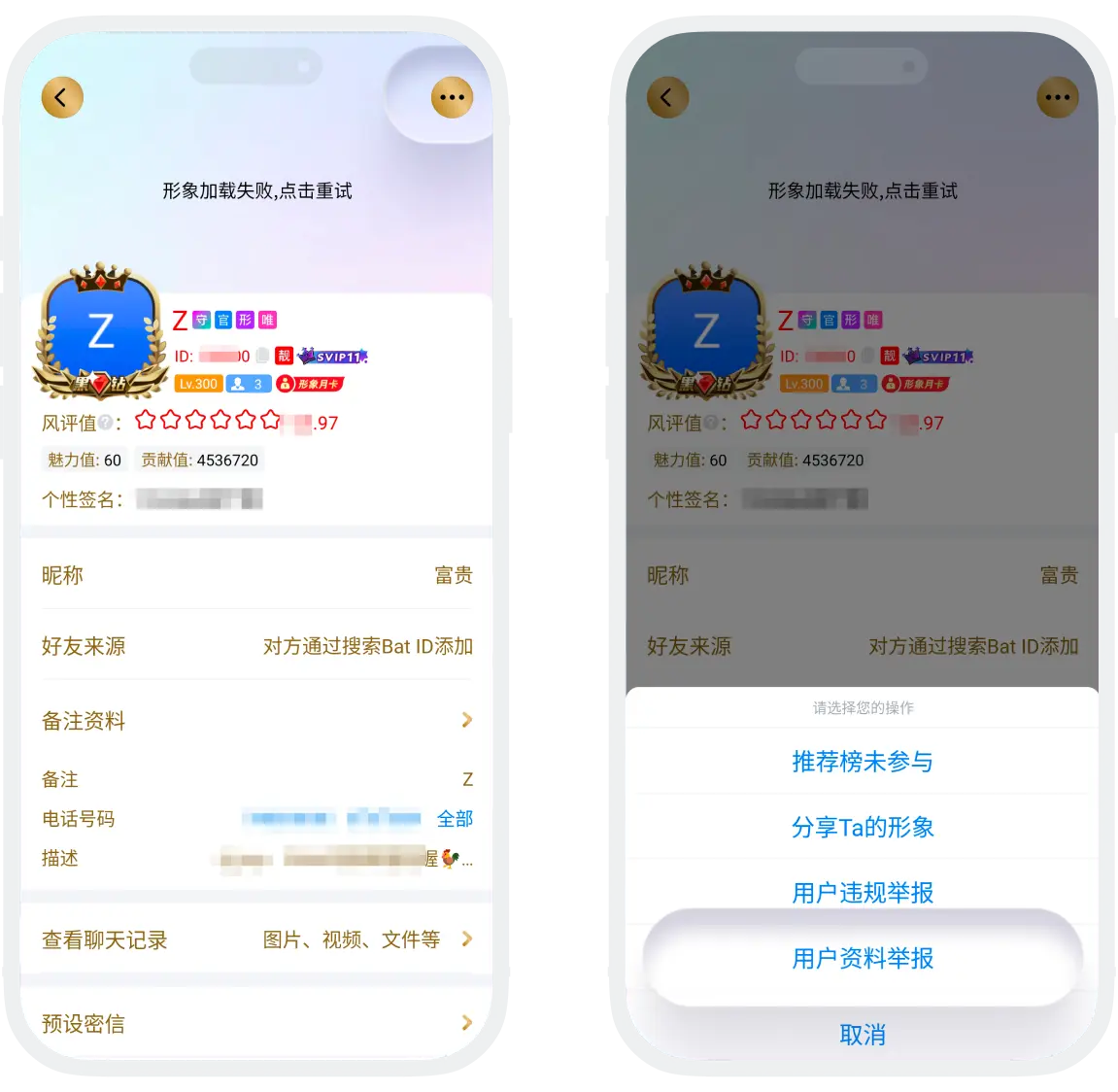
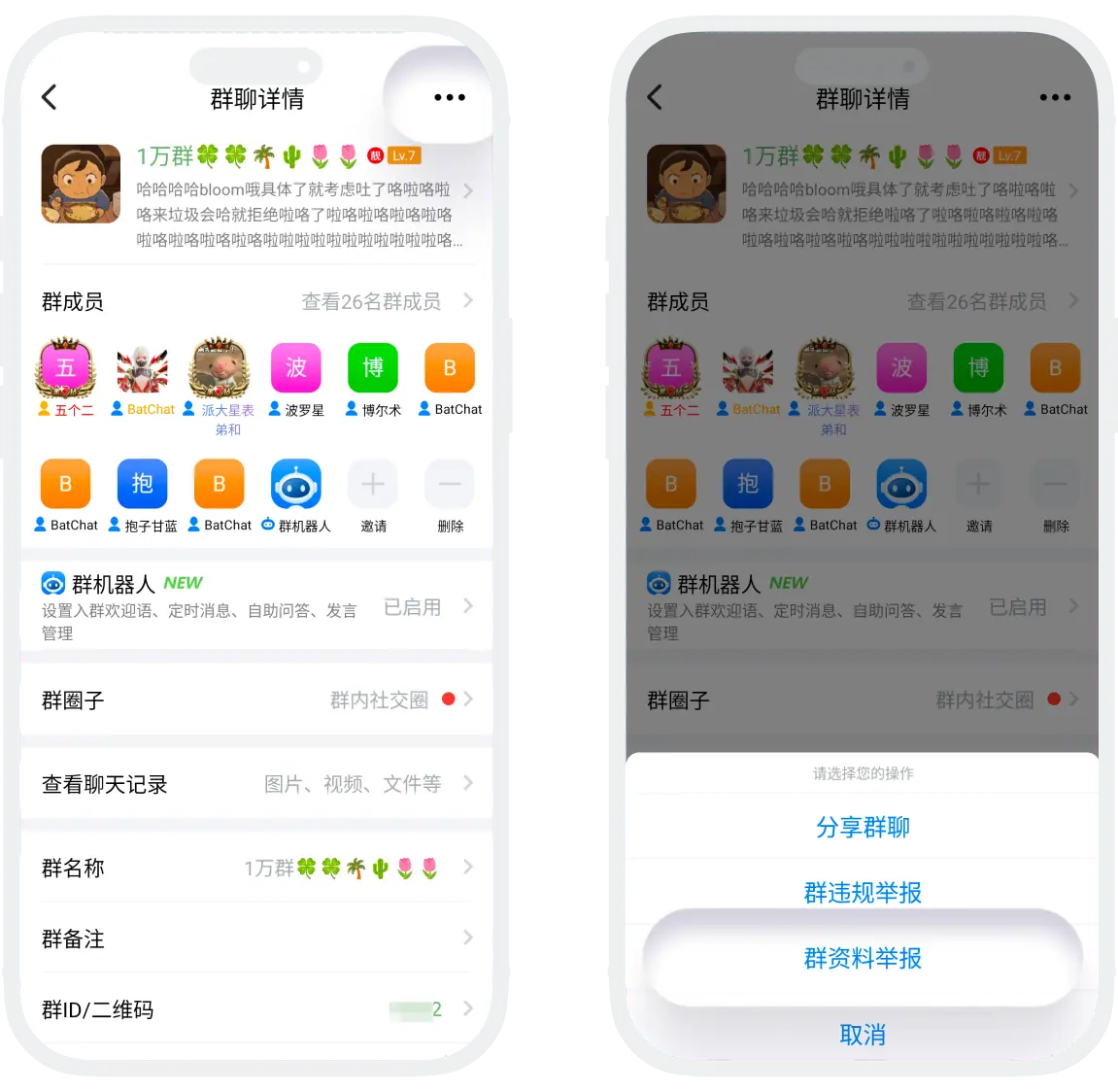
Violation Report Process
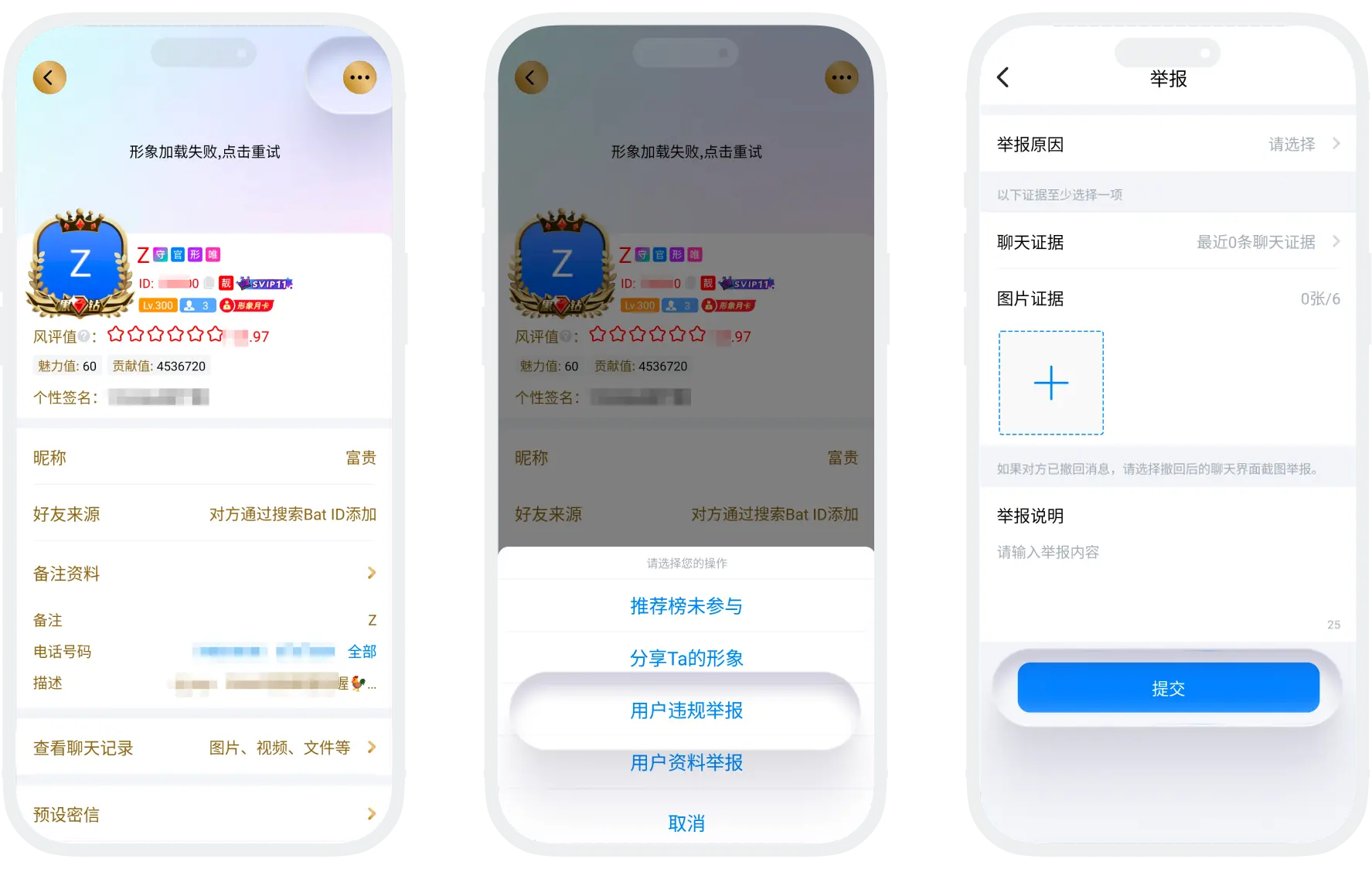
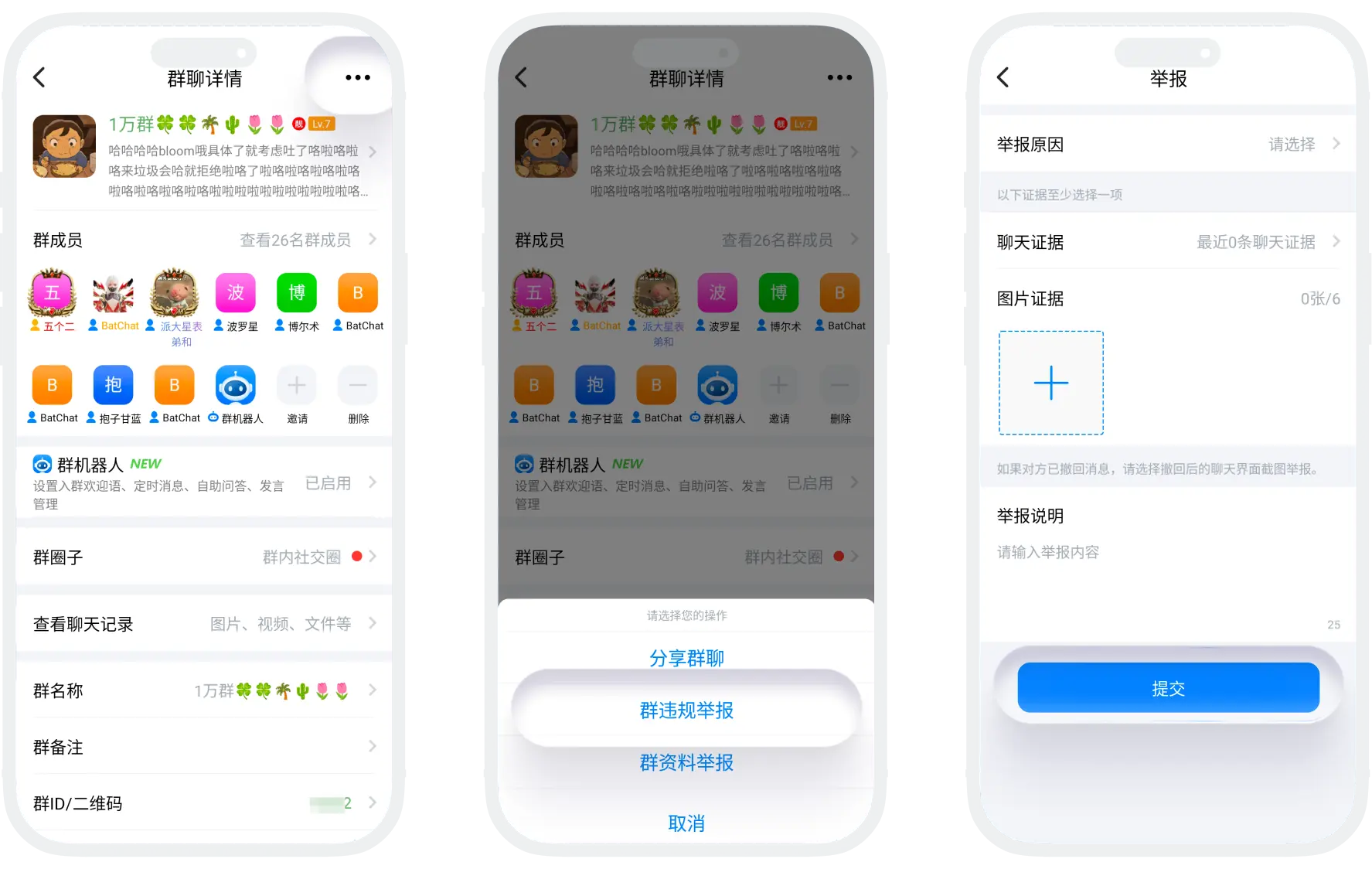
- Report Entry: Click to enter the profile page of the corresponding违规 user/group, click the "More" button in the upper right corner, and select "Violation Report";
- Fill in report information:
| Report Information | Description |
|---|---|
| Report Reason | Select the 1 most matching reason from the list |
| Chat Evidence | Check the specific messages involving violations. If the other party has withdrawn messages, it is recommended to upload screenshots of the chat interface after withdrawal (showing 'The other party has withdrawn the message' prompt) |
| Image Evidence | Screenshot messages involving violations, up to 6 images |
| Report Description | Supplementary description of the specific description of the violation: specific description of the violation, time point of the violation, etc. |
- Check all filled information, confirm that the evidence is complete and valid, then click "Submit", and wait patiently for the platform review team to process. If the violation you reported is true, the platform will delete the违规 content and impose penalties such as muting or banning on the违规 user/group.
Withdraw Report
If you find that the report was made in error, you can find the official account "BatChat Assistant" in the message list, find the mistakenly reported message record, and click "Withdraw Report".
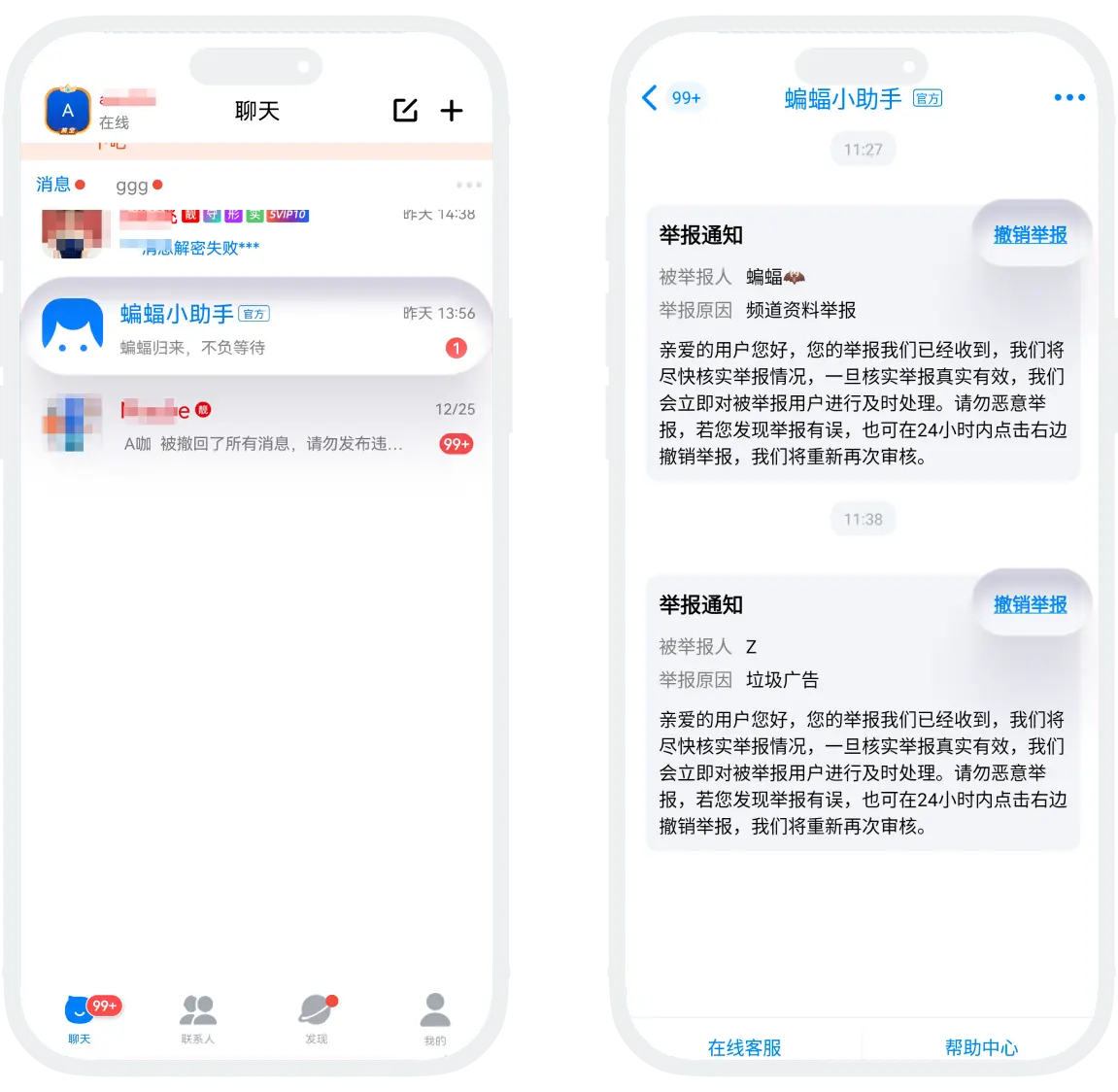
Report Result Notification
The platform review team will send processing result notifications through the official account "BatChat Assistant" within 1-3 working days after receiving the report. Please stay tuned.

Friendly Reminders:
- Reporting behavior is associated with your account. Please ensure the report content is true;
- Malicious reporting or framing others may affect your account rights. Please do not engage in malicious reporting;
- Avoid repeatedly submitting the same report to avoid extending processing time.
The platform will continuously improve the review mechanism based on report feedback, working with you to create a safer, healthier, and more positive social space.
FAQ
After being reported, the other party will receive a reminder from the assistant, but the reporter's nickname and ID are masked to avoid leaking reporter information.
Yes, but you need to retain relevant evidence. It is recommended to complete evidence collection and reporting before exiting.
If the first report is not accepted due to insufficient evidence, you can: supplement with more complete evidence and re-report or contact customer service to explain the specific situation.
