How to Opt Out of Display
If you don't want to appear in public display areas such as Recommended Plaza, Charm List, and Contribution List, you can enable the 'Do Not Participate in Display' mode with one click. After enabling, you will be removed from all related lists and no longer participate in rankings. If you need to restore display, you can also re-participate with one click.
Setting Process
- Enter 'Discover' - 'Recommended Plaza';
- Click 'More' in the upper right corner, click 'Do Not Participate in Display';
- To re-participate in display, follow the above process and click 'Participate in Display'.
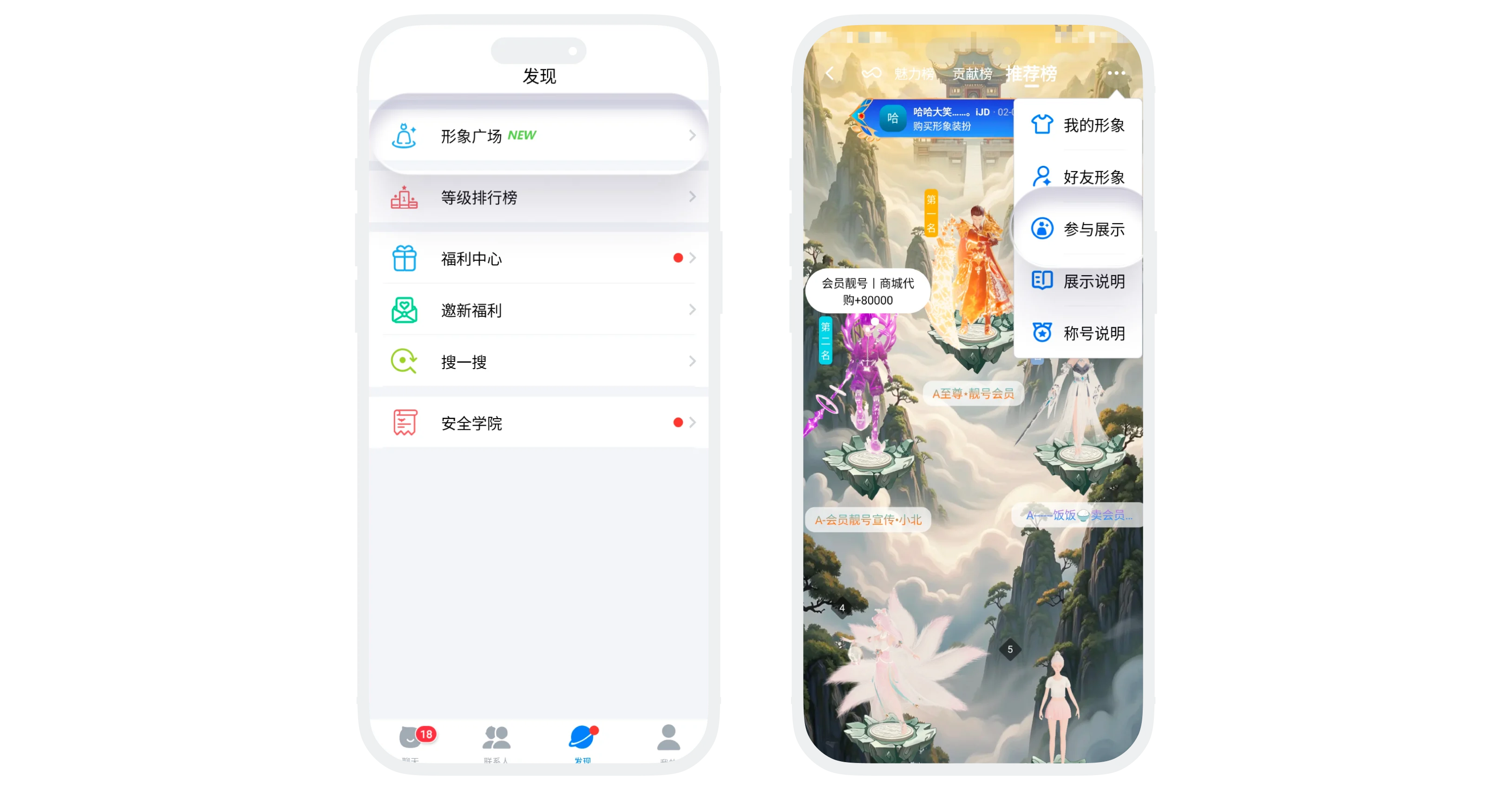
Do Not Participate in Display Effect
- Take effect immediately: After successful setting, you will be immediately removed from all related lists;
- When others refresh the Recommended Plaza, Charm List, and Contribution List, they will no longer see your avatar;
- Your various data (charm value, contribution value, consumption amount, etc.) will still accumulate normally, but will no longer participate in rankings;
- Opting out of rankings and then re-participating will not clear or reset any of your historical data.
FAQ
Yes. Your various data will still accumulate normally, just no longer participate in ranking display. After re-participating, this data will be re-counted into the rankings.
The system will recalculate the ranking based on your current online status, cumulative consumption amount, XP for the day, etc. Since data is still accumulating, the ranking will usually be close to your original level, but may fluctuate due to changes in other users during this period.
Currently not supported. This function is unified control for three lists. After enabling, you will simultaneously exit the Recommended Plaza, Charm List, and Contribution List.
