How to Turn Off Tipping
If you do not wish to receive gift tips from friends for personal reasons, you can enable this function with one click. After enabling, other users will not be able to give you any gifts, but you can still normally tip others, and your existing charm value, contribution value and other data will not be affected in any way.
Setting Process
- Enter 'My' - 'BatChat Mall' - 'Avatar Zone' - 'Tipping Center';
- In the 'Tipping Settings' module, turn on the 'Turn Off Tipping' switch. After confirming the closure, your profile page will hide the tip button, and others cannot tip you;
- If you need to re-enable the tipping function, follow the above path to turn off the switch.
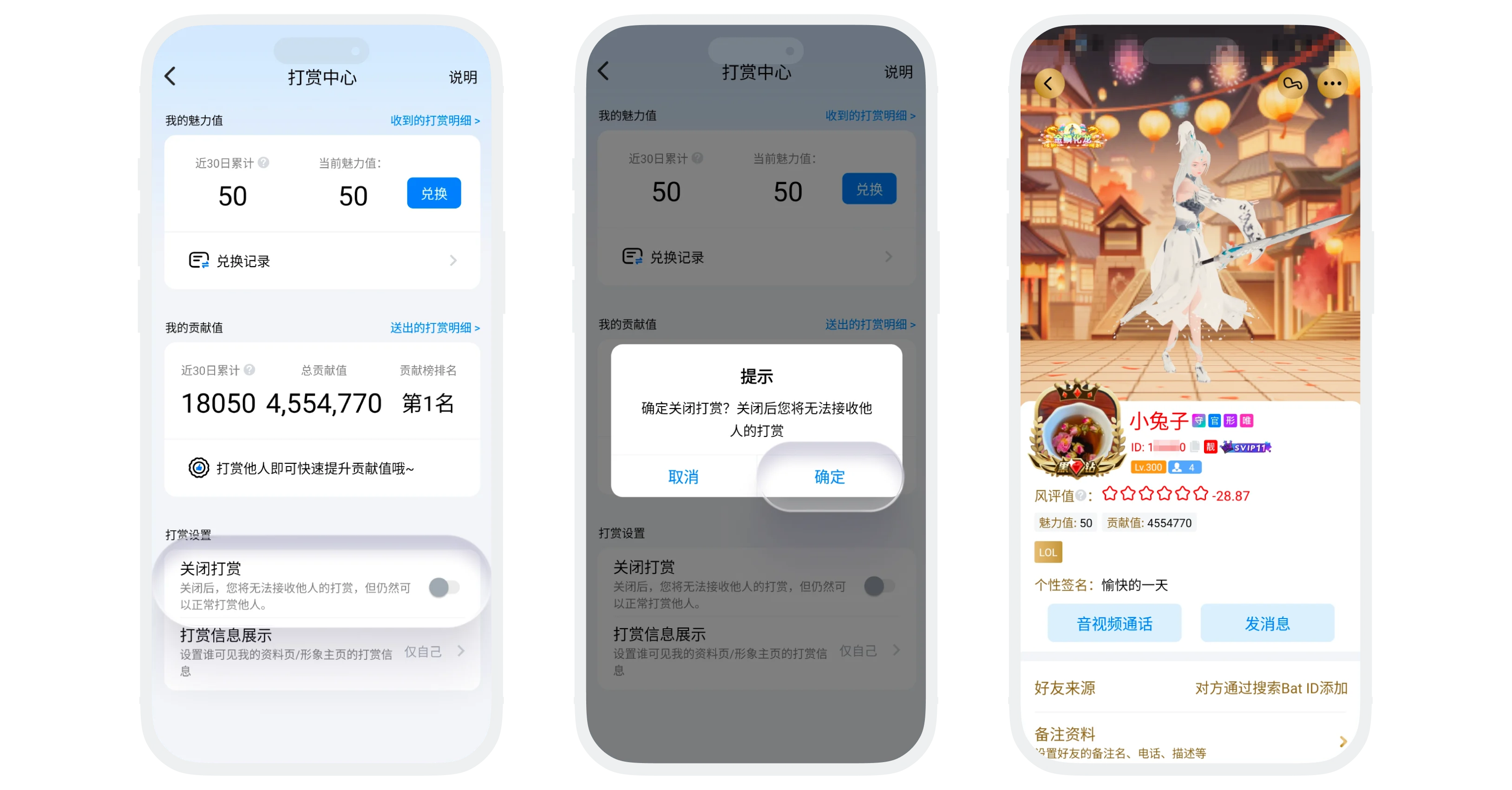
Effect After Enabling
- Others cannot tip you;
- You can still normally tip friends;
- Existing charm value and contribution value are not affected.
FAQ
When friends try to tip you, they will receive a prompt 'The other party has turned off the tipping function'. But the platform will not actively notify all friends of your setting status.
Was this page helpful?
