Edit Idle Quote
'Idle Quote' is an exclusive personalized signature feature provided by BatChat for featured set wearers. When you wear specific 'featured sets', you can set a personalized text content, which will be displayed externally in multiple scenarios after review, making your virtual avatar more personalized and recognizable. Idle Quote is your unique window to express attitude, share mood, and show personality.
Idle Quote Setting Process
- Setting Qualification: Must wear featured sets to set Idle Quote;
- Setting Steps:
- On the 'My' page, click the personal avatar area above to enter the personal avatar homepage;
- Click the Idle Quote input box, enter the Idle Quote content you want to display in the popup (1-15 characters);
- Click 'Confirm' to submit the Idle Quote;
- After the Idle Quote is set and approved, it will be displayed externally.
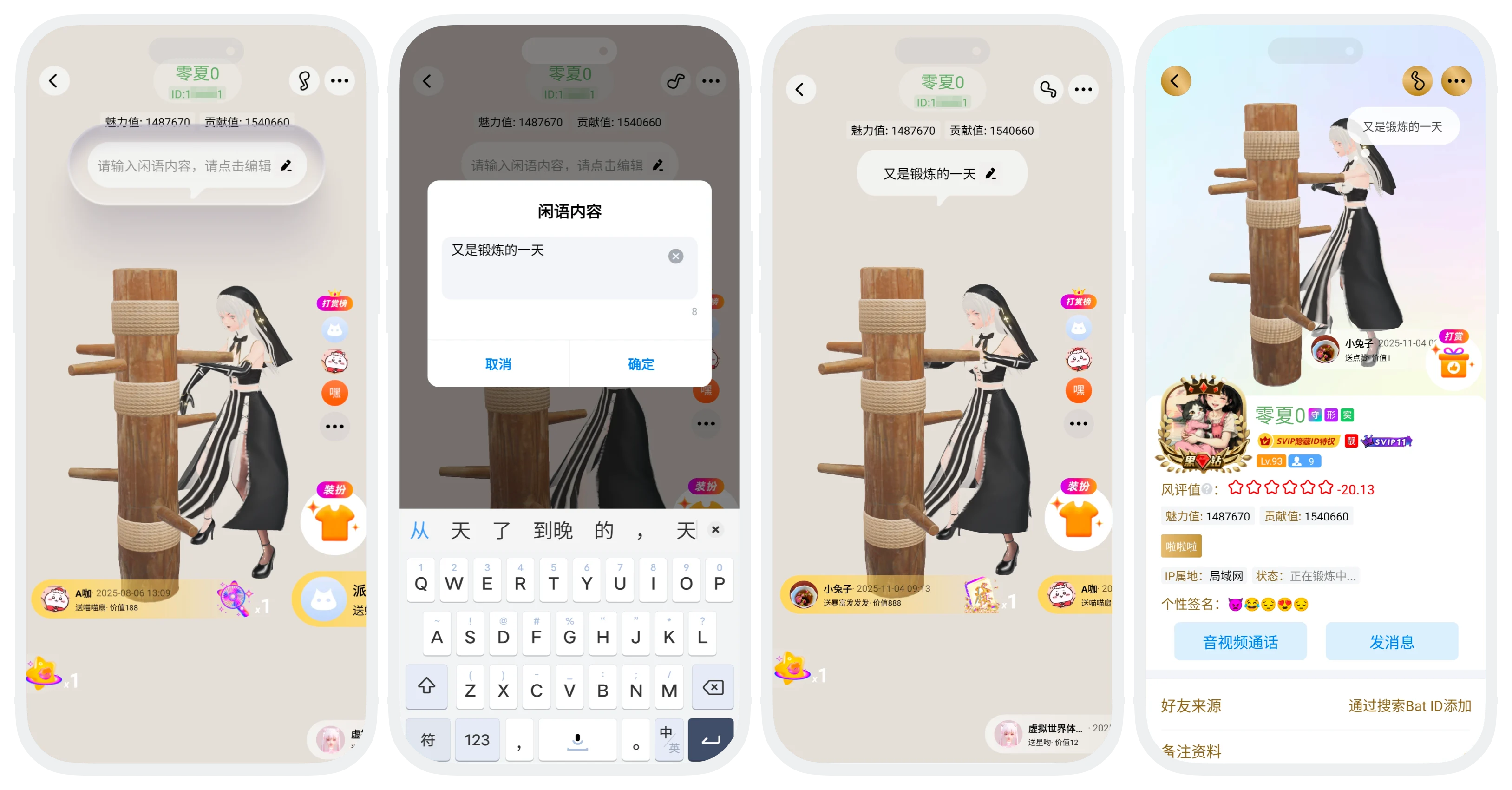

- Idle Quote content must comply with community guidelines, and must not contain sensitive information such as pornography, violence, gambling, political sensitivity, personal attacks, advertising drainage, contact information, etc.;
- Content that fails review will not be displayed, you can modify and resubmit;
- The platform reserves the right to handle violations, including but not limited to deletion, account suspension, etc.
Idle Quote Display Scenarios
After approval, your Idle Quote will be displayed externally in the following scenarios:
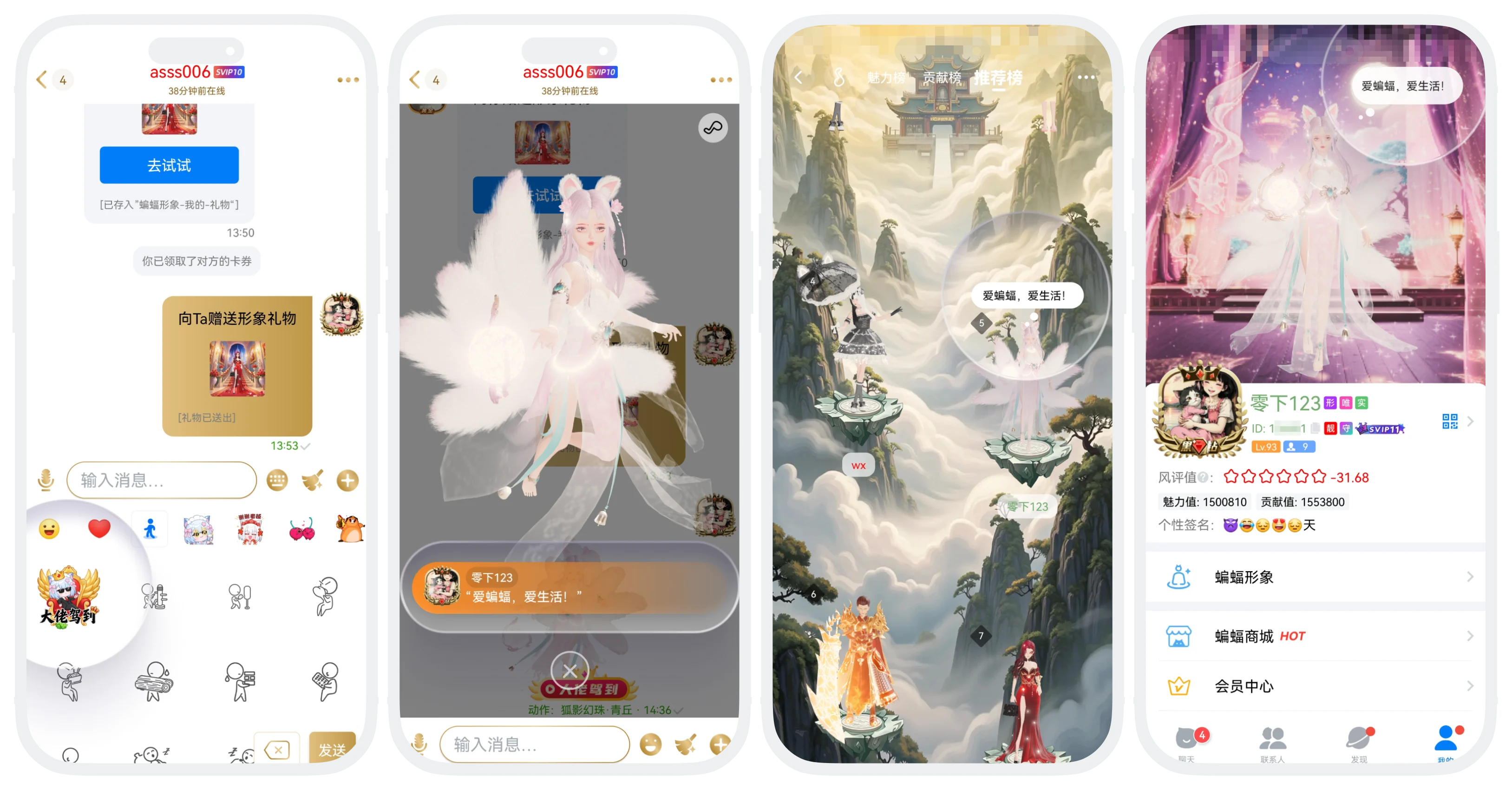
Scenario 1: Send 'Big Shot Arrival' Emoji:
- Send the 'Big Shot Arrival' emoji in chat windows and group chats. When playing the Big Shot Arrival emoji, your Idle Quote content will automatically follow and display below the emoji;
- All users who can see this message can see your Idle Quote.
Scenario 2: Recommended Plaza
- In the 'Recommended Plaza', the Idle Quote will be dynamically displayed in a bubble above your avatar;
- The Idle Quote will help you stand out in the plaza, increasing opportunities for attention and interaction.
Scenario 3: Personal Profile Page
- On your personal profile page, in the avatar display area, the Idle Quote will automatically be displayed next to your avatar in a dynamic bubble form;
- The Idle Quote is your 'second business card' on your personal profile page, visitors entering your profile page can see it.
FAQ
Any personalized text that complies with community norms is acceptable, recommended 5-15 characters. Can be mood quotes, personalized signatures, fun complaints, life status, etc. Prohibited content includes illegal violations, advertising marketing, vulgarity, etc.
Yes. The Idle Quote is bound to your account, not a specific set. As long as you wear any featured set, the approved Idle Quote can be displayed.
