Set Action
[Avatar Action] is a function that gives dynamic expression to your 3D virtual avatar.
Default Action Setting Process
- Open BatChat App, enter 'My' - 'BatChat Avatar';
- Click to switch to the 'Action' category below the avatar dressing page;
- Click any action card, your 3D avatar will immediately play this action, showing the complete effect;
- Click the 'Set as Default' button below this action card, after successful setting, this action will become the first play action when others view your avatar;
- Cancel default action
- If you need to change the default action, directly click 'Set as Default' on other actions to override the original setting;
- If you need to cancel the default action (restore to completely random play), you can click the 'Cancel Default' button of the current default action.
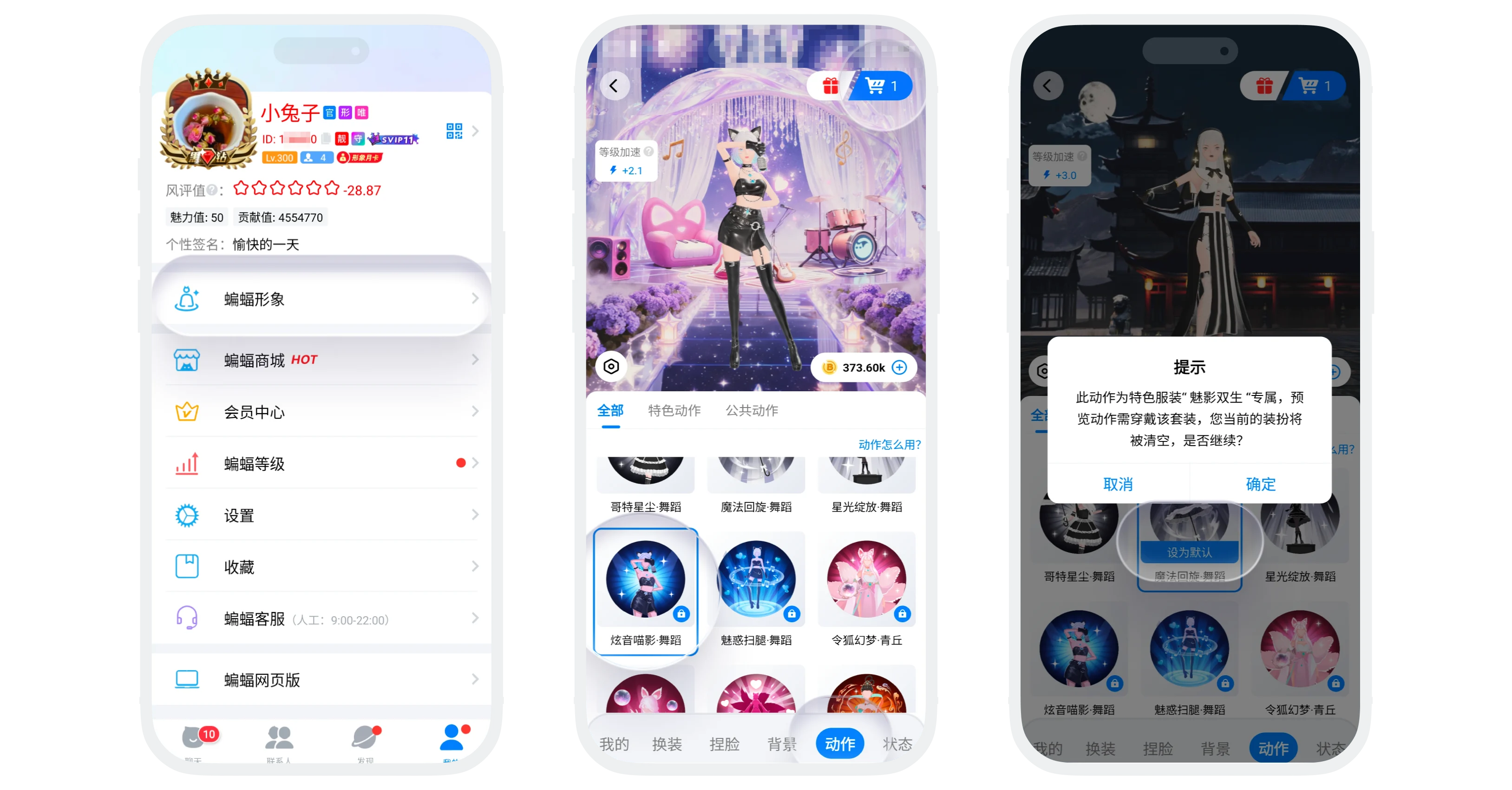
Action Sources
- Free public actions (can be used directly): The platform provides a batch of basic public actions for all users to use for free;
- Featured set exclusive actions (only given with sets): Each featured set comes with an exclusive featured action, such actions can only be obtained by purchasing the corresponding featured set.

- After unlocking the exclusive action of a featured set, you can use this action even if you are not wearing the corresponding set;
- But for the best visual effect, it is recommended to use the exclusive action when wearing the corresponding set.
Action Display Rules
- All scenes where your 3D avatar is visible will display action effects, including but not limited to: personal profile page avatar area, full-screen avatar homepage, avatars in the recommended plaza;
- Display logic: Priority display of default action, after the default action finishes playing, the avatar will randomly display other actions.
FAQ
Yes. After unlocking the exclusive action, no matter what set you are currently wearing, you can use this action. But the visual effect may be slightly different from the original set design.
Currently not supported. Only one default action can be set as the 'opening action' for first play. After playing, subsequent actions are played randomly.
There will be a certain static time between action rotations, wait a few seconds to see the next action play.
Was this page helpful?
