Get Featured Sets
'Featured Sets' are complete dressing combinations created by the BatChat platform for 3D avatars. Each set includes matching clothing, makeup, hairstyle, accessories, exclusive actions and background, with unified style and unique visual effects. Featured sets can be obtained through multiple methods, supporting selection of different usage durations to meet users' diverse needs.
Featured Set Acquisition Methods Overview
Featured sets can be obtained through: direct purchase, avatar coupon exchange, and friend gifting.
Direct Purchase Featured Sets
- Enter 'My' - 'BatChat Avatar' - 'Dress Up', click the desired dressing under the 'Featured Sets' category to preview. If this featured set supports different dyeing schemes, you can click on the right to switch and view different dyeing effects;
- The system will automatically add owned featured sets to the shopping cart. Click the 'Shopping Cart' icon in the upper right corner to view the purchase list;
- Select Purchase Duration: Can choose permanent purchase or short-term purchase. Short-term purchase durations are 1 month, 6 months, 1 year;
- Select Purchase Method:
| Purchase Method | Description |
|---|---|
| Direct Purchase | After successful purchase, immediately own the purchased featured set, cannot be gifted |
| Purchase Avatar Coupon | After successful purchase, the avatar coupon will be saved in your coupon center, can be used by yourself or gifted to friends |
- Select 'Direct Purchase', click 'Purchase', after successful payment, the set is immediately unlocked.
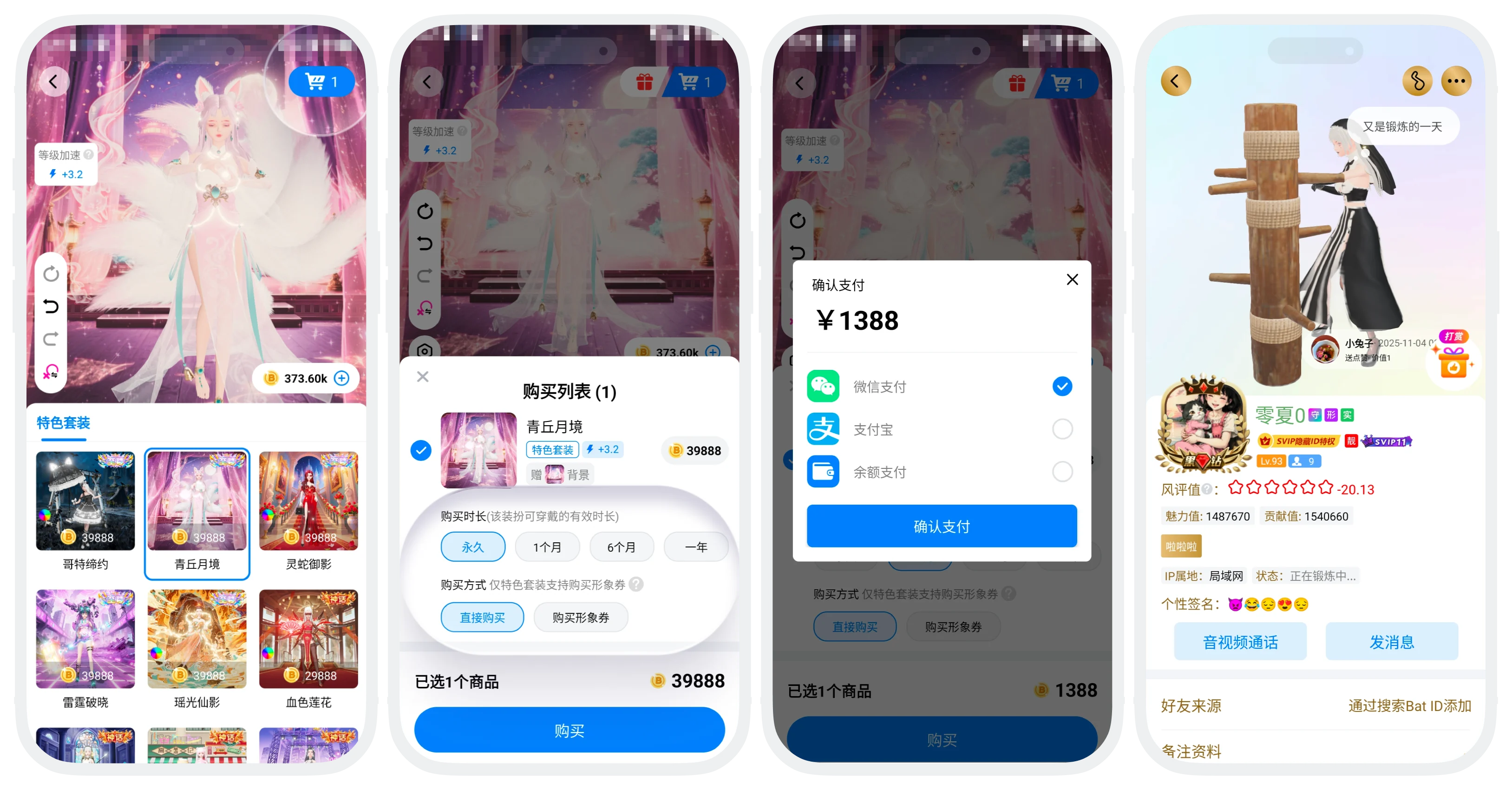

Note: Which dyeing scheme you preview, that scheme will be added to the shopping cart, and the purchased will also be the featured set corresponding to this dyeing scheme, and cannot be changed after purchase.
Use Avatar Coupons
- Get avatar coupon process:
- In 'BatChat Mall' - 'Avatar Zone', click 'Purchase Avatar Coupon' to enter the purchase interface;
- Click the dressing you want to purchase to preview and switch dyeing;
- Click the shopping cart icon, select the duration to purchase, enter the number of coupons to purchase (default 1, can purchase up to 100 at a time);
- Click 'Purchase Avatar Coupon', complete payment;
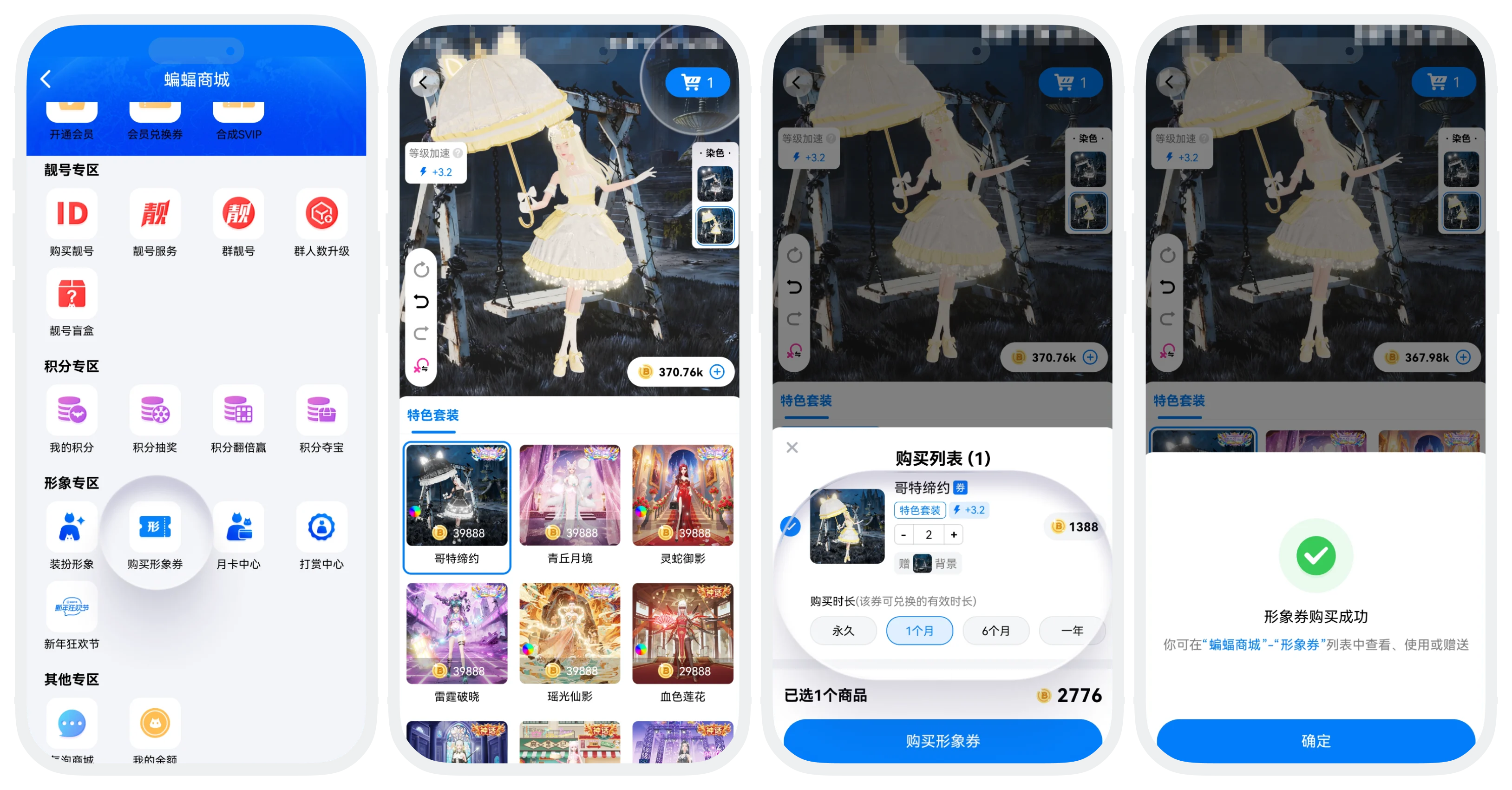

In addition to the above purchase process, you can also choose the purchase method as 'Purchase Avatar Coupon' when directly purchasing featured sets, or receive avatar coupons gifted by friends.
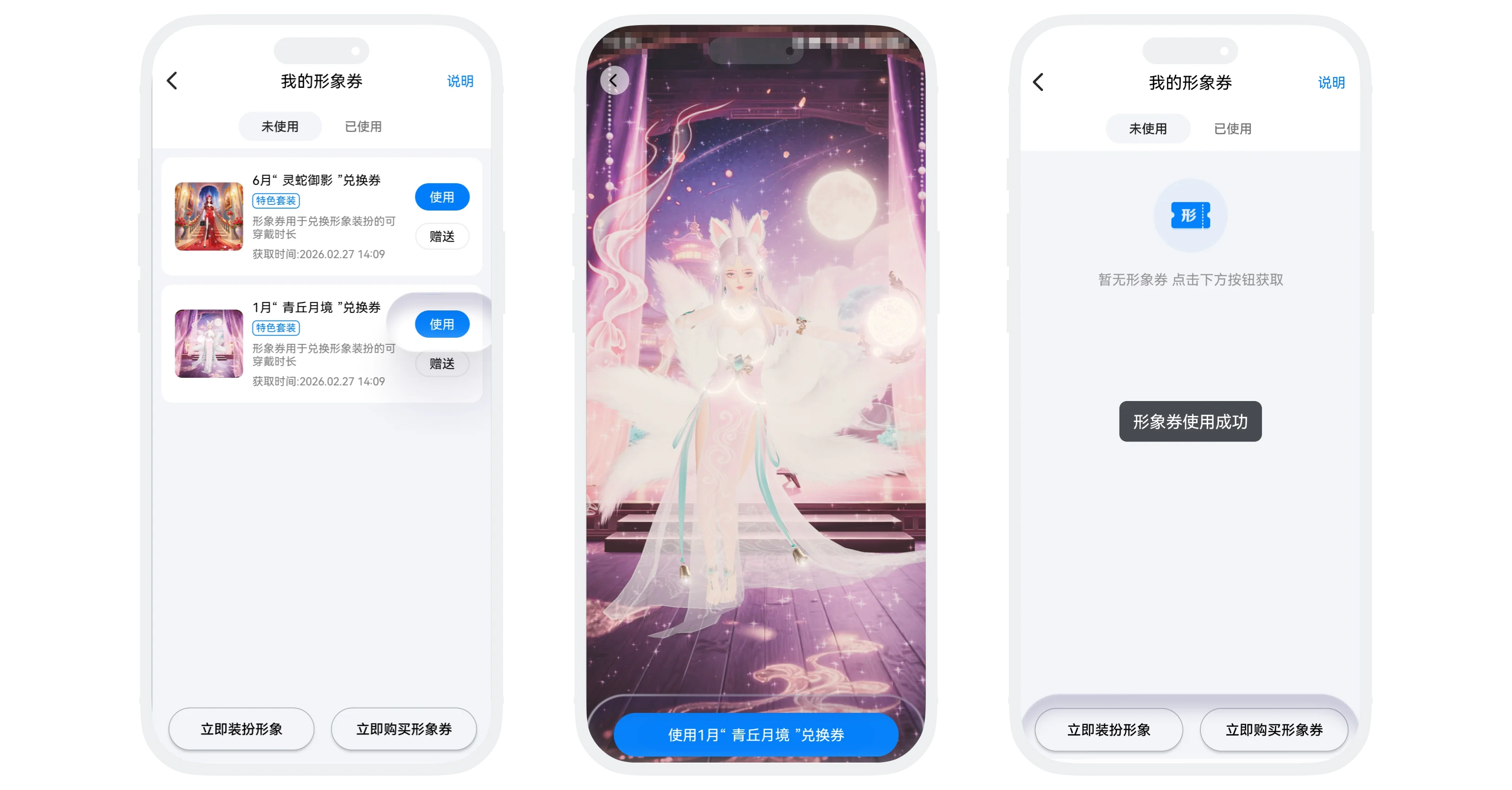
- Usage process:
- Enter the 'Avatar Coupon' list, select the coupon you want to use, click 'Use xxx Exchange Coupon';
- Enter the featured set preview page, click the 'Use' button at the bottom, this featured set will automatically exchange for the corresponding validity duration, and your avatar will also automatically update to this dressing;
Friend Gift Featured Sets
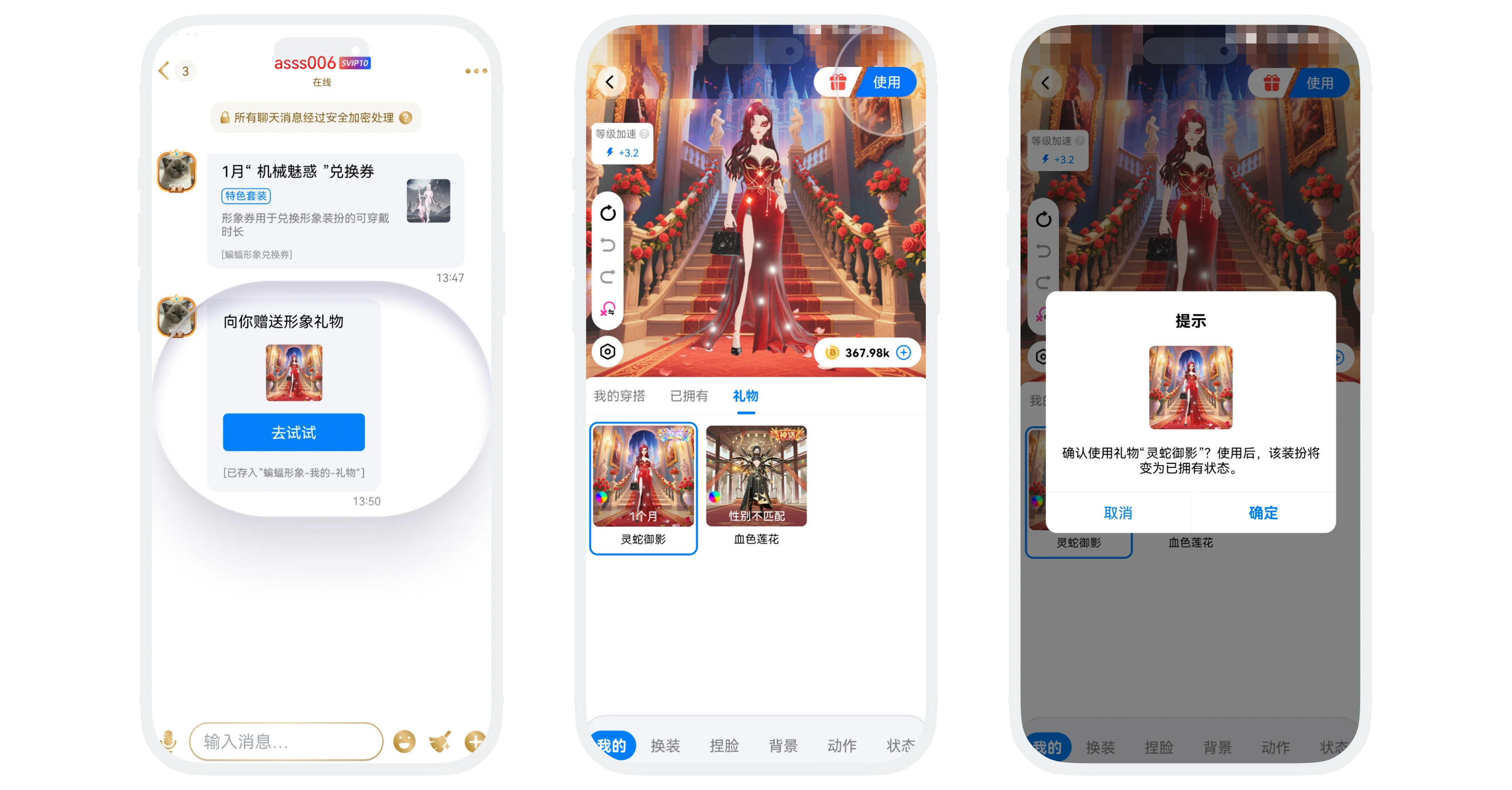
- Friends send you featured set gifts through the gifting function;
- You will receive system messages or chat notifications;
- Click the message to claim. After successful claim, the gift can be viewed in 'My' - 'BatChat Avatar' - 'My' - 'Gifts';
- Click to try on the gift, click 'Use' in the upper right corner to exchange the gift for this featured set;
- For gifting methods, see Friend Gifting.