Leaderboard Rules
The user level leaderboard is a real-time ranking system based on user XP accumulation, designed to show users' growth progress and active performance in the BatChat App. The leaderboard is divided into three dimensions: daily, weekly, and overall, reflecting short-term activity, medium-term accumulation, and long-term achievements respectively, motivating users to actively participate in interactions and level up.
Leaderboard Types and Ranking Rules
- Leaderboard types:
| Leaderboard Type | Statistics Period | Sorting Basis | Ranking Slots |
|---|---|---|---|
| Daily | Current day (0:00-23:59) | XP obtained on the day | Top 1000 |
| Weekly | Current week (Monday 0:00 to Sunday 23:59) | XP accumulated in the week | Top 1000 |
| Overall | Long-term valid (from registration) | User total XP (i.e., user level) | Top 1000 |
- Ranking Rules
- Sort by corresponding leaderboard XP from high to low;
- When XP is exactly equal, sort by user membership level from high to low (Honor Member > SVIP > VIP > Regular User);
- Ranking and Display:
- All registered users automatically participate in ranking;
- Daily and weekly leaderboards require XP acquisition behavior in the corresponding period;
- Overall leaderboard has no behavior requirements, all users participate by default;
- Each ranked user displays the following information: ranking, avatar, nickname, level icon, XP value for the corresponding leaderboard, special ID and other identifiers.
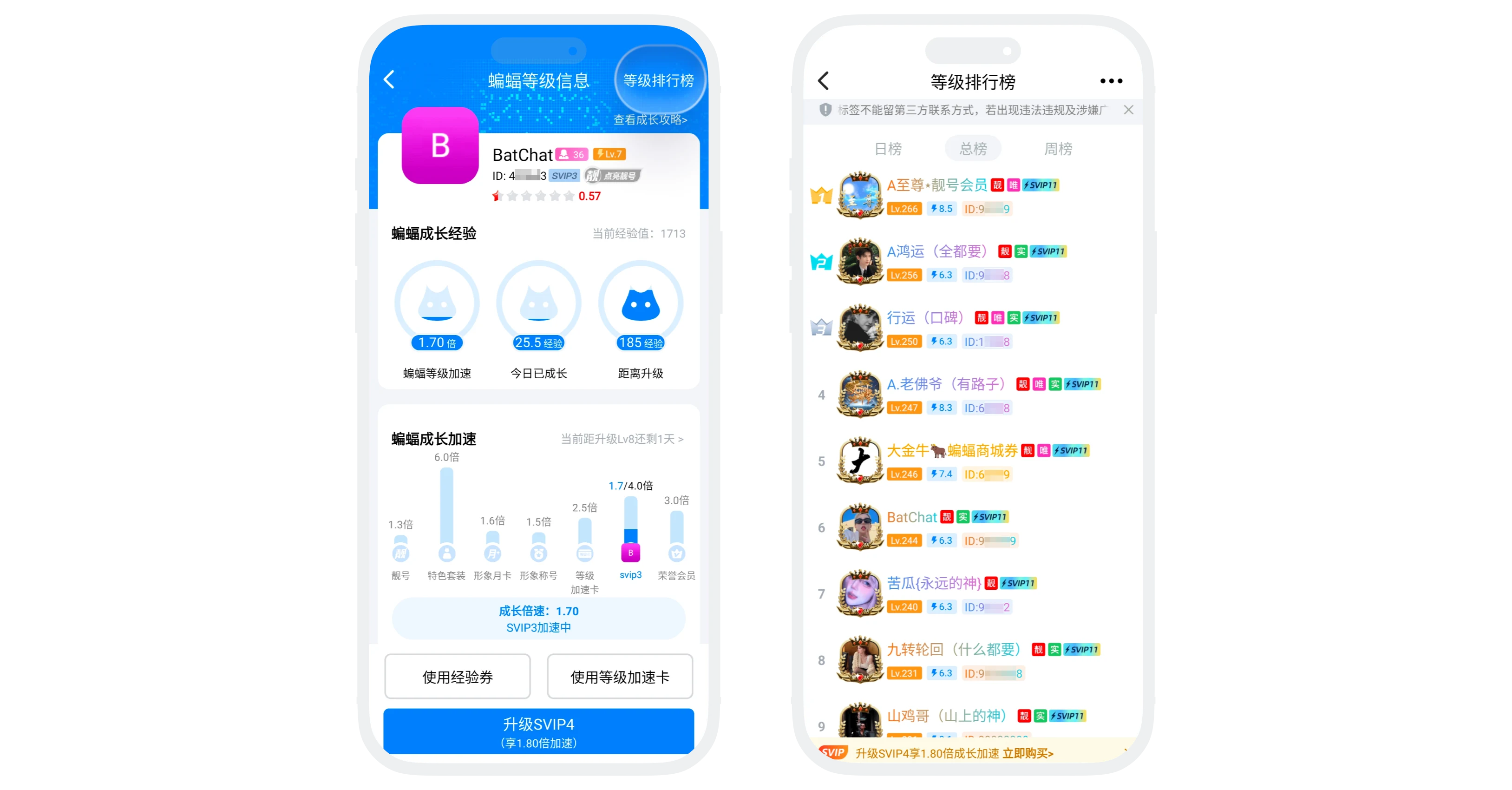

Tip: If you don't want to participate in ranking, you can set Not Participate in Ranking.
Violation Handling and Delisting Mechanism
- Violation content determination standards:
- Advertising content: Commercial promotion, product promotion, traffic diversion information, etc.
- Third-party contact information: Phone numbers, WeChat IDs, QQ numbers, emails, social accounts, etc.
- Violation nicknames/signatures: Sensitive words, vulgar content, politically inappropriate remarks, etc.
- False information: Impersonating officials, false identity declarations, etc.
- Other violations: Other violation content determined according to platform rules
- If ranked user information contains the above violation content, they will be automatically delisted, and serious cases may result in account suspension.
Restore Ranking
- Users delisted for violation content can use a "Restore Ranking Card" to restore ranking after modifying the violation content;
- Restore Ranking Card acquisition method: In 'My' - 'BatChat Mall' - 'Points Lottery' - 'Lottery Benefits', consume 100 lottery draws to exchange for 1 Restore Ranking Card;
- Usage process:
- Method 1: Click 'Use' in 'My' - 'BatChat Mall' - 'My Coupons' - 'Restore Ranking Card';
- Method 2: Click 'More' in the upper right corner of 'Discover' - 'Level Leaderboard', click 'Restore Ranking', and jump to the Restore Ranking Card list to use;
- After successful use, users re-enter the leaderboard ranking (recalculated based on current XP).
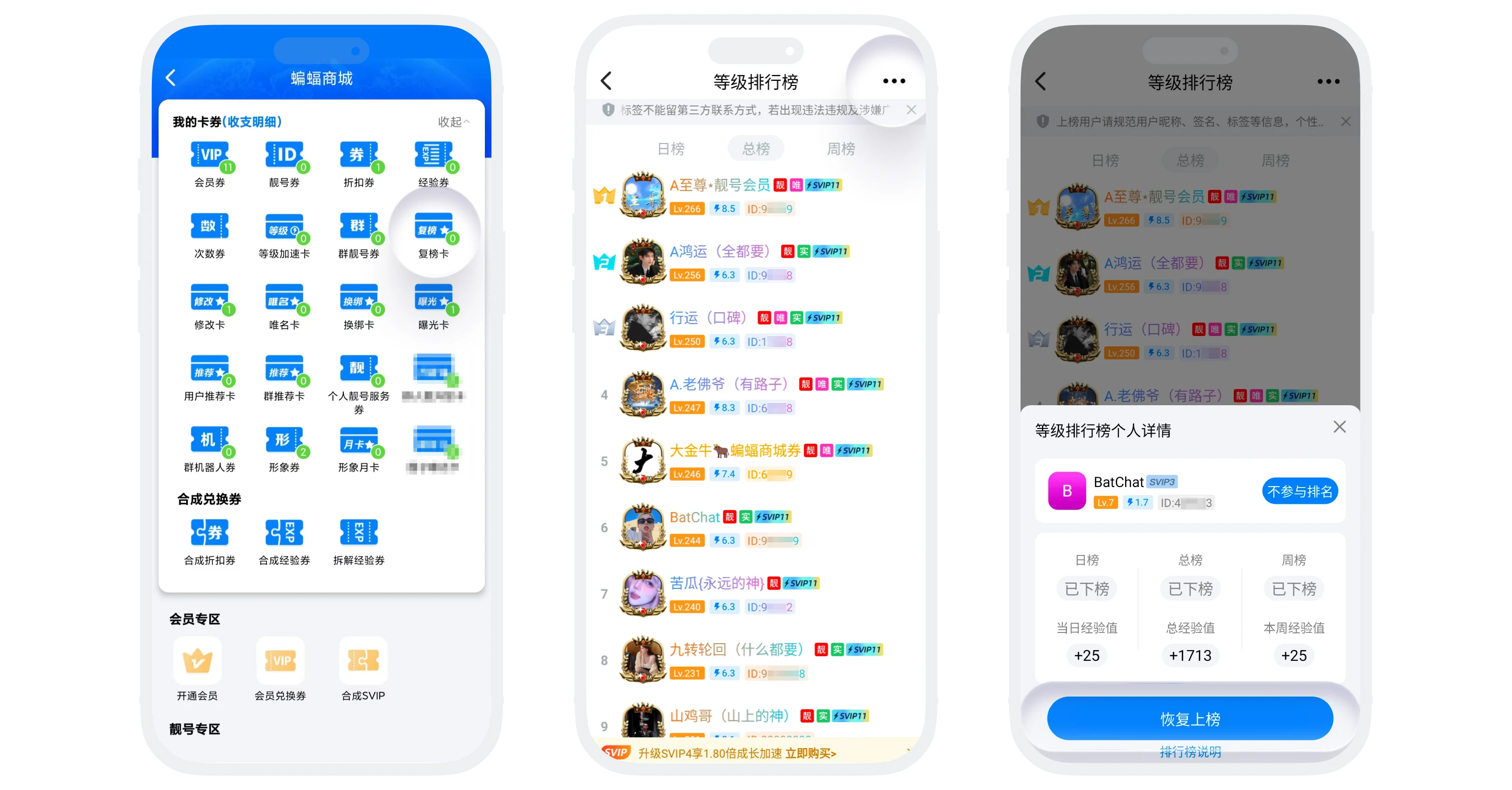

Please note:
- After using the Restore Ranking Card, if user information still contains violations, they may be delisted again. It is recommended to modify violation content before use to ensure compliance;
- Restore Ranking Card can only be used after being delisted;
- The number of times the Restore Ranking Card can be used per month is limited. If delisted multiple times, you will not be able to restore ranking for the month, and may result in account suspension.
FAQ
Please check: 1. Whether XP was gained after 0:00 of the current day; 2. Whether XP value entered the top 1000; 3. Whether there is violation information resulting in delisting.
No, you must actively restore ranking using the Restore Ranking Card. Modifying information can only avoid being delisted again.
They may have a higher membership level. When XP is the same, users with higher membership levels rank higher.
You can provide feedback through 'Online Customer Service', providing your user ID and delisting time. Customer service staff will verify the situation with you.
