Recall Message
The BatChat platform provides two message recall mechanisms to help you correct errors after sending messages or thoroughly clean up conversation records. Understanding the differences and applicable scenarios of the two recall methods can better protect your communication privacy and efficiency.
Recall Type Comparison
| Feature | Single Recall | Two-way Recall |
|---|---|---|
| Recall Range | Only messages sent by yourself | All chat records on both devices |
| Requires Other Party Setting | No | Requires other party to have enabled 'Agree to Two-way Recall' switch |
| Usage Threshold | Everyone | Only VIP and above |
| Applicable Scenarios | Correct mis-sent messages, recall incorrect information | Thoroughly clean up sensitive conversations, resolve disputes, protect privacy |
Single Recall Operation Steps
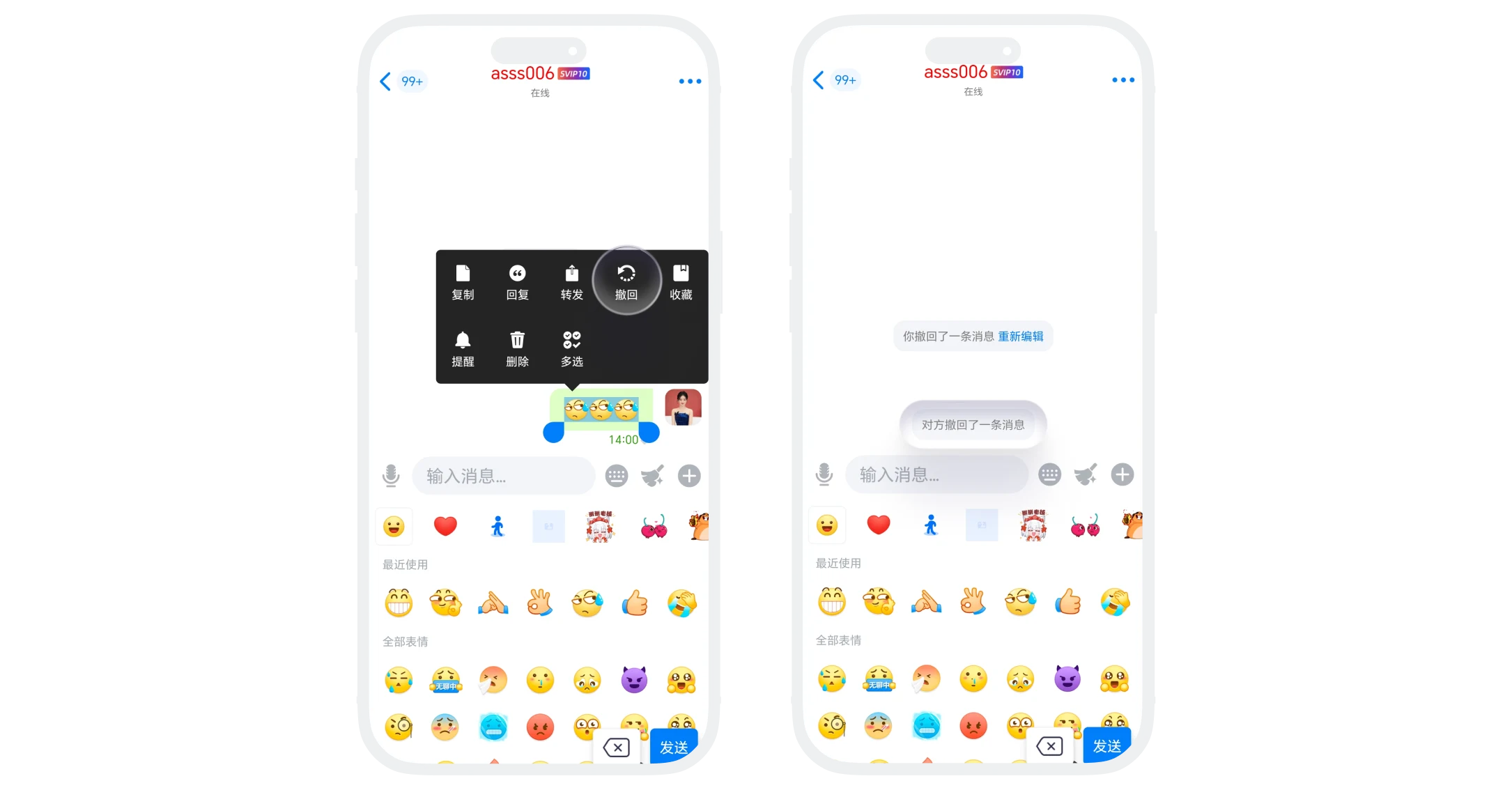
- In the chat interface, long press the message to recall, select 'Recall'; the other party's chat page displays 'Recalled 1 message', cannot view specific content;
- Recalled messages support re-editing, click 'Re-edit' to quickly copy the original message content to the input box for easy editing and re-sending.
Two-way Recall Operation Steps
In the chat page, click the 'Two-way Recall' button in the lower right corner, read the prompt, and click 'Agree':
- If the other party has enabled the 'Agree to Two-way Recall' switch, all chat records on your and the other party's devices will be directly cleared, and 'Recalled all messages' will be displayed on the chat page;
- If the other party has not enabled the 'Agree to Two-way Recall' switch, the recall process will not be executed immediately. The other party will receive a prompt requesting consent to enable two-way recall. After agreement, the two-way recall will be executed. (After this agreement, the two-way recall switch will be turned on by default, and subsequent two-way recalls can be performed directly without requesting consent again).
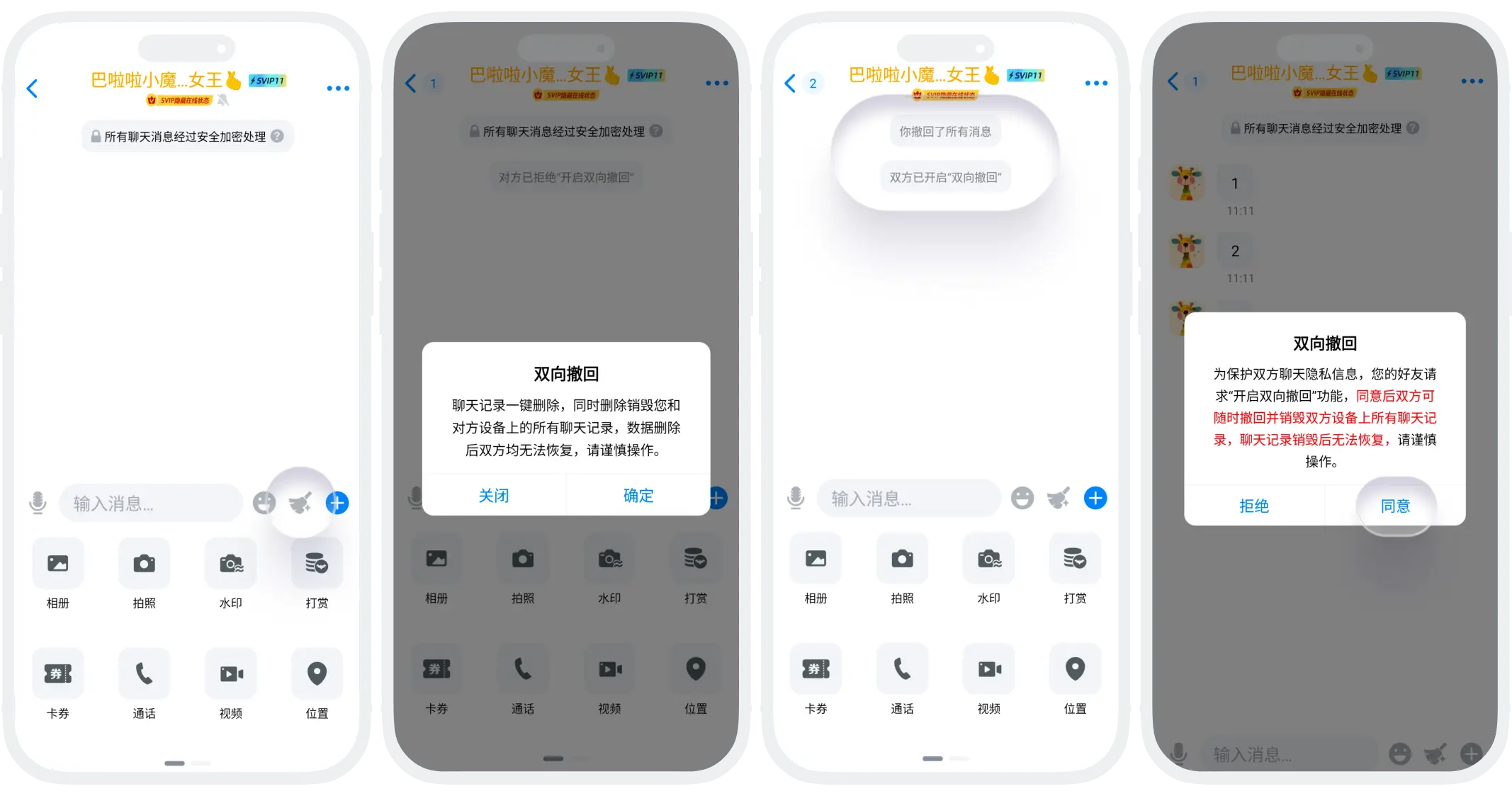

Please note: If you initiate two-way recall and the other party agrees, it is also considered that you agree to 'Enable Two-way Recall', and the other party can also perform 'Two-way Recall' operations at any time.
Enable/Disable 'Agree to Two-way Recall'
- The two-way recall switch follows the synchronization principle between both parties:
- Application and Consent Mechanism: User A sends a 'Enable Two-way Recall' application to User B. After User B agrees, both parties' two-way recall switches are automatically enabled simultaneously. At this time, both A and B's settings interfaces show the 'Two-way Recall' function as enabled;
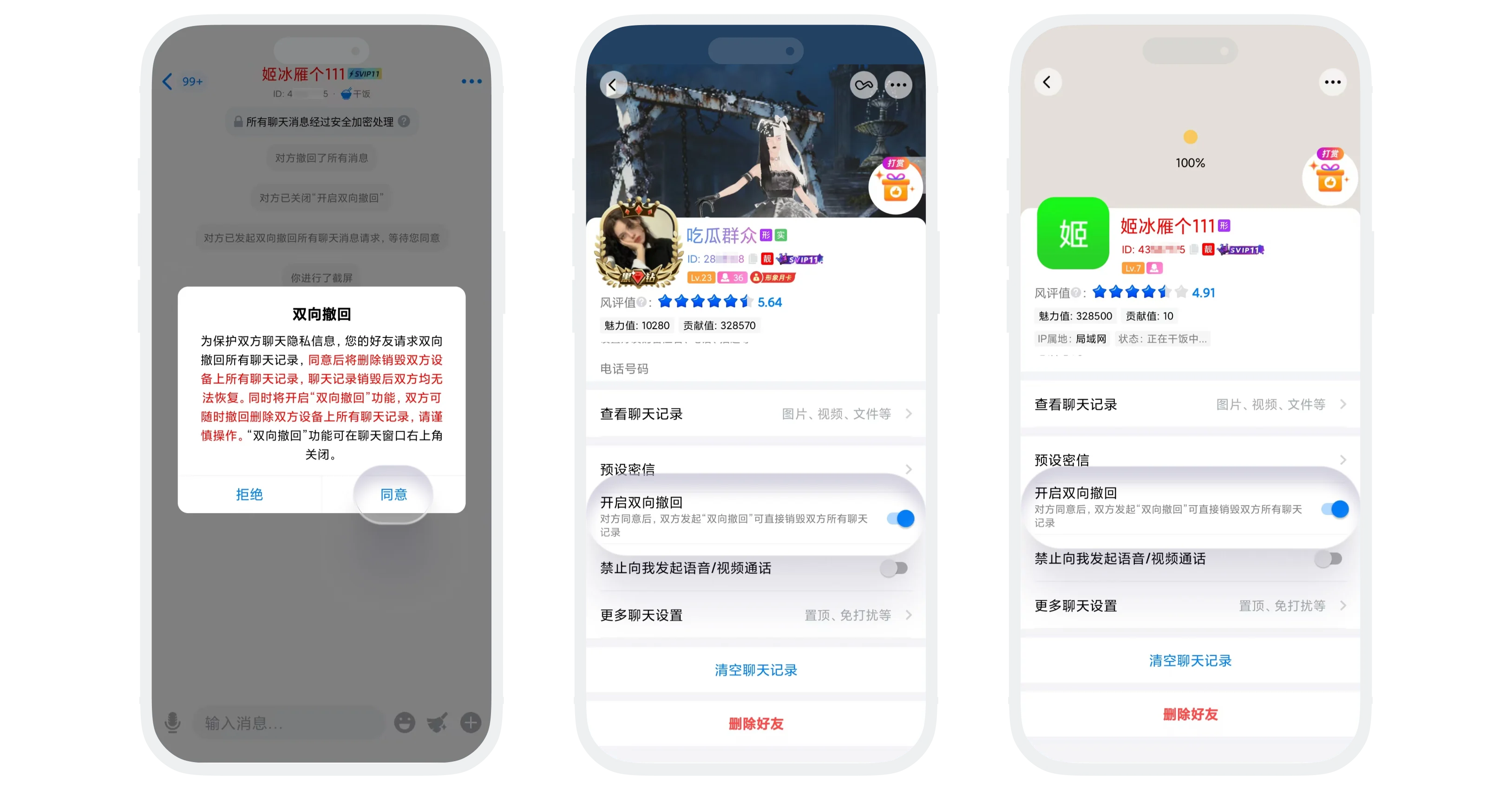
- Disable Synchronization Mechanism: If User B subsequently turns off their two-way recall switch, User A's two-way recall switch will also be automatically turned off. At this time, both parties' two-way recall functions are in a disabled state. Either party (A or B) who wants to use the two-way recall function again must obtain the other party's consent again;
- Manage Switch Status: In the corresponding chat page, click 'More' in the upper right corner, find 'Enable Two-way Recall', and change the switch status.