Message Reminder Function
The message reminder function supports you to set reminders for important chat messages, adding messages to the reminder list or setting scheduled reminders to help you efficiently manage to-do items and important notifications.
Feature Characteristics
- Both single chat and group chat messages can set reminders;
- Dual Reminder Modes:
- Mode One: Only add to reminder list;
- Mode Two: Add to reminder list + set reminder time (when reminder time arrives, BatChat assistant will send you a message reminder);
- Each account can set up to 100 reminders. After reaching the limit, old reminders need to be deleted to set new ones.
Setting Steps
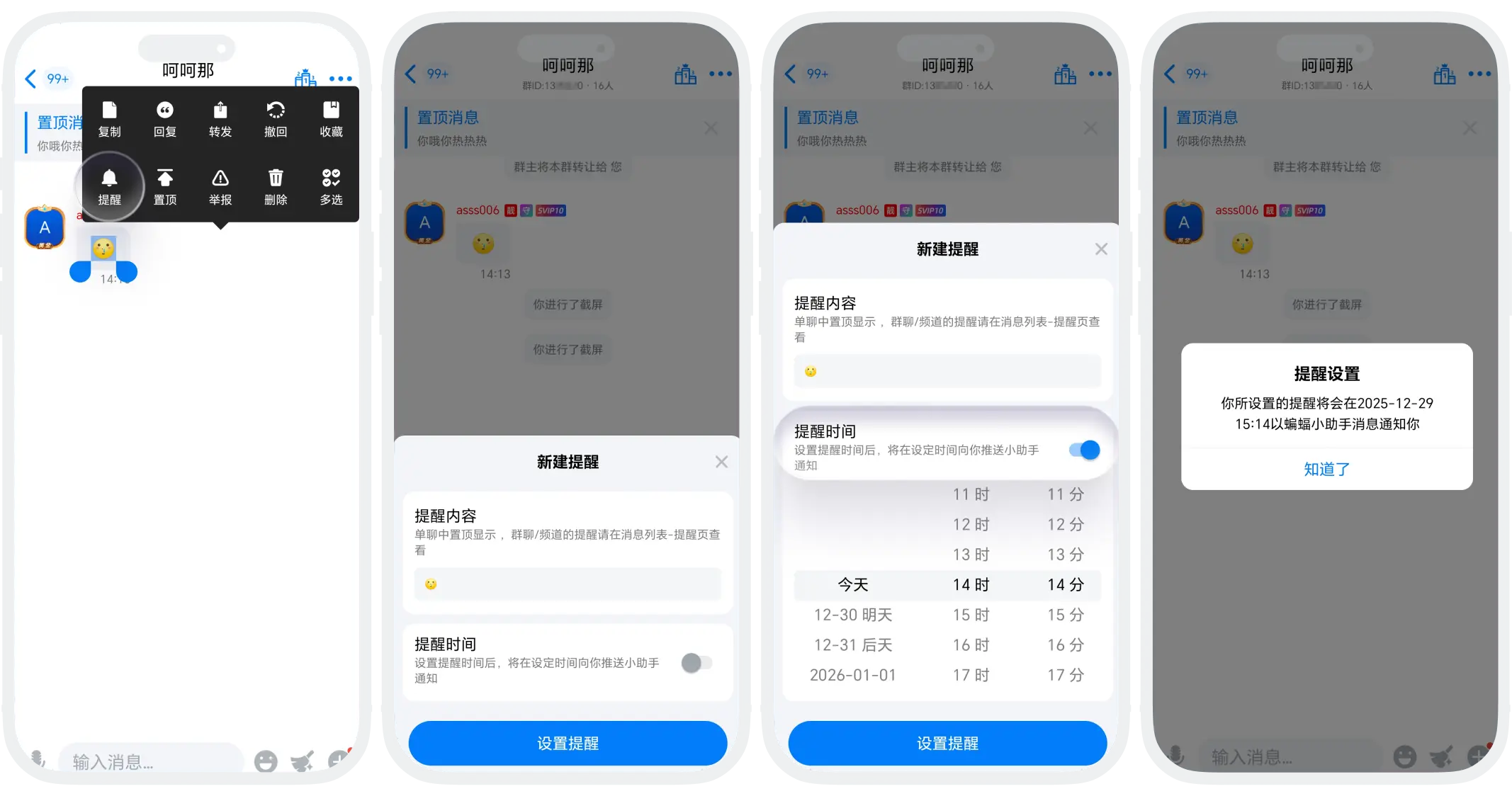
- Find the message that needs reminder in the chat interface, long press the message, click 'Reminder';
- The system will pop up a reminder setting window:
- If only adding to the reminder list, click 'Set Reminder';
- If you need to set a reminder time, please turn on the reminder time switch and select the reminder time, then click 'Set Reminder';
- After the reminder is set successfully, the message will automatically be added to the reminder list.
View and Manage Reminders
- View Entry:
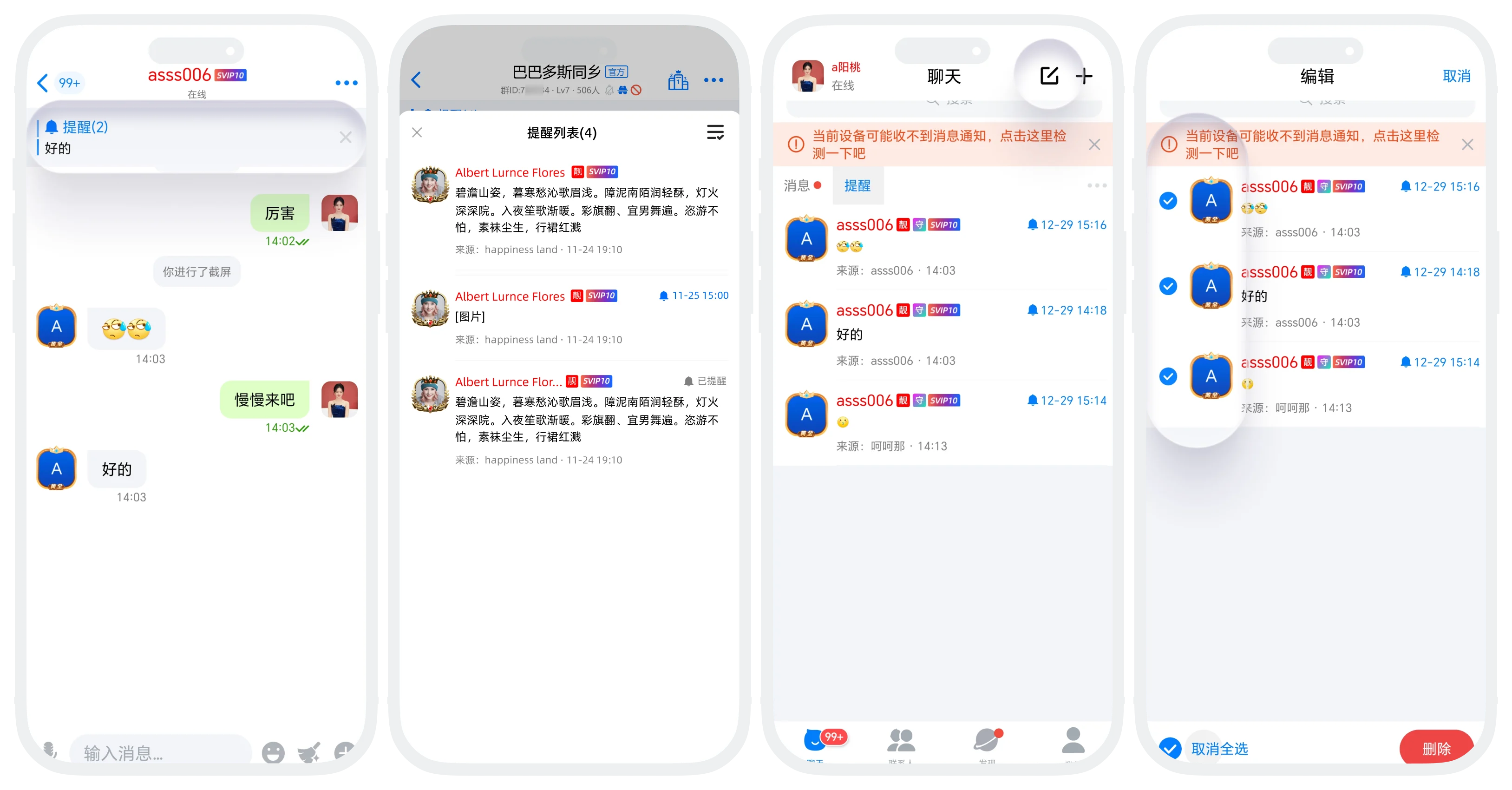
- In-chat Reminder List (Single Chat Exclusive): At the top of the single chat window where reminders are set, view all reminder messages set for this chat;
- Global Reminder List: 'Reminder' group at the top of the message list, view reminder messages set for all chats;
- Reminder List Interface Functions:
- List Display: Display message content, source chat, message sender, message sending time;
- Operation: Click the edit button in the upper right corner to batch delete set reminders.
FAQ
Group chat reminders will not be displayed at the top of the chat. They can only be viewed through the 'Reminder' group at the top of the message list. This is to avoid blocking the pinned messages at the top of group chats.
Direct modification is not supported. If you need to modify the reminder time, you need to delete the original reminder first, then set it again.
Cannot be restored. Reminder data is stored locally. Uninstalling the app will clear all data. It is recommended to back up important reminders elsewhere.
