More Chat Settings
You can set personalized settings such as pin, do not disturb, chat background, etc. for individual chats according to your usage needs.
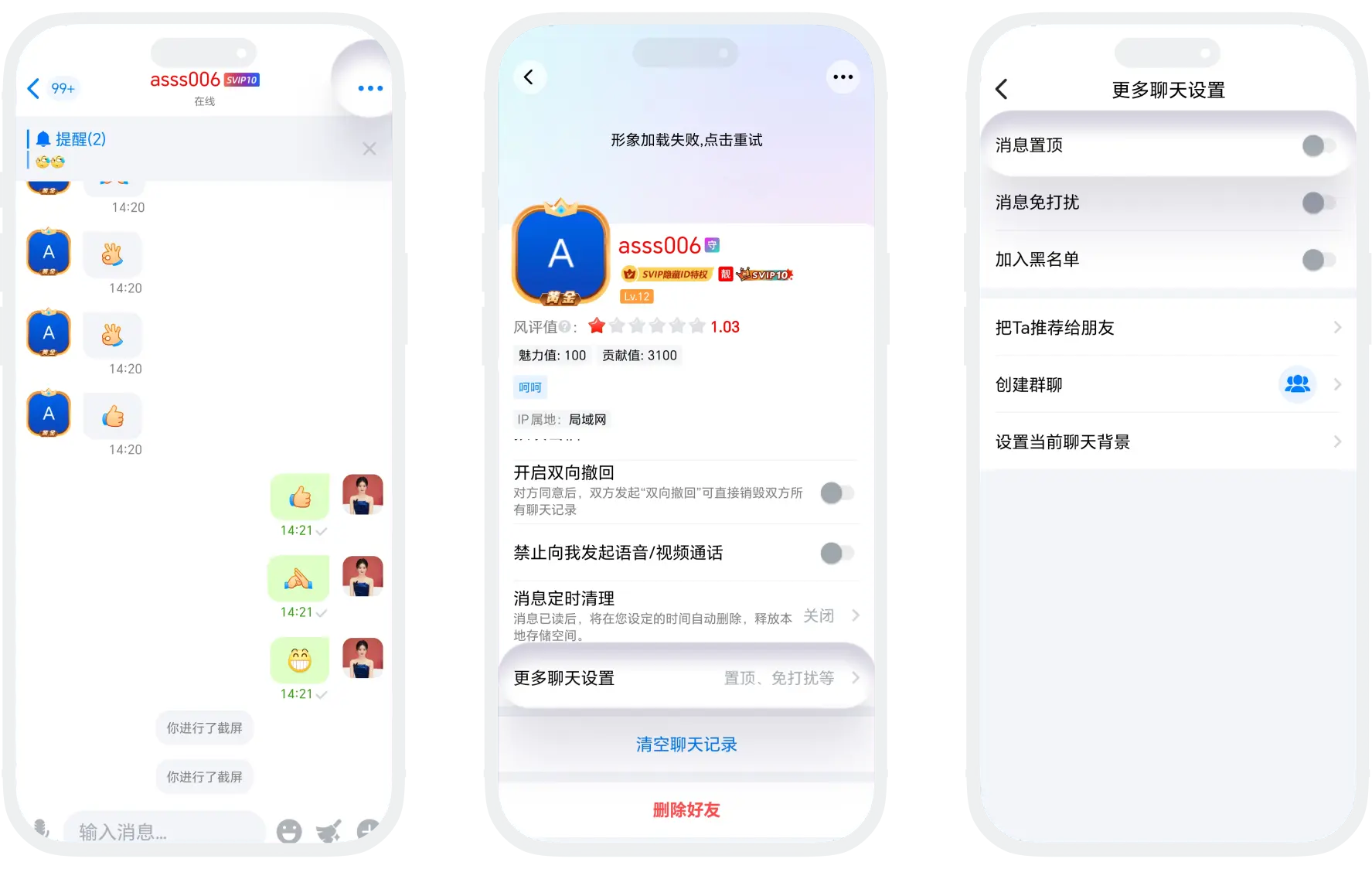
Message Pin
- Function Description: You can pin important contacts' chat sessions to the top of the message list to ensure quick access and avoid being overwhelmed by other chats;
- Enable Pin: On the chat session page, click 'More' in the upper right corner - 'More Chat Settings', find 'Message Pin', and turn on the switch;
- Cancel Pin: Follow the above path to enter 'Message Pin' settings and turn off the switch.
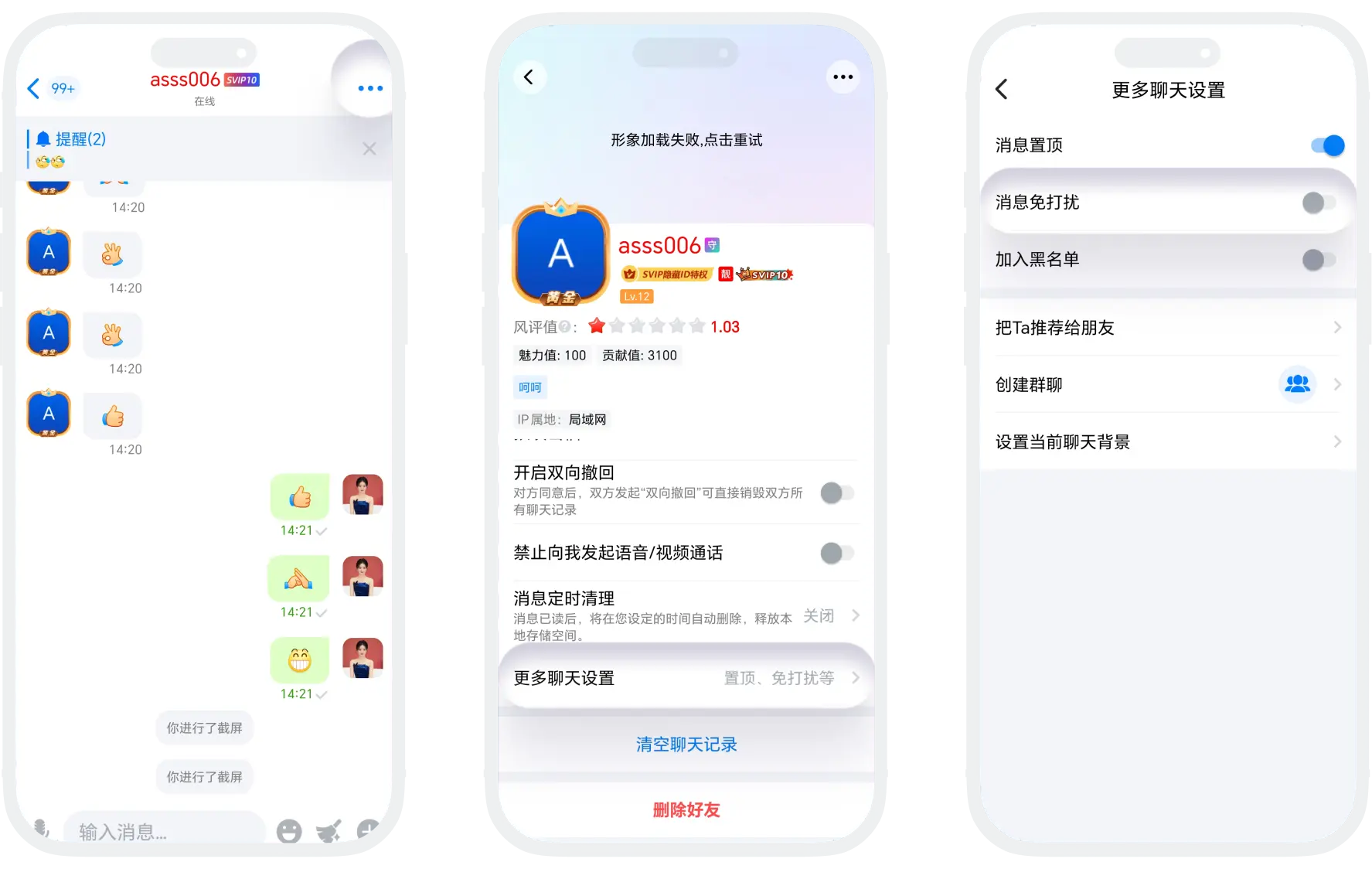
Message Do Not Disturb
- Function Description: Allows receiving messages without triggering notification reminders, creating an interference-free focused environment for you while not missing any information;
- Enable Do Not Disturb: On the chat session page, click 'More' in the upper right corner - 'More Chat Settings', find 'Message Do Not Disturb', and turn on the switch;
- Disable Do Not Disturb: Follow the above path to enter 'Message Do Not Disturb' settings and turn off the switch.
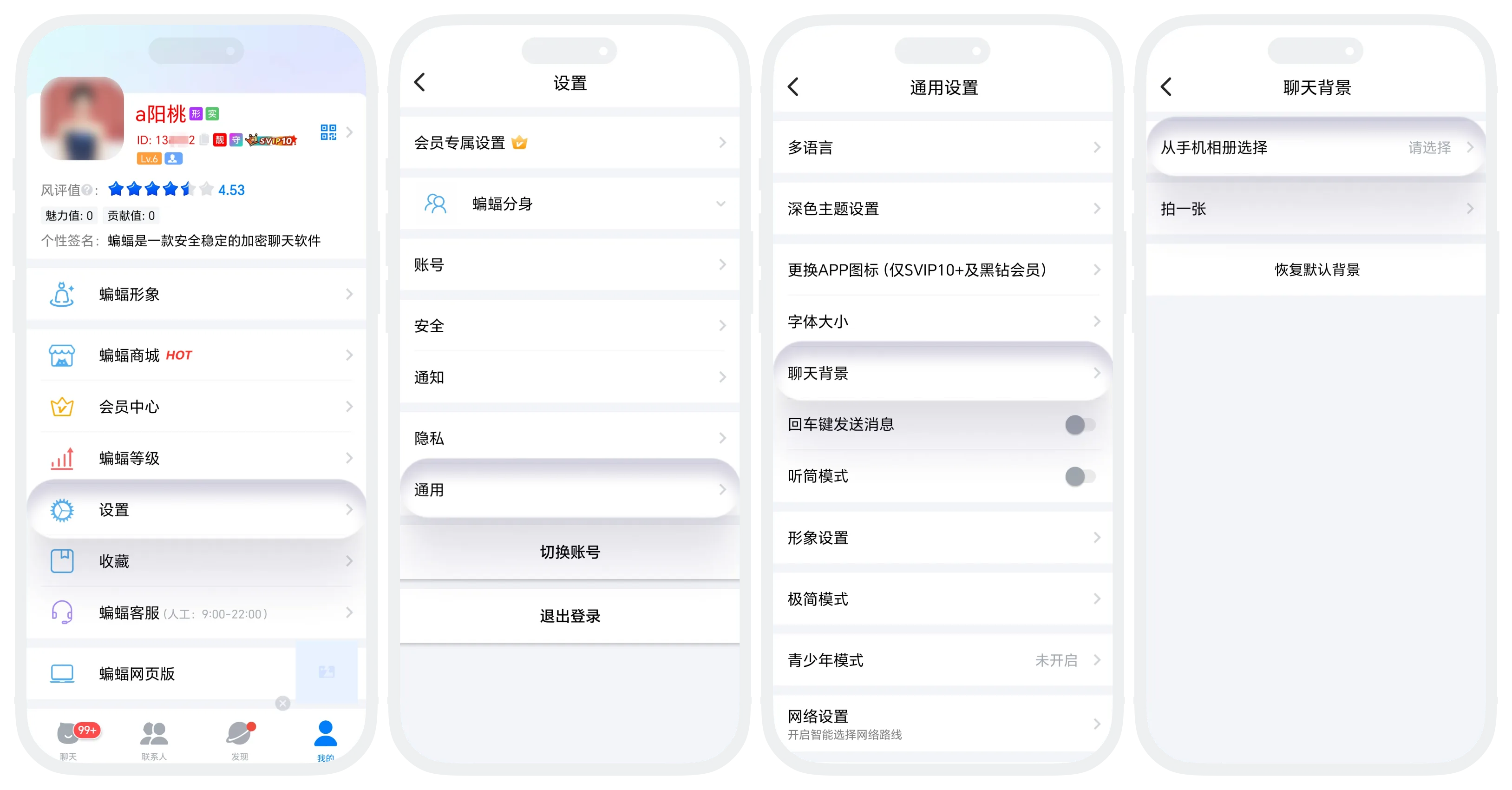
Set Chat Background
- Function Description: Set an exclusive visual background for a specific chat session to personalize your chat interface and enhance visual distinction between different contacts;
- Setting Steps:
- Set background for a single chat separately: On the chat session page, click 'More' in the upper right corner - 'More Chat Settings' - 'Set Current Chat Background', select a local album image or take a picture to use;
- Set a unified background for all chats: Set in 'My' - 'Settings' - 'General' - 'Chat Background'.
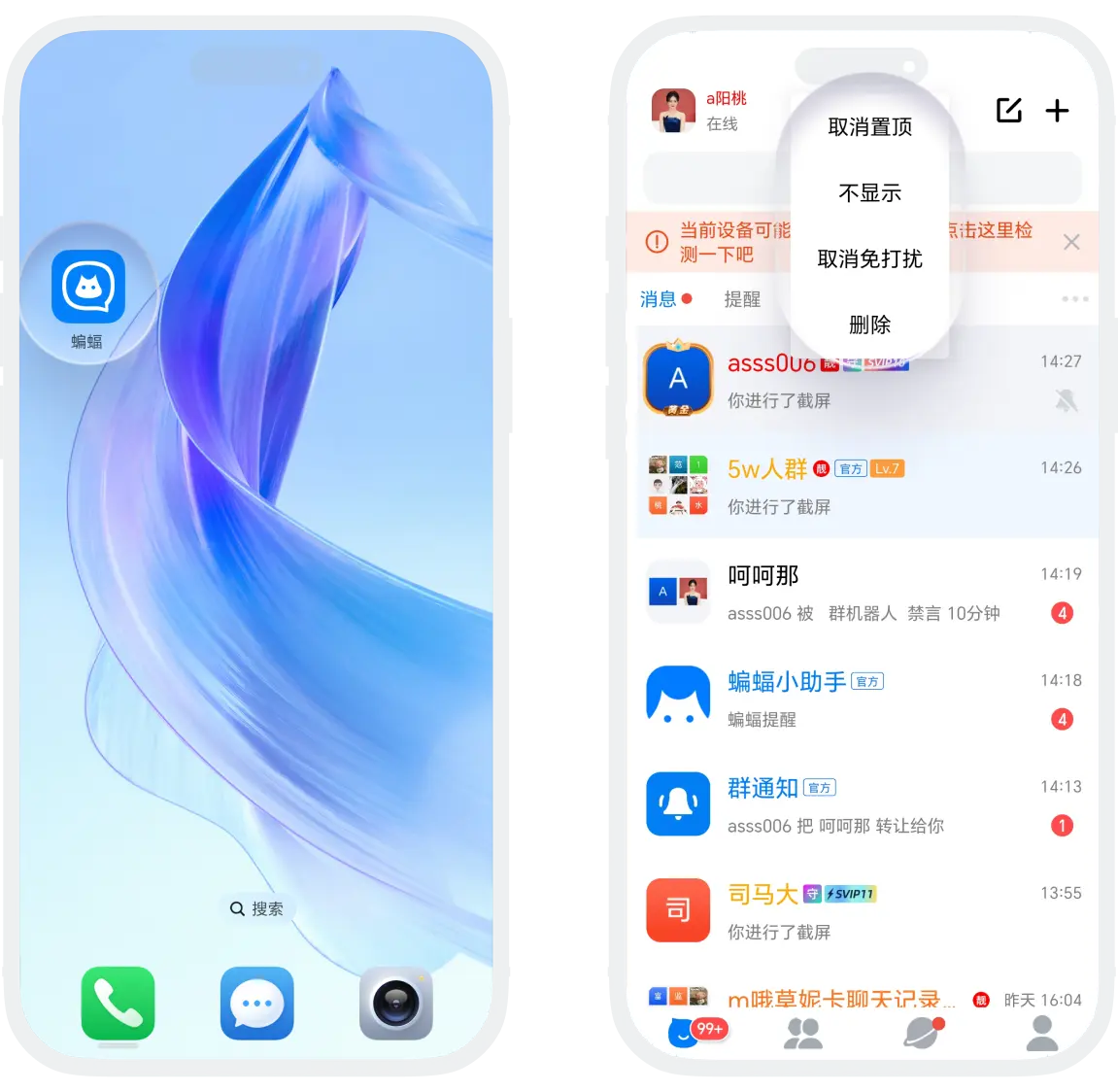
Message List Quick Settings
In addition to the detailed settings in the above chat interface, the message list also supports setting functions. By long pressing (or swiping) chat sessions in the message list, you can quickly access and adjust commonly used settings without entering the specific chat interface, significantly improving the efficiency of multi-session management;
- Pin, Do Not Disturb setting results are the same as above;
- Delete: Delete all chat records of this session and remove it from the message list;
- Hide: Hide this chat session from the message list without deleting chat records. When a new message is received, this session will reappear in the message list.
FAQ
Currently, there is no limit on the number of pinned sessions, but to maintain efficiency, it is recommended to have no more than 5-7 pinned sessions at the same time. Too many pinned sessions will weaken the priority distinction effect.
Was this page helpful?
