Auto Reply
The auto-reply function allows you to set automatic reply messages during specific time periods. When you are busy, unable to reply in time, or need to uniformly process similar inquiries, the system will automatically send preset reply content for you.
Setting Steps
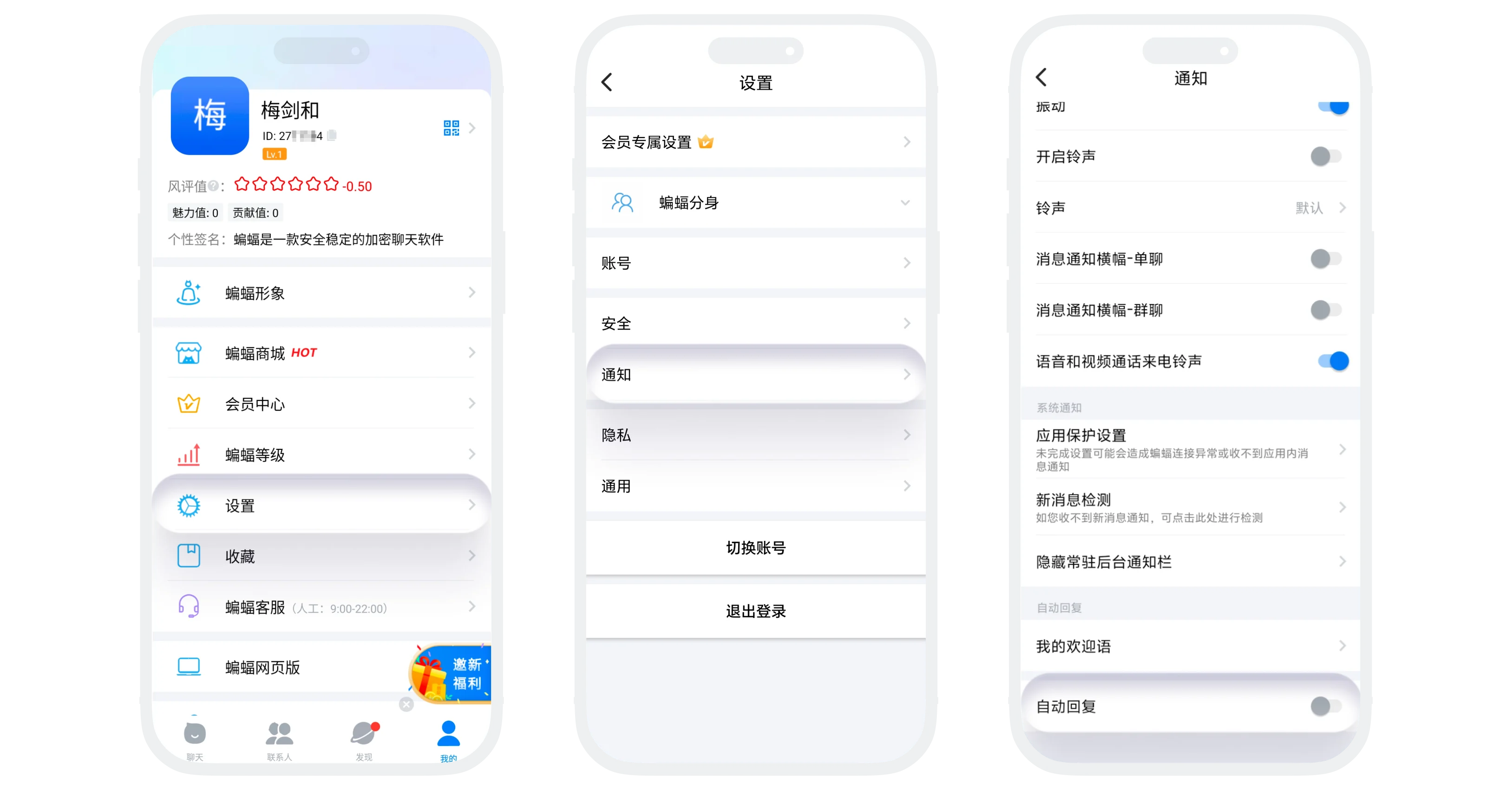
- In 'My' - 'Settings' - 'Notifications', scroll to the bottom of the page to find 'Auto Reply';
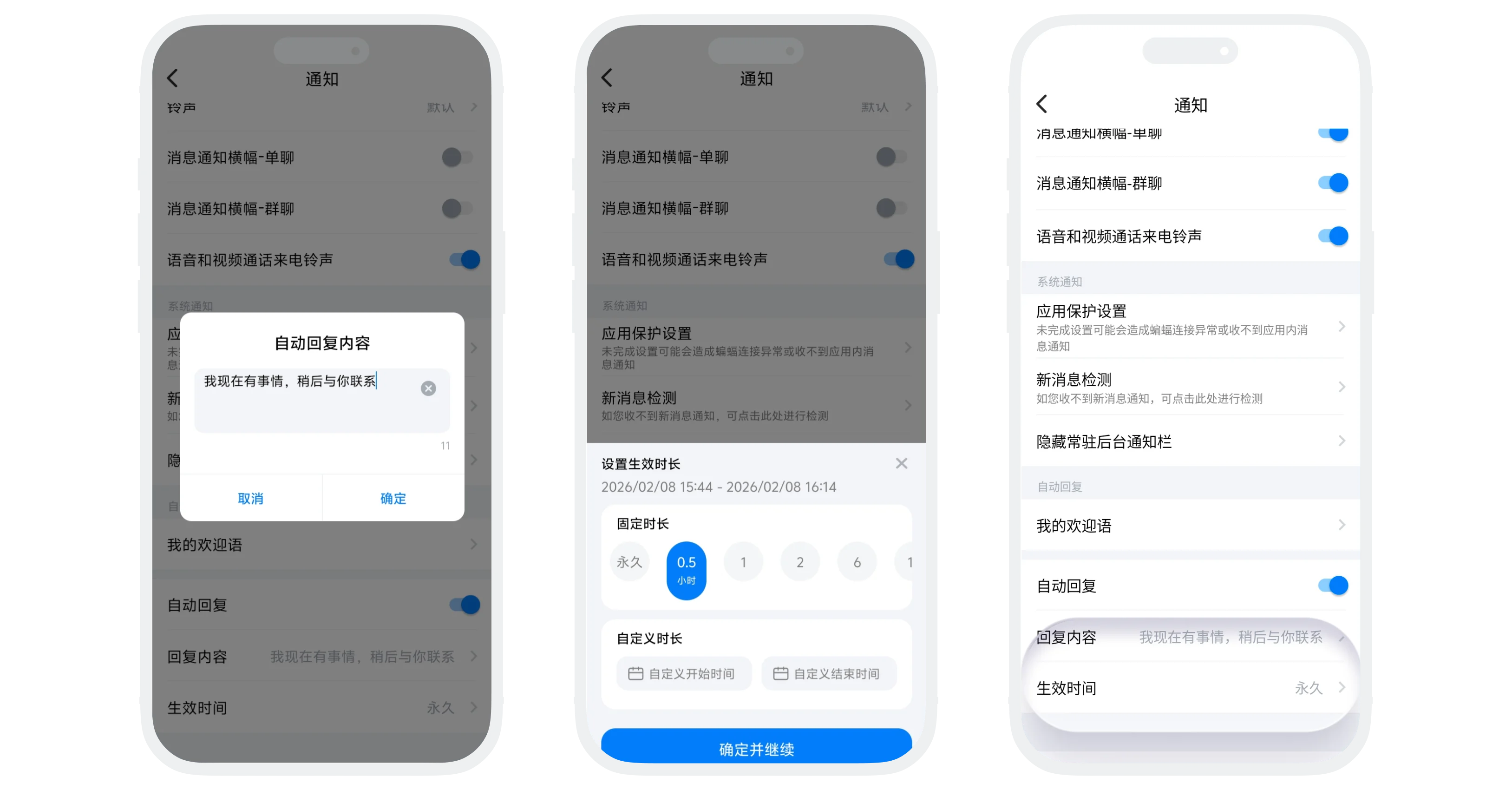
- Turn on the 'Auto Reply' switch, click 'Reply Content', enter the text content you want to automatically send;
- Click 'Effective Time', select the time period when auto-reply is effective. After expiration, the system will no longer send auto-replies.
Auto Reply Effect
- After setting auto-reply, when a friend sends you a message, the preset reply content will be immediately sent to the other party, and an 'Auto Reply' identifier will be displayed.
- Auto-reply is only triggered for single chat messages. If someone @you in a group chat, auto-reply will not be sent.
FAQ
No. Currently only supports plain text content.
Was this page helpful?
