Change Chat Bubble
Changing chat bubbles can enhance the fun and personalized expression of the chat experience.
Use Bubble Process
- In 'My' - 'BatChat Mall', scroll to the 'Other Zones' at the bottom of the page, click 'Bubble Mall'; (Or click 'Bubble' in the function expansion area at the bottom of any chat page to enter the bubble mall);
- Find the chat bubble you want to use, click 'Dress Up Now' to complete the change.
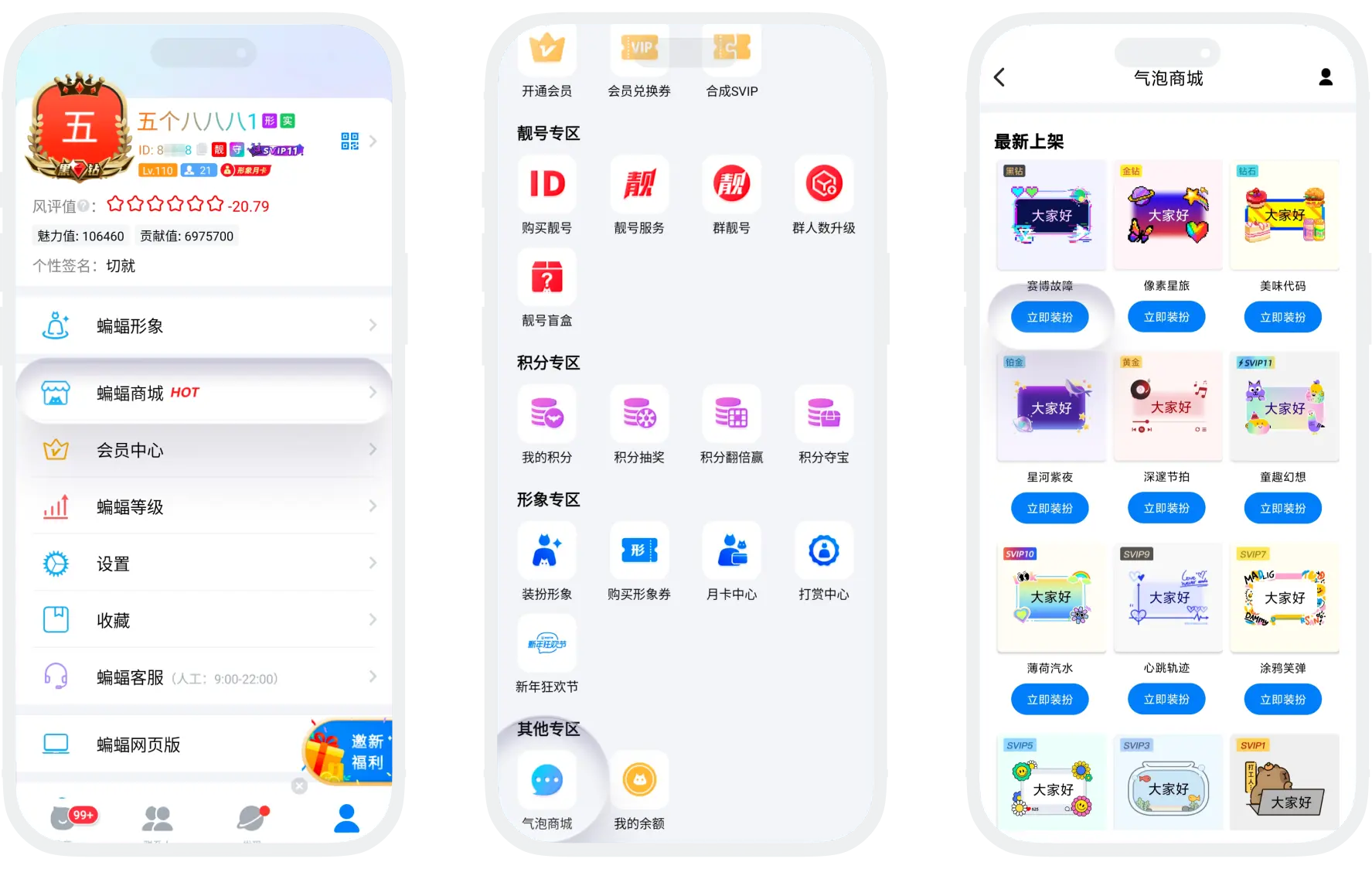

Bubble Acquisition Methods:
Member Free Bubbles: Different membership levels can freely use all bubble styles of the corresponding level and below (for example, SVIP10 can use VIP, SVIP1-10 all level bubbles);
Paid Bubbles: Can be used after purchase, valid for one year.
Manage My Bubbles
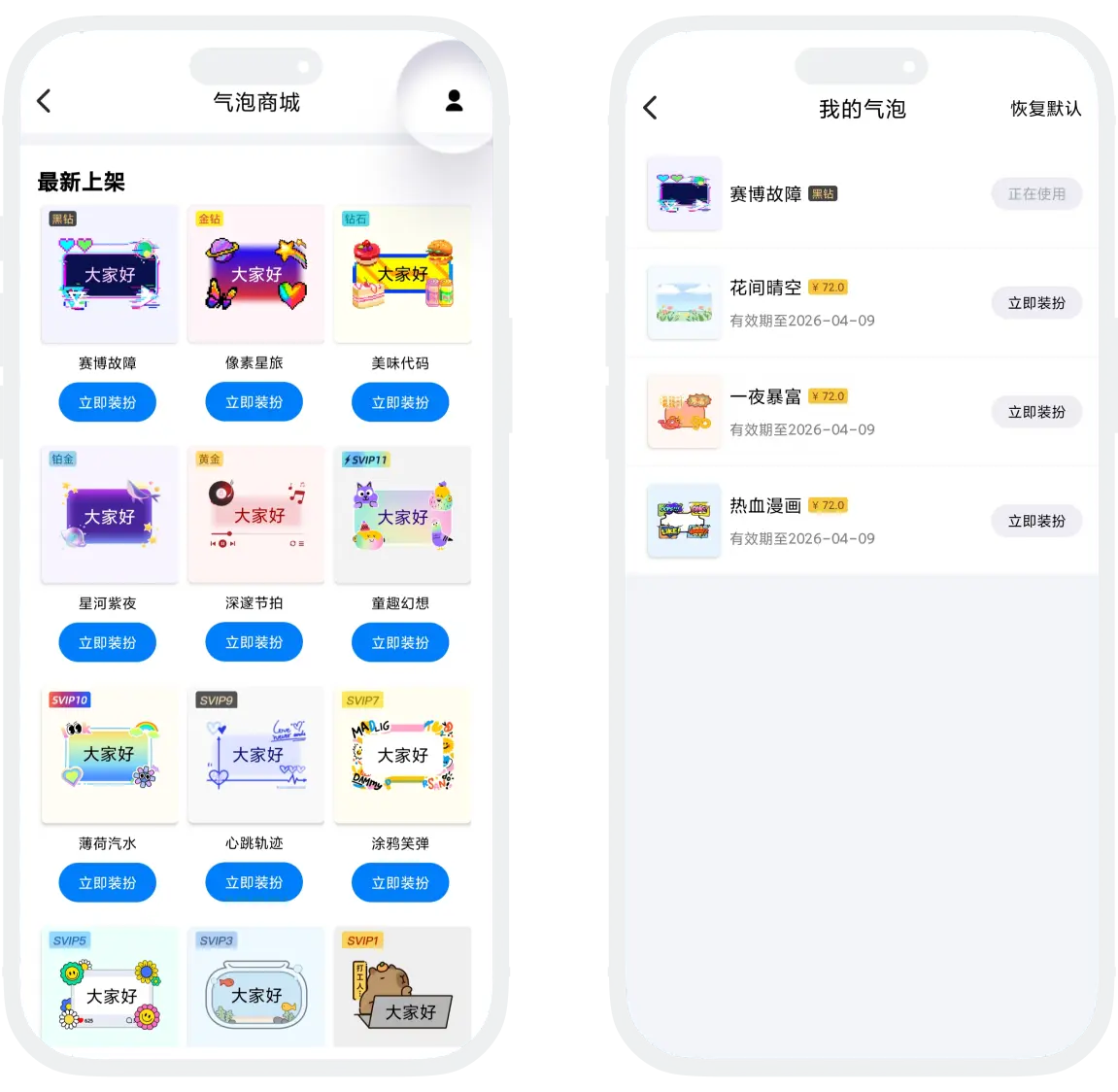
- Click 'My Bubbles' in the upper right corner of the bubble list to view all acquired bubbles;
- Can perform the following operations:
- Click any bubble to use immediately;
- View the expiration time of paid bubbles;
- Click 'Restore Default' to use the system original bubble.
Was this page helpful?
