Preset Secret Message
Preset secret message is a privacy protection function that supports setting code word verification for chat friends. After enabling this function, the other party needs to enter the correct code word content to enter the chat page with you to view messages.
Setting Method
Single Friend Setting:
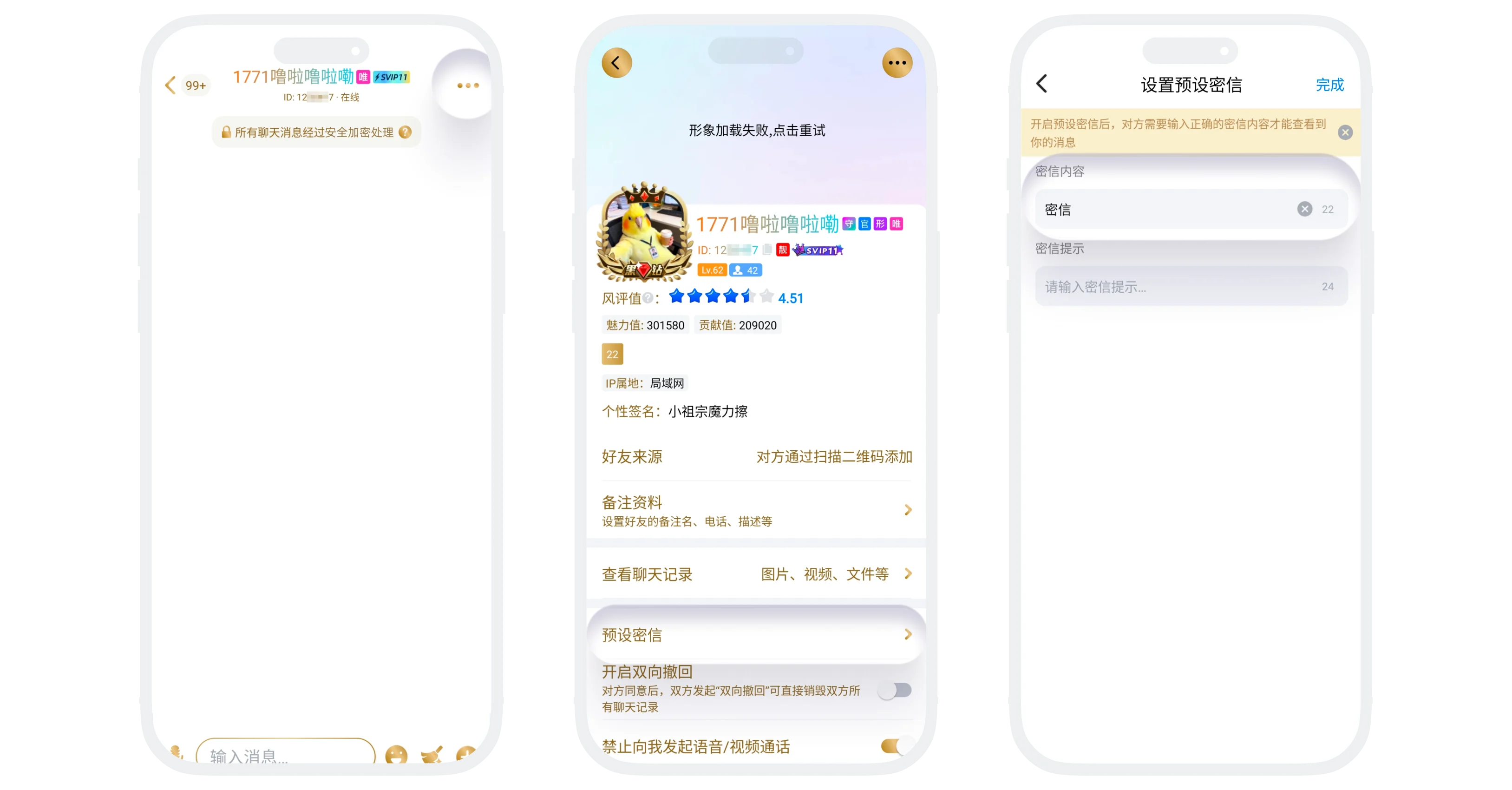
- Enter the chat page, click 'More' in the upper right corner to enter the chat settings page, click 'Preset Secret Message';
- Enter your set code word in the 'Secret Message Content' field, and enter hint information in the 'Secret Message Hint' field to help friends guess the code word (optional);
- Click 'Confirm' to save the setting.
Batch Setting:
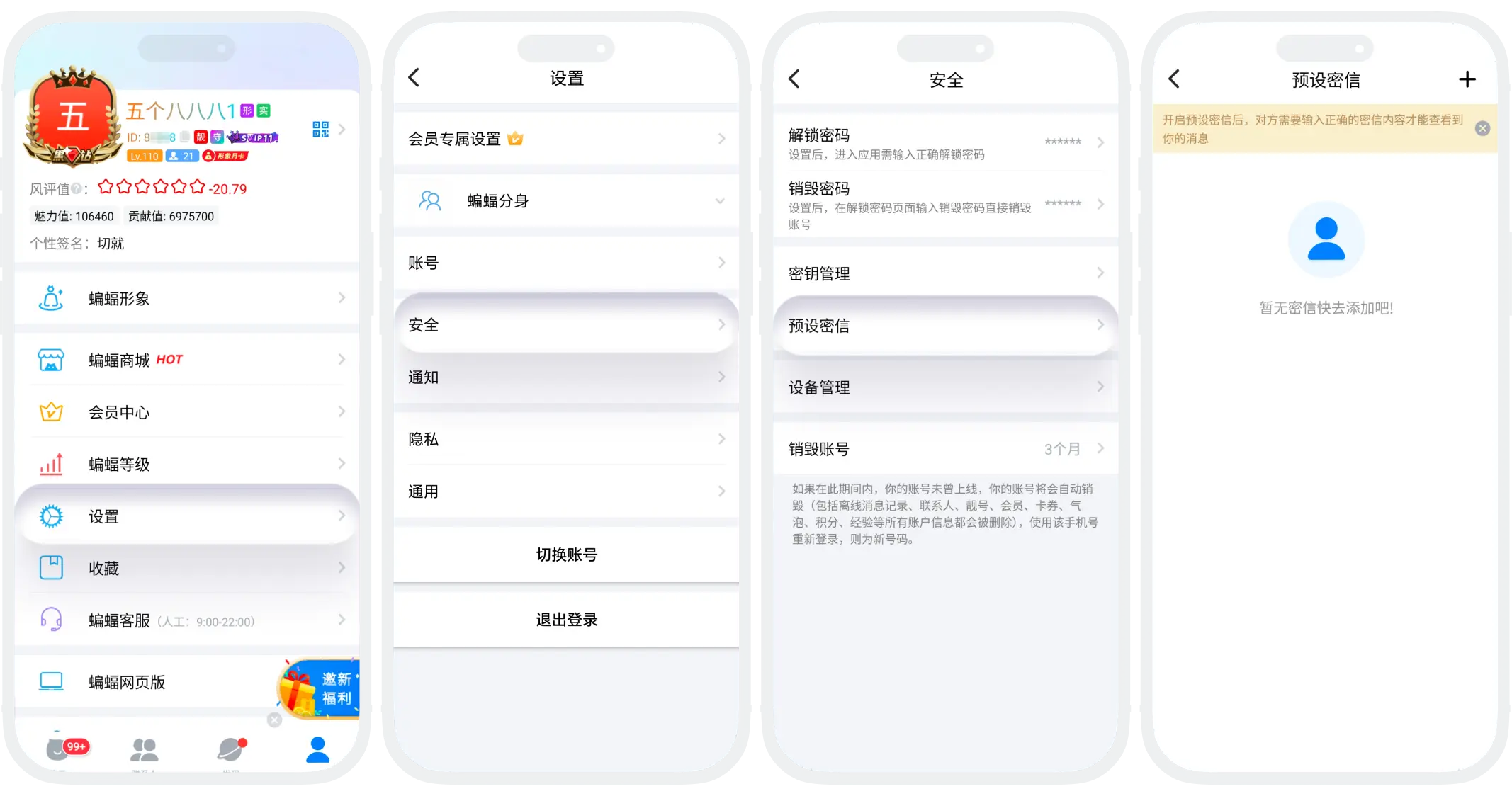
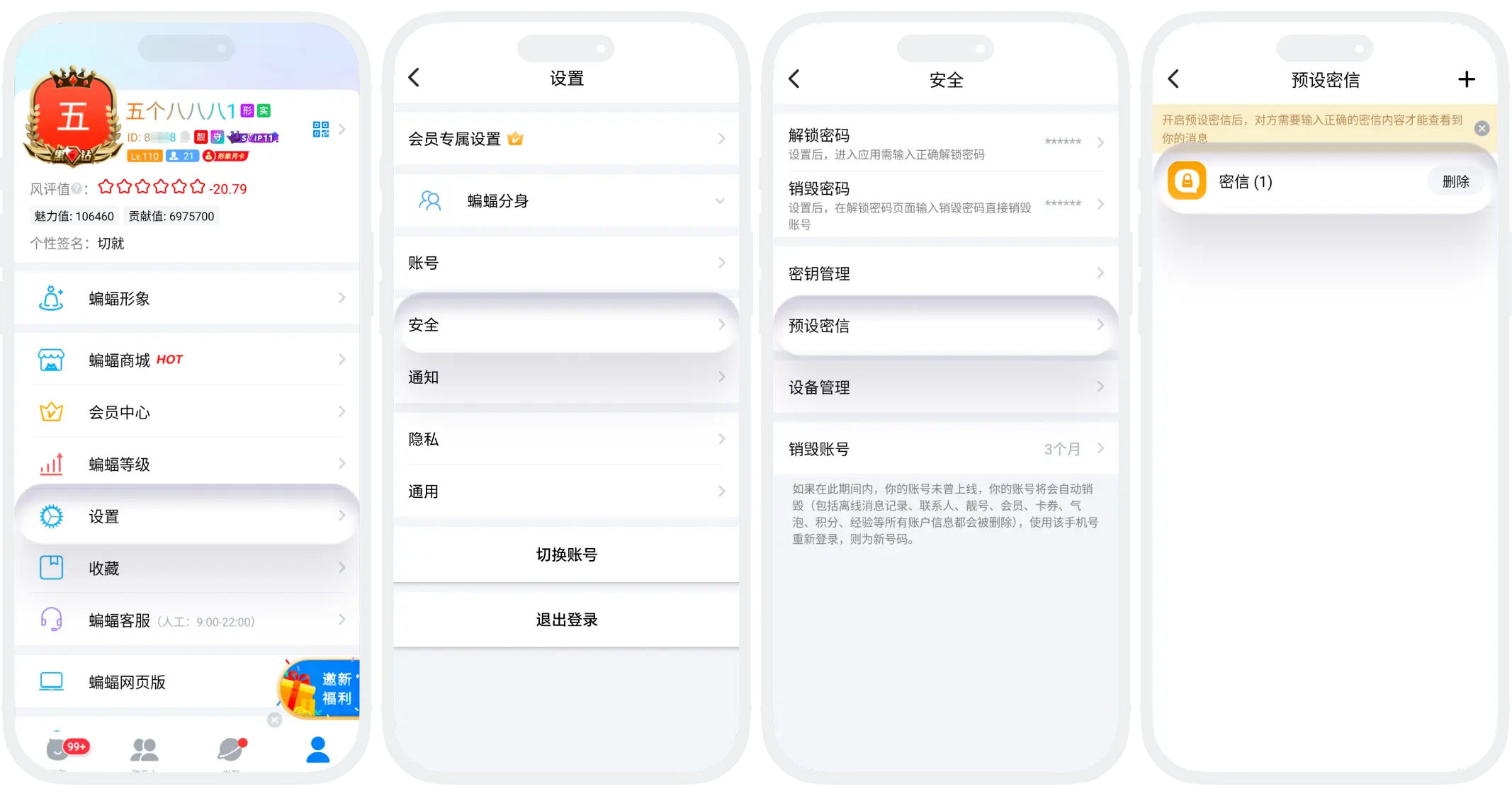
- In 'My' - 'Settings' - 'Security', find 'Preset Secret Message';
- Create New Secret Message:
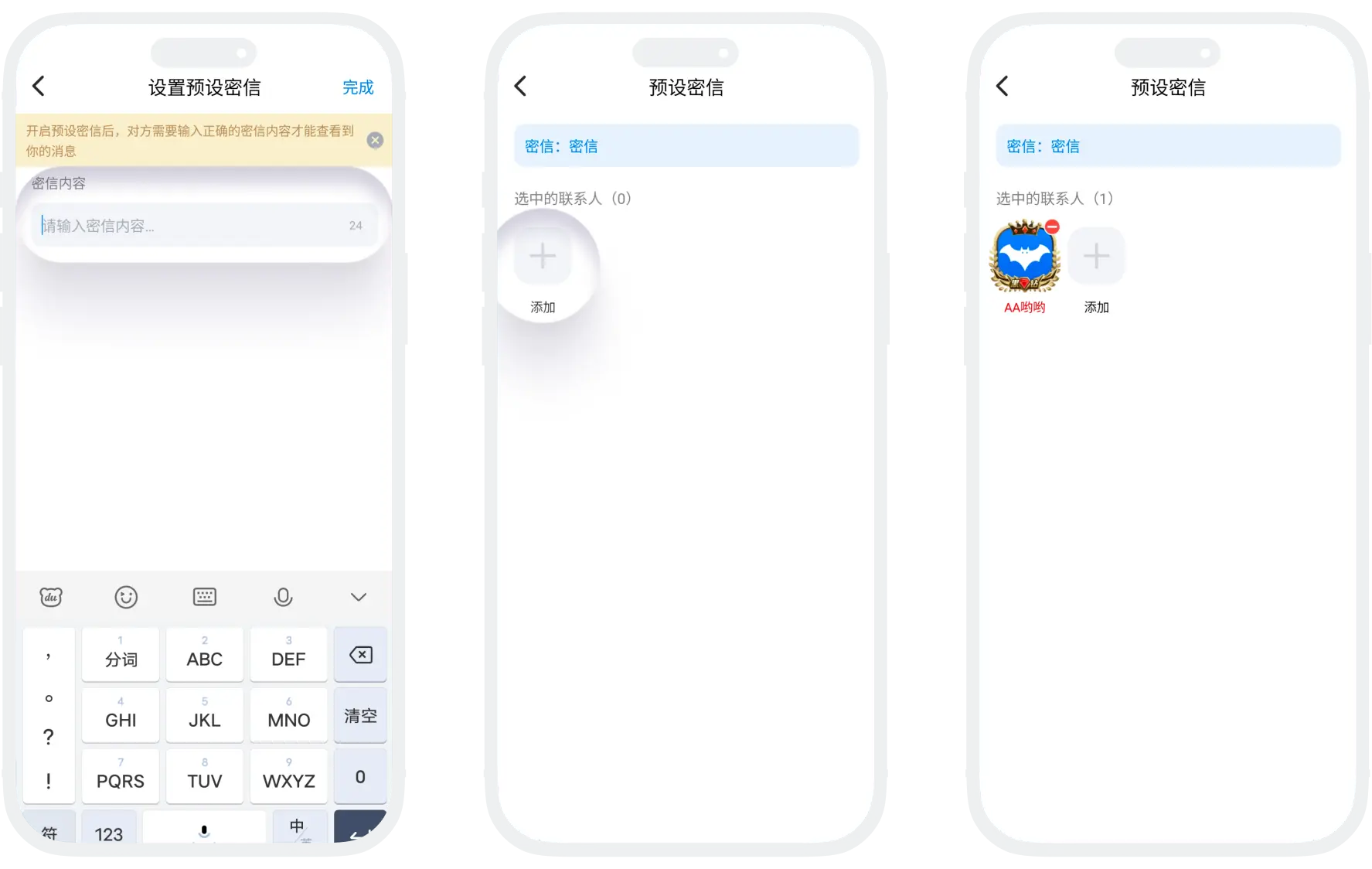
- Click '+' in the upper right corner, enter secret message content and secret message hint (optional), click 'Complete';
- Click the 'Add' button, select friends, and set the same secret message content for them;
Edit/Delete Secret Message
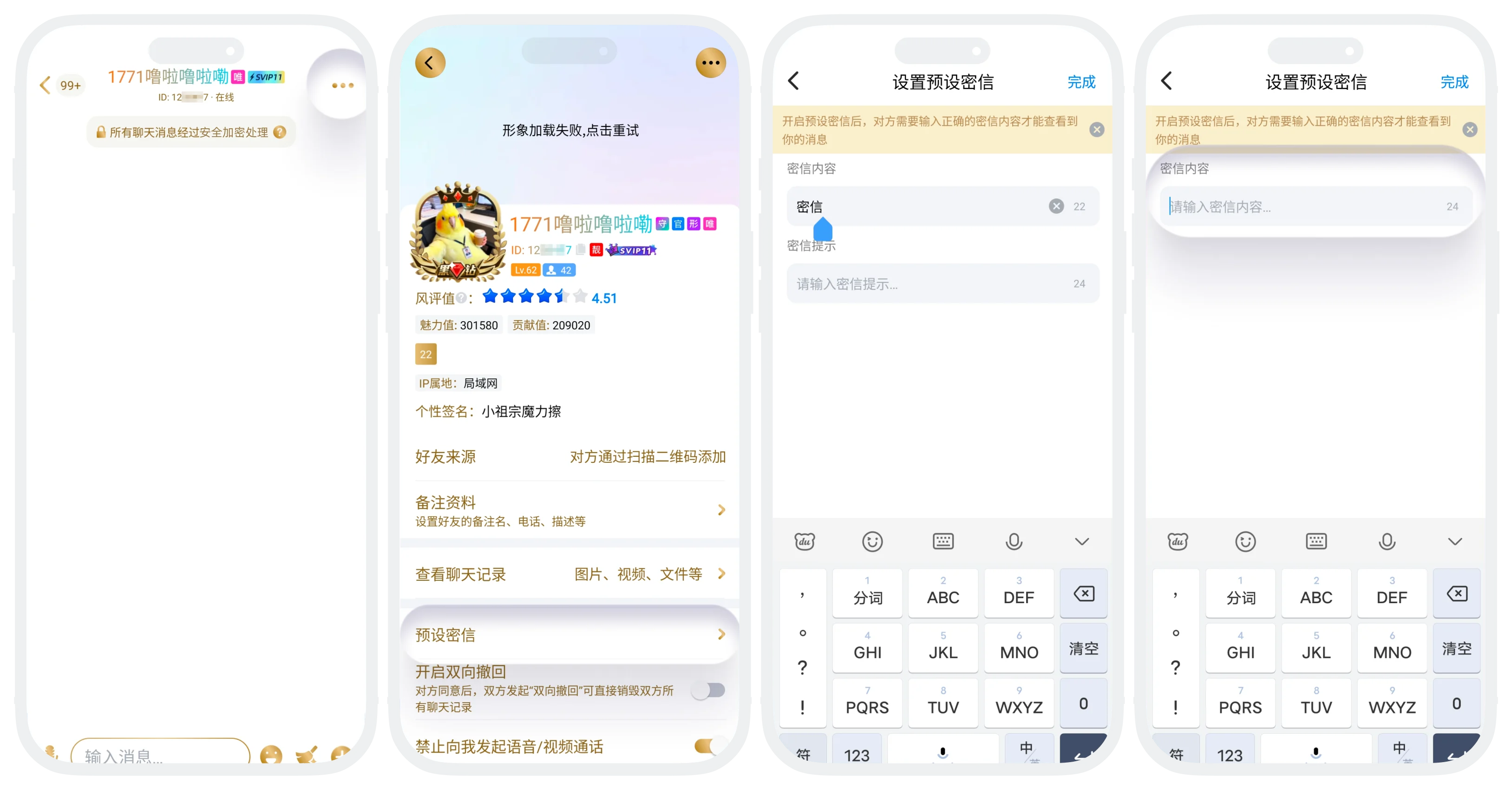
- Single Edit: On the chat settings page, find the set secret message content, edit and click 'Confirm';
- Batch Edit: In 'My' - 'Settings' - 'Security', click to enter the secret message detail page to edit, can modify secret message content or edit the list of friends using this secret message.
- Single Delete: On the chat settings page, clear the secret message content to disable secret message verification for this friend;
- Batch Delete: In 'My' - 'Settings' - 'Security', click 'Preset Secret Message'
- Click to enter a preset secret message detail page, remove friends to disable secret message verification for them;
- Click 'Delete' in the list to directly delete the secret message record, all friends using this secret message will no longer need verification;
Usage Instructions
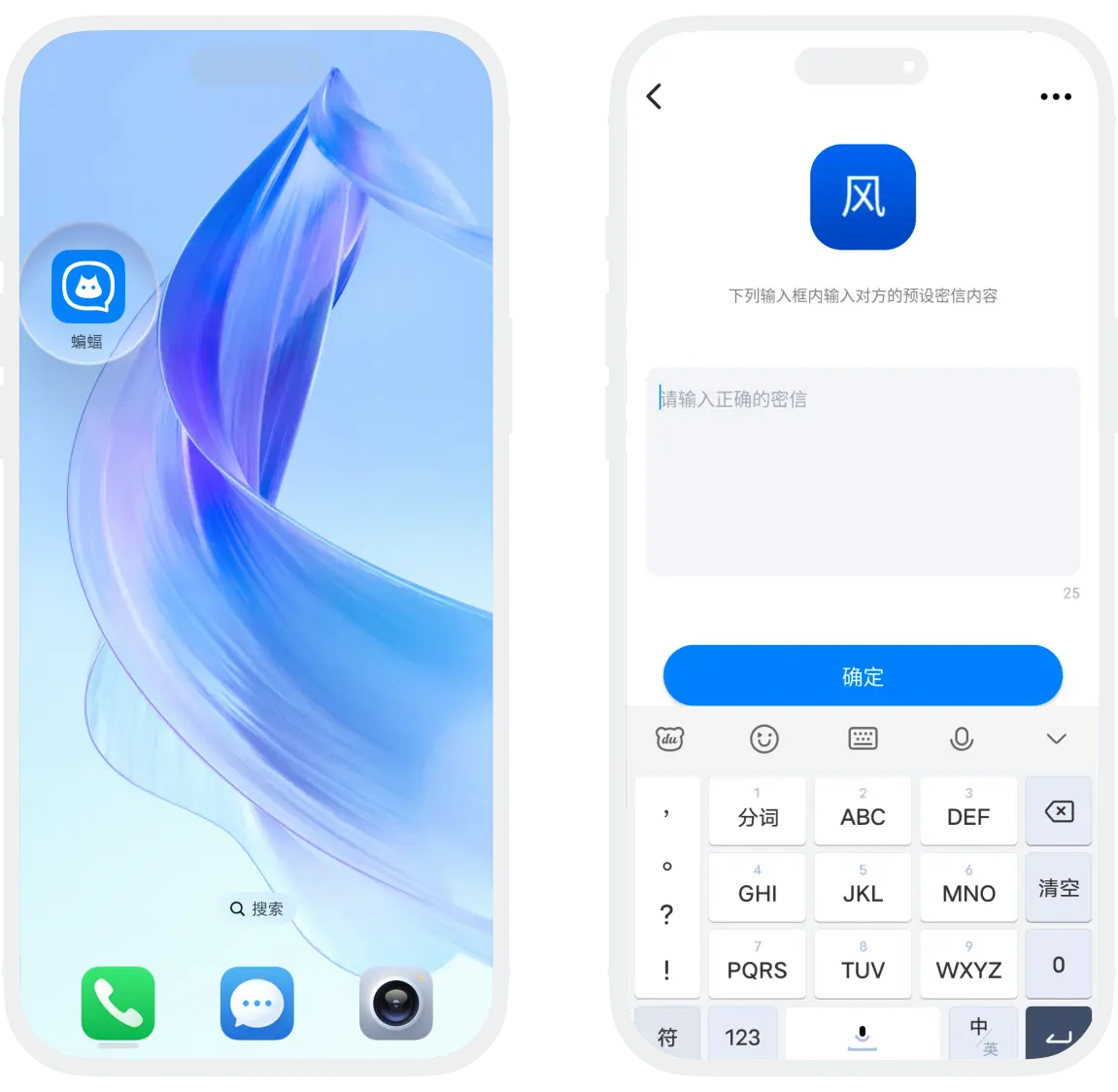
After successfully setting the secret message content for a friend, when the other party clicks to chat with me, they will see the secret message input box. After correctly entering the secret message content, they can chat normally.
Was this page helpful?
