Manage Stickers
The custom sticker function allows users to upload personal favorite expression images, create exclusive expression libraries, and supports management of uploaded expressions. At the same time, the platform also provides rich expressions for users to use.
Upload Permissions and Limits
- Quantity Limit: Regular users and VIP users support uploading 500 stickers, SVIP and above users support uploading 1000 stickers.
- Format Requirements: Support common image formats such as JPG, PNG, GIF, single image recommended not to exceed 5MB.
Upload Process
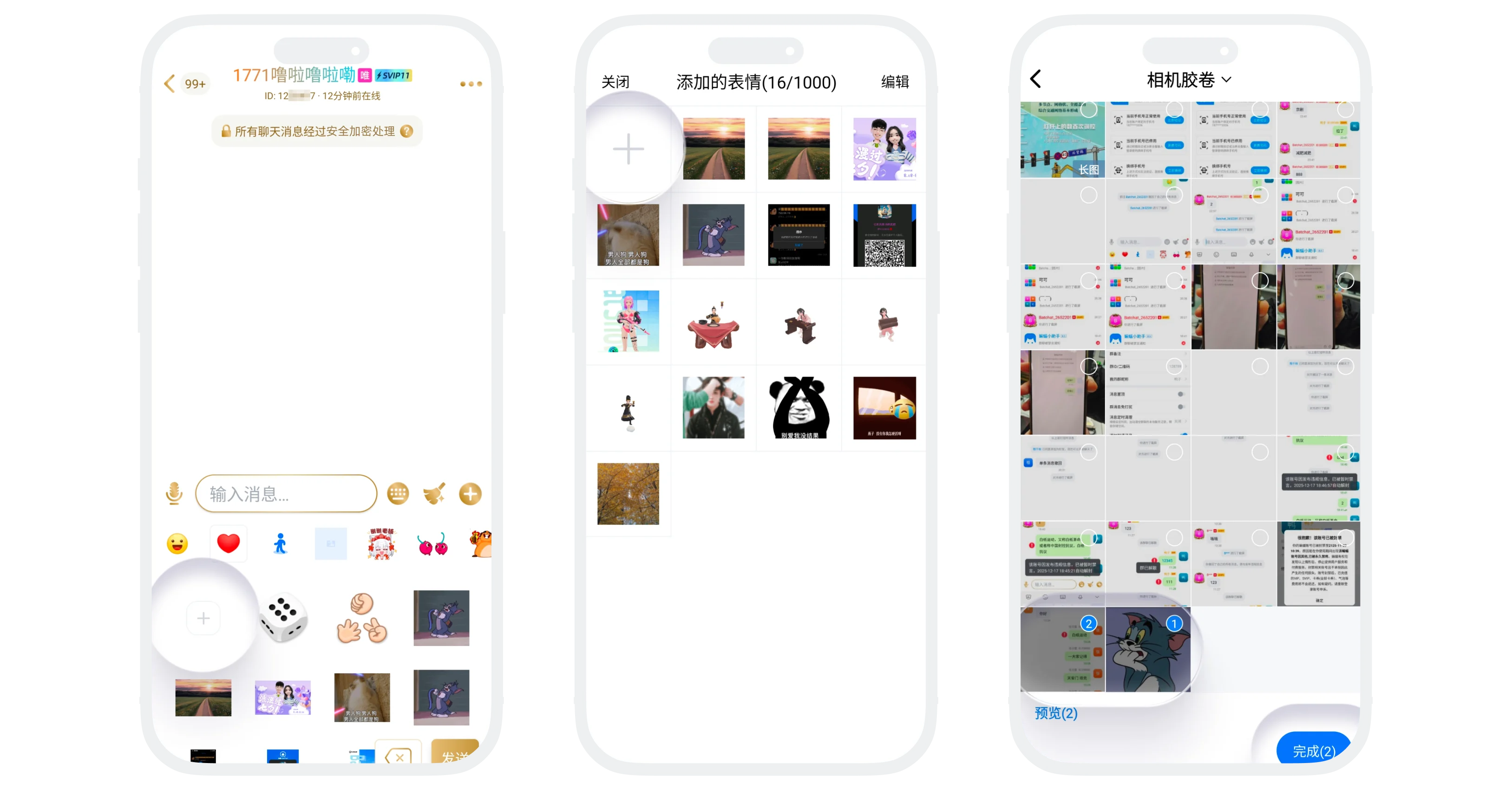
- Enter any chat page (single chat/group chat), click the 'Sticker' button at the bottom of the page, click My Favorite Stickers;
- Click the 'Upload' button to enter the sticker management page;
- Click 'Upload' again, select images from the album (1-9 images), click 'Complete';
- Confirm upload and wait for processing to complete.

Warning:
- Sticker content uploaded must comply with platform norms and must not contain prohibited information;
- Uploaded stickers are for personal use only, please do not infringe on others' copyrights.
Manage Stickers
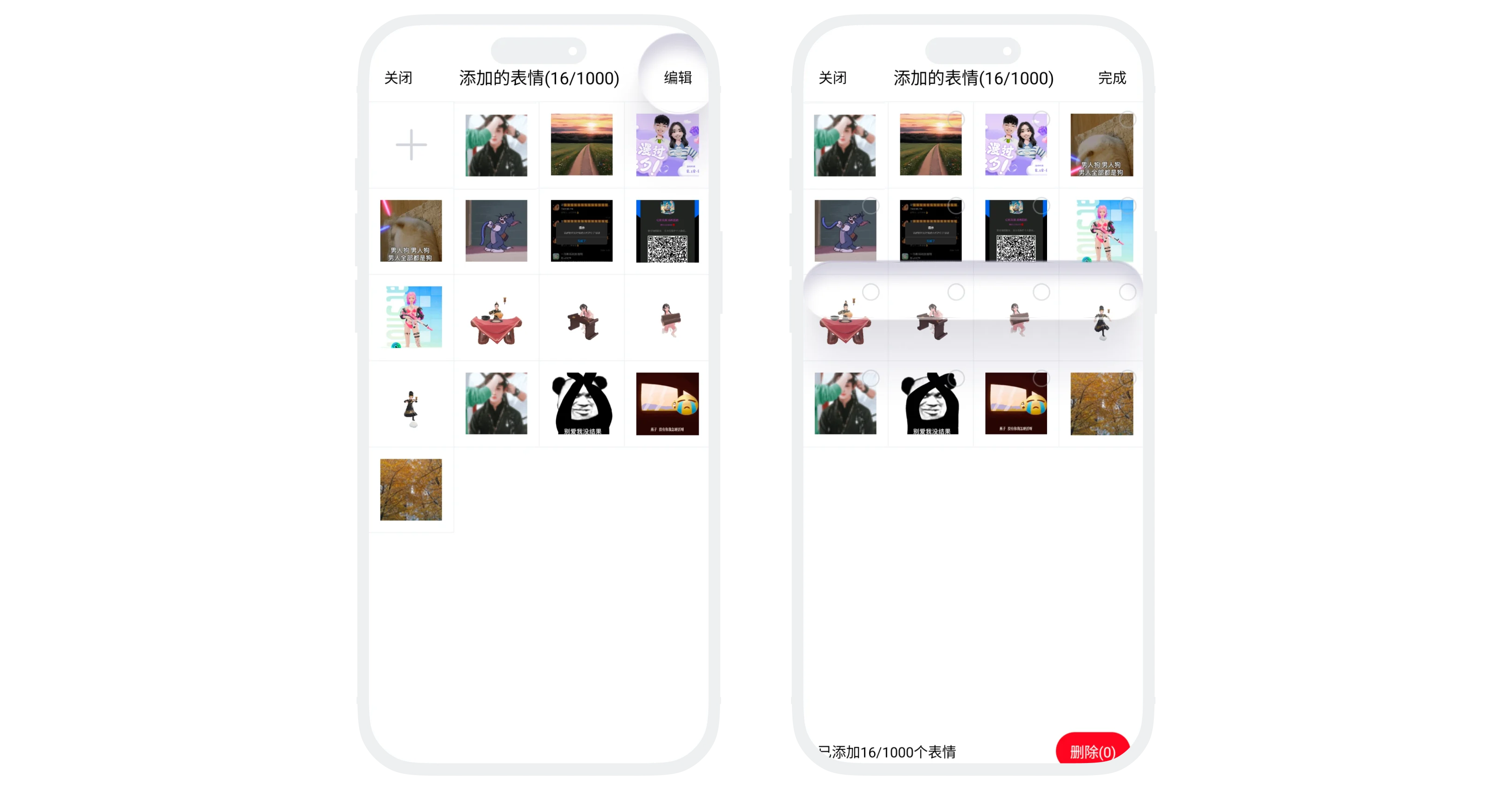
- Click 'Edit' on the sticker management page;
- Can perform the following operations:
- Batch Select: Check the expressions to delete, click delete;
- Adjust Order: Long press and drag to adjust sticker sorting.
Was this page helpful?
