Watermark Camera
Watermark camera is a function for shooting and recording pictures and videos with real watermark information. Watermark information (such as time, location, weather, etc.) is automatically obtained by the system and embedded into media files to ensure the authenticity and anti-counterfeiting of information, suitable for various scenarios such as check-in, recording, and work reporting.
Main Functions
- Shooting and Recording
- Support shooting static pictures and recording videos
- Automatically add real-time watermark information to pictures/videos
- Automatic Watermark Information Acquisition
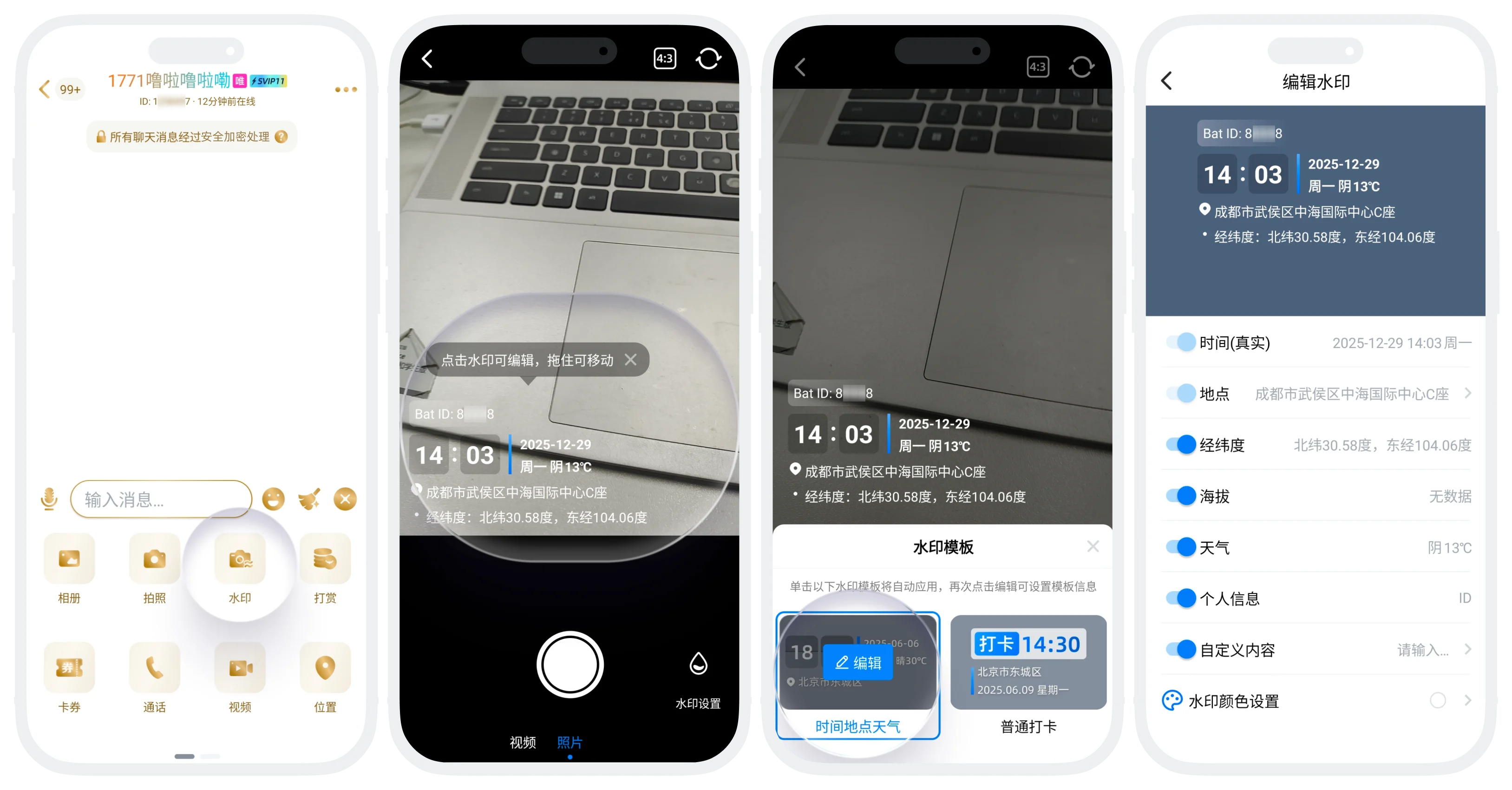
The system automatically obtains the following information and displays it in the watermark:
- Time: Current real time (accurate to the minute)
- Location: Detailed address based on GPS acquisition (can choose locations within a specified range of the current position)
- Coordinates: Latitude and longitude coordinates of the current location
- Altitude: Displayed if the device supports (not displayed when no data)
- Weather: Current weather conditions and temperature at the location
- Personal Information: Can display user ID
- Watermark Editing
- Template Selection: Provides different style templates, automatically applied to the shooting screen after selection
- Template Editing: Can display/hide settings for each field in the template (time and location are default required display fields and cannot be hidden)
- Style Adjustment: Can edit the font color of the watermark, drag to adjust the watermark position in the shooting screen
- Frame Editing: Can flexibly adjust the aspect ratio (4:3, 16:9, 1:1, full screen, etc.) during shooting, choose the appropriate frame according to shooting content or sharing needs
- Post-shooting Processing and Sharing: Completed pictures/videos can be directly shared with friends or groups

Please note:
- Information Authenticity: Time, location, weather and other information are automatically obtained by the system, users cannot modify them, ensuring the authenticity of records;
- Location Permission: Please allow the App to obtain location permission before use, otherwise location and weather information cannot be obtained.
Usage Process
- Enter any chat page (single chat/group chat), click '+' at the bottom of the page to expand the function extension area, click 'Watermark' to enter the shooting page;
- Can adjust frame, switch watermark template, edit watermark content, etc. according to shooting needs.
- Adjust and shoot;
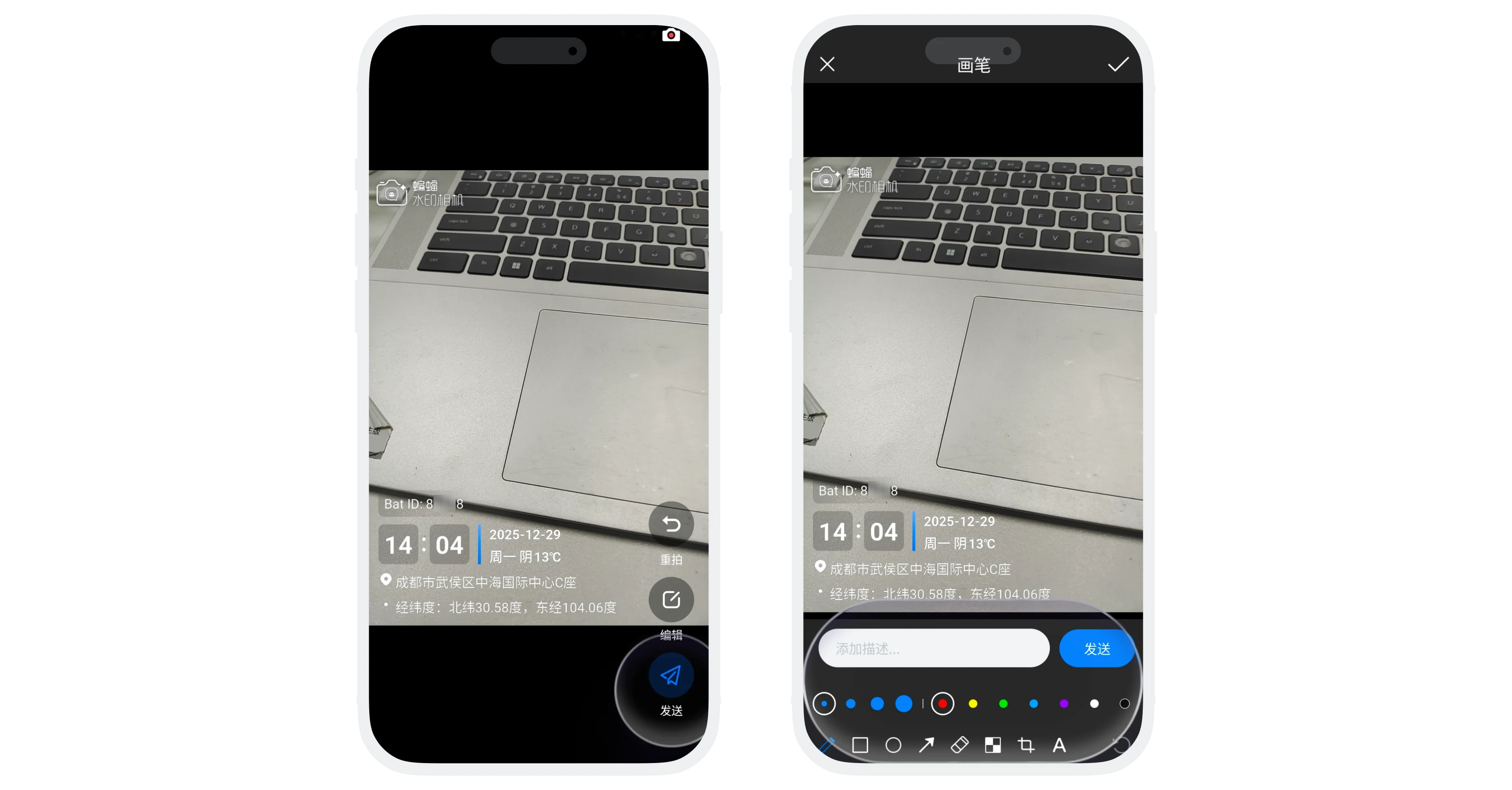
- After shooting, the following operations can be performed on the photo/video:
- Retake: Discard the shot content and reshoot;
- Edit: Edit the shot content (can annotate, add text, crop, etc.);
- Send: Directly send the photo to the current chat;
FAQ
Core information such as time, location, coordinates, and weather are automatically obtained by the system and cannot be manually modified to ensure the authenticity of records. Users can only choose whether to display this information or add custom text.
Watermark camera is mainly used for real-time shooting and adding watermarks, and currently does not support selecting photos from the album and then adding watermarks.
