Refuse Audio/Video Calls
The audio/video call refusal management function allows SVIP users to restrict certain friends from initiating audio/video calls to them, effectively preventing unnecessary call interruptions and protecting personal time and privacy.
Setting Process
- Single Friend Call Restriction Settings (Available for SVIP and above users):
- Enter the target friend's chat page, click the 'More' icon in the upper right corner;
- Turn on the 'Prohibit voice/video calls to me' switch;
- When the other party initiates a call: They will receive a prompt saying 'The other party has prohibited you from initiating calls';
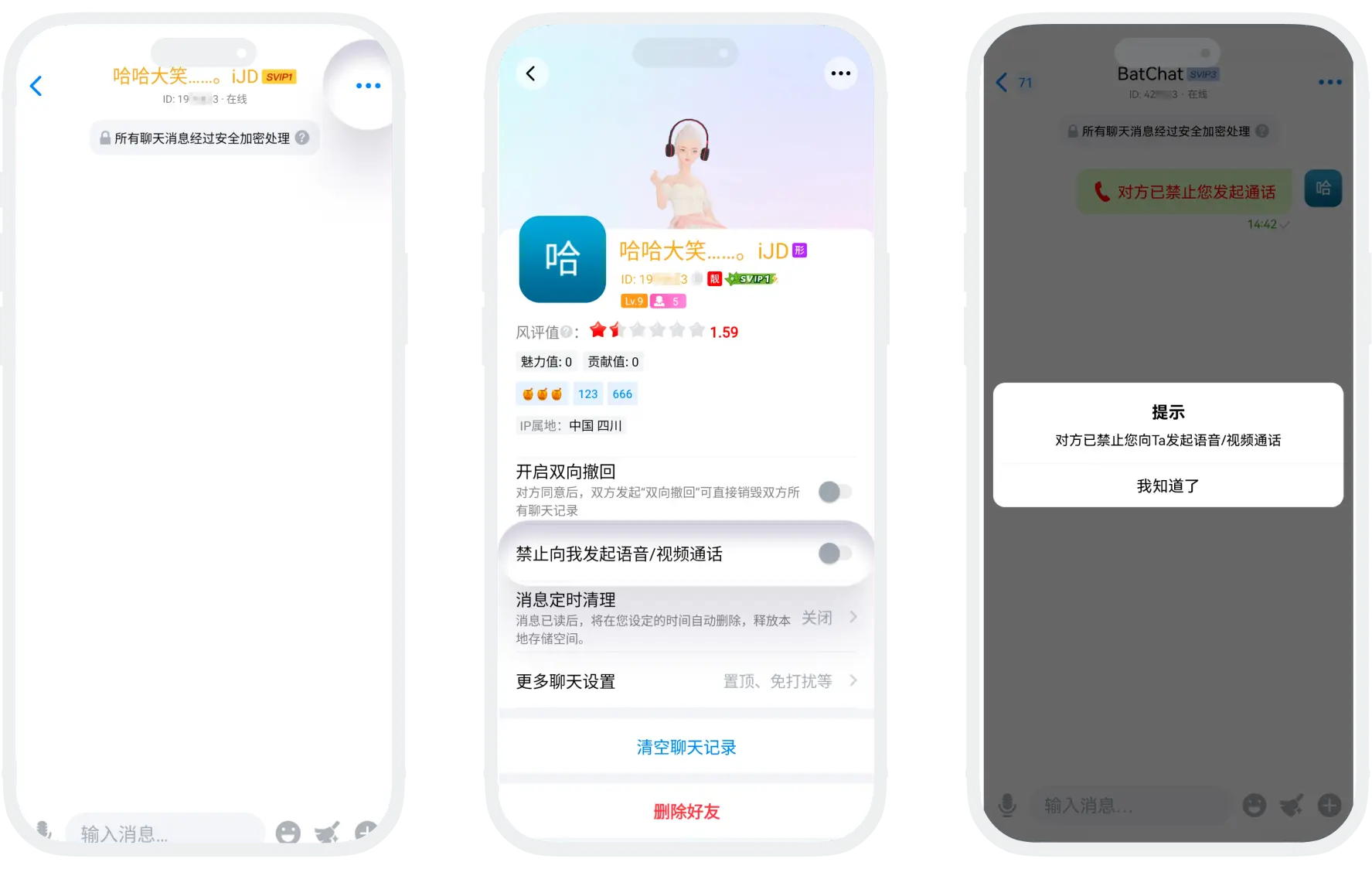
- Batch Call Refusal Settings (Exclusive for SVIP10+ users):
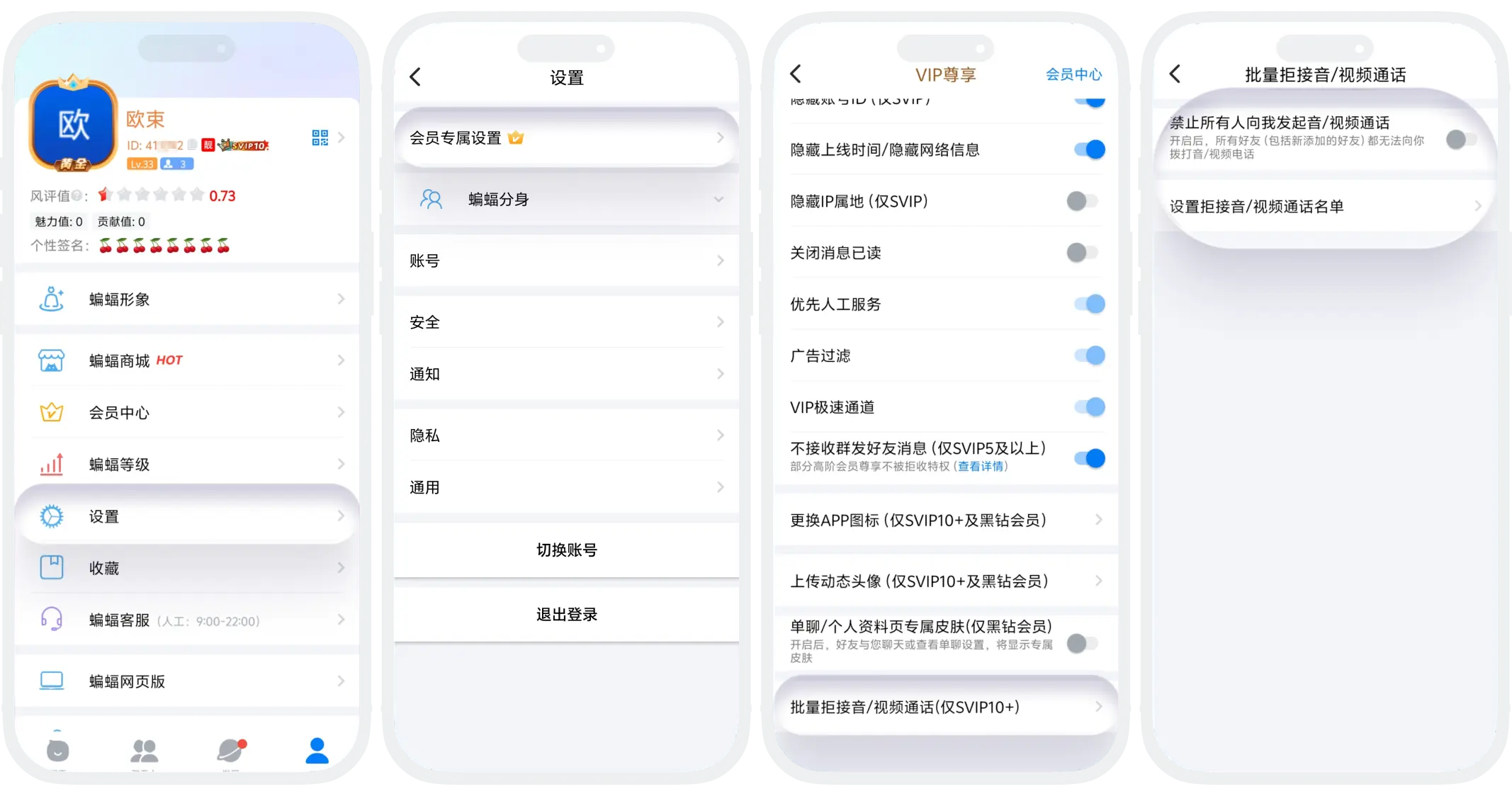
- Enter 'My' - 'Settings' - 'Member Function Settings';
- Click 'Batch Refuse Audio/Video Calls':
- Method One: Turn on the 'Prohibit all from initiating audio/video calls to me' switch, all friends cannot initiate calls to you;
- Method Two: Click 'Set Refuse Audio/Video Call List', select friends to restrict from the contacts list. After successful setting, only friends in the list will be restricted.
FAQ
They will not be notified directly. The other party will only receive a restriction prompt when they try to initiate a call.
Was this page helpful?
