Friend Blacklist
The blacklist friend feature is a protection mechanism for managing social relationships, allowing you to add specific contacts to the blacklist to restrict their interaction and interference with you. After blacklisting, the other party will not be able to send you messages, initiate calls, or perform other active interactions, while you can still control whether to restore the friend relationship. This feature is suitable for handling harassment, privacy protection, or temporary isolation scenarios.
Blacklist Operation Instructions
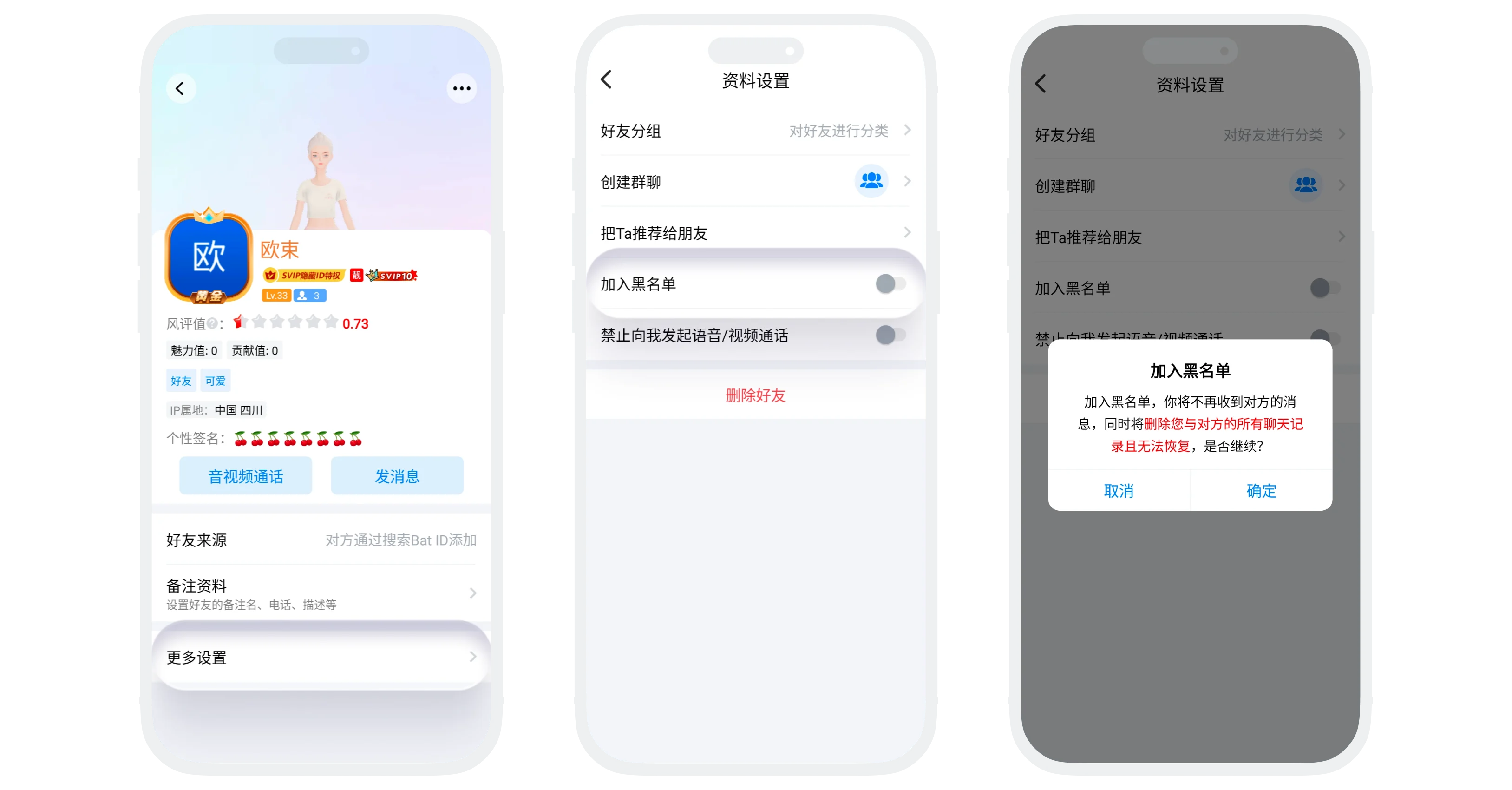
- Enter the chat window with the other party, click "More" in the upper right corner to enter their profile page;
- Click "More Chat Settings";
- Find "Add to Blacklist", turn on the switch and confirm.
Effects After Blacklisting
Impact on You (Blacklisting Party)
- All chat history with this friend will be permanently deleted and cannot be recovered;
- The other party disappears from your message list and contacts list;
- Unless you remove the blacklist, you cannot send messages to the other party, initiate calls, etc.
Impact on Blacklisted Party
- Can Still See You: The other party still retains your information in their friend list and message list;
- Cannot Send Messages: When the other party sends you a message, it will prompt "Message sending failed" or "Recipient rejected";
- Cannot Initiate Calls: Voice and video call requests will be automatically rejected.
Blacklist Management and Removal
- View Blacklist List:
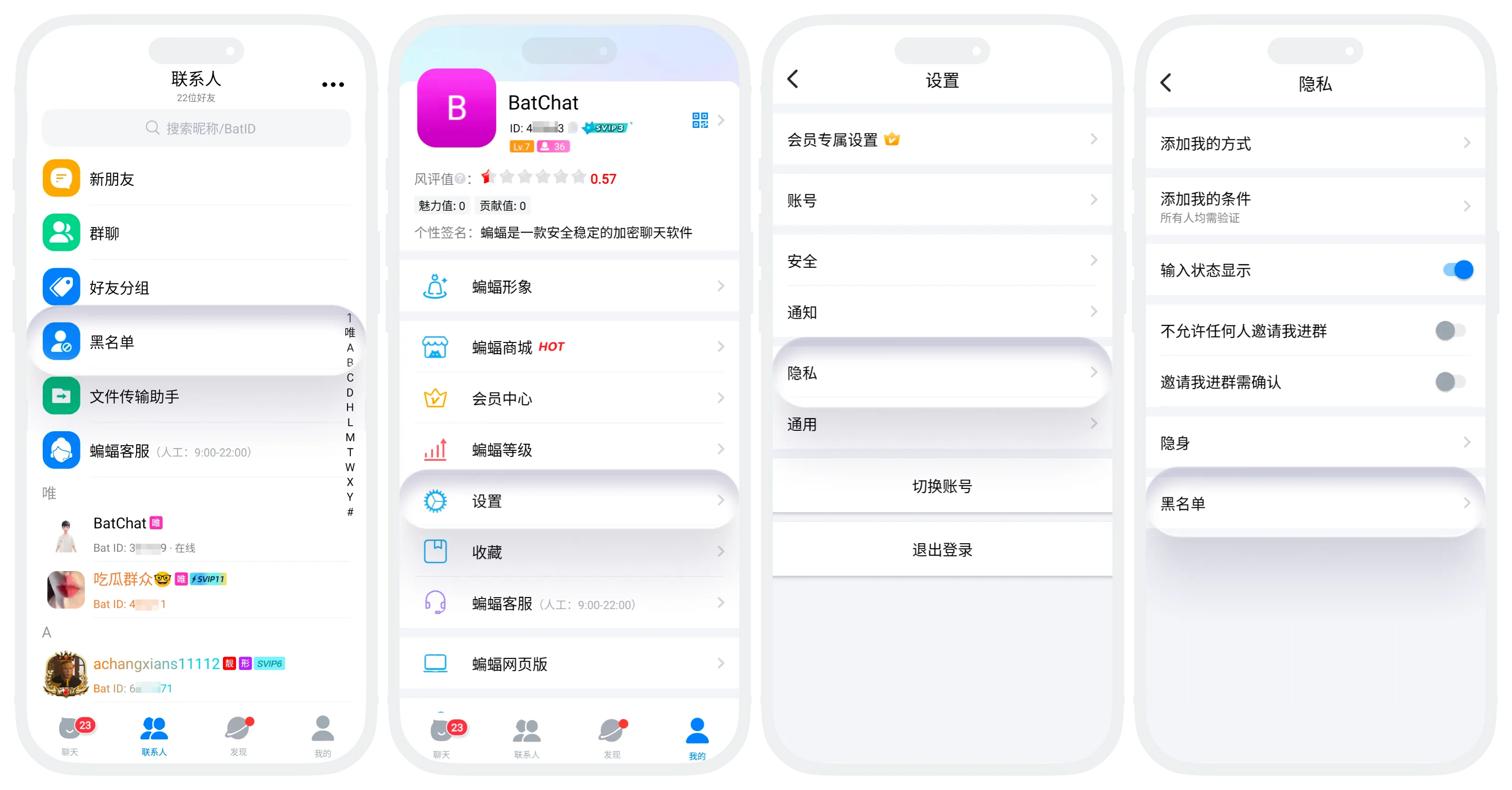
- Entry One: "Contacts List" - "Blacklist";
- Entry Two: "My" - "Settings" - "Privacy" - "Blacklist";
- Remove Blacklist Operation:
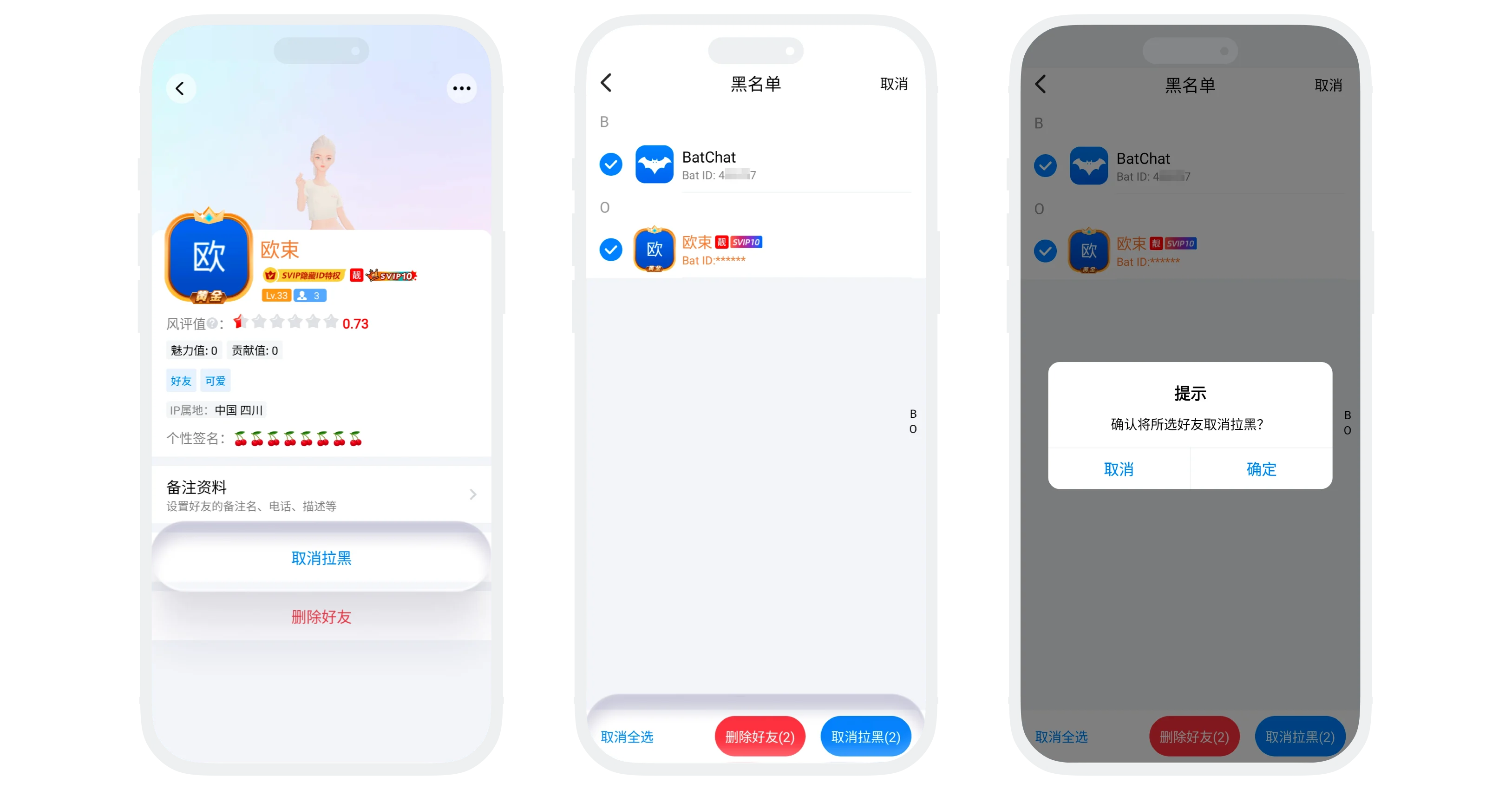
- Single Removal: Enter the blacklist list, click the friend to remove, click "Remove from Blacklist";
- Batch Removal: Click the "Batch Operation" button in the upper right corner of the blacklist list, check the friends to remove (supports select all), click "Remove from Blacklist";
- Recovery Effects After Removal:
- Both parties become friends again and can chat normally;
- Chat history deleted during the blacklist period cannot be recovered;
- The other party reappears in your message list and friend list;
- Note: After removing from blacklist, the other party must not have deleted or blacklisted you to fully restore all functions.
FAQ
Yes. Blacklisting only deletes your local chat history. The records on the other party's device are still retained.
No. After you blacklist the other party, when they enter your profile page, it still shows you as friends with no "Add Friend" button. Even if the other party deletes you as a friend and searches to add again, it will prompt that you have rejected their friend request.
