Friend Activity
Friend activity detection can help users filter out friends who have not been actively using the App within a specified time period, and provide batch cleanup functions to assist users in optimizing their friend list and maintaining the timeliness and quality of their social network.
Feature Entry and Permissions
- Usage Permissions: Only available to member users: VIP and above level members can use this feature;
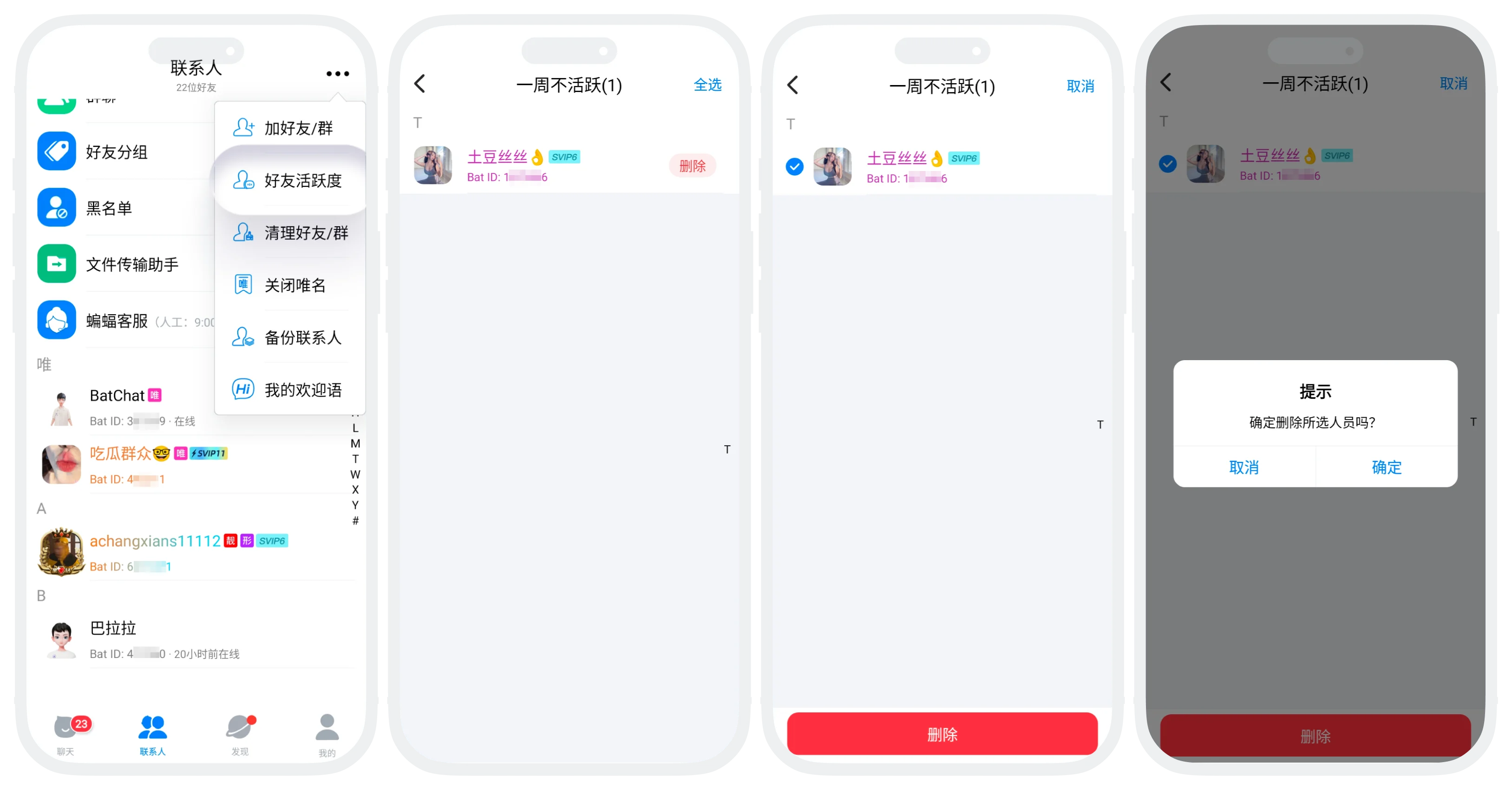
- Feature Entry: Click "More" in the upper right corner of the "Contacts List" - "Friend Activity".
Detection Time Range Options
- The system provides five standard time ranges: inactive for one week, inactive for two weeks, inactive for one month, inactive for six months, inactive for one year;
- "Inactive" judgment standard: Not logging into the BatChat app within the specified time range is considered inactive.
Delete Inactive Friends Operation Process
- Click "More" in the upper right corner of the "Contacts List" - "Friend Activity";
- Click the time range you want to filter, enter the detection results list;
- Directly click the "Delete" button of a single friend, or click "Batch Operation" in the upper right corner, check the friends to delete, click the "Delete" button, and confirm deletion.

After deletion:
- The other party still retains you in their friend list;
- Local chat history will be cleared, the other party's records are retained;
- If you need to re-add, the other party's consent is required.
FAQ
No, deleting a friend is a unilateral silent operation.
Was this page helpful?
