Delete Friend
The delete friend feature allows users to manage their social relationships by removing friends who are no longer needed or inactive. The system supports multiple deletion methods and scenarios, including one-way deletion, two-way deletion, batch deletion, and member-exclusive intelligent detection deletion, helping users keep their friend list clean and active.
Deletion Types and Rules
One-way Deletion (Unilateral Friend Relationship Removal)
-
Effects After Deletion by Deleting Party:
- Local Deletion: The other party is removed from your friend list;
- Chat History: Your local chat history is cleared;
- Relationship Status: The other party still retains your friend relationship, but becomes a "one-way friend".
-
Perception by Deleted Party:
- No Obvious Perception: The other party still shows you in their friend list with no deletion prompt;
- Prompt When Sending Messages: When the other party sends you a message, the system prompts "The other party is no longer your friend, need to re-add";
- Re-add Mechanism: If you re-add the other party as a friend, the friend relationship is immediately re-established without any notification or perception from the other party.
Two-way Deletion (Bidirectional Friend Relationship Removal)
- Trigger Condition: Both parties have performed the deletion operation;
- Effects After Operation:
- Bidirectional Removal: Both parties remove each other from their friend lists;
- Chat History: Each party's local chat history is deleted;
- Relationship Rebuilding: Need to go through the complete add friend process again (find the other party -> send friend request -> other party agrees -> re-establish friend relationship).
Delete Friend Operation Process
- Single Friend Deletion:
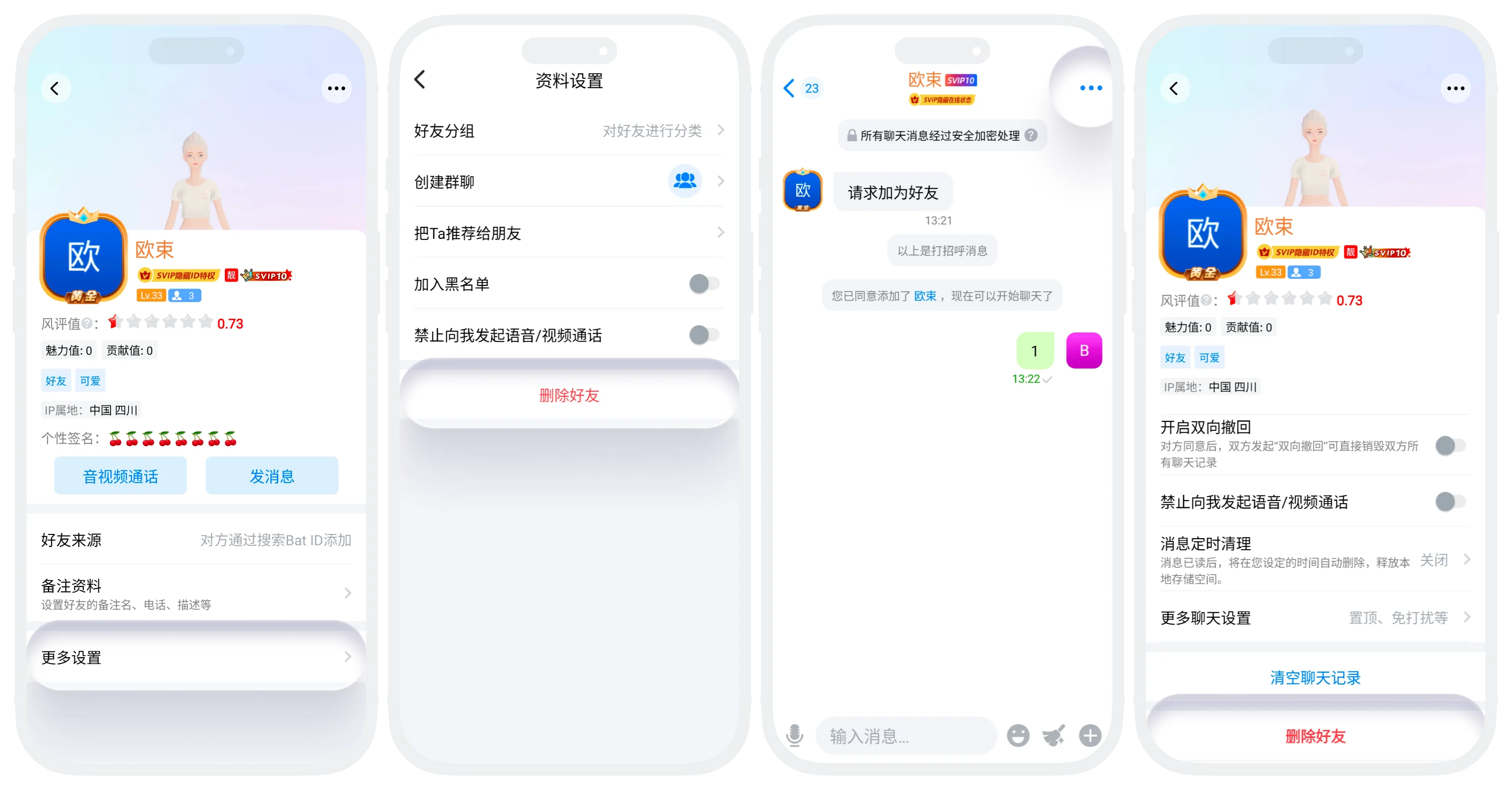
- Delete from Friend Profile Page: Enter the friend's profile page, click "More Settings", select "Delete Friend" and confirm;
- Delete from Chat Page: On the chat page, click "More" in the upper right corner, scroll to the bottom of the page and click "Delete Friend" and confirm;
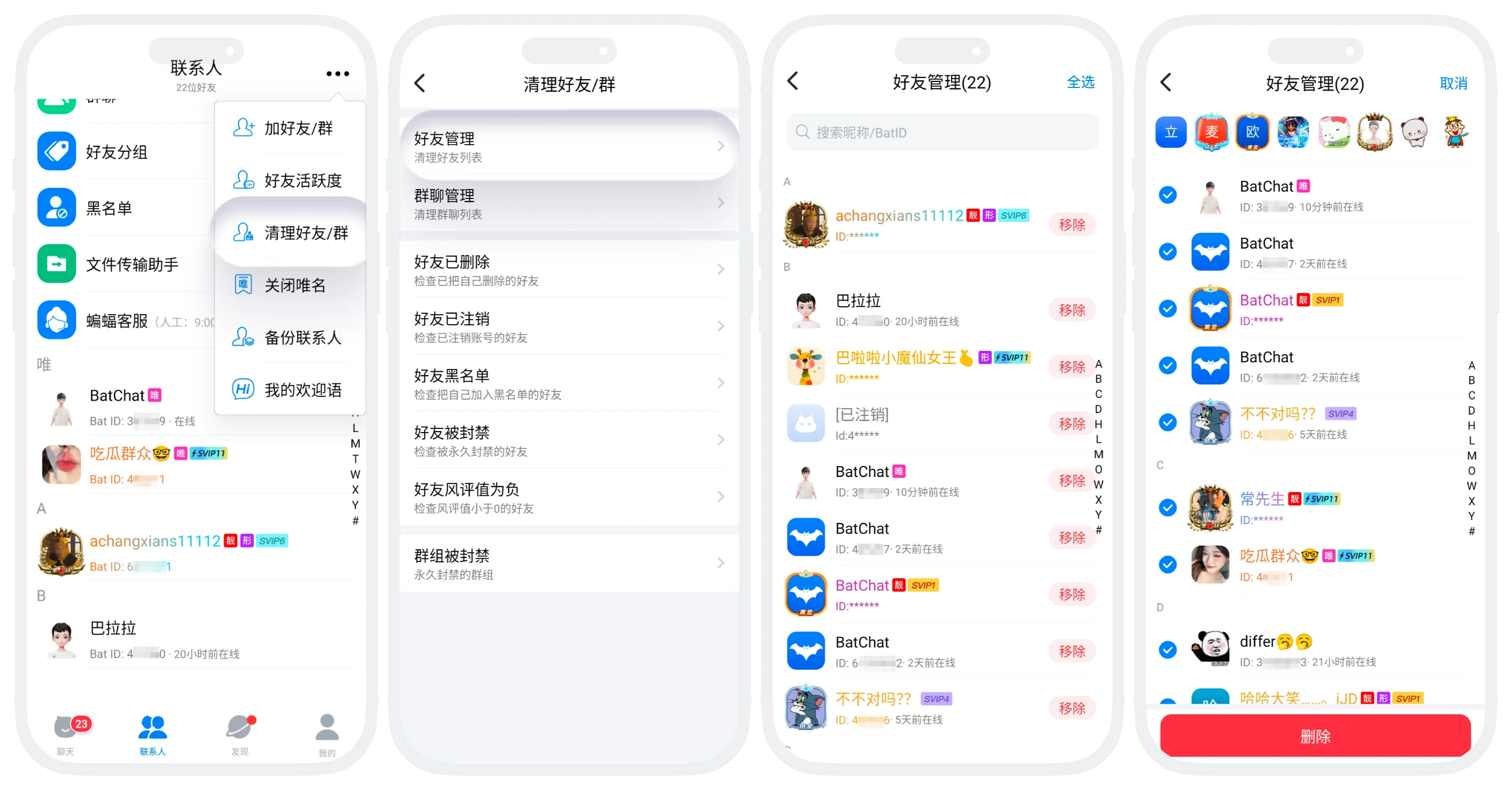
- Batch Delete Friends (VIP Feature): In the "Contacts" list, click "More" in the upper right corner - "Clean Friends/Groups", select "Friend Management", then you can check friends for batch deletion.
Intelligent Detection and Batch Deletion (VIP Exclusive)
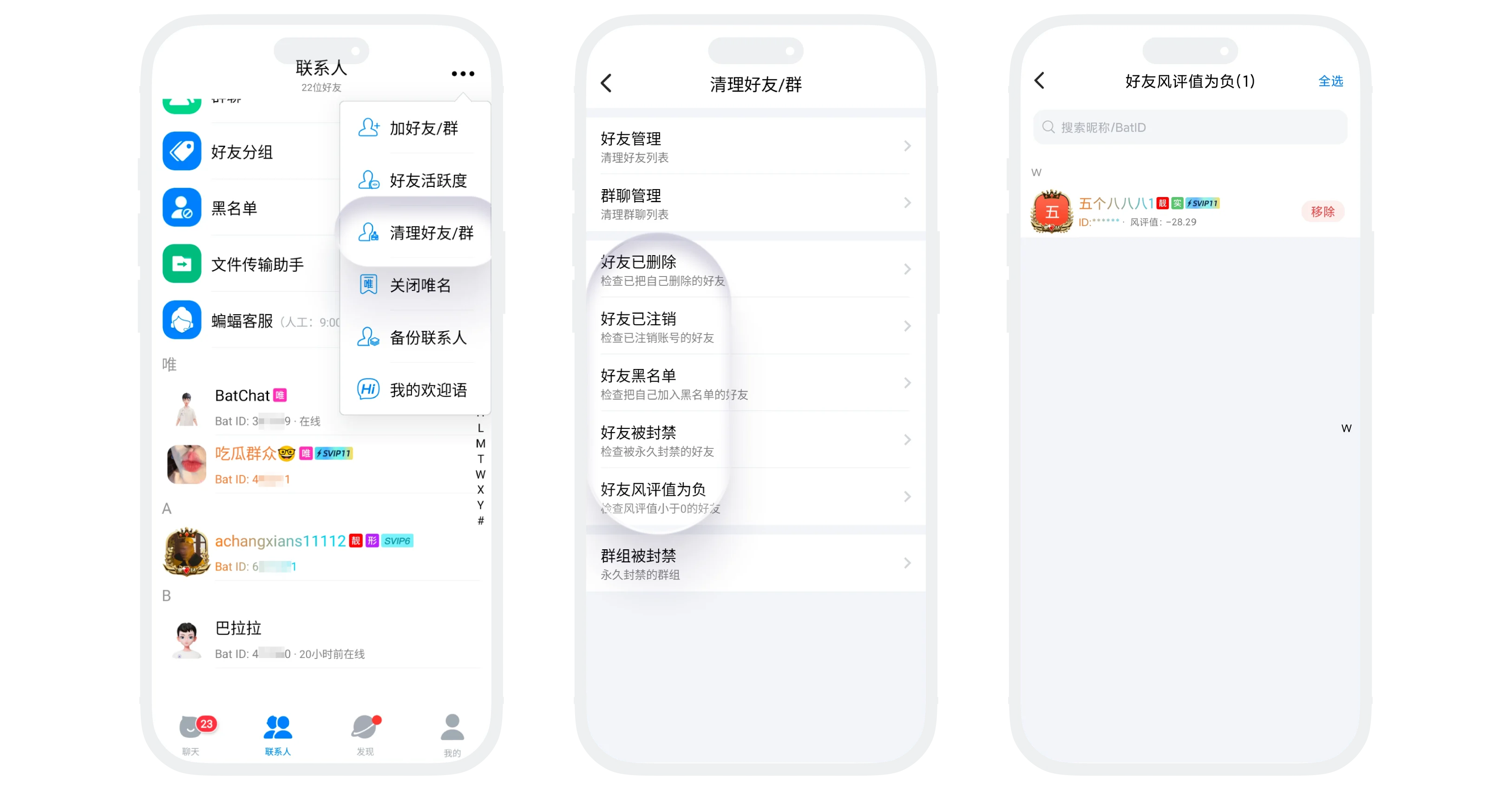
- Feature Entry: "Contacts" list, click "More" in the upper right corner - "Clean Friends/Groups";
- Detection Types:
| Detection Type | Description |
|---|---|
| Friend Deleted You | The other party has unilaterally deleted you, you are in 'one-way friend' status |
| Friend Account Deleted | The other party's account has been deleted and can no longer log in |
| Friend Blacklisted You | The other party has added you to the blacklist, you cannot send messages |
| Friend Banned | The other party's account has been permanently banned by the platform for violations |
| Friend Reputation Negative | The other party's account reputation value is below 0, may have bad behavior |
- Operation Process:
- In the "Contacts" list, enter the "Clean Friends/Groups" page;
- Click the detection type you want to batch clean, the list will display all friends meeting the detection conditions;
- Click "Remove" or batch check to remove, after confirmation the friend deletion is successful.
Was this page helpful?
