Change App Icon
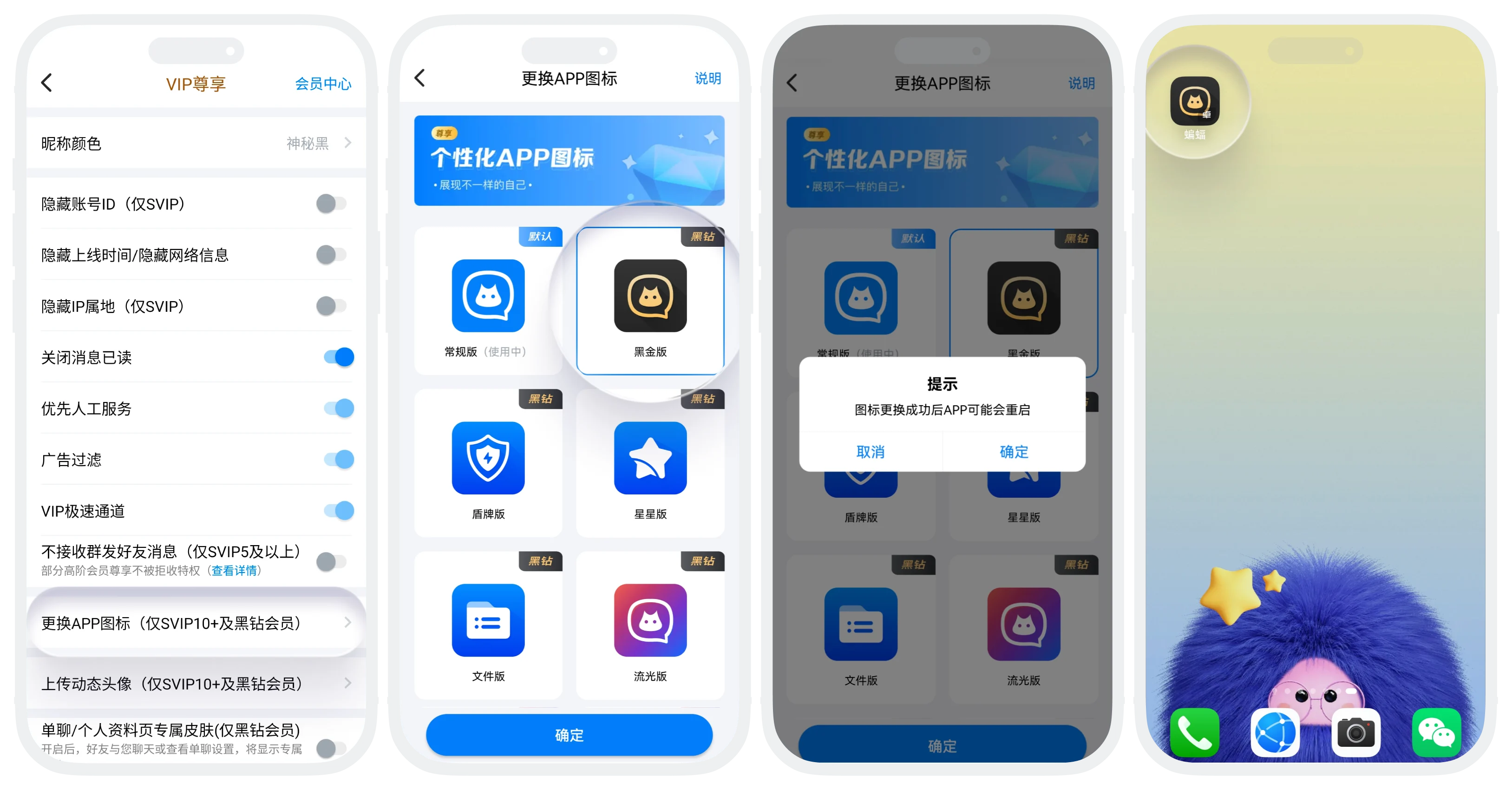
'Change App Icon' allows SVIP10+ and Black Diamond members to customize the BatChat App icon style on the phone desktop to show personality.
Setting Process
- Feature Entry:
- Entry One: 'BatChat Mall' - 'Member Center', click 'Member Function Settings' at the bottom;
- Entry Two: 'My' - 'Settings' - 'Member Function Settings';
- Click 'Change App Icon' on the member function settings page;
- Select the icon to use, click 'Confirm'. After changing, some models may restart the APP.
FAQ
No. Changing the icon only replaces the desktop display style. The original icon resources are still in the App. You can change it again at any time.
No. Icon resources are already built into the App. Changing just enables different styles without re-downloading.
Was this page helpful?
