Font Size
The 'Font Size' function allows you to separately adjust the font display size of the chat page to meet the reading needs of different users. The font size of other pages will follow system settings.
Operation Process
- Enter 'Settings' - 'General' - 'Appearance' - 'Font Size';
- Slide the bottom slider left and right to adjust the font size for preview;
- Click 'Confirm' to save the setting, and return to the chat page to see the font size change.
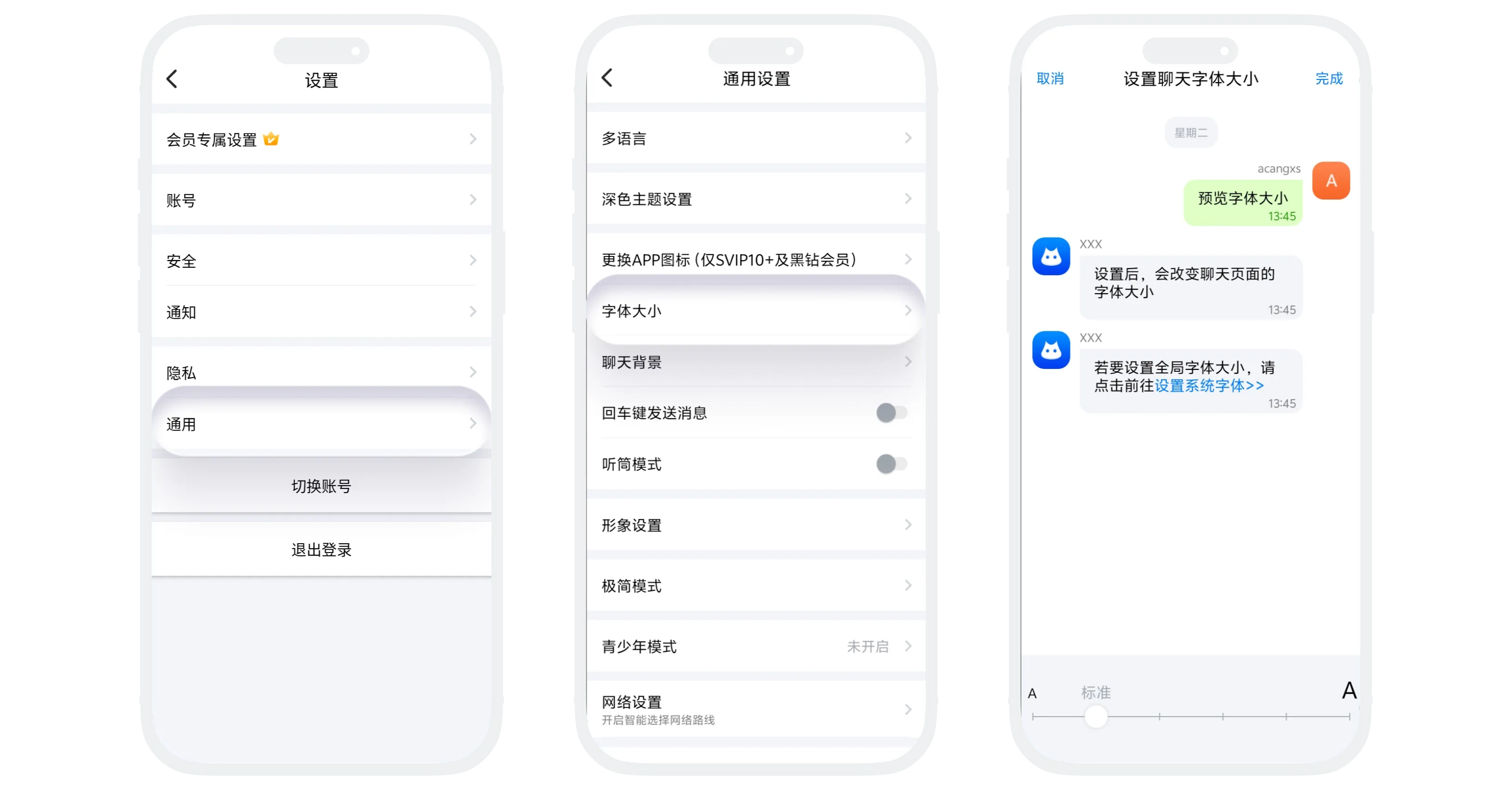

Font size settings only take effect on the chat page and do not affect other areas of the system. If you need to adjust the global font size of the APP, please enter the phone system settings and adjust the phone font size.
FAQ
Re-enter 'Font Size' settings, drag the slider back to the 'Standard' position, and click 'Confirm'.
Yes. Font size settings apply to all chat pages, including single chats and group chats.
Was this page helpful?
