Multi-Language
The 'Multi-Language' function allows you to switch the interface display language of the BatChat App to meet the usage needs of users of different languages.
Switching Process
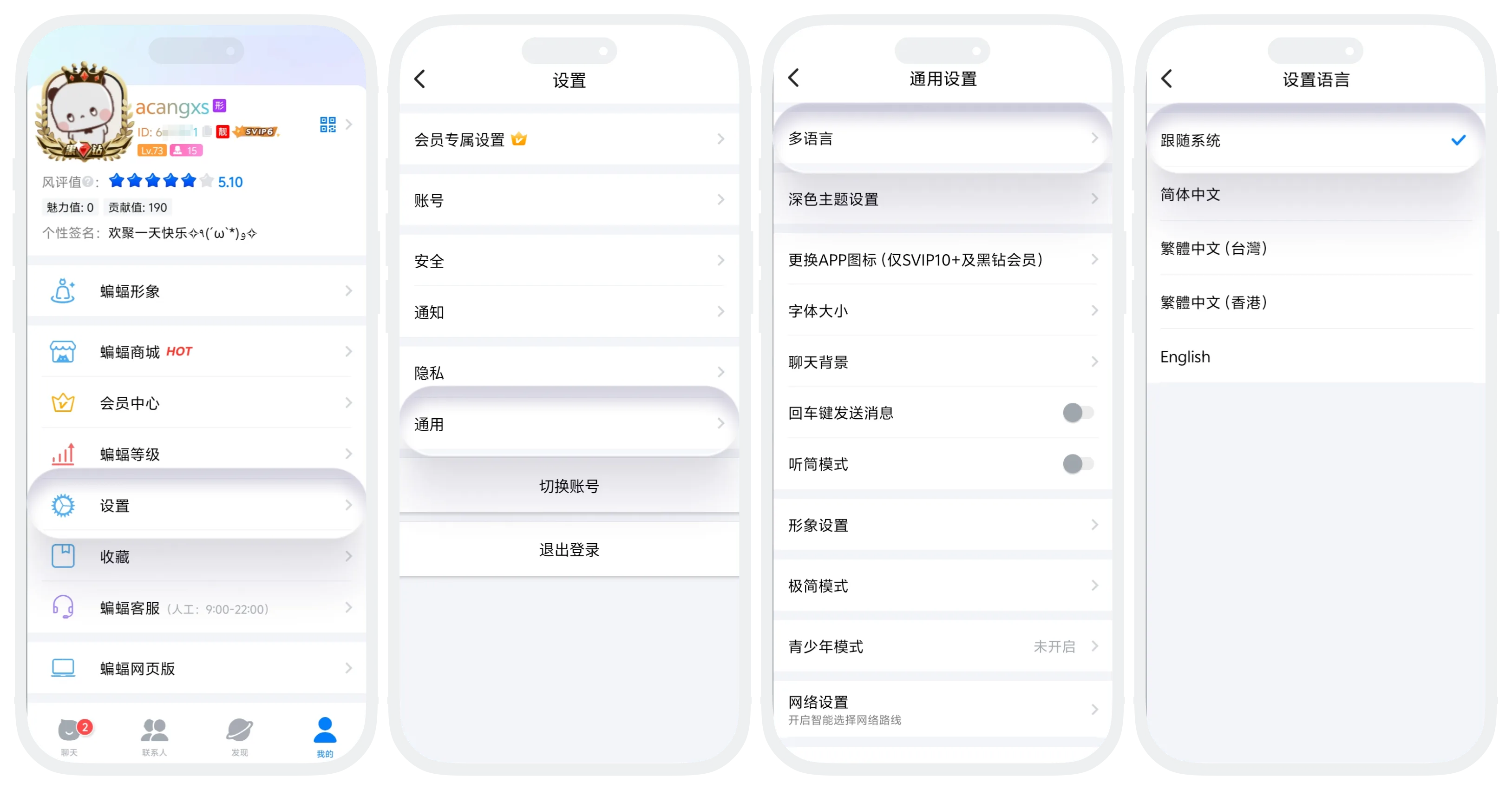
- Enter 'My' - 'Settings' - 'General', click 'Language';
- In the language list, click the language you want to switch to (currently supports: Simplified Chinese, English, Traditional Chinese);
- The App automatically restarts, and the interface language switches to the selected language.

iOS devices do not currently support language switching.
FAQ
No. Chat records are user-generated content and are not affected by language switching. Only App interface text (buttons, menus, prompts, etc.) will change.
Was this page helpful?
