Earpiece Mode
'Earpiece Mode' controls the playback method of voice messages in chat. After enabling, voice messages will be played through the phone earpiece (listen close to the ear); when off, they will be played through the speaker.
Setting Process
- Enter 'Settings' - 'General', find the 'Earpiece Mode' option;
- Click the right switch to set:
- On: Voice played through earpiece;
- Off: Voice played through speaker;
- Regardless of the switch status, you can also switch the playback method by long pressing the voice message.
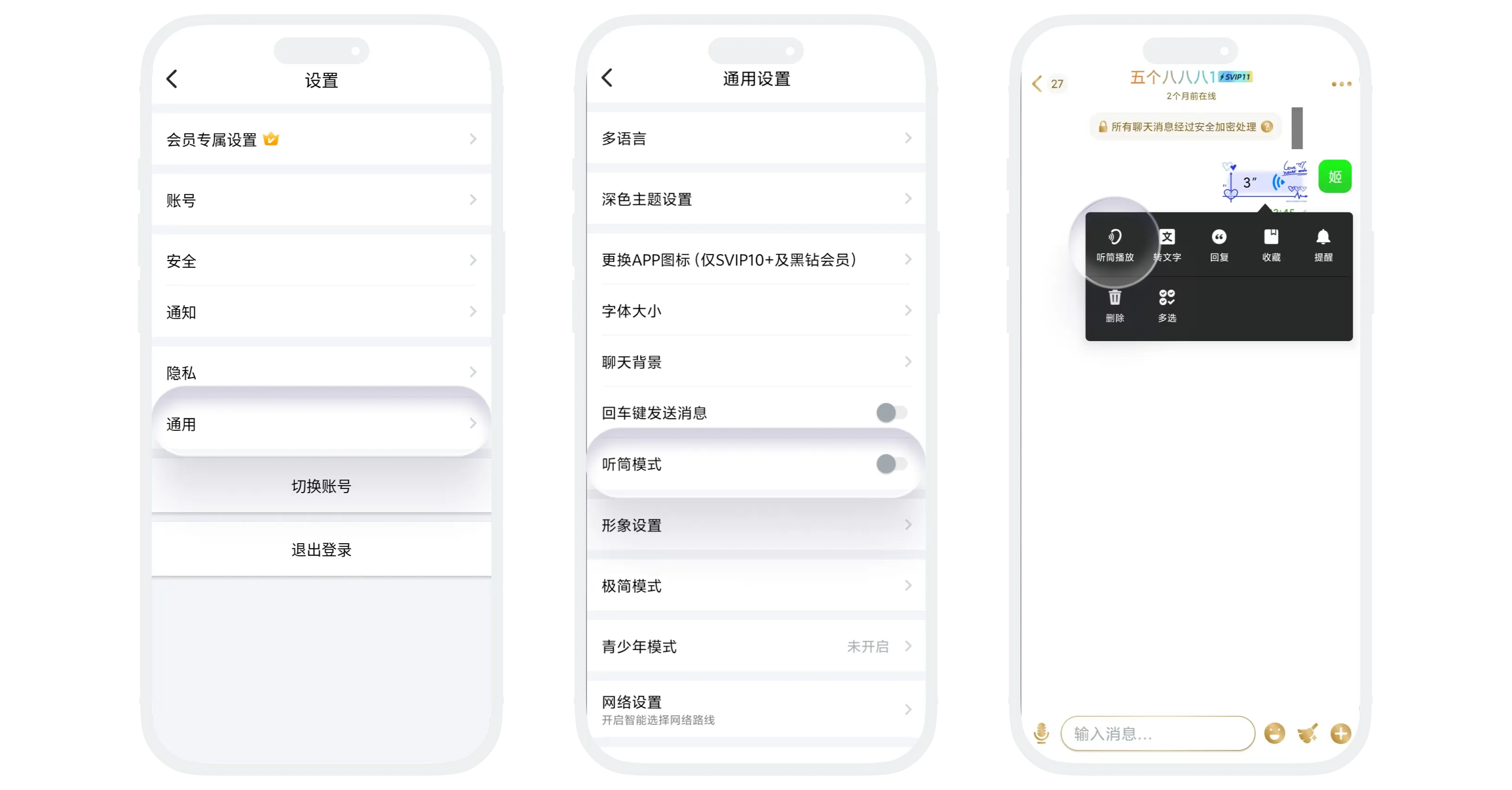

In earpiece mode, please hold the phone close to your ear for the best listening effect
Was this page helpful?
