Sending Message Mode
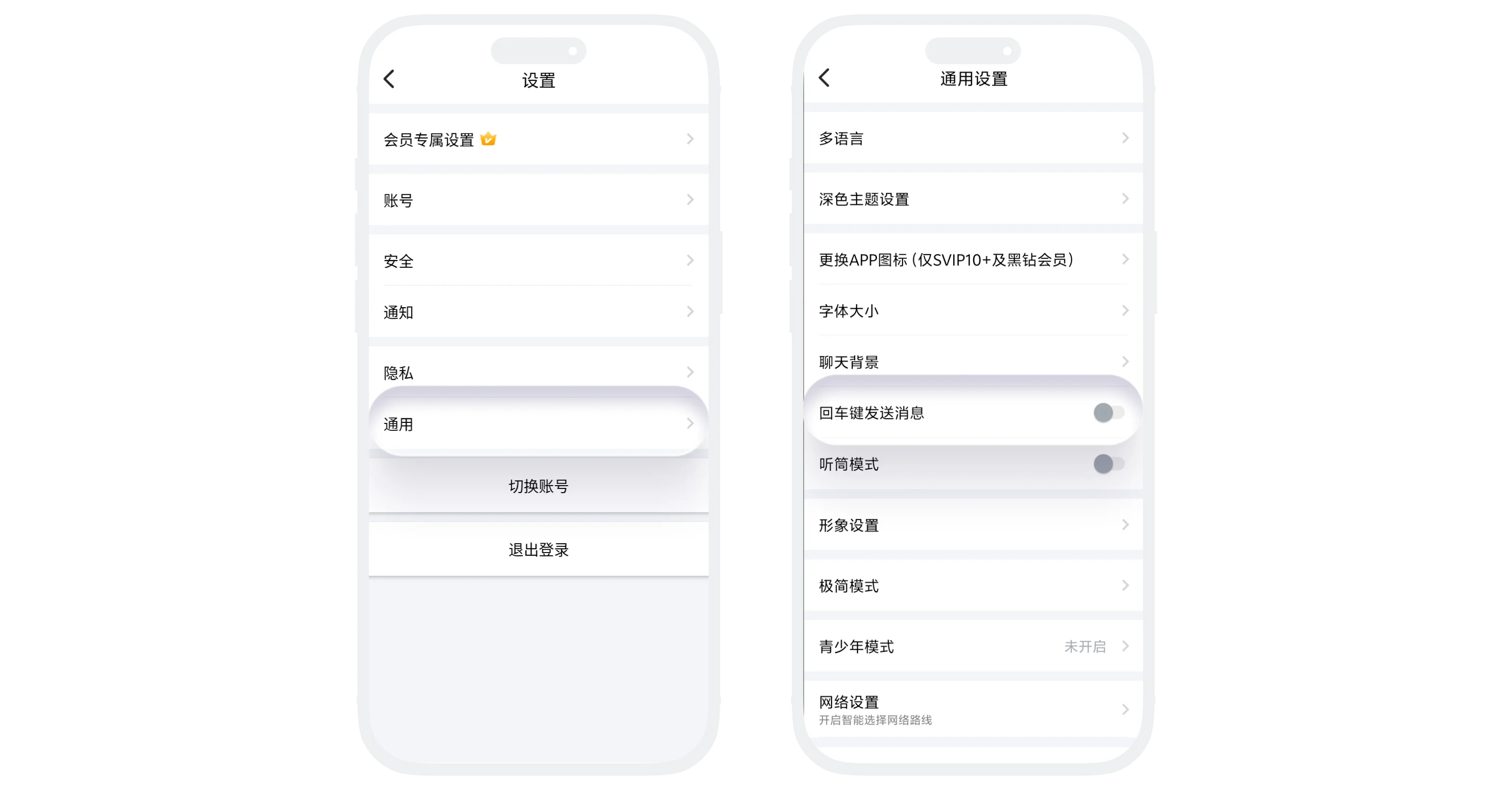
'Enter Key to Send Message' allows you to set the Enter key on Android device keyboards as a shortcut button for sending messages. After enabling, pressing the Enter key in the chat input box will directly send the message without clicking the send button on the screen.
Setting Process
- Enter 'Settings' - 'General', find the 'Enter Key to Send Message' option;
- Click the right switch to set:
- On: Enter key sends message;
- Off: Enter key creates new line.
Was this page helpful?
