Storage Space
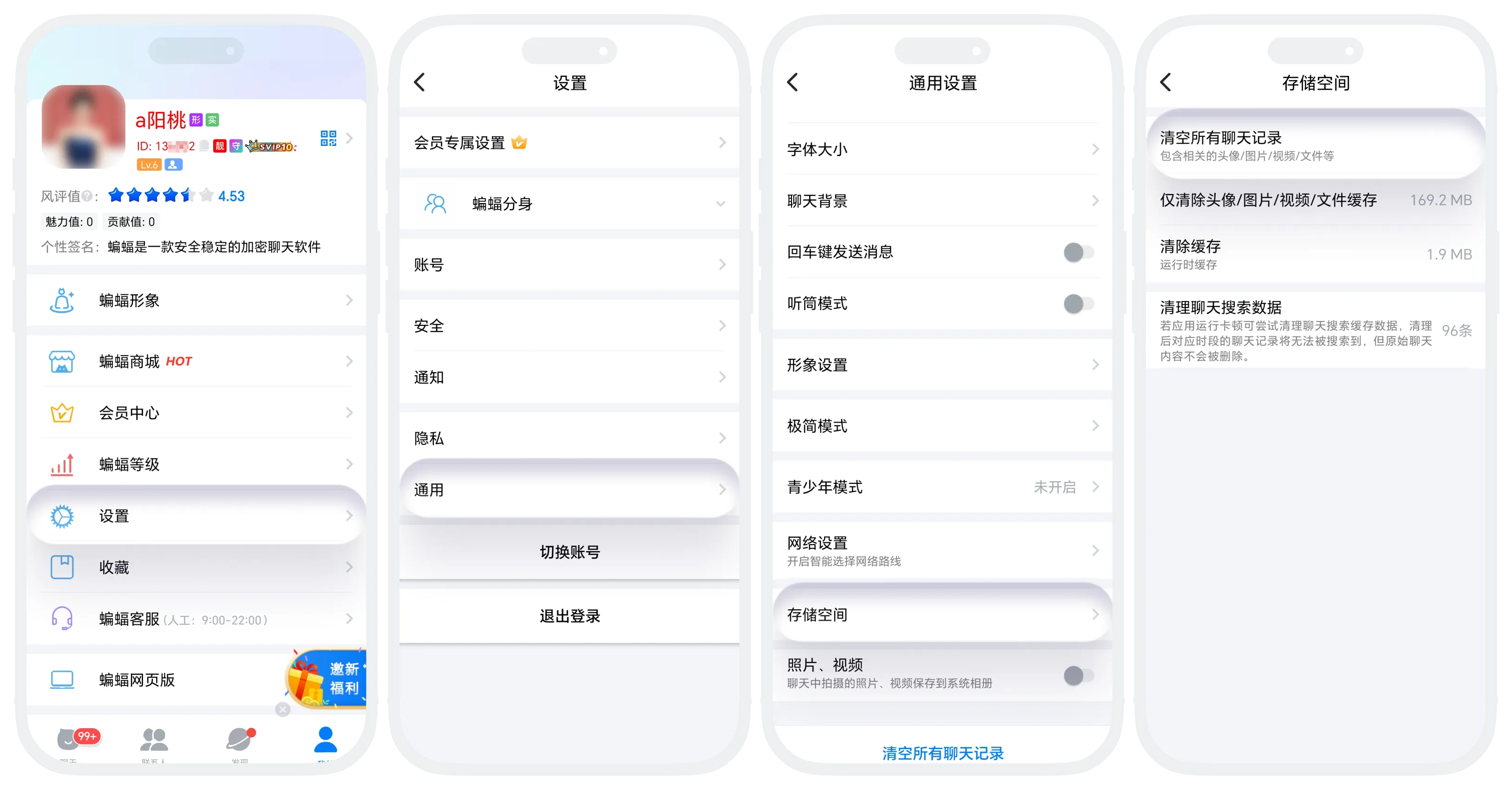
- Enter 'My' - 'Settings' - 'Storage Space';
- Can choose:
- Clear All Chat History: Delete all chat records, including chat records, images, videos, files, etc.;
- Only Clear Avatar/Image/Video/File Cache: Clean up media files such as images, videos, files, retain text chat records;
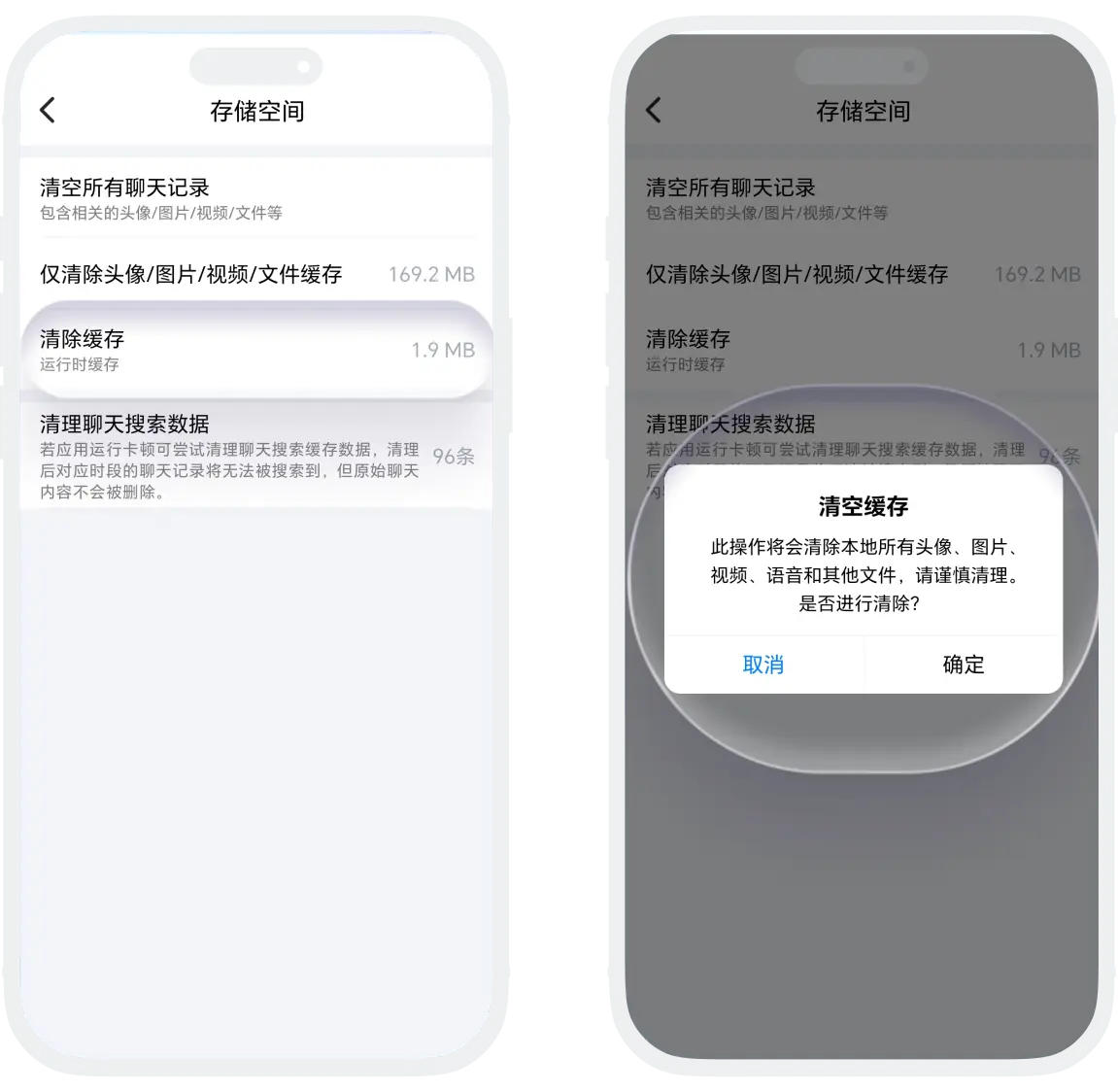
- Clear Cache: Temporary files generated by app operation, does not affect chat records and personal data;
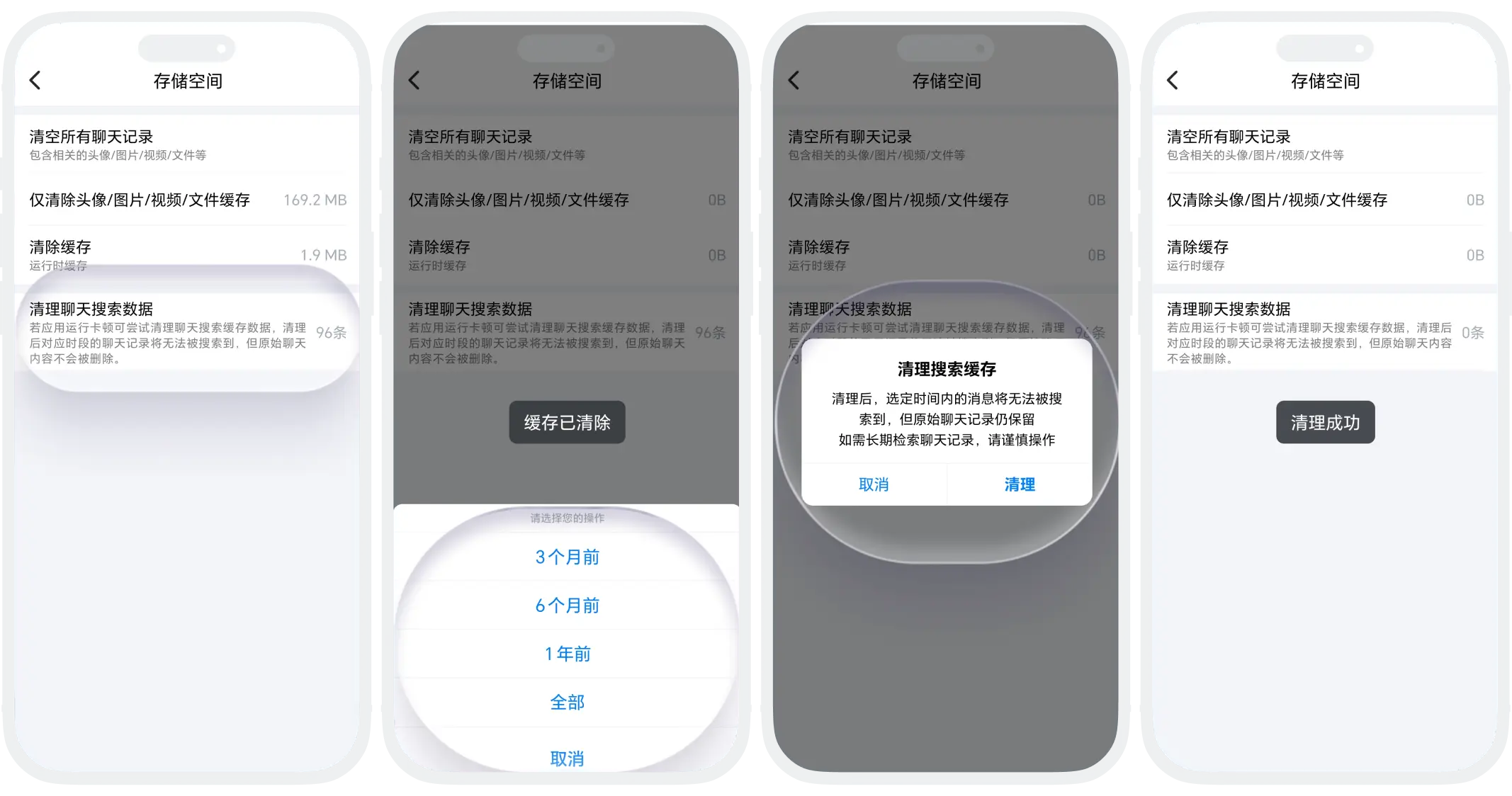
- Clean Chat Search Data: Optimize search performance, solve lag, original chat content is not affected.
Was this page helpful?
