Create Group Chat
The create group chat function allows you to gather multiple friends in the same chat space, facilitating group discussions, project collaboration, interest exchanges, and other multi-person communication scenarios. The creation process is simple and fast, and provides multiple setting options to meet different group chat needs.
Creation Process
-
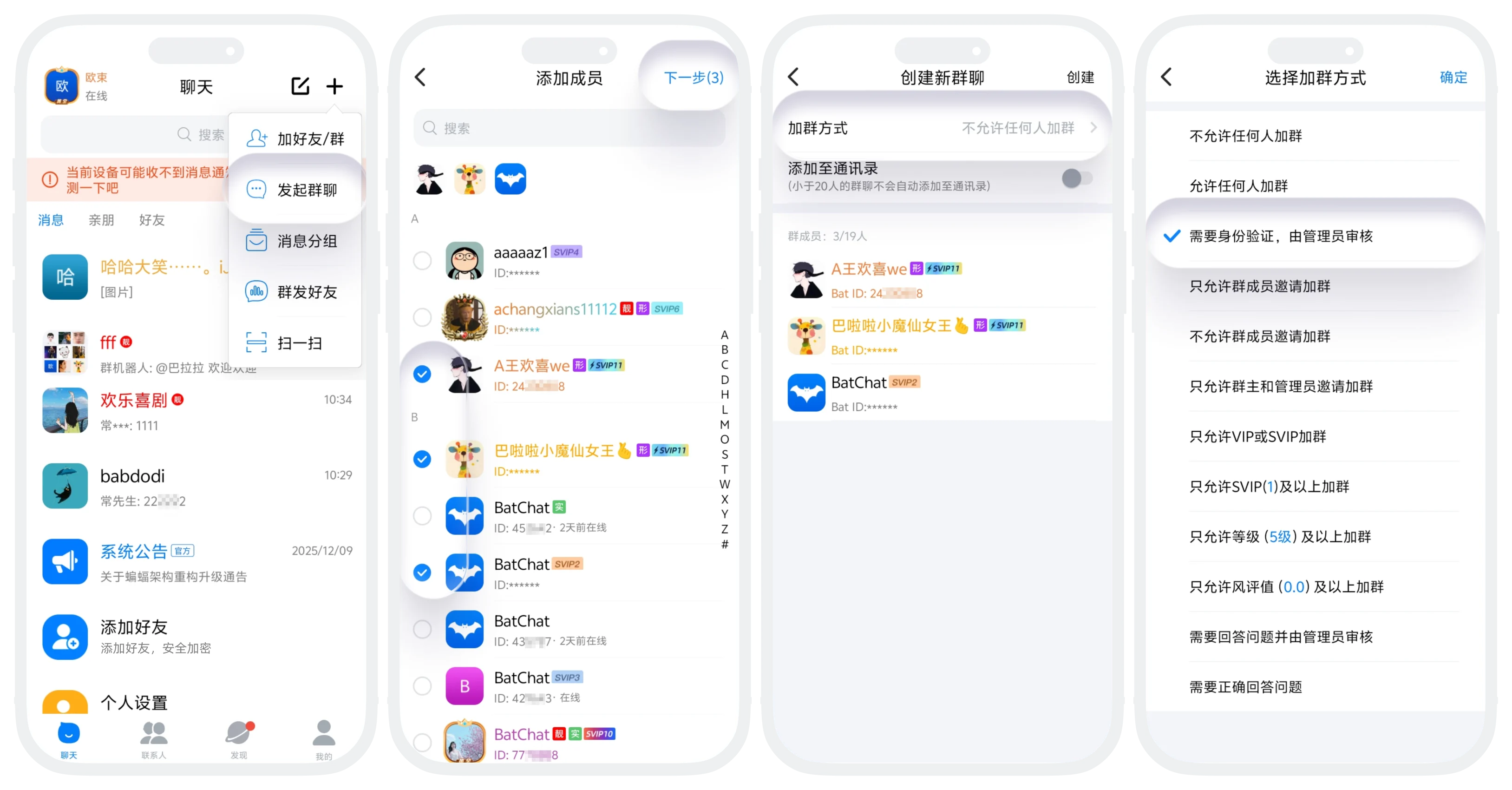
Click '+' in the upper right corner of the 'Message List' - 'Create Group Chat';
-
Select at least 2 friends (plus yourself at least 3 people), click 'Next';
-
Confirm the group member list is correct, and support partial group function settings:
- Join group method: By default, all people joining the group need administrator review, can switch to other join methods (e.g., allow everyone to join, only VIP allowed to join, etc.);
- Add to address book: Created small groups of 20 people and below will not be automatically added to the address book. Turn on this switch to save the group chat to the address book;
(The above settings can be modified by the group owner and administrators on the manage group page after the group chat is successfully created)
-
Click 'Create' in the upper right corner. After successful creation, automatically enter the group chat page.
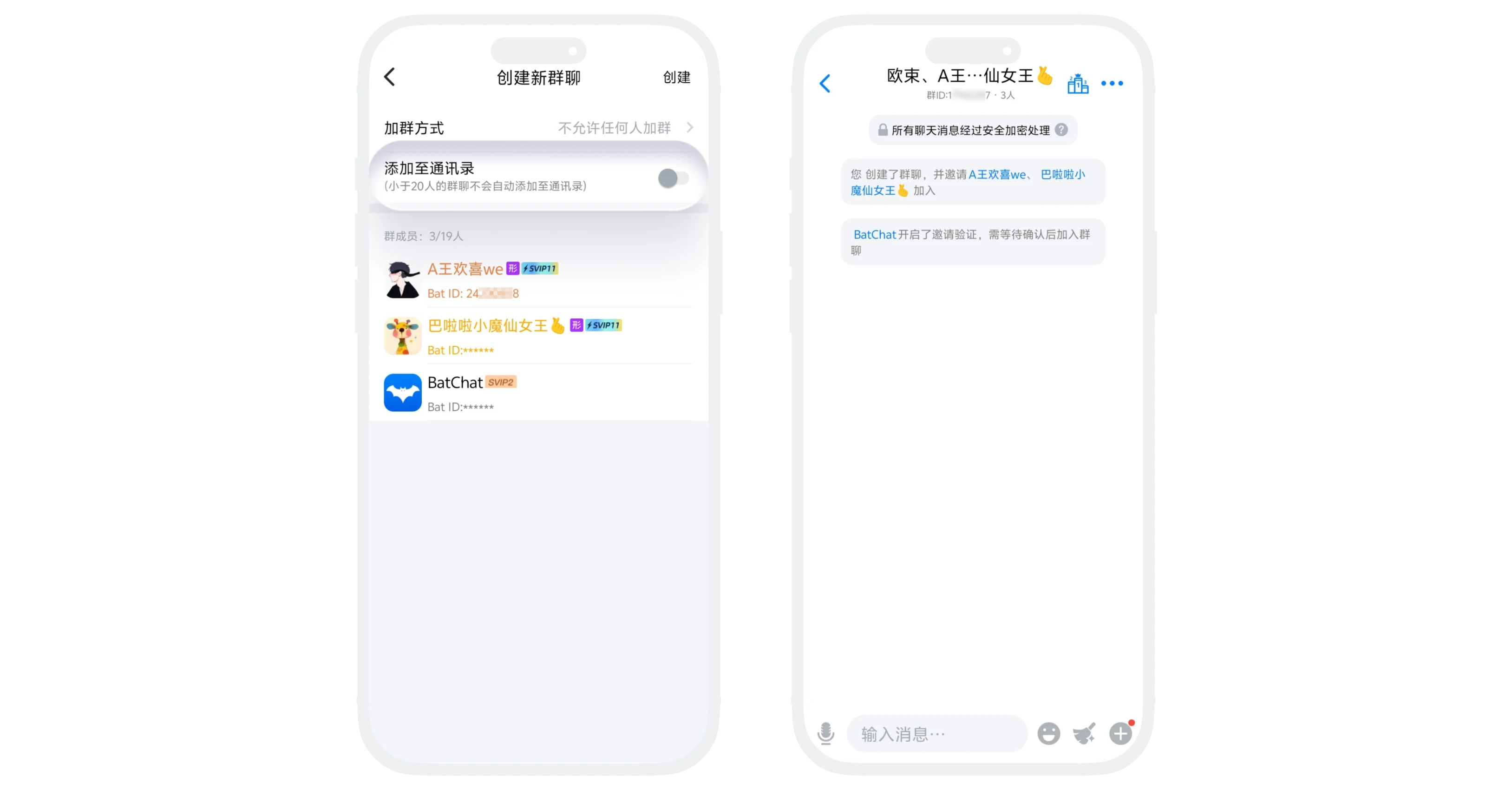

When creating a group chat, the system will automatically assign basic information. The group name is intelligently combined according to member nicknames (e.g., 'Xiaoming, Xiaohong, Xiaogang's group chat'), and the group avatar is intelligently spliced and generated according to member avatars. You can modify them yourself on the group details page later.
FAQ
- Prevent small groups from being overwhelmed in the message list 2. Quickly retrieve group chats after changing devices or reinstalling the App 3. Avoid being unable to retrieve group chats after accidentally deleting them.
Yes. The group owner can select other members to become the new group owner in 'Group Details' - 'Transfer Group'. After transfer, the original group owner becomes a regular member.
