Group Vote
Group voting is a practical feature within group chats for collecting member opinions, making collective decisions, or organizing activities. The initiator can set the voting topic, options, deadline, and voting rules. Group members participate within the specified time, and the system automatically counts and displays results. Suitable for activity arrangements, opinion collection, decision voting, and other scenarios.
Setting Description
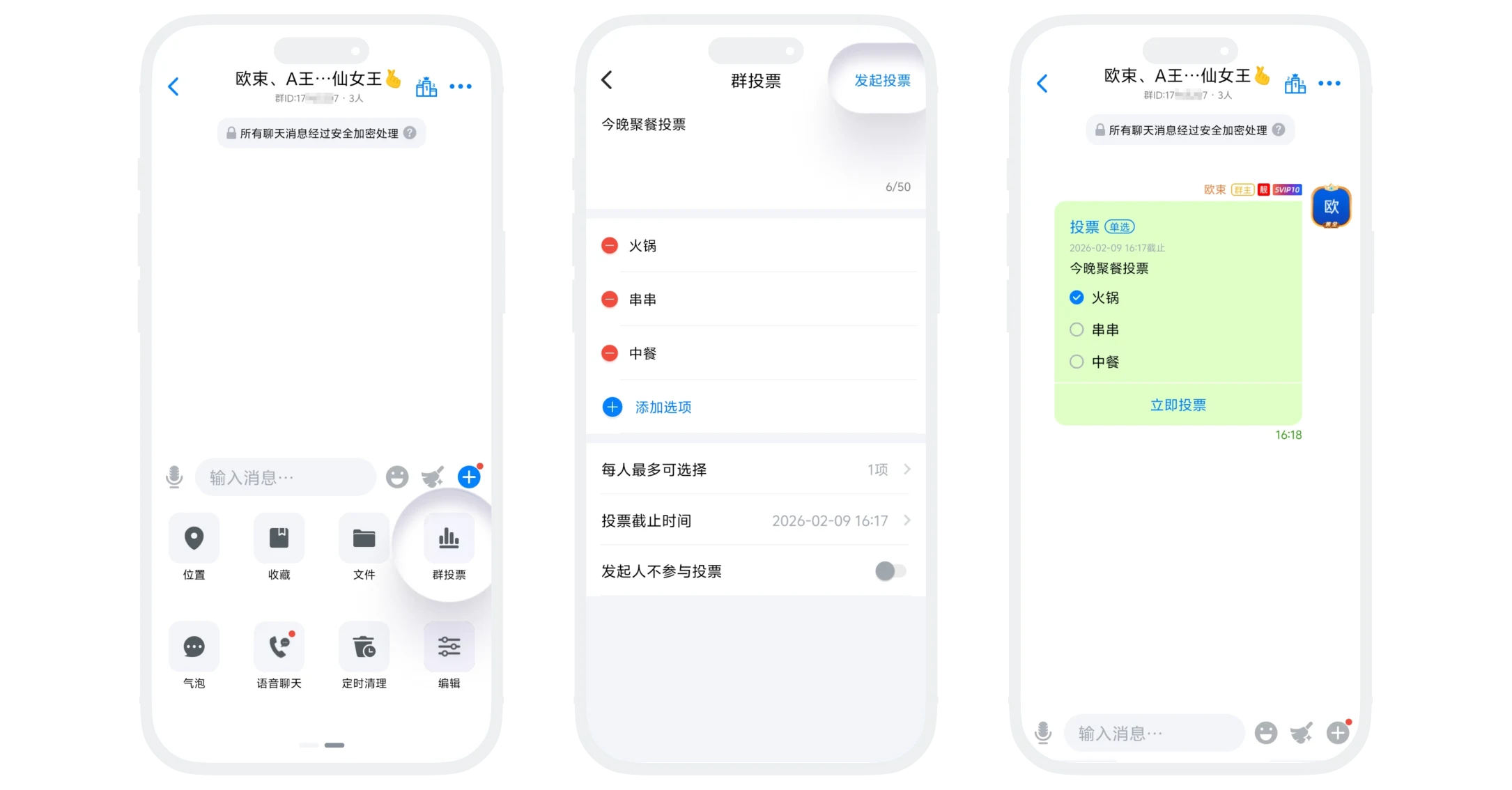
- Voting Topic: Required field, maximum 50 characters;
- Voting Options: At least 2 options must be set, click "Add Option" to increase options;
- Maximum Selections Per Person: Default is 1 option, can be adjusted to multiple selections as needed; if set to "1 item", it's a single choice; setting greater than 1 item makes it multiple choice;
- Voting Deadline: Can be precisely set to year-month-day hour:minute (e.g., 2026-01-23 10:26). After the deadline, voting automatically ends, and no further voting or modifications are allowed;
- Anonymous Voting: After enabling, voting results will not display specific voter information, only showing vote counts and percentages for each option;
- Initiator Does Not Participate: After enabling, the initiator will not be counted in voting statistics.
Initiate Voting Process
- Group members click the "+" button in the lower right corner of the group chat interface - "Group Vote" to enter the group voting page;
- Fill in the group voting content and set voting rules;
- Click "Initiate Vote", a voting message will be sent in the group chat page, and other members can vote.
Participate in Voting and View Results
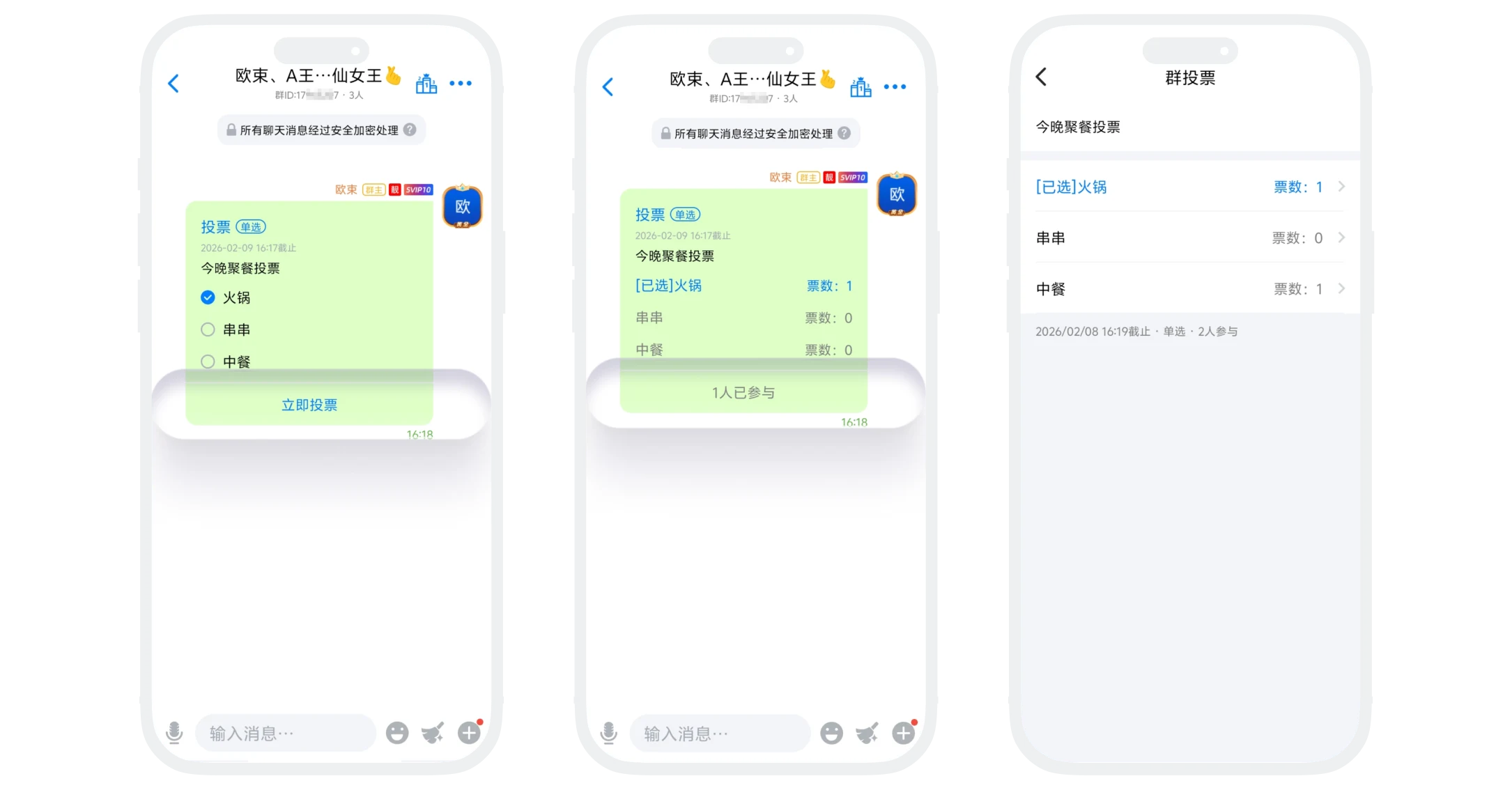
- Voting messages are displayed as cards in the group chat, showing the topic, options, deadline, and current number of participants;
- Members who haven't voted check the options and click "Vote" to complete voting; members who have already voted cannot vote again;
- After submitting the vote, you can view the current voting distribution. Click "x people participated" at the bottom of the voting message to enter the voting details page and view complete voting results.
End Voting
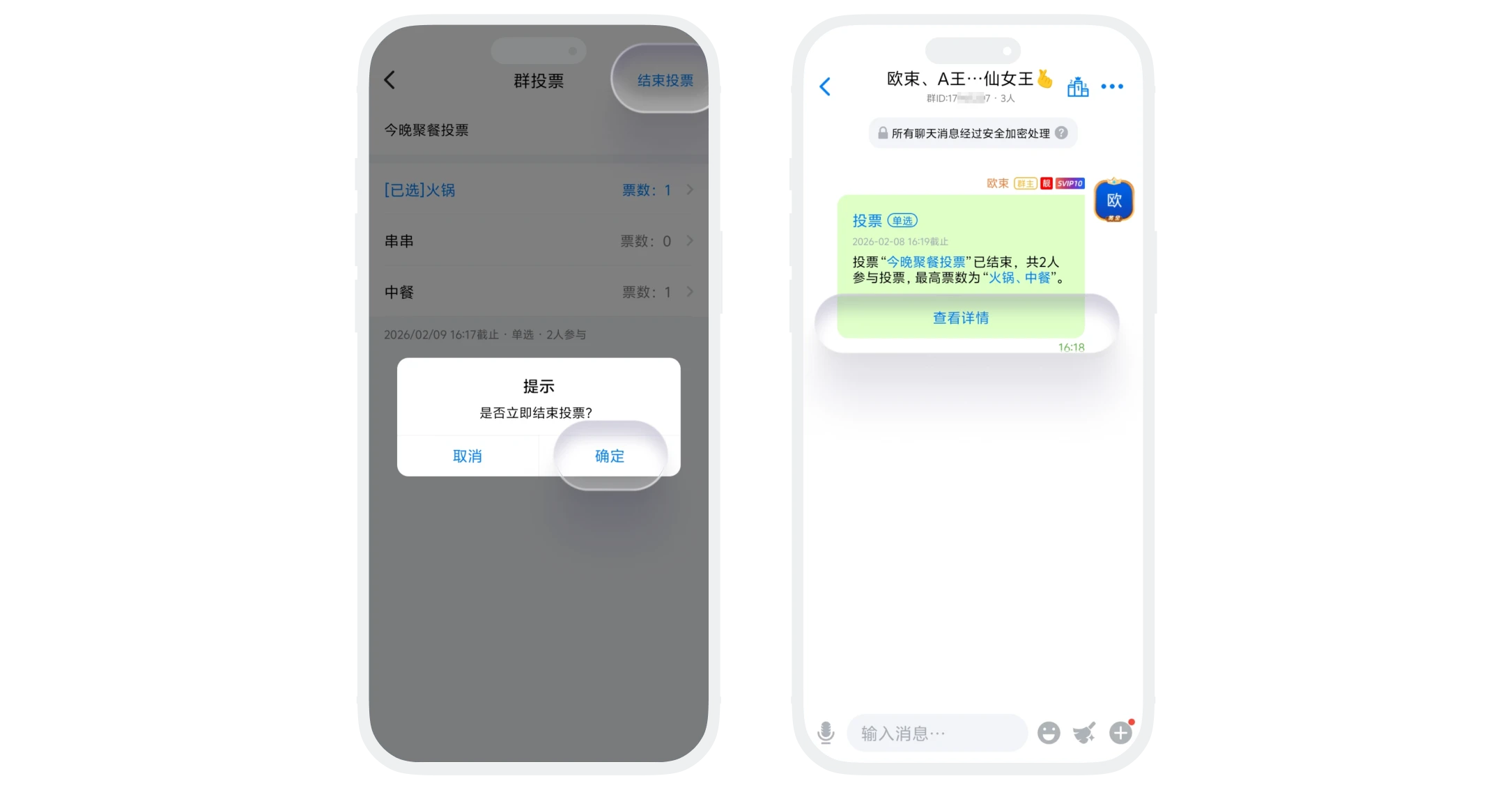
- When the deadline arrives, voting automatically ends and final results are announced;
- The initiator can also enter the voting details page and manually end voting early.
FAQ
No. Once voting is initiated, the topic, options, and rules cannot be modified. Please confirm carefully before initiating. Group members also cannot modify voting results after voting.
Depends on settings. Non-anonymous voting shows who voted for what; anonymous voting only shows vote statistics.
Yes. If they were in the group when voting, their voting record will be retained in the final results.
No. Voting is only valid in the current group and cannot be used or forwarded across groups.
