Recall Group Message
The group chat message recall feature allows users to delete messages within a certain time after sending to prevent erroneous sending, privacy leaks, or违规content spread. The system provides multiple recall methods, covering personal operations, management intervention, and automated processing, suitable for maintaining group order, protecting privacy, and improving communication efficiency.
Single Message Recall
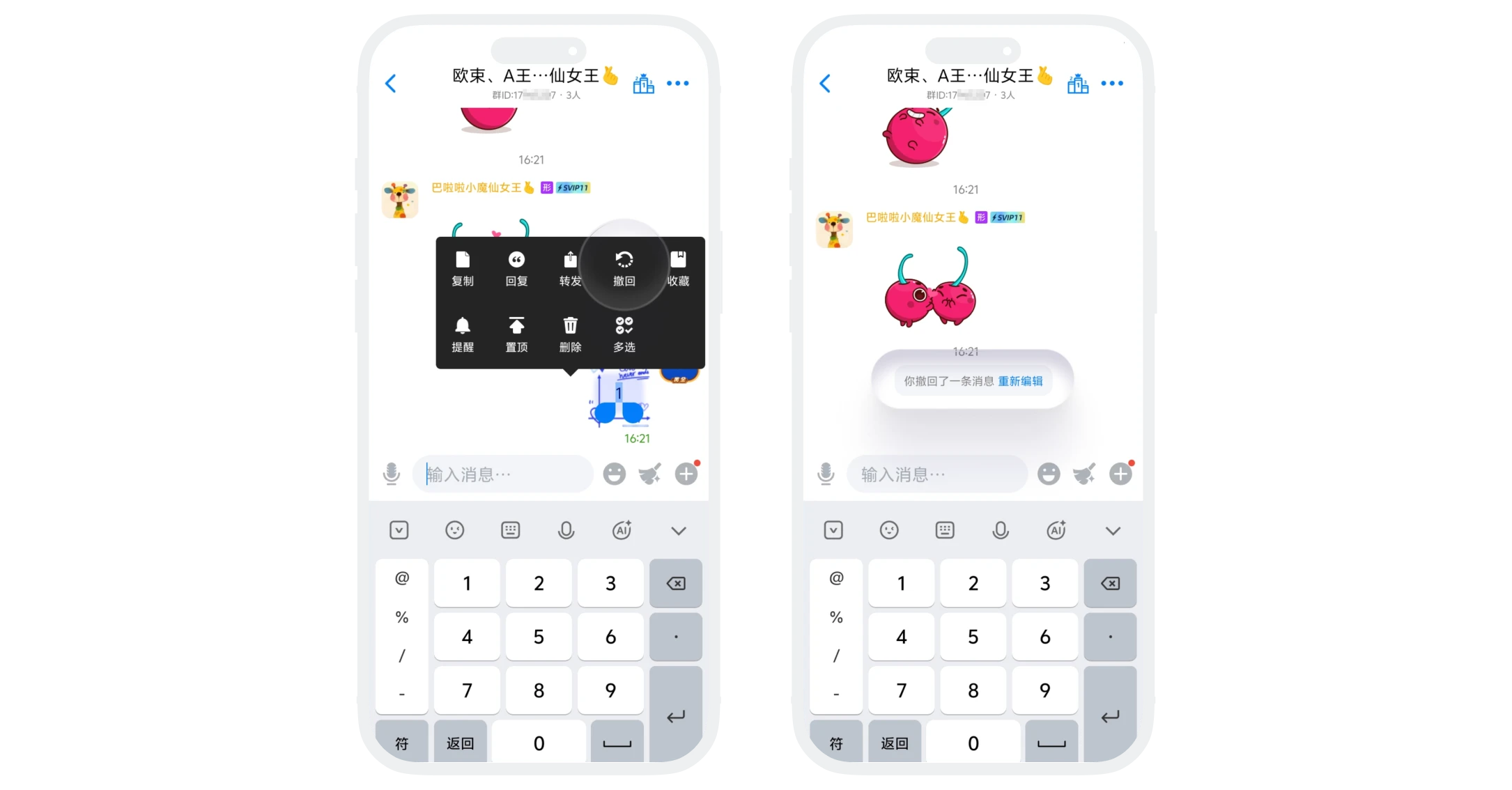
Sender Self-Recall
- Operation Method: Long-press the message bubble sent by yourself, select "Recall" in the operation popup;
- Recall Effect: The message disappears from all members' interfaces and displays "You recalled a message";
- Applicable Scope: All regular members and administrators for messages they sent;
Group Owner/Administrator Recall Others' Messages
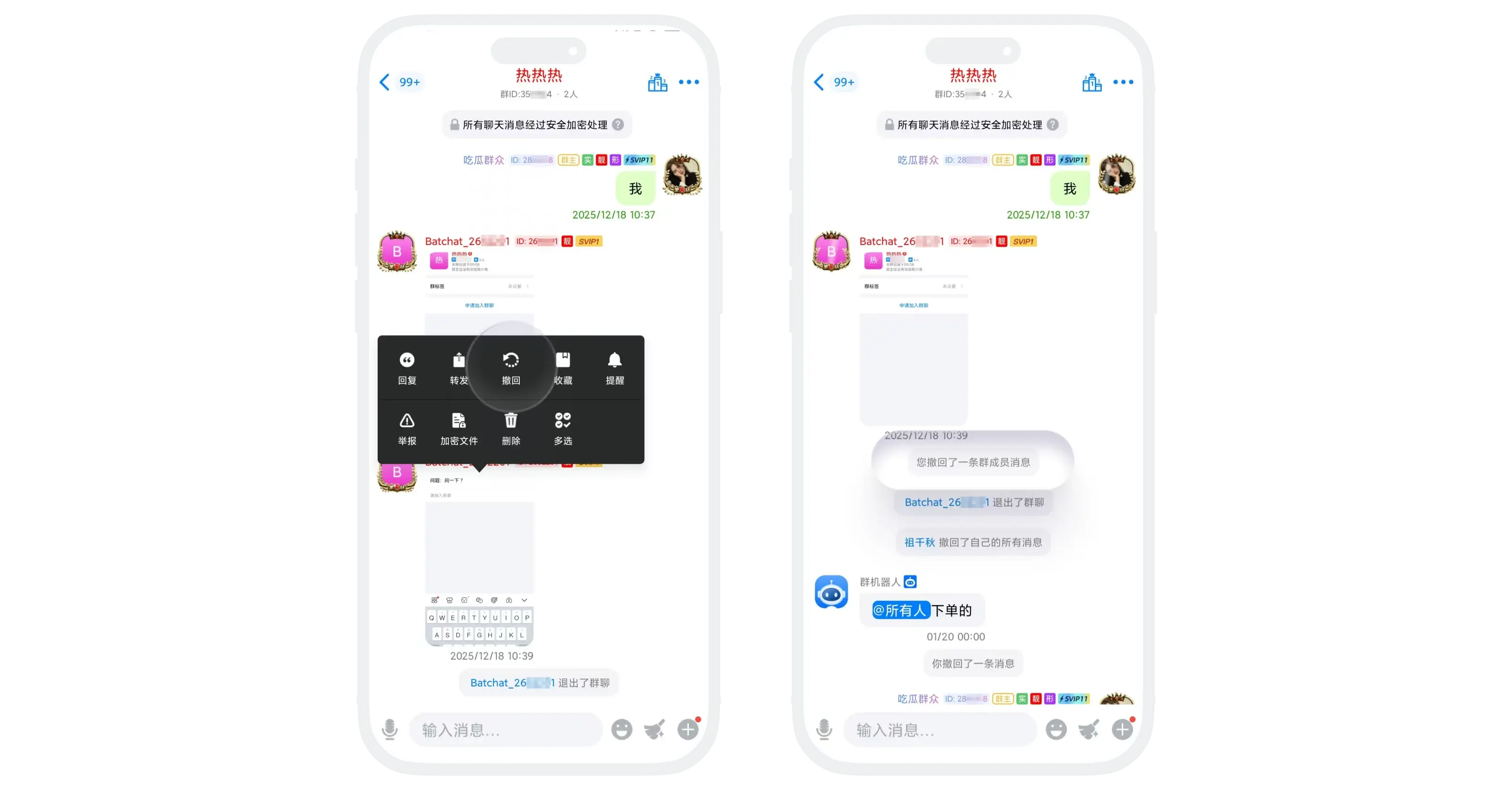
- Operation Method: Long-press any member's message and select "Recall";
- Permission description:
- Group Owner: Can recall messages from all members in the group (including other administrators);
- Administrator: Can recall messages from regular members, but cannot recall messages from other administrators and the group owner;
- Recall Effect: The message disappears from all members' interfaces and displays "Administrator xx recalled a member's message".
Group Bot Automatic Recall
- Feature Description: By enabling and setting up the group bot,违规messages can be automatically identified and recalled based on preset rules (such as keywords, links, spam, etc.);
- Detailed Description: Please refer to Group Bot - Behavior Management;
- Effect: The bot automatically executes recall and can perform further processing according to the set penalty rules.
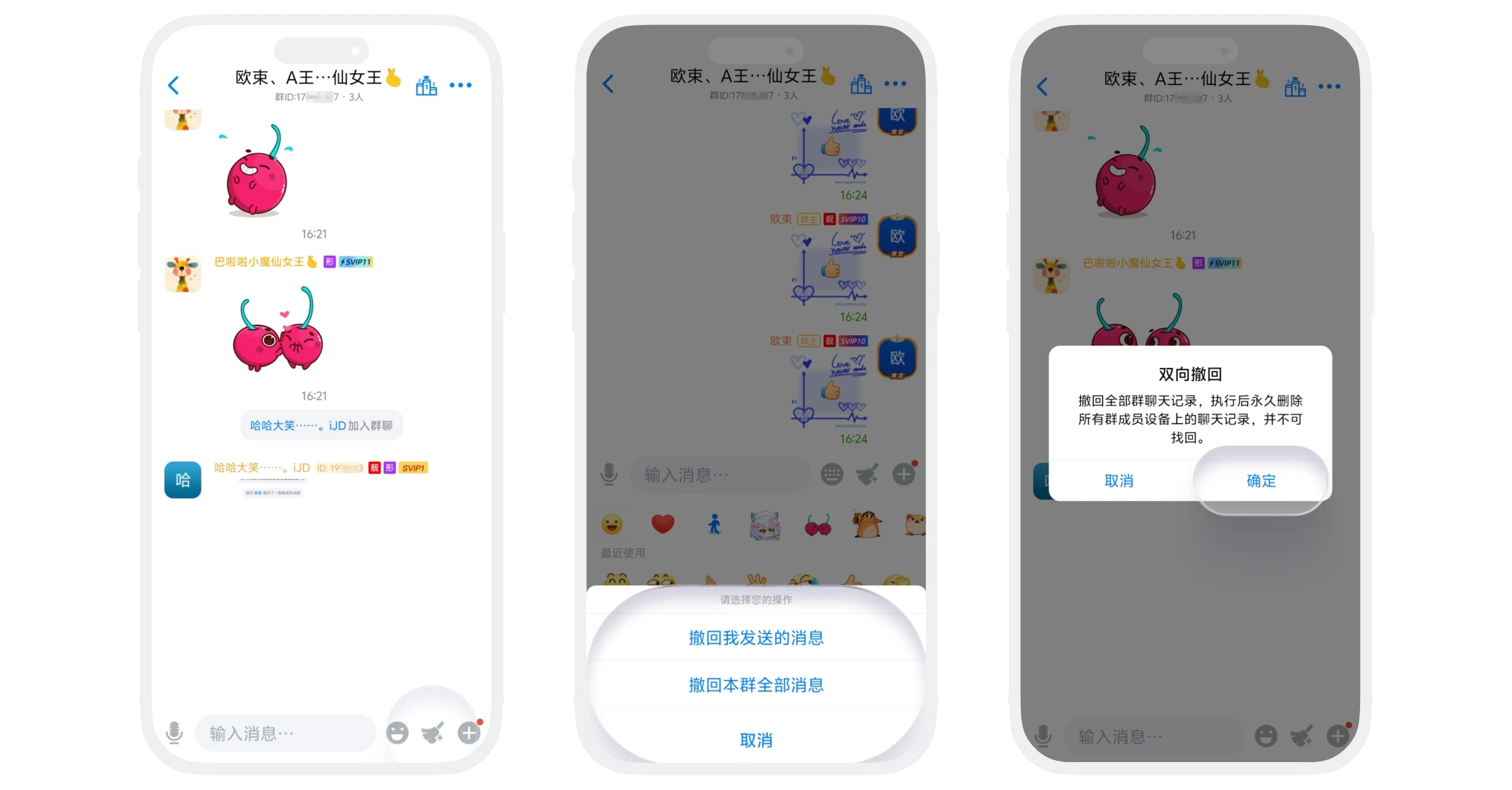
Two-Way Recall
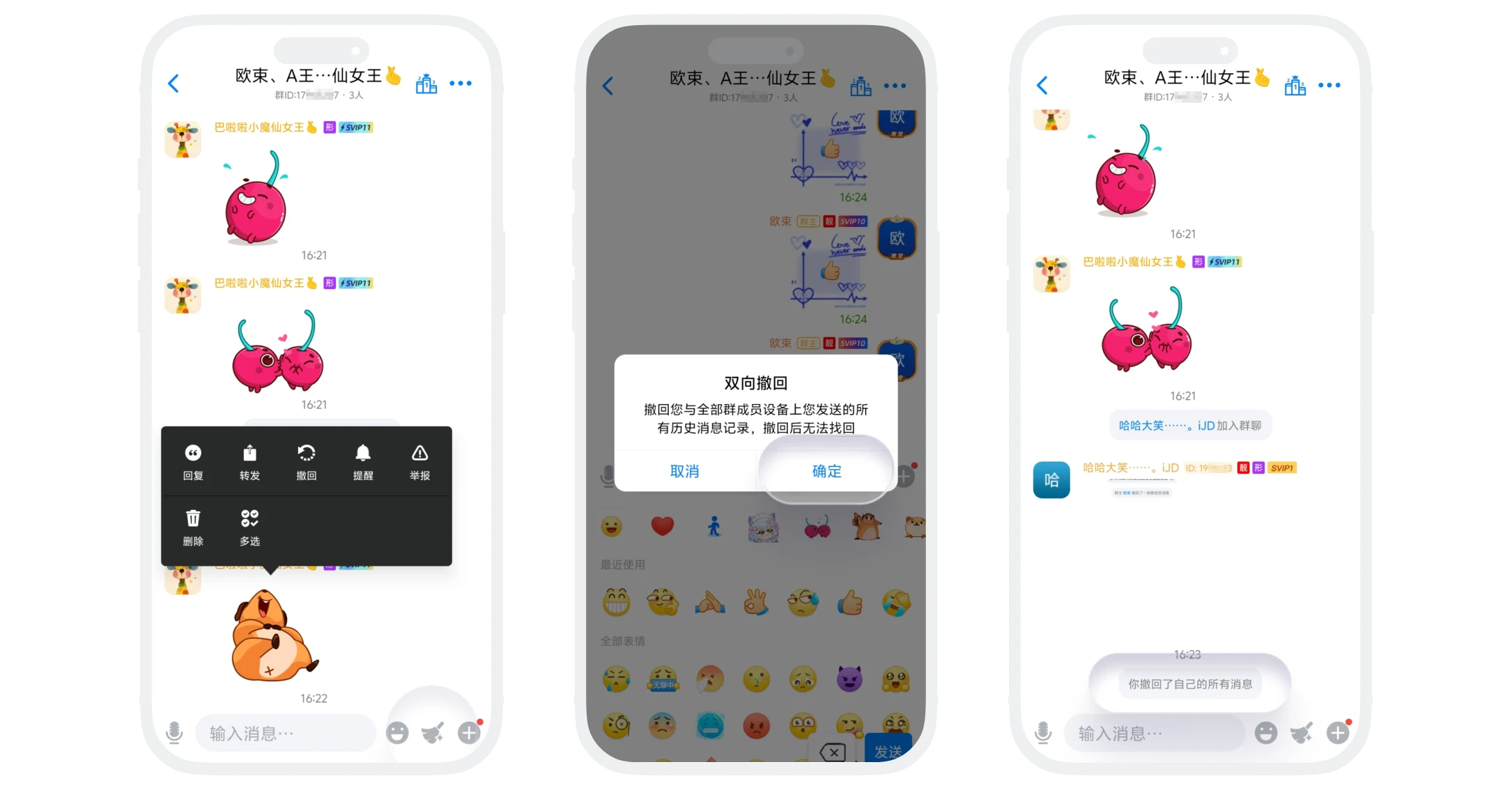
Sender Two-Way Recall (Recall All Personal Messages)
- Operation Method: Click the "Two-Way Recall" button on the chat page and click "Confirm";
- Feature Limitation: Only VIP and above members can use this feature;
- Recall Effect: One-click recall of all messages sent by this user in this group.
Recall All Group Chat Messages
- Operation Method: The group owner or administrator clicks the "Two-Way Recall" button on the chat page, selects "Recall All Messages in This Group", and clicks "Confirm";
- Feature Limitation: Only available to group owners and administrators (must be VIP and above members);
- Recall Effect: One-click recall of all messages sent by all members in this group.
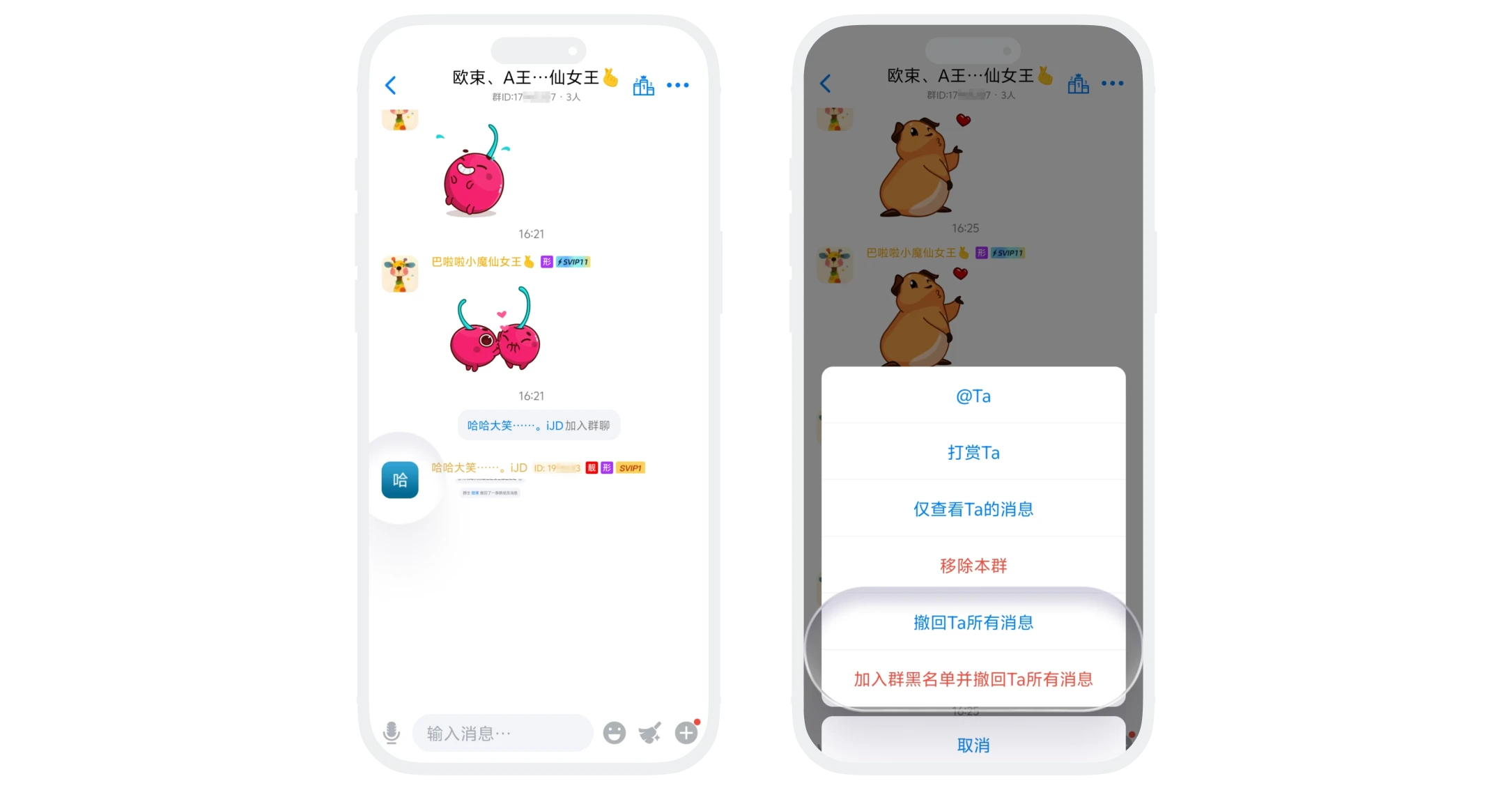
Batch Recall for Specific Members
- Operation Method: The group owner or administrator long-presses a member's avatar in the chat page and selects:
- "Recall All Messages from This User": Recall all messages sent by this member in this group;
- "Add to Group Blacklist and Recall All Messages from This User": Move this member to the blacklist (immediately removed from this group and cannot rejoin), and simultaneously recall all their messages;
- Feature Limitation: Only available to group owners and administrators.