Self-Service Q&A
The self-service Q&A function allows group administrators to preset common questions and answers. When members need to query information, they can quickly obtain answers by @ing the bot or sending keywords. This function also supports timed automatic pushing of question lists, helping new members understand the group chat and reducing administrators' repetitive Q&A work.
Question List Setting and Management
Add Q&A
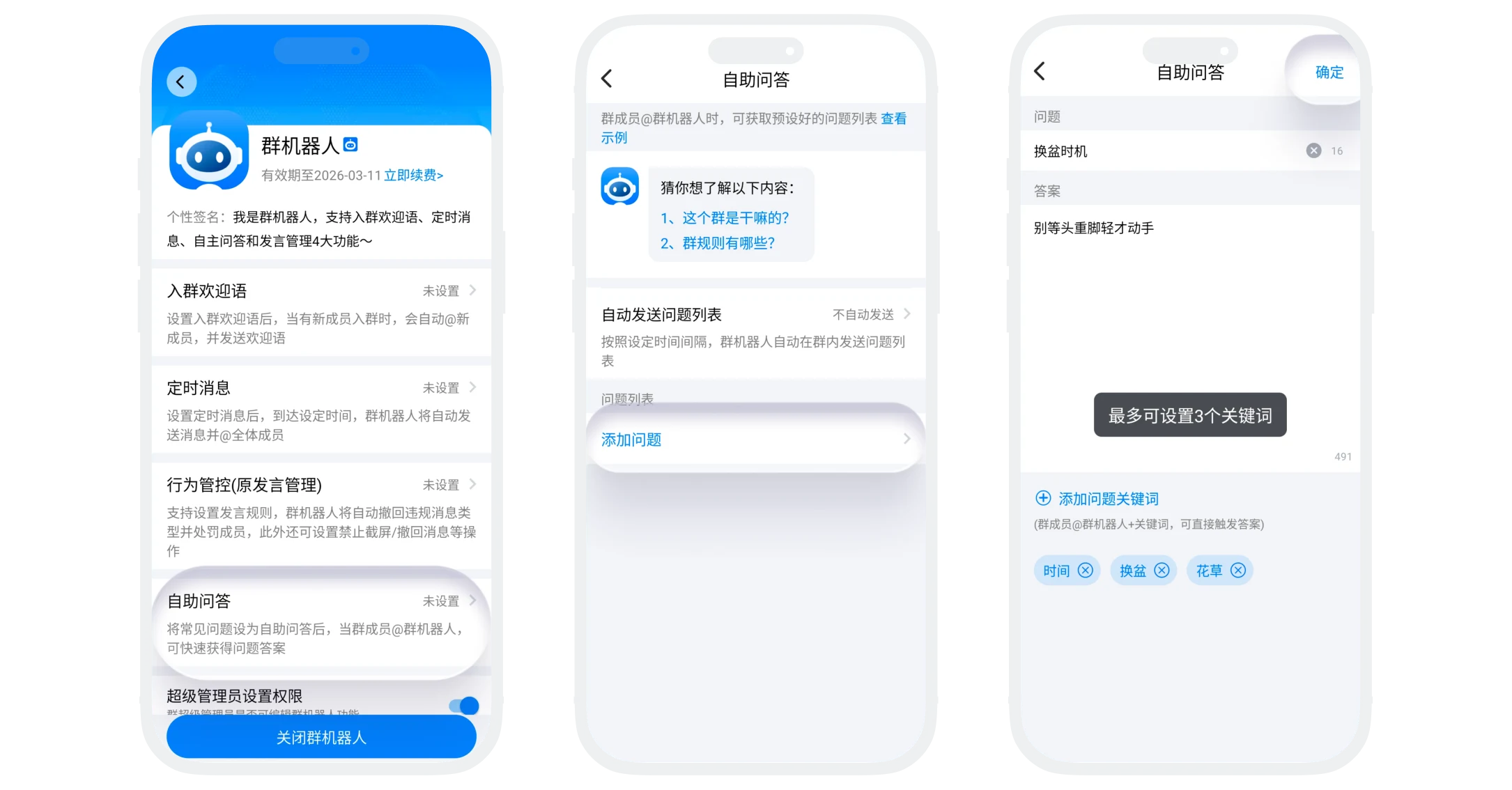
- On the self-service Q&A management page, click the "Add Question" button;
- Question setting: Input the question phrasing that members might ask, no more than 20 characters;
- Answer setting: Input the detailed answer to the corresponding question, can include basic formats (such as line breaks, spaces), no more than 500 characters;
- Keyword setting (optional):
- Click "Add Question Keywords", can set up to 3 keywords;
- After setting, members sending @bot+keyword can directly obtain the answer;
- Click "Confirm", creation successful.
Question Editing and Sorting Management
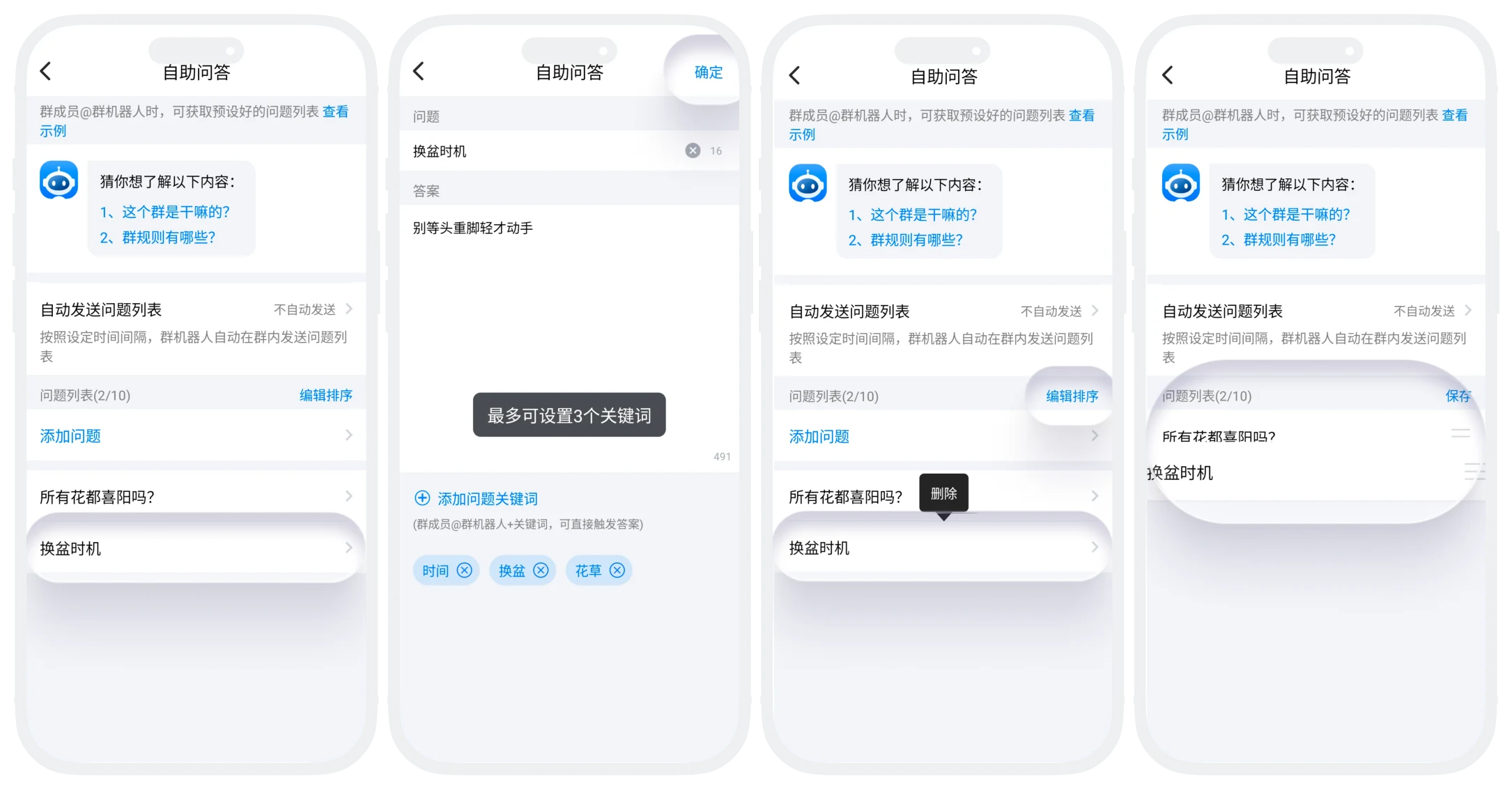
- Edit: Click the question to enter the details page, can modify the question and answer;
- Delete: Long-press the question to delete;
- Sorting Management: Click "Edit Sorting" to enter sorting mode, adjust question display order by dragging, click "Save" to complete re-sorting.

Tips:
- It is recommended that question titles be clear and unambiguous;
- It is recommended to置顶high-frequency questions, and place low-frequency or professional questions behind.
Automatic Question List Sending Setting
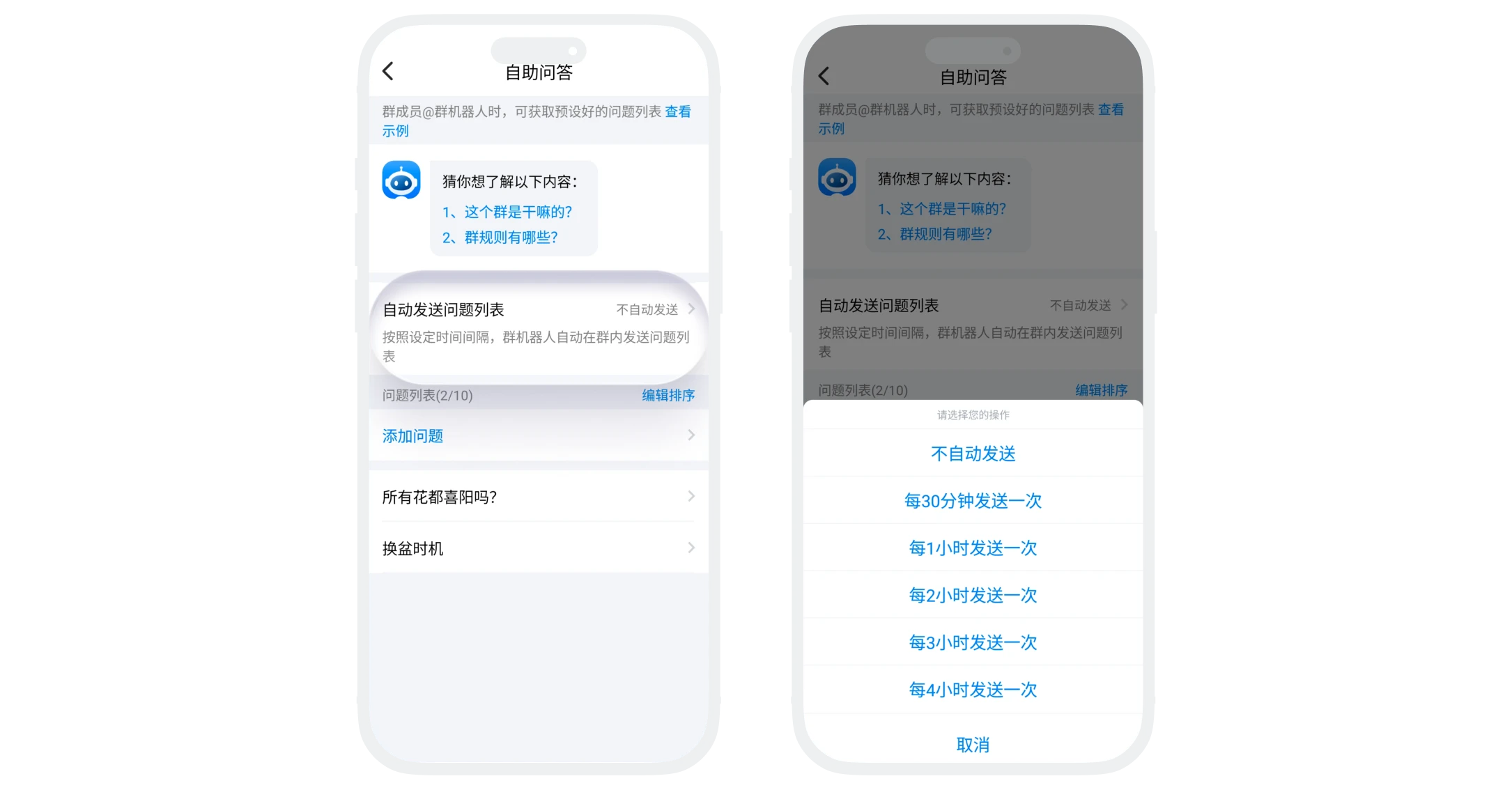
- Function Description: The bot automatically sends the question list in the group at set time intervals;
- Setting Steps: In the self-service Q&A list, click "Automatically Send Question List", select the time interval you want to set.
Trigger Methods
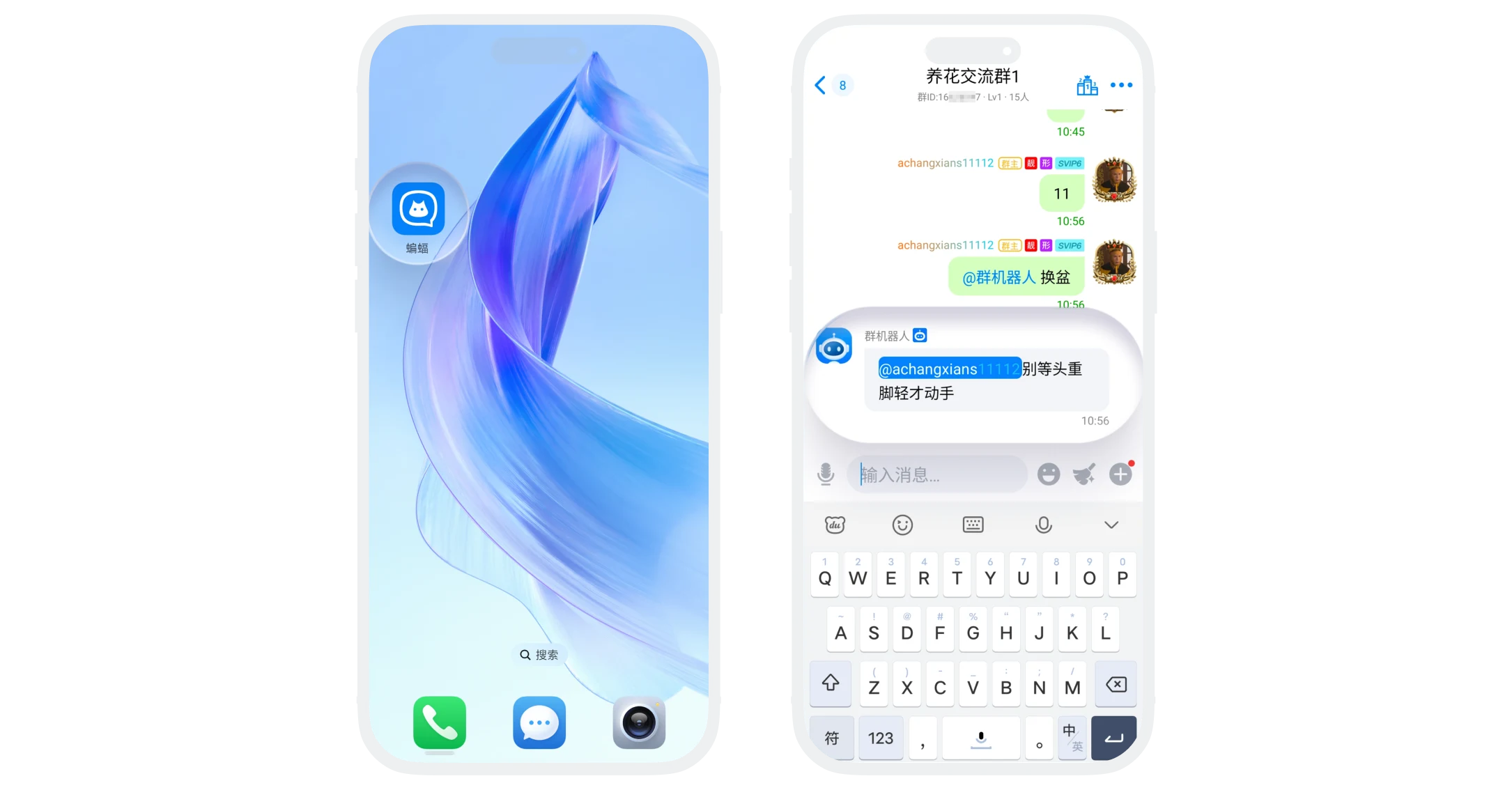
- Active @Bot: After group members @ the group bot, the bot will automatically reply with the preset question list;
- Keyword Trigger: Members @ bot + keyword, can directly obtain the answer to a specific question;
- Timed Push: Automatically send the question list in the group at set intervals, without members needing to actively trigger.
Was this page helpful?
