Enable and Manage Group Robot
Group robot is an intelligent assistant function provided for group chats, capable of providing automated services, information queries, and other diverse functions for group members. After activation, the robot will be常驻 in the group, responding to member instructions 24/7, improving group chat activity and management efficiency.
Activation Method
- Permissions: Only group owners can activate group robots for groups they created;
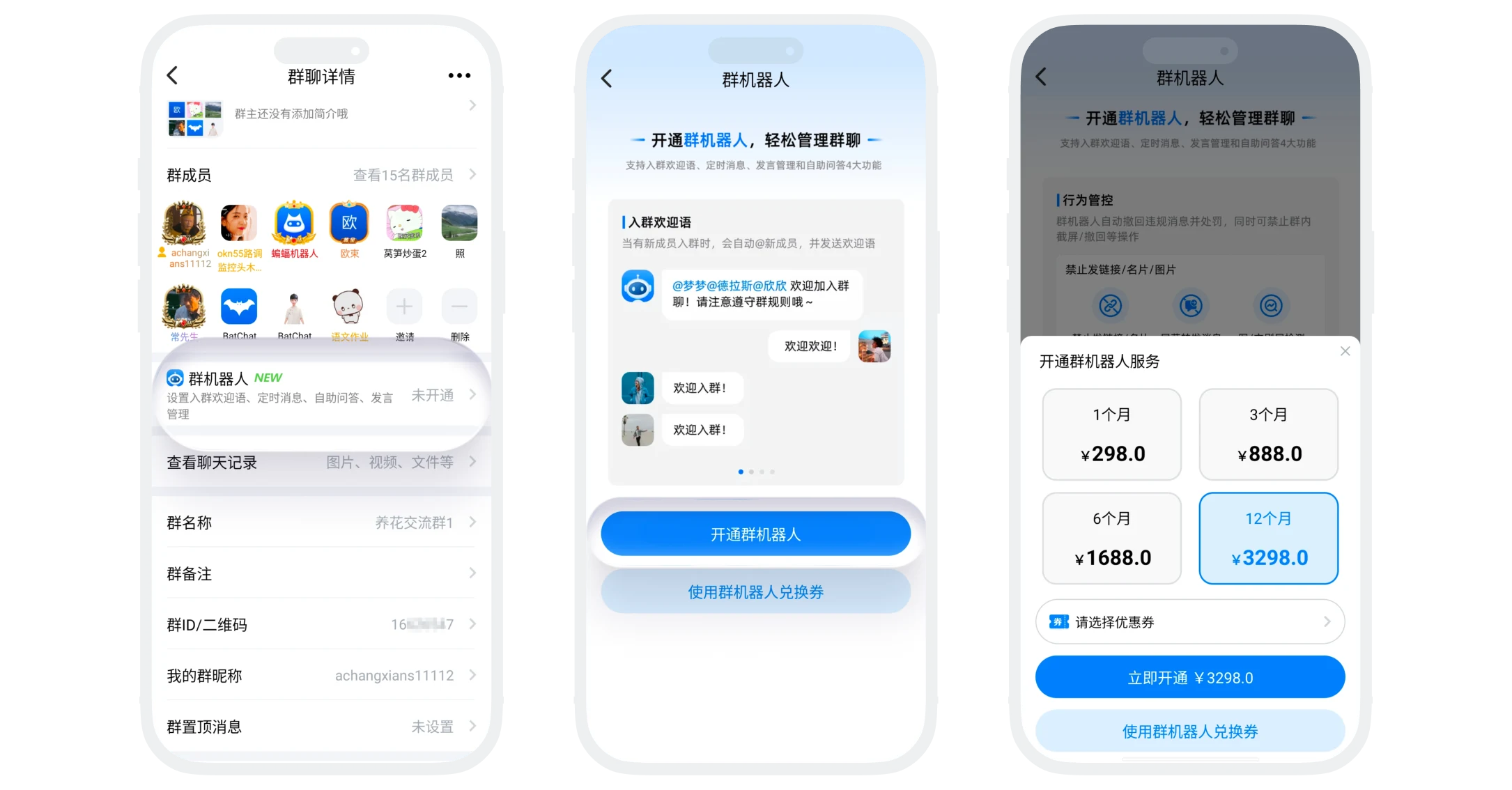
- Activation entry: Enter the group chat that needs to activate the robot, click 'More' in the upper right corner, click 'Group Robot', click 'Activate Group Robot';
- Select package:
| Package Type | Price |
|---|---|
| 1 month | ¥298 |
| 3 months | ¥888 |
| 6 months | ¥1688 |
| 1 year | ¥3298 |
(Note: All packages are one-time payment, service automatically stops when expired. Please pay attention to the group robot expiration time and renew in time)
Group Robot Exchange Coupon
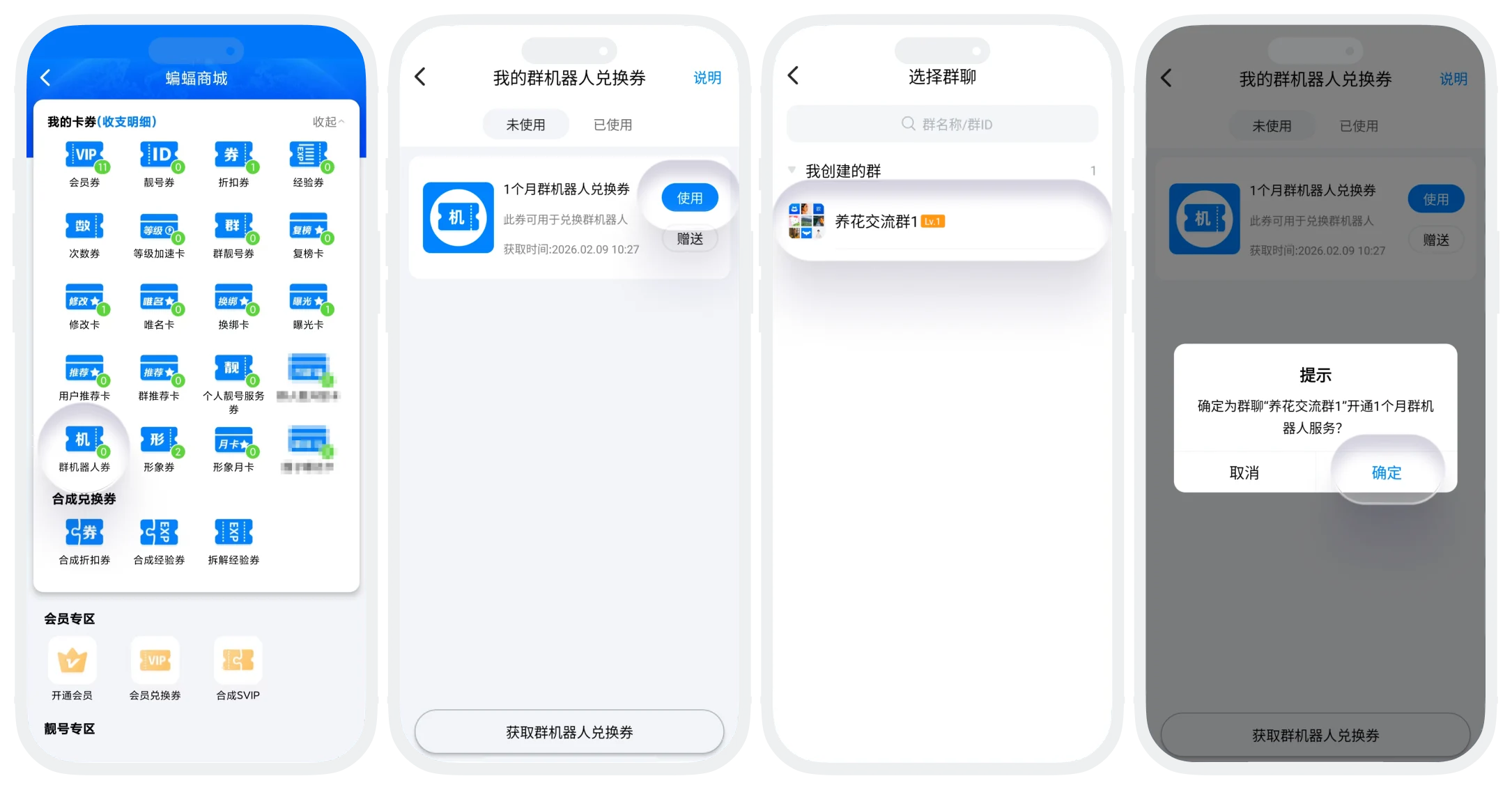
- Acquisition method: Find the group robot coupon list in 'BatChat Mall' - 'My Coupons', click 'Get Group Robot Exchange Coupon', you can purchase exchange coupons for different durations;
- Usage process:
- Method 1: Select 'Use Exchange Coupon' on the group robot activation page, select the coupon corresponding to the duration you want to activate and click 'Use', you can activate the group robot for this group;
- Method 2: In 'BatChat Mall' - 'My Coupons' - 'Group Robot Coupon' list, click the use button of any coupon, select the group chat to activate the group robot (only groups you created), confirm exchange, you can activate the group robot for that group;
- If the group robot is already activated, using the exchange coupon again will automatically extend the validity period of that group robot.

Group robot adopts independent configuration principle:
- Separate purchase: Each group needs to activate the robot separately;
- Independent settings: Each group's robot configuration does not affect each other;
- Separate billing: Activation durations for different groups are calculated separately;
- Independent management: Each group's robot needs to be managed separately.
Permission Configuration Settings
- The group robot permission management function allows group owners to conduct refined control of robot management permissions, can authorize administrators or super administrators to assist in managing robot configuration;
- Permission configuration process:
- On the 'Group Robot' details page, scroll to the bottom of the page;
- According to permission configuration needs, turn on or off administrator/super administrator configuration permissions;
