Behavior Management
The behavior management function effectively maintains group chat order and content quality through intelligent rule setting and automatic execution mechanisms. The function covers two modules: speech management and operation management, supporting fine control of group message content and member operations, reducing administrator manual intervention costs and creating a good group chat environment.
Speech Management
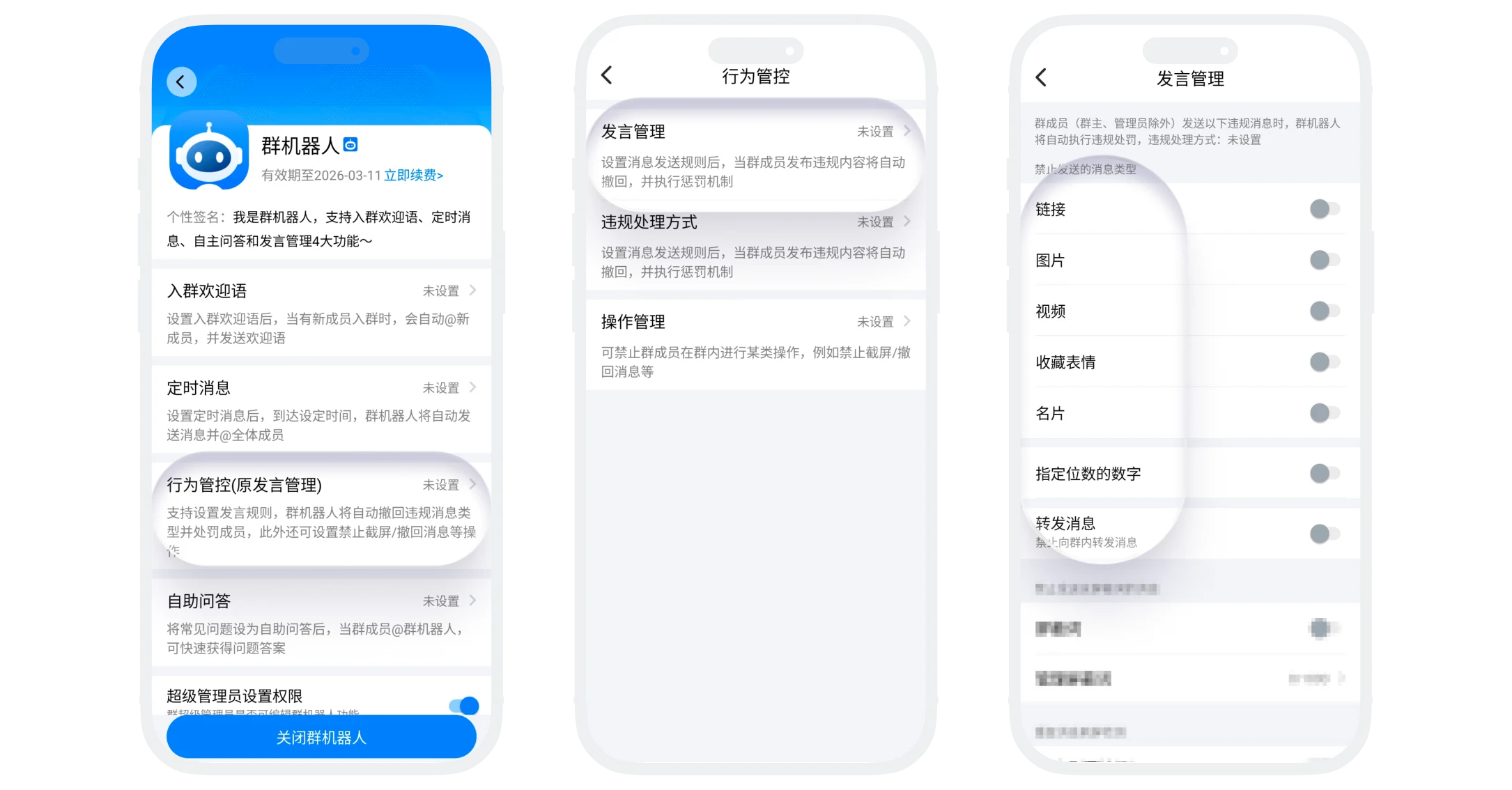
- Prohibited message types;
- The system supports sending restrictions on the following message types. When members try to send prohibited types, messages will be automatically intercepted or recalled, triggering corresponding processing mechanisms;
- Setting path: "Behavior Management" - "Speech Management", enable the switch for prohibited message types;
| Message Type | Management Description |
|---|---|
| Link | Prohibit sending web links in the group |
| Image | Prohibit sending images |
| Video | Prohibit sending videos |
| Favorite Emoji | Prohibit sending favorite custom emoji packages |
| Business Card | Prohibit sending personal, group chat business cards |
| Specified Digit Numbers | Can set prohibition of sending messages containing specific digit numbers (e.g., 6 digits) |
| Forwarded Message | Prohibit forwarding messages from other chats or groups to the group |
- Blocked Words Management;
- Function description: Supports setting custom blocked word libraries. When message content contains any blocked word, it will automatically trigger the processing mechanism;
- Setting path: "Behavior Management" - "Speech Management" - "Manage Blocked Words", enable the "Blocked Words" switch, click "Manage Blocked Words" to manage the blocked word library:
- Can set up to 1000 blocked words, each blocked word length cannot exceed 10 characters;
- Supports setting combined blocked words, separated by "/", as long as the message contains all words in the combination, regardless of word order, it is considered违规(e.g., combined blocked word: weather/rain, "How's the weather there, it's raining here" and "Don't like rainy weather", both are违规);
- Supports synchronizing blocked word library to other group chats: On the manage blocked words page, click "Sync Blocked Words to Other Groups", select target group chats (need to enable and activate group bot), to quickly sync the blocked word library.

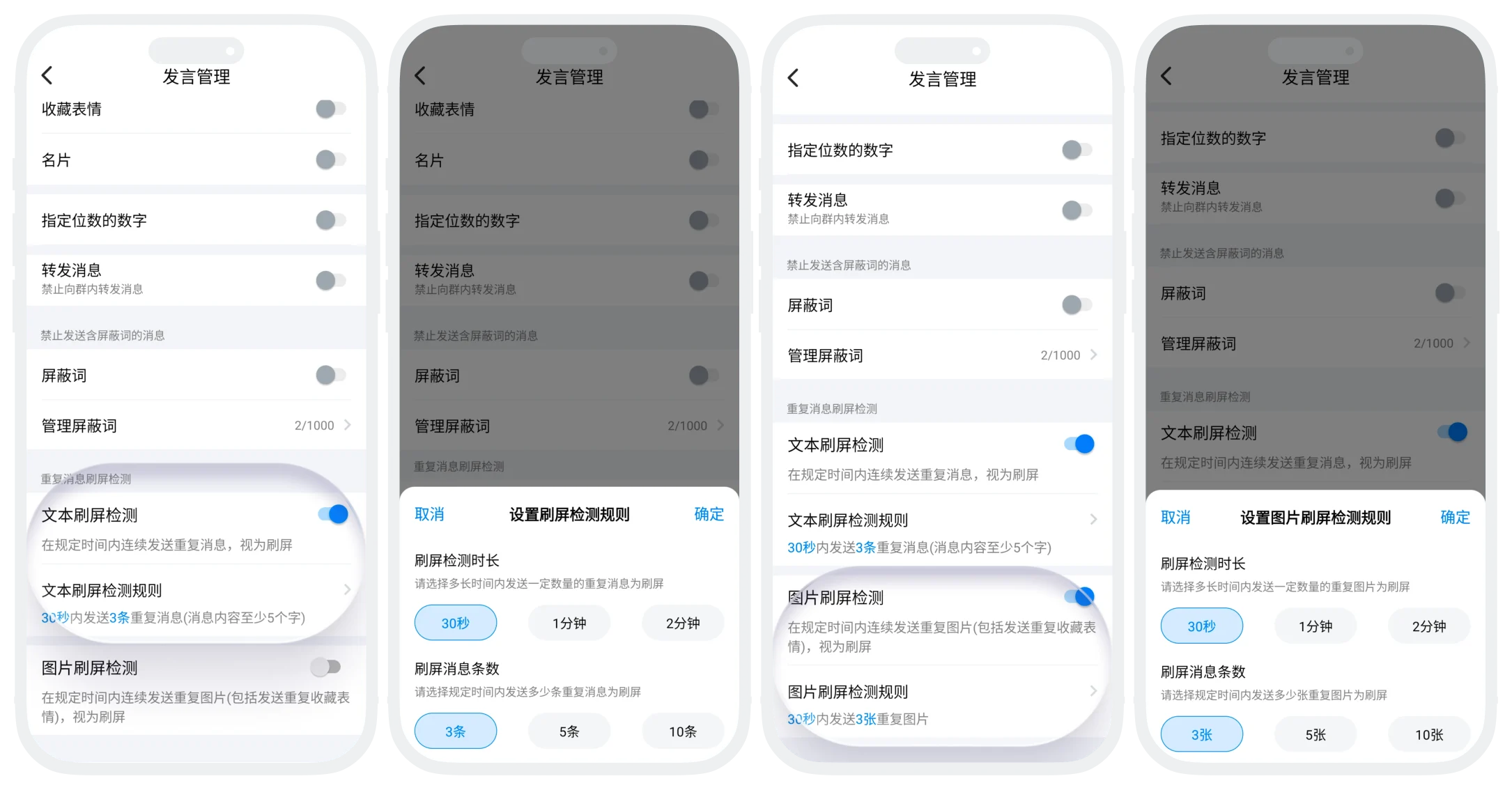
- Spam Detection:
- The system can detect sending the same content (text, images, etc.) continuously within a specified time in the group, which will be considered违规spam behavior;
- Setting path: "Behavior Management" - "Speech Management" - "Duplicate Message Spam Detection", enable the detection switch for corresponding spam types, and set spam detection rules: how many duplicate messages sent within how long is considered spam.
Violation Handling Method Settings
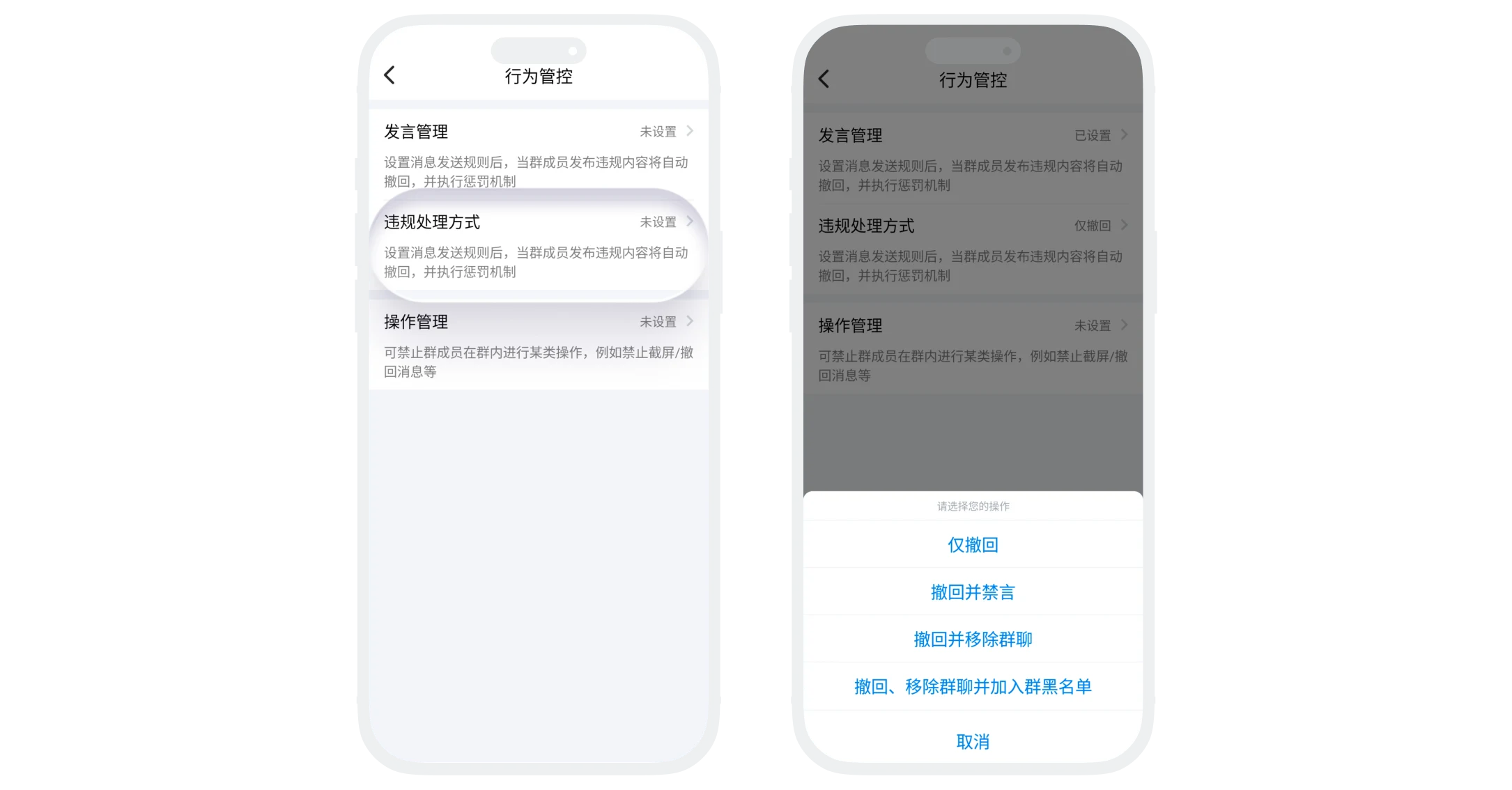
- For违规speech rules set in speech management, when the group bot detects违规behavior, it will immediately execute the processing mechanism;
- Violation penalties only target regular group members, group owners and administrators are not subject to any speech restrictions.
| Handling Method | Description |
|---|---|
| Only Recall | Automatically recall违规messages, no additional punishment |
| Recall and Mute | Recall message + mute sender for specified duration (can be set) |
| Recall and Remove from Group | Recall message + remove sender from group chat |
| Recall, Remove from Group and Add to Group Blacklist | Recall message + remove sender from group chat and blacklist, this user cannot apply to join the group chat again |
Operation Management
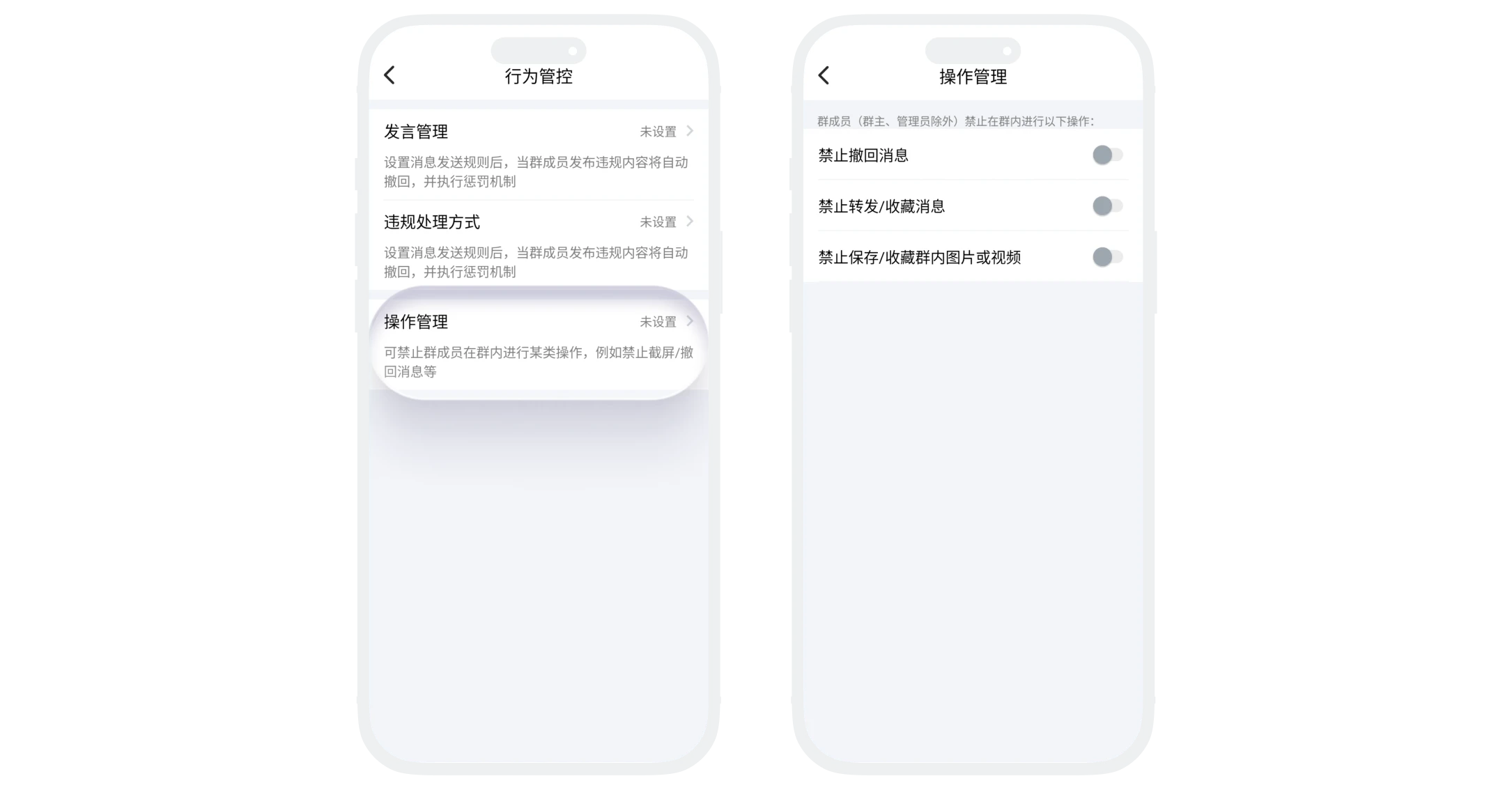
- Can prohibit regular group members from performing certain operations in the group, such as: recalling messages, forwarding messages, etc.;
- Setting path: "Behavior Management" - "Operation Management", enable the switch for corresponding operation behaviors:
- Prohibit Recalling Messages: After enabling, regular members cannot recall messages they sent;
- Prohibit Forwarding/Collecting Messages: After enabling, regular members cannot forward or collect messages in the group;
- Prohibit Saving/Collecting Group Images or Videos: After enabling, regular members cannot save media files from the group to local or collect them to favorites.
Was this page helpful?
