Set Join Group Welcome Message
The join group welcome message function allows you to set personalized welcome messages for new group members, automatically sending them when new members join, helping newcomers quickly integrate into the group chat and understand group rules and culture. At the same time, multiple intelligent settings are provided to avoid welcome message刷屏and protect new member privacy.
Setting Steps
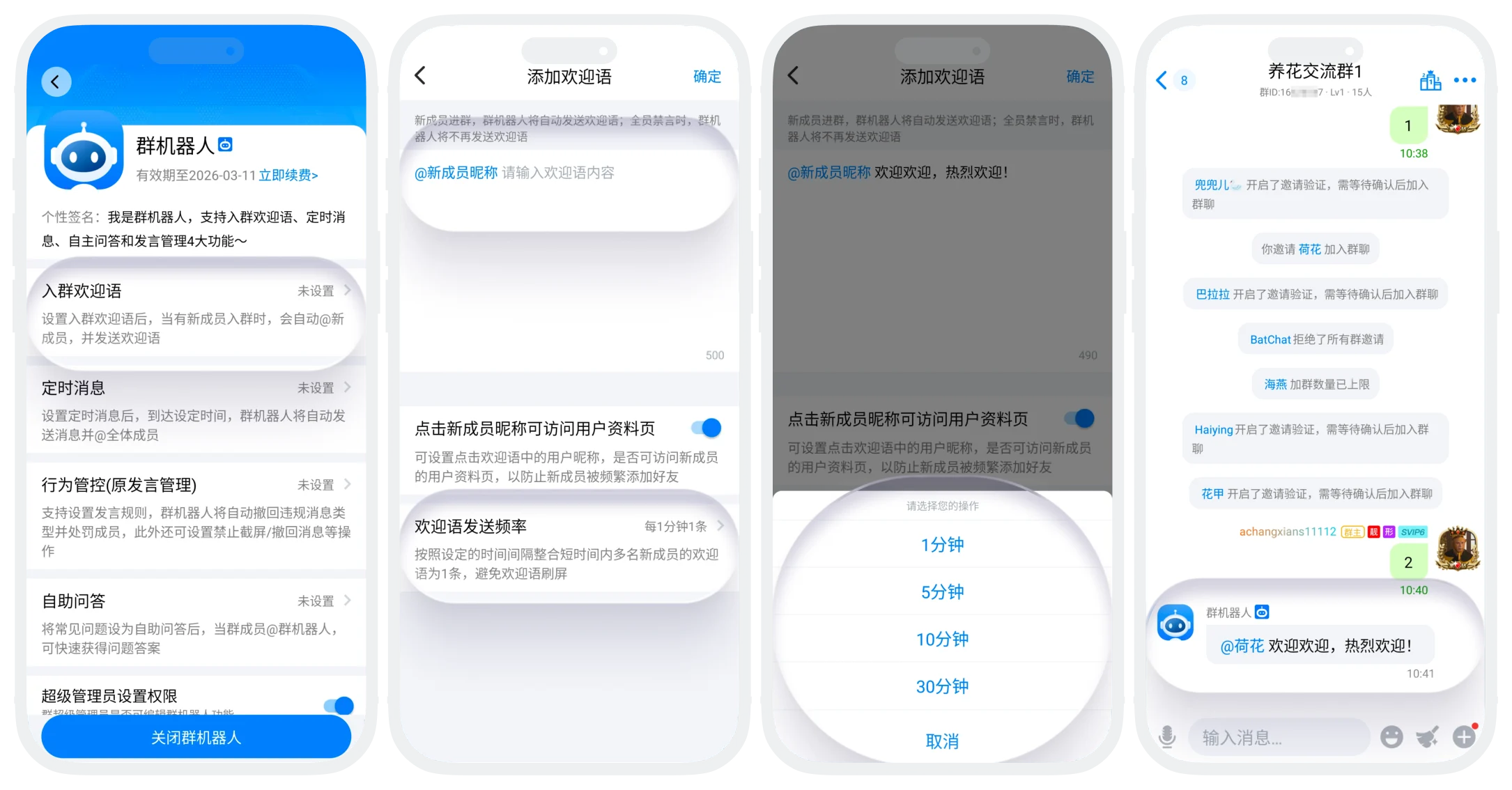
- Enter the group bot details page, click "Join Group Welcome Message";
- Edit welcome message content: text content, supports adding emoji symbols, line breaks, and other formats;
- Configure advanced options:
- "Allow clicking through welcome message to access new member profile page":
- Enable: The member nickname in the welcome message can be clicked to jump to that member's user profile page;
- Disable: Cannot click new member nickname to access profile (recommended to disable to prevent new members from being frequently added as friends and disturbed);
- "Welcome Message Sending Frequency": Click to select time, the system will integrate welcome messages for multiple new members into 1 message within the selected time interval to avoid welcome message刷屏;
- "Allow clicking through welcome message to access new member profile page":
- After setting is complete, click "Confirm" to complete the setting. The group bot will automatically send welcome messages after new members join the group.
Edit Welcome Message
- Group owners and administrators with editing permissions can enter the welcome message settings page to edit and delete welcome messages;
- The system will record the most recent editor and edit time to ensure management transparency and controllability.
Was this page helpful?
