Group Disband/Group Transfer
Disbanding groups and transferring groups are advanced operations in group chat management, only group owner has the right to execute. These two operations will completely change the ownership and existence status of the group chat, please operate with caution.
Disband Group
- Operation process:
- Enter the group chat to be disbanded, click 'More' in the upper right corner to enter the group chat details page;
- Scroll to the bottom of the page, click 'Disband This Group', click 'Confirm', immediately exit and disband the group;
- Notes for disbanding group chat:
- All members will be removed from the group chat;
- The group chat will no longer be displayed in the group chat list and message list;
- Message records will also be deleted;
- Disband operation cannot be undone, please operate with caution.
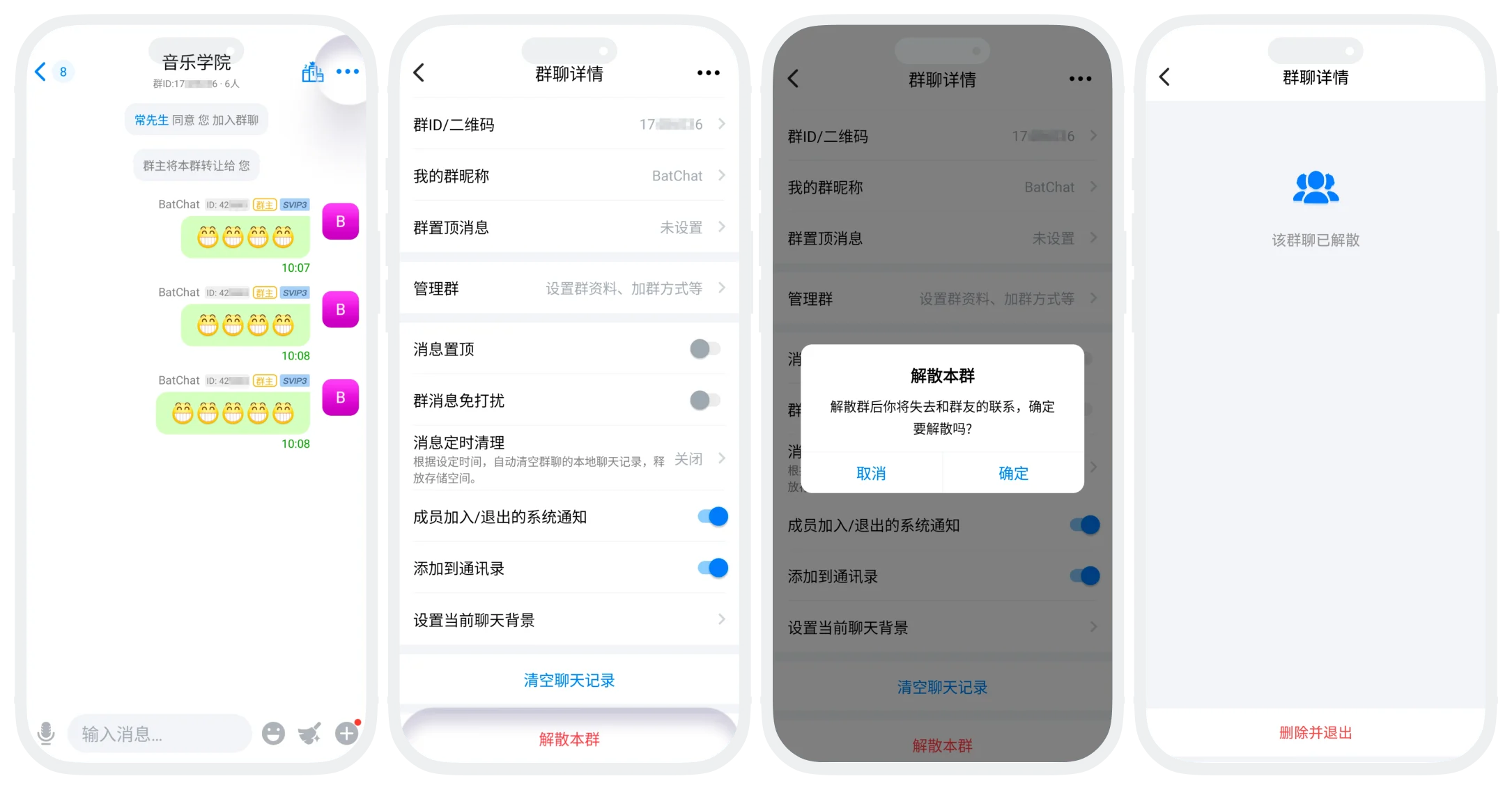

Please note: Once the group chat is disbanded, chat records will no longer be saved and cannot be recovered. It is recommended to save important files and chat records in the group in advance.
Transfer Group
- Operation process:
- Enter the group chat to be transferred, click 'More' in the upper right corner to enter the group chat details page;
- Click 'Manage Group' - 'Transfer Group';
- Click the new group owner (limited to members of this group), confirm transfer. After successful transfer, you will automatically become a regular member of this group;
- Transfer rules: Special ID groups can be transferred to regular users.
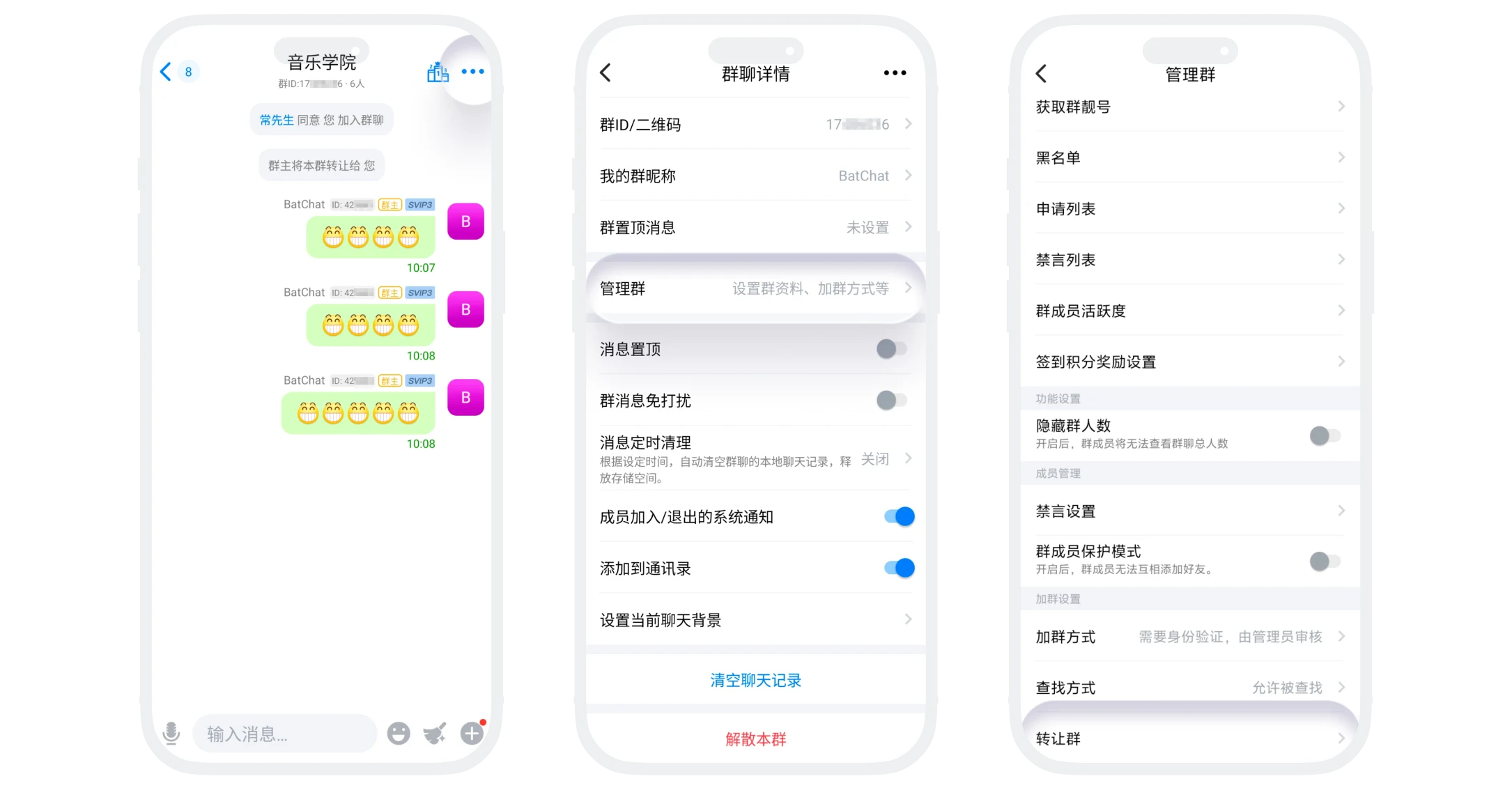
Please note: Transfer takes effect immediately without the other party's consent and cannot be undone. It is recommended to communicate and confirm with the other party before transferring.
FAQ
Yes. After disbanding, other group members can still find the group in the message list to view chat records, but cannot send new messages.
Absolutely not. Only the group owner has the permission to disband or transfer groups.
