Use Balance
Balance payment is one of the convenient payment methods provided by BatChat for users. You can use the balance in your account to directly purchase various platform value-added services without jumping to third-party payment tools, providing a smoother experience. Balance payment is applicable to the vast majority of paid items such as Special IDs, group Special IDs, and avatar decorations. This document will use purchasing Special ID as an example to detail the complete operation process of balance payment.
Before Payment Preparation
- Before purchasing, please confirm that your balance is sufficient to pay for the selected product price;
- Balance query path: "My" - "BatChat Mall" - "Balance".
Payment Operation Process (Using Purchase Special ID as Example)
- Enter "BatChat Mall" - "Special ID Plaza", browse or search for your favorite Special ID in the mall, click to enter the details page to view number details and price;
- Click "Purchase Now" on the Special ID details page, select payment method (WeChat Pay, Alipay, Balance, etc.);
- Select "Balance" payment. After completing payment, the Special ID will be credited immediately.
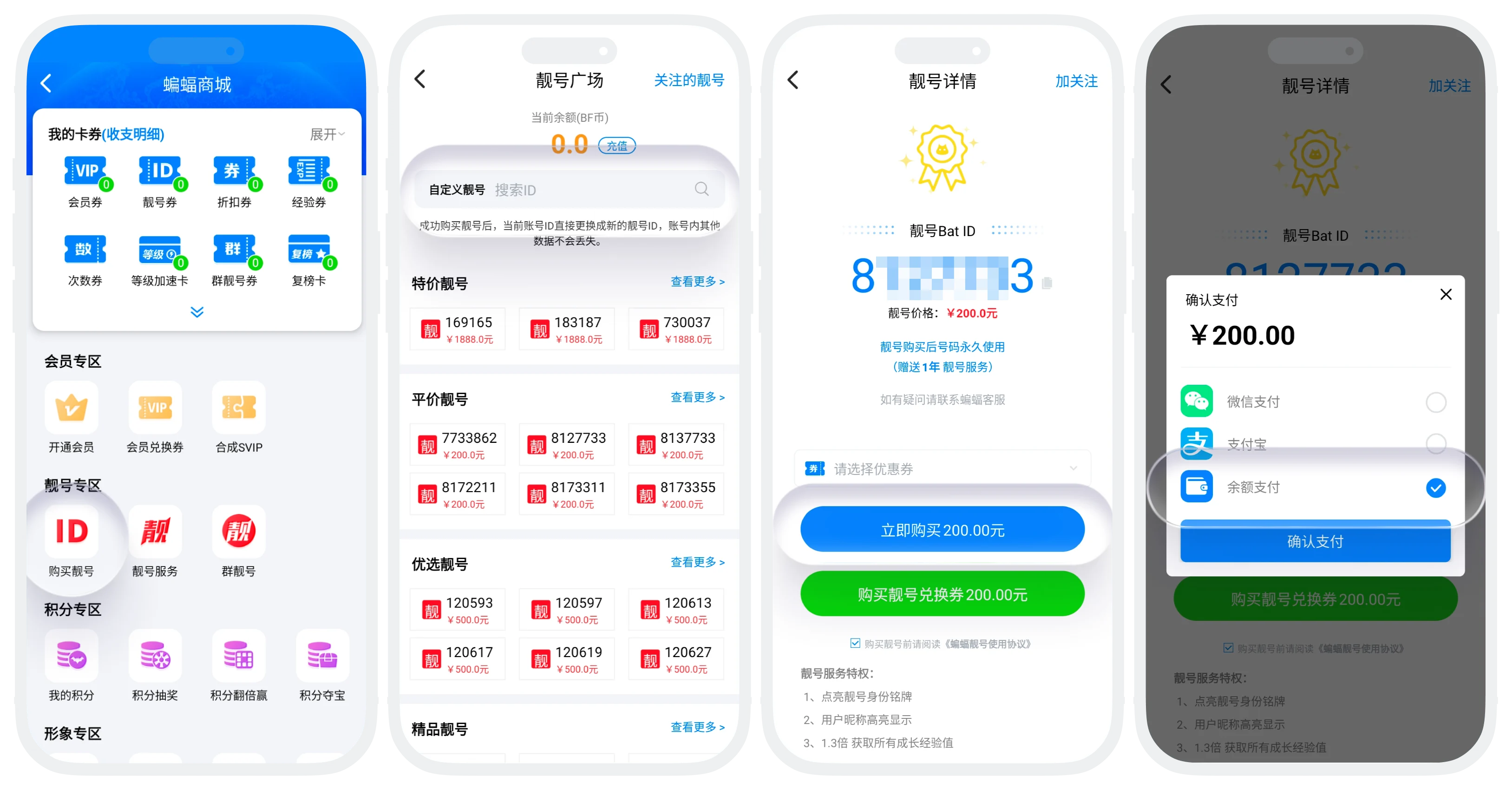

On iOS devices, value-added items that support balance payment will default to using balance payment directly, no need to manually select payment method.
FAQ
If you are using an iOS device and the current product supports balance payment, the system will default to using balance payment directly.
Please do not pay repeatedly. The system will automatically complete order settlement after network recovery, usually within 5 minutes. If not received for a long time, please contact customer service and provide payment proof for processing.
