Use Balance
Balance payment is one of the convenient payment methods provided by BatChat for users. You can use the balance in your account to directly purchase various value-added services on the platform without jumping to third-party payment tools, providing a smoother experience. Balance payment applies to most paid items such as special IDs, group special IDs, avatar decorations, and other premium features. This document will use purchasing a special ID as an example to demonstrate the complete operation process of balance payment.
Preparation Before Payment
- Before purchasing, please ensure that your balance is sufficient to cover the price of the selected item;
- Balance inquiry path: "My" - "BatChat Mall" - "Balance".
Payment Operation Process (Using Special ID Purchase as Example)
- Enter "BatChat Mall" - "Special ID Plaza", browse or search for your preferred special ID in the mall, click into the details page to view the number details and price;
- On the special ID details page, click "Buy Now" and select the payment method (WeChat Pay, Alipay, Balance, etc.);
- Select "Balance" payment, and after completing the payment, the special ID will be credited to your account instantly.
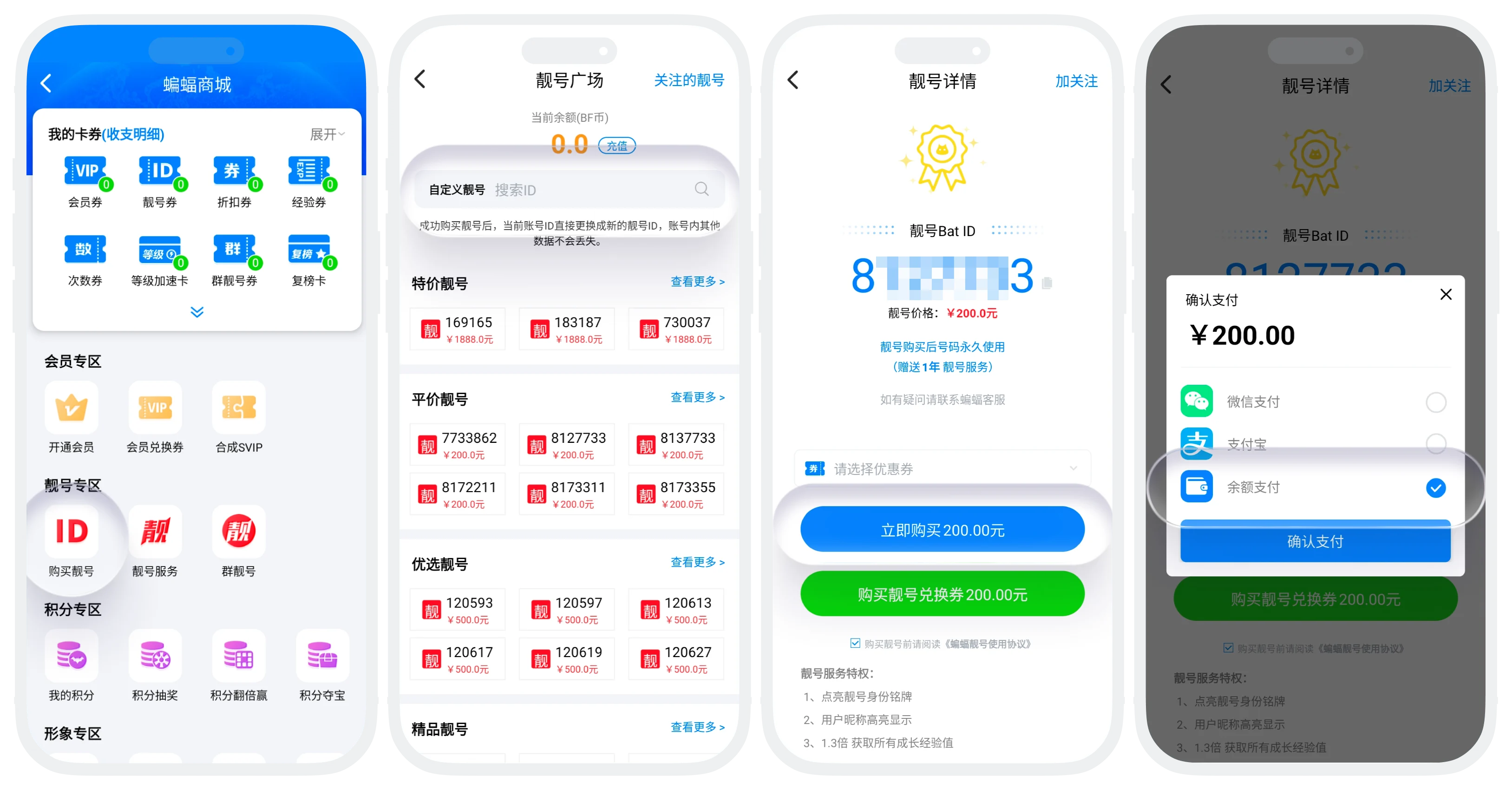

On iOS devices, value-added items that support balance payment will default to using balance payment directly, without manually selecting the payment method.
Frequently Asked Questions
1. Why was I charged directly after clicking purchase without being able to select a payment method?
If you are using an iOS device and the current item supports balance payment, the system will default to using balance payment directly.
Please do not make duplicate payments. The system will automatically complete the order settlement after the network is restored, usually within 5 minutes. If it has not been credited for a long time, please contact customer service and provide payment proof for processing.