Gift Coupons
The coupon gifting function allows users to give owned coupons as gifts to friends or group chat members, supporting flexible selection, sending, recalling, and claiming processes.
Giftable Coupon Range
- In principle, all coupons in BatChat Mall support gifting;
- Exceptions:
- Some system-gifted福利coupons, clicking gift will prompt "Not transferable";
- Coupons purchased on iOS devices are not allowed to be gifted within 90 days;
- Used, expired, claimed, or gifting coupons are not allowed to be gifted.
Gift Recipient Restrictions
- Giftable recipients:
- Friends (must be mutual friends relationship);
- Group chats (must be group members);
- Non-giftable situations:
- The other party has blocked you;
- The other party has unilaterally deleted you.
Gift Process
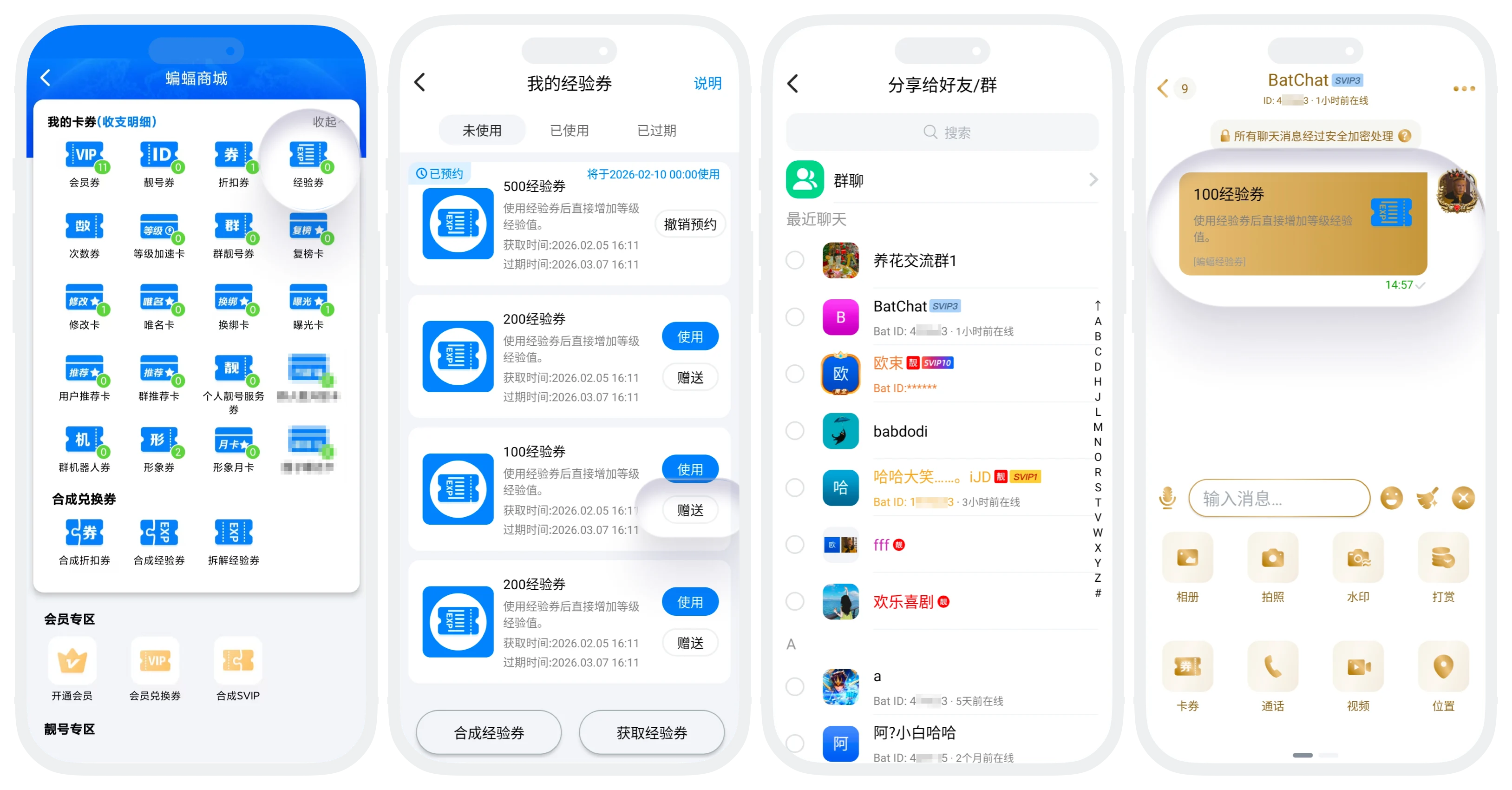
Gift from Coupon List
- Enter "My" - "BatChat Mall" - "My Coupons";
- Find the coupon to be gifted, click "Gift";
- Select the gift recipient (friend or joined group chat, can only select 1 recipient), click "Send", complete the gift. A coupon gift message will be sent simultaneously in the chat window.
Gift from Chat Window
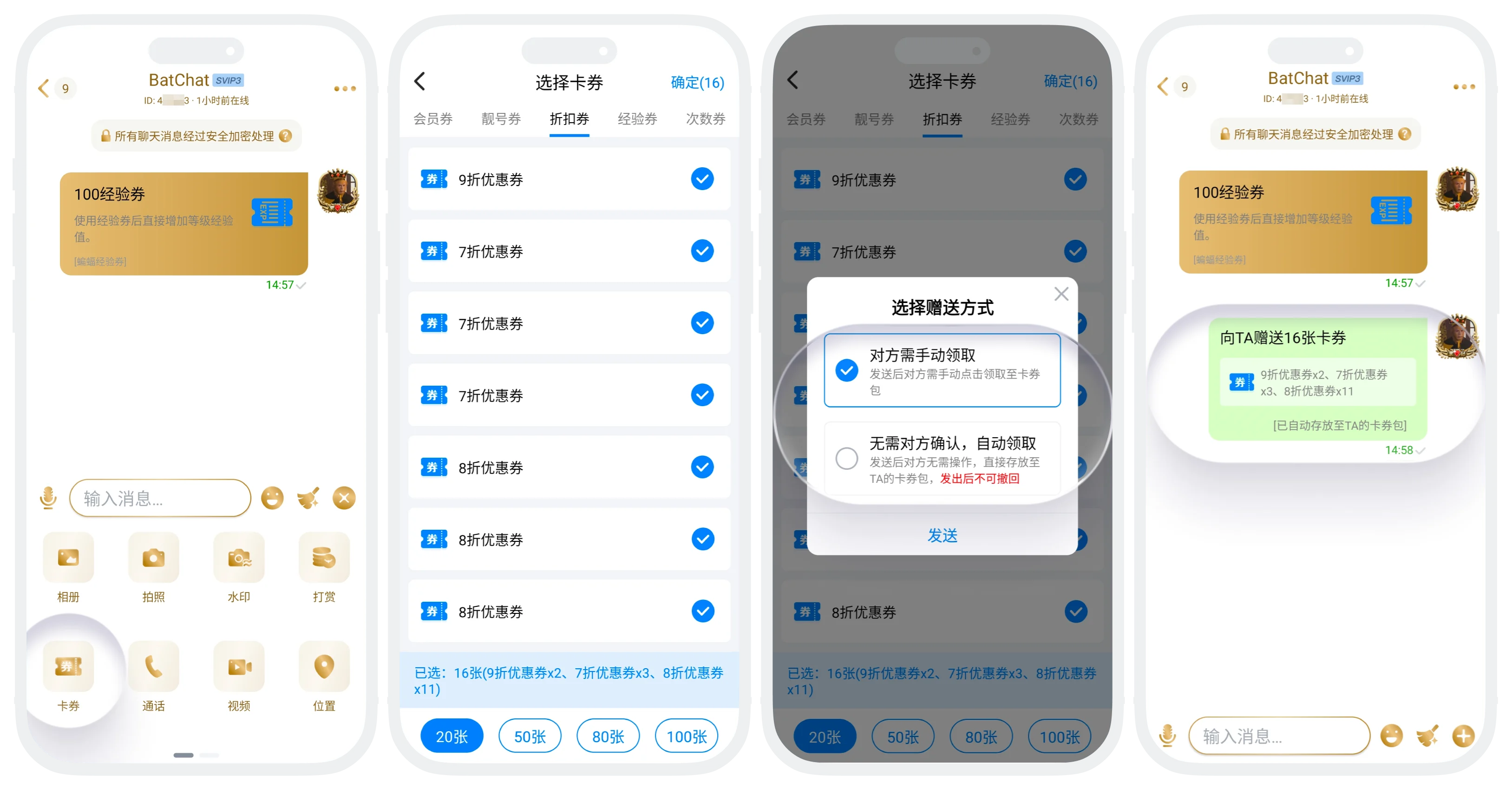
- Enter the conversation page you want to gift to, click "+" at the bottom - "Coupon" to enter the coupon selection page;
- Support gifting multiple coupons of multiple types at once. After checking, click "Confirm";
- Select gift method:
- Recipient needs to manually claim: After sending, the recipient must manually claim. If not claimed within 24h, it will automatically return to your account. Supports recall before recipient claims;
- No recipient confirmation needed, auto-claim: After sending, the recipient will automatically claim, no recipient confirmation needed. Cannot be recalled after sending.
Claiming Rules and Process
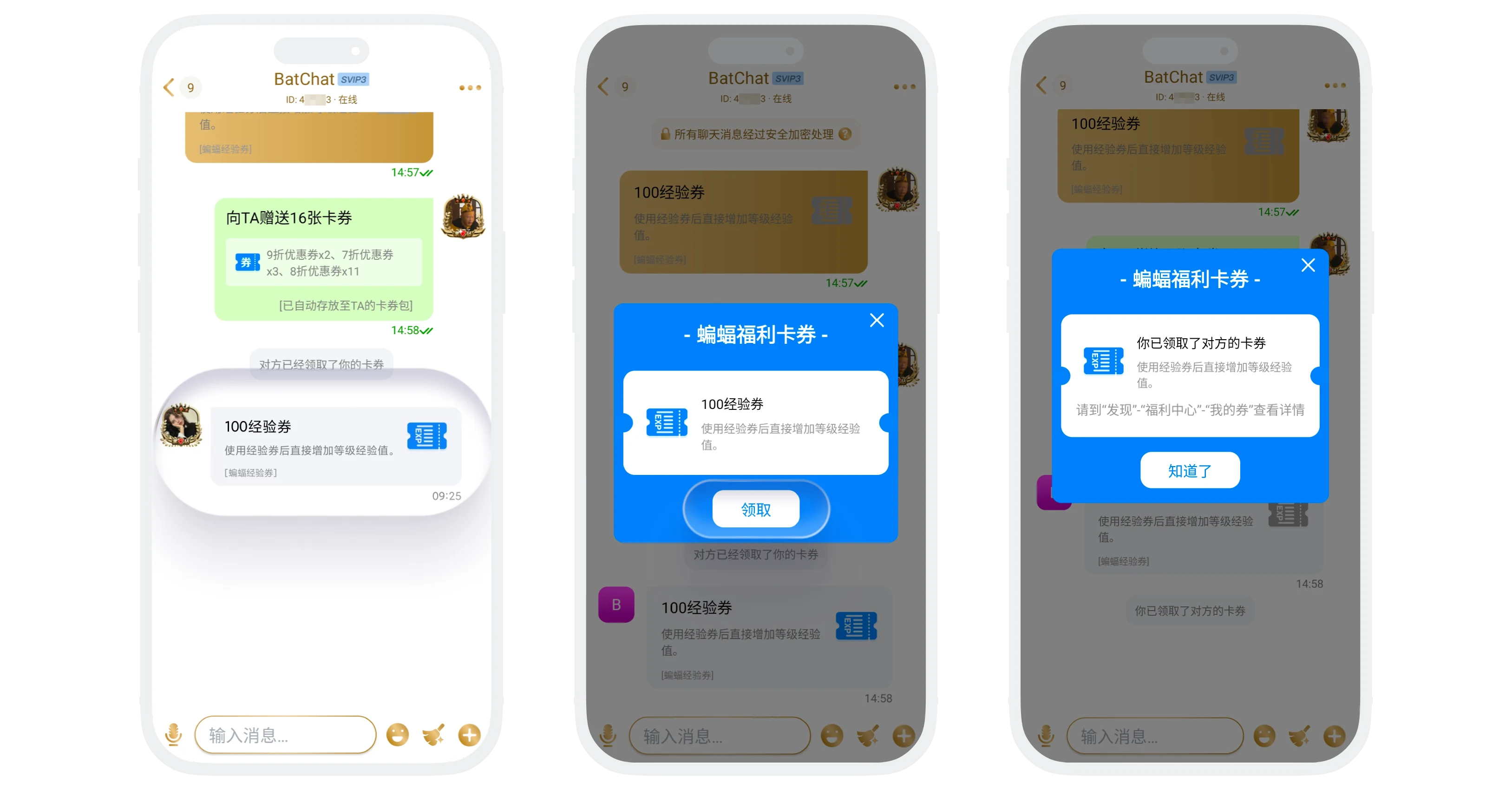
- Receiving Channel: Will receive a coupon gift message in the corresponding chat page;
- Claiming Process: Click the coupon gift message in the chat, click "Claim";
- Claiming Restrictions:
- The gifter cannot claim coupons they sent out;
- Coupons not claimed within 24 hours will automatically return to the gifter;
- Coupons in group chats adopt first-come-first-served principle, the first user to click claim gets it.
Recall and Auto-Return Mechanism
Manual Recall
- Recall conditions:
- Coupon is in "Gifting" status;
- Recipient has not claimed;
- Gift has not exceeded 24 hours;
- Gift method is "Manual Claim";
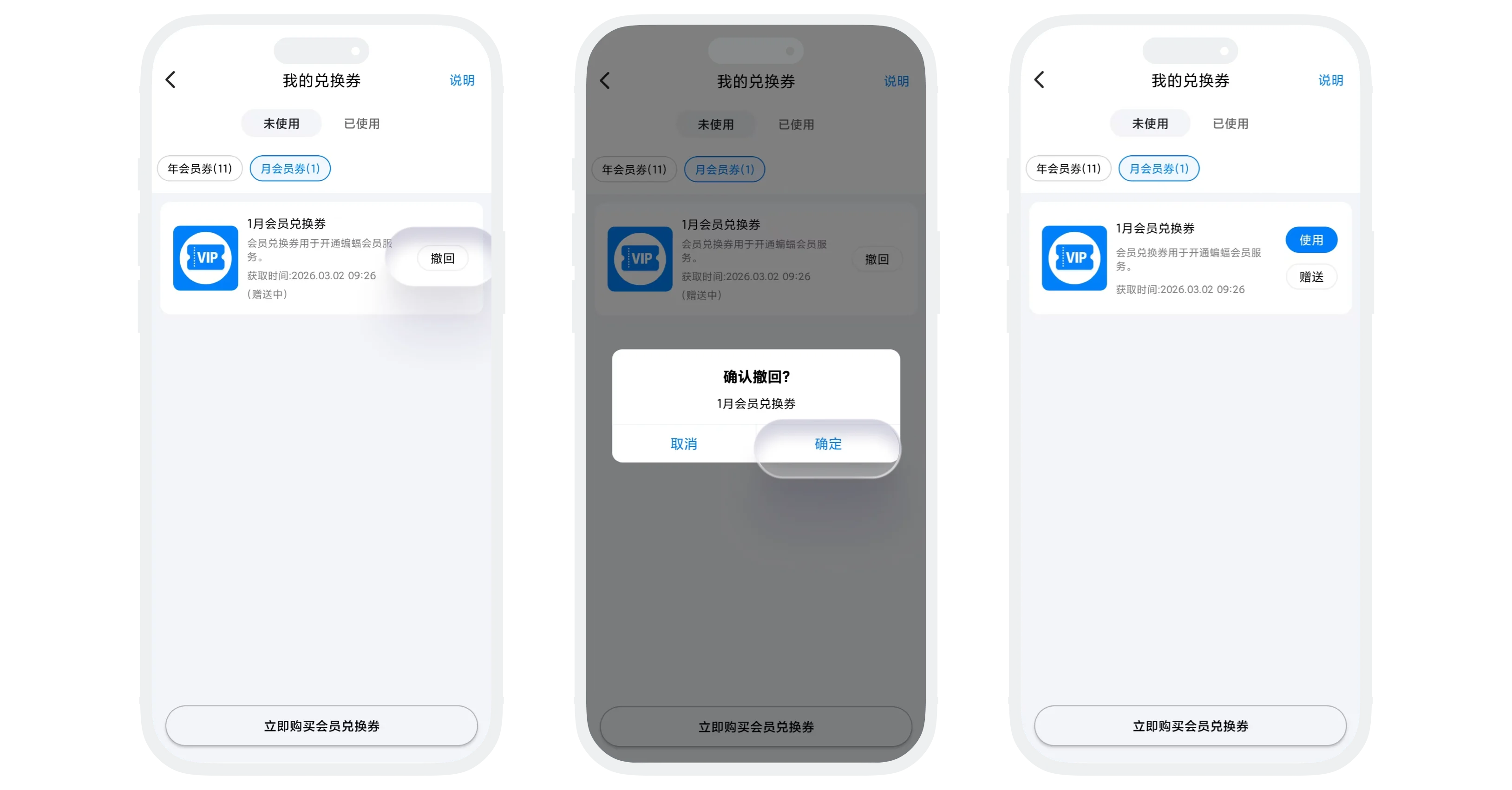
- Recall process: Find the coupon to be recalled in the coupon list, click "Recall" and confirm. The coupon will return to the gifter's account;
- Effects after recall:
- Gifter: Coupon returns to "Unused" status;
- Recipient: Clicking claim shows "This coupon has been recalled".
Auto-Return
- Trigger conditions:
- Not claimed within 24 hours after gifting;
- Applies to "Manual Claim" method;
- System automatically returns the coupon to the gifter's account, no manual operation needed.

If the gift message is recalled bidirectionally: After 24 hours of recall, the coupon automatically returns to the gifter's list and returns to unused status.
FAQ
Gifting does not affect the original validity period of the coupon. Expiration rules remain unchanged.
Coupons purchased on iOS devices cannot be gifted to others within 90 days. The restriction is lifted after 90 days.
Yes, auto-claim will also send messages and assistant notifications to the recipient.
Was this page helpful?
