Points Tipping
Points tipping is a social interaction tool provided by BatChat for users, allowing you to directly gift points to friends to express gratitude, blessings, etc.
Tipping Process
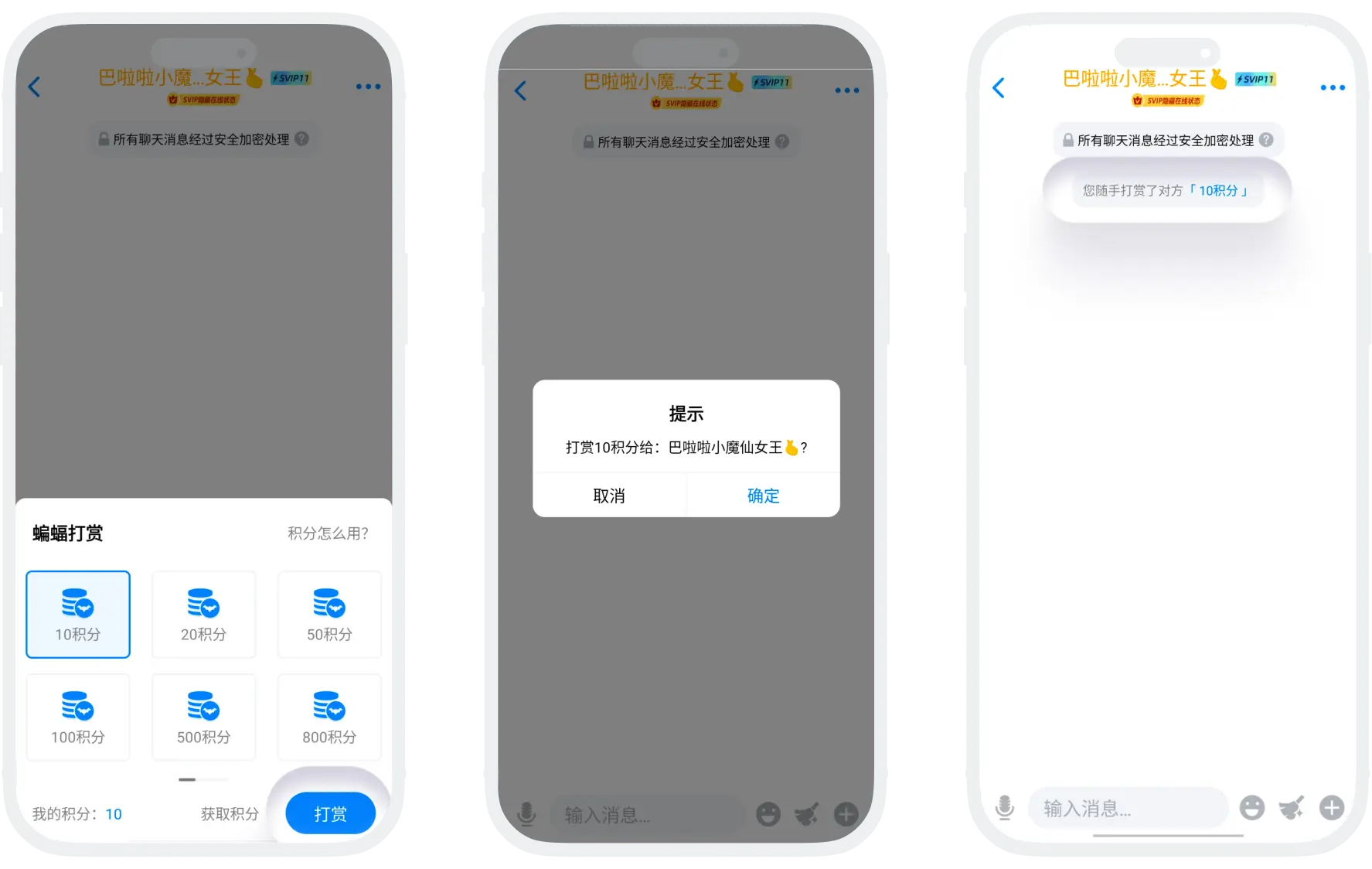
- Enter Chat Interface: Click any friend in the friend list to enter the one-on-one chat page;
- Click the "+" Button: On the left side of the input box, click "+" to expand more function menus; select "Tipping";
- After selecting the tipping amount, click the "Tip" button and confirm;
- The chat interface will display a system prompt: "You tipped XX points to your friend", and the friend will receive a real-time points arrival notification.

Please note:
- Once points tipping is successfully sent, it cannot be recalled. Please carefully check the tipping target and amount before confirming;
- The tipping function is only available between users who are mutual friends. Non-friend relationships cannot initiate tipping;
- Tipped points are platform virtual assets, do not have cash value, and do not support withdrawal or conversion to cash.
Tipping Receiving Management
- Function Description: Users can independently choose whether to receive points tipping from friends according to personal preference;
- Setting Process:
- Click "My" - "BatChat Mall" - "Points Section" - "My Points" to enter the points details page;
- Click "Points Settings" in the upper right corner, enable the "Reject Points Tipping" switch;
- After enabling "Reject Points Tipping", all friends will be unable to tip you points. To resume receiving friend tipping, click the same switch again to turn it off.
FAQ
No. Once points tipping is successfully sent, it cannot be recalled. Please carefully check the tipping target and amount before clicking "Confirm".
Yes. The "Reject Points Tipping" function only affects you receiving tips from others, and does not affect you actively sending tips to others.
Yes. The minimum tipping amount is 10 points.
Was this page helpful?
