Android WeChat Official Account Offline Message Notification
When the BatChat APP is running in the background or has been cleared, to prevent you from missing important messages, we provide the function of pushing offline messages through the "BatChat Private Chat" WeChat Official Account.
Setup Process
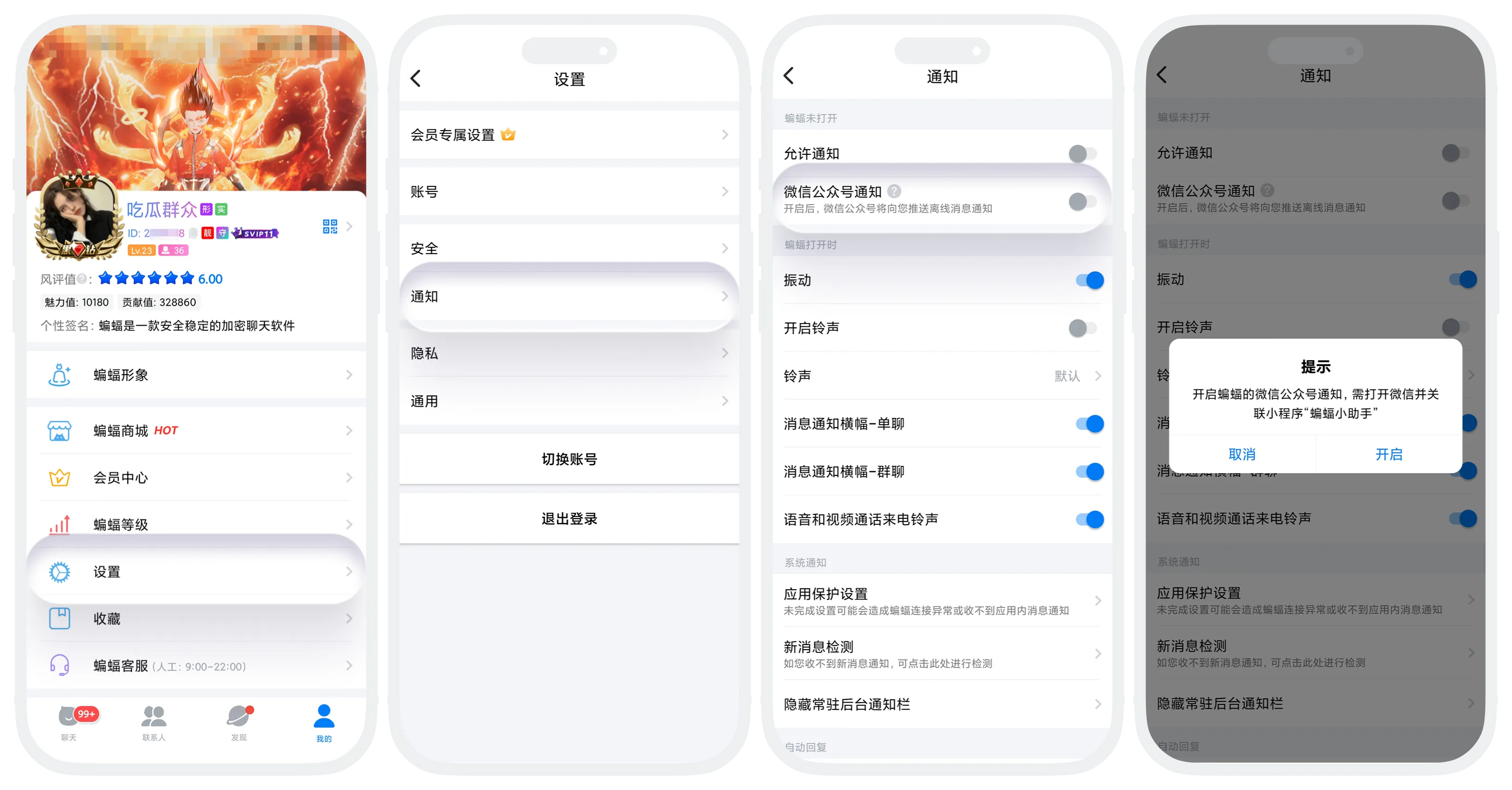
- Open the BatChat APP, in "My" - "Settings" - "Notifications", find the "WeChat Official Account Notifications" option;
- Click to turn on the switch for this option;
- If using this feature for the first time, you need to first jump to WeChat to follow the "BatChat Private Chat" Official Account. After successfully following, return and turn on the switch to complete the setup.