Report Violations
To maintain a healthy and civilized social environment, the BatChat platform provides you with convenient channels to report violating content. When you discover that users or group chats contain violating content or behavior, you can use the report function to provide feedback to the platform. The platform review team will promptly verify and handle reports after receiving them, jointly maintaining a good online ecosystem.
Report Types
The platform provides two targeted report types. Please choose according to your actual situation:
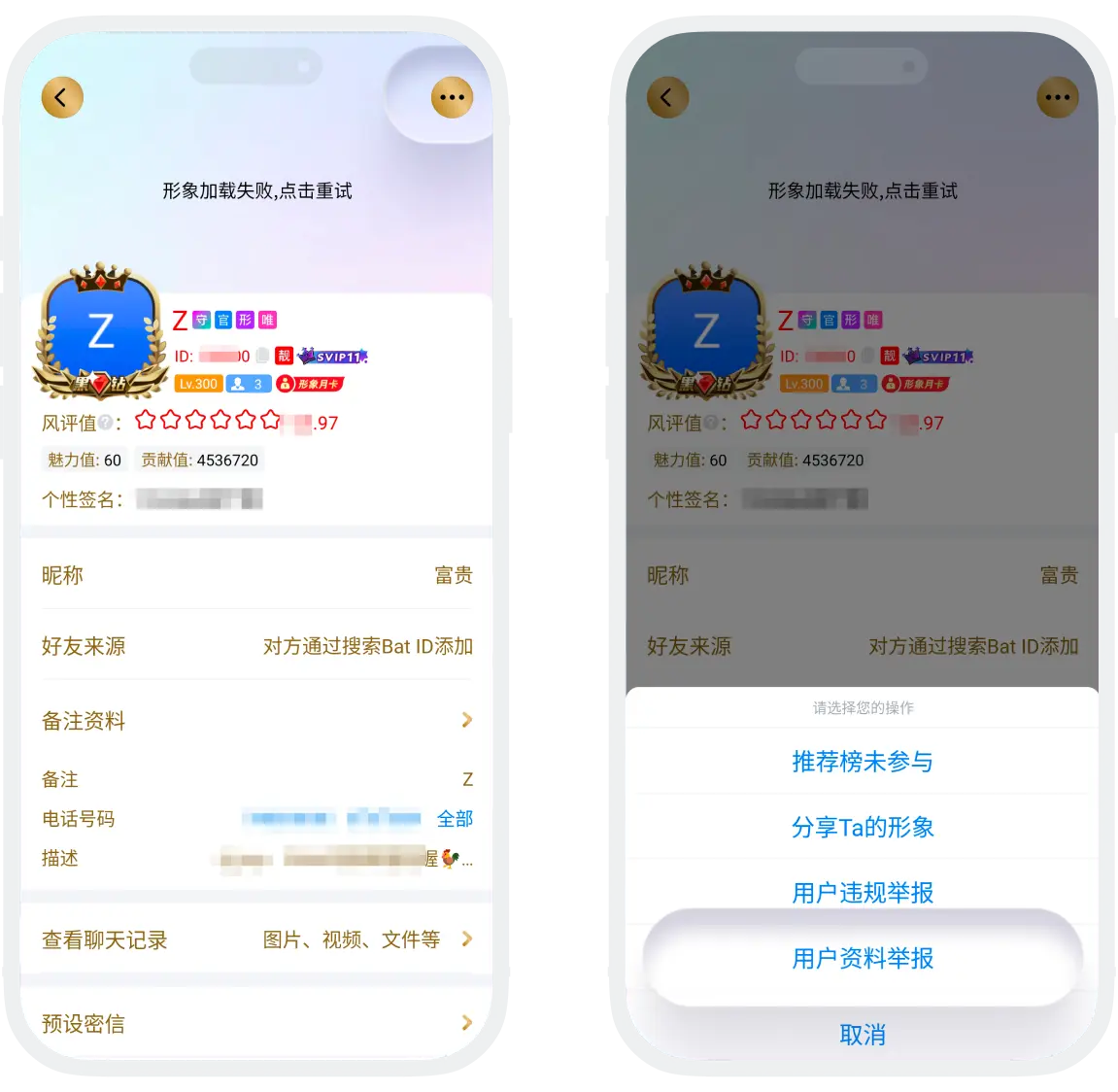
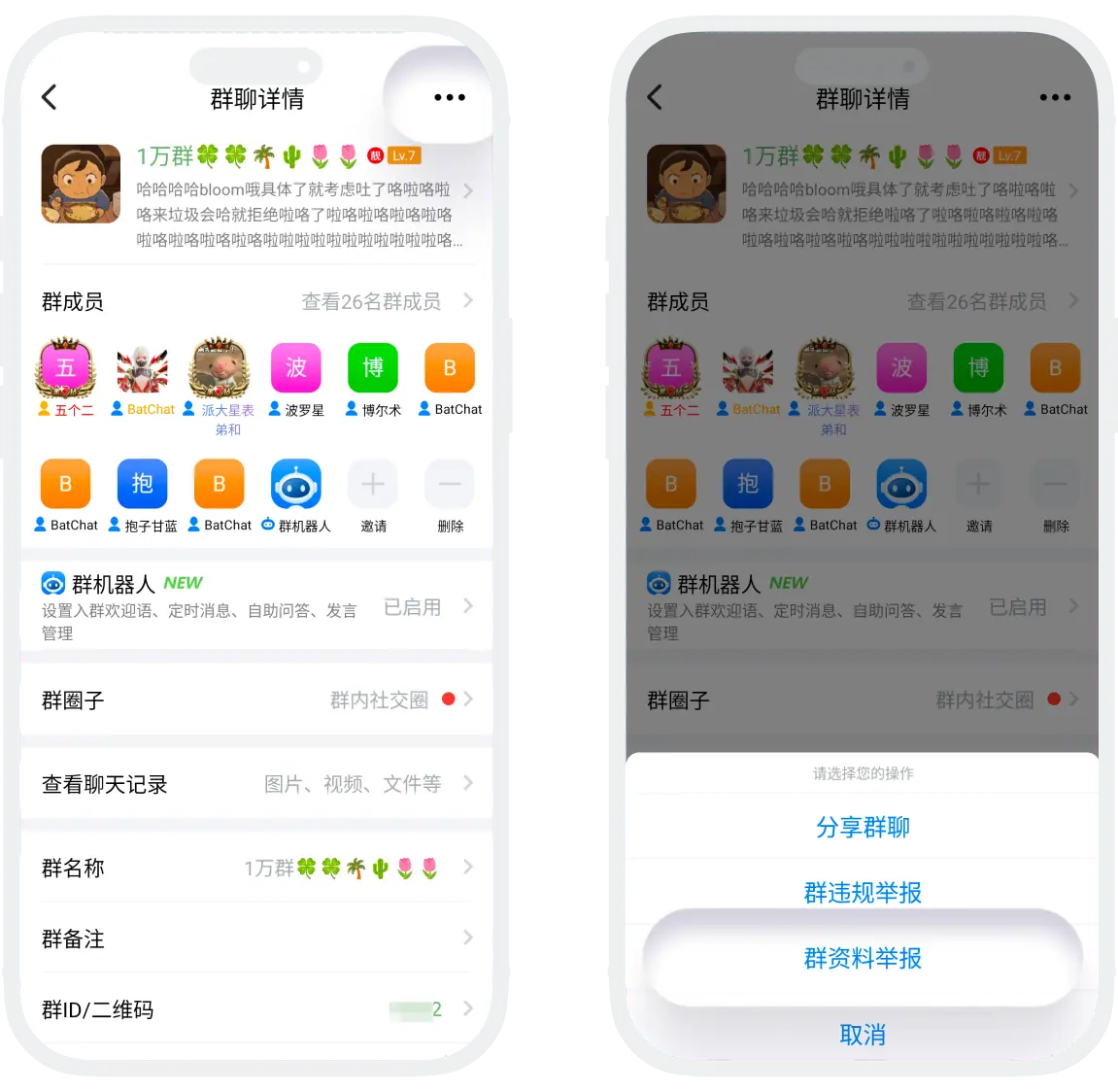
- Profile Report: Applicable when a user's/group chat's basic profile contains violating content, such as avatars, nicknames, introductions, tags, etc.
- Violation Report: Applicable when users/group chats engage in violating behaviors such as spam advertisements, pornographic or vulgar content, illegal information, etc. This type of report requires providing complete chat records or screenshots as evidence to help the platform review team quickly verify and handle the case.
Profile Report Process
- Report entry: Click to enter the profile page of the corresponding violating user/group chat, click the "More" button in the upper right corner, and select "Profile Report";
- After successful reporting, please wait patiently for the platform review team to process.
Violation Report Process
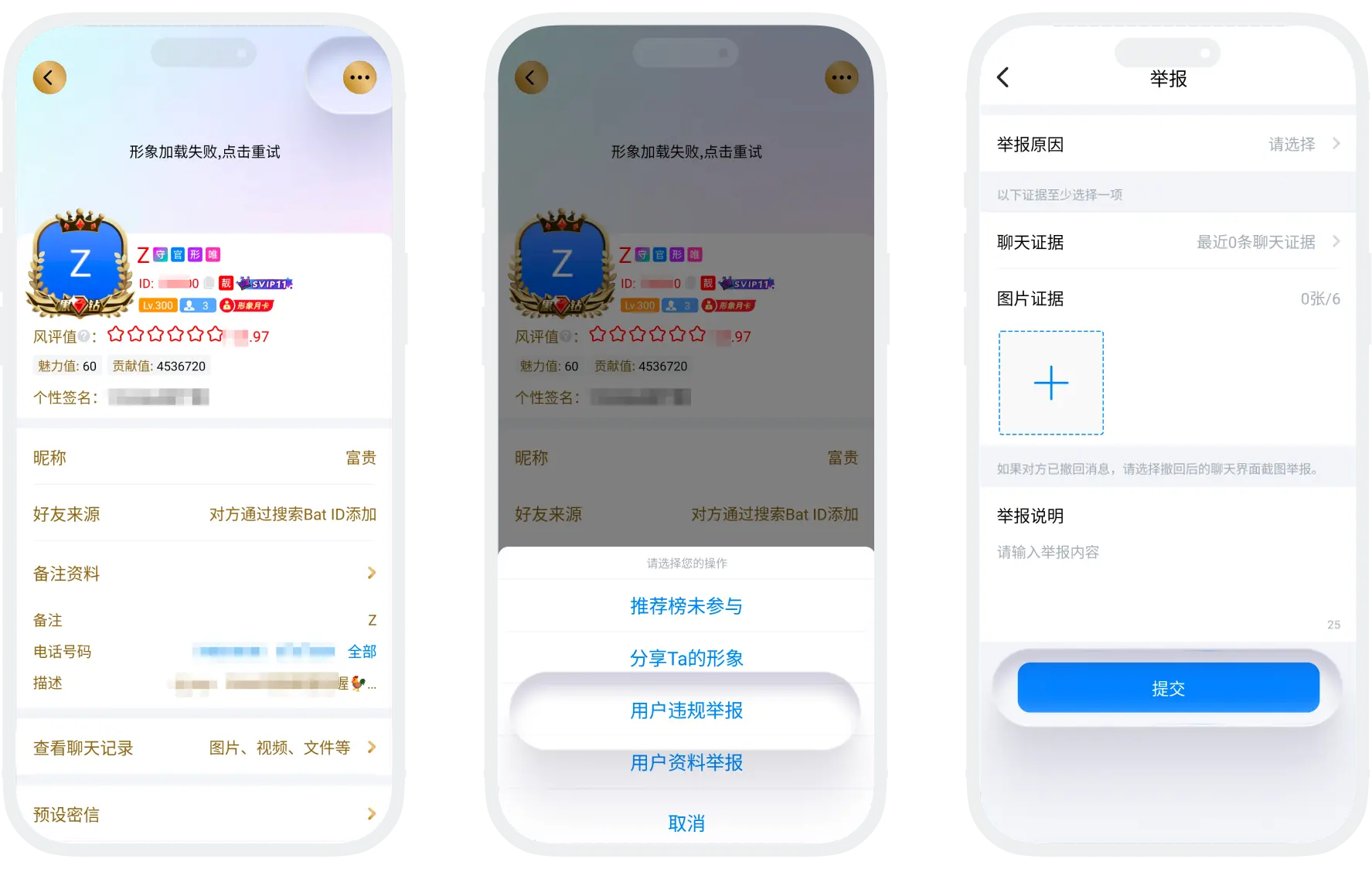
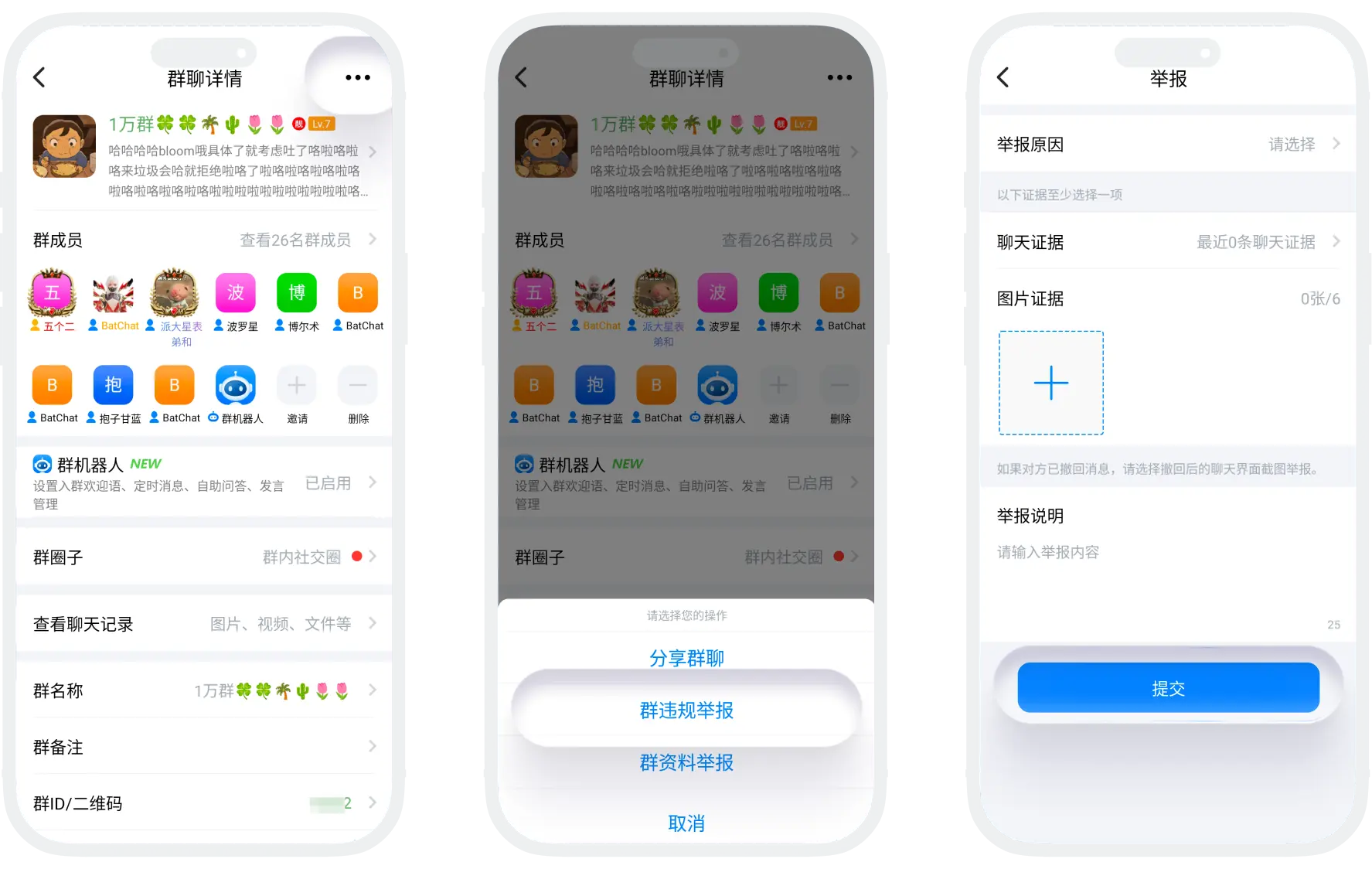
- Report entry: Click to enter the profile page of the corresponding violating user/group chat, click the "More" button in the upper right corner, and select "Violation Report";
- Fill in report information:
| Report Information | Description |
|---|---|
| Report Reason | Select the most matching reason from the list (1 item) |
| Chat Evidence | Check specific messages involving violations. If the other party has withdrawn messages, it is recommended to upload screenshots of the chat interface after withdrawal (showing the "The other party has withdrawn a message" prompt) |
| Image Evidence | Screenshot message content involving violations, up to 6 images |
| Report Description | Supplementary description of specific violation behavior: detailed description of the violation behavior, time point when the violation occurred, etc. |
- Check all filled information, confirm that the evidence is complete and valid, then click "Submit". Wait patiently for the platform review team to process. If the violation behavior you reported is verified, the platform will delete the violating content and impose penalties such as muting or banning the violating user/group chat.
Withdraw Report
If you find that the report was made in error, you can find the official account "BatChat Assistant" in the message list, locate the mistakenly reported message record, and click "Withdraw Report".
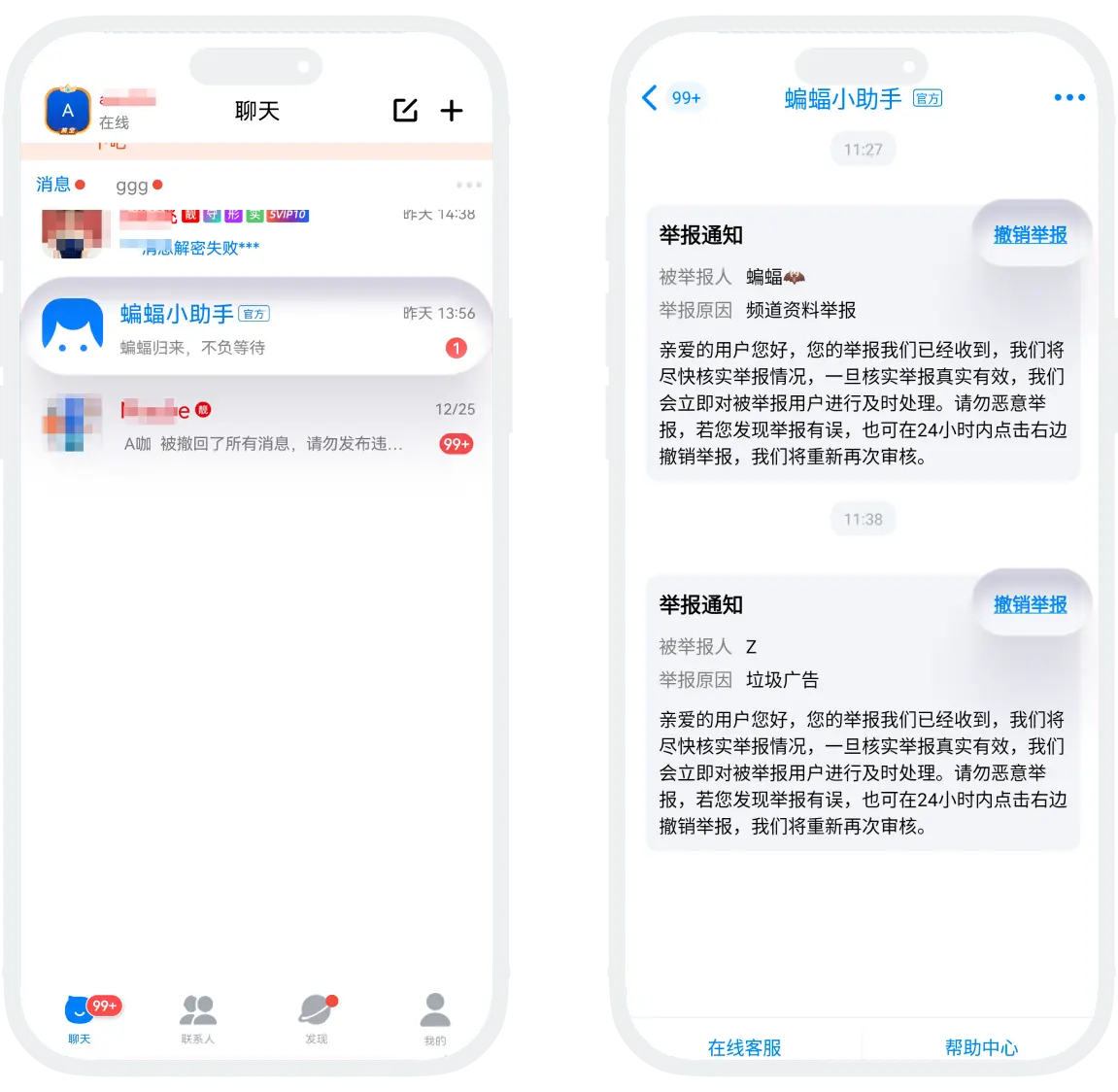
Report Result Notification
After receiving the report, the platform review team will send processing result notifications through the official account "BatChat Assistant" within 1-3 working days. Please pay attention.

Warm reminders:
- Reporting behavior is associated with your account; please ensure the reported content is truthful;
- Malicious reporting or framing others may affect your account rights; please do not engage in malicious reporting;
- Avoid repeatedly submitting the same report to prevent prolonging processing time.
The platform will continuously improve the review mechanism based on report feedback, working with you to create a safer, healthier, and more positive social space.
Frequently Asked Questions
After being reported, the other party will receive a reminder from the assistant, but the reporter's nickname and ID are masked to avoid leaking the reporter's information.
Yes, but you need to retain relevant evidence. It is recommended to complete evidence collection and reporting before exiting.
If the first report is not accepted due to insufficient evidence, you can: re-report after supplementing more complete evidence or contact customer service to explain the specific situation.