Frozen Account Activation
Frozen Account Activation
"Zombie Account Activation" is a BatChat feature designed to protect account security. Accounts that have not logged in for more than 1 year will be automatically frozen by the system. You only need to complete identity verification to reactivate the account and restore normal use.
Activation Conditions
- The account has not logged in for more than 1 year and has been automatically frozen by the system;
- The account is still in normal status (not banned or canceled).
Activation Process
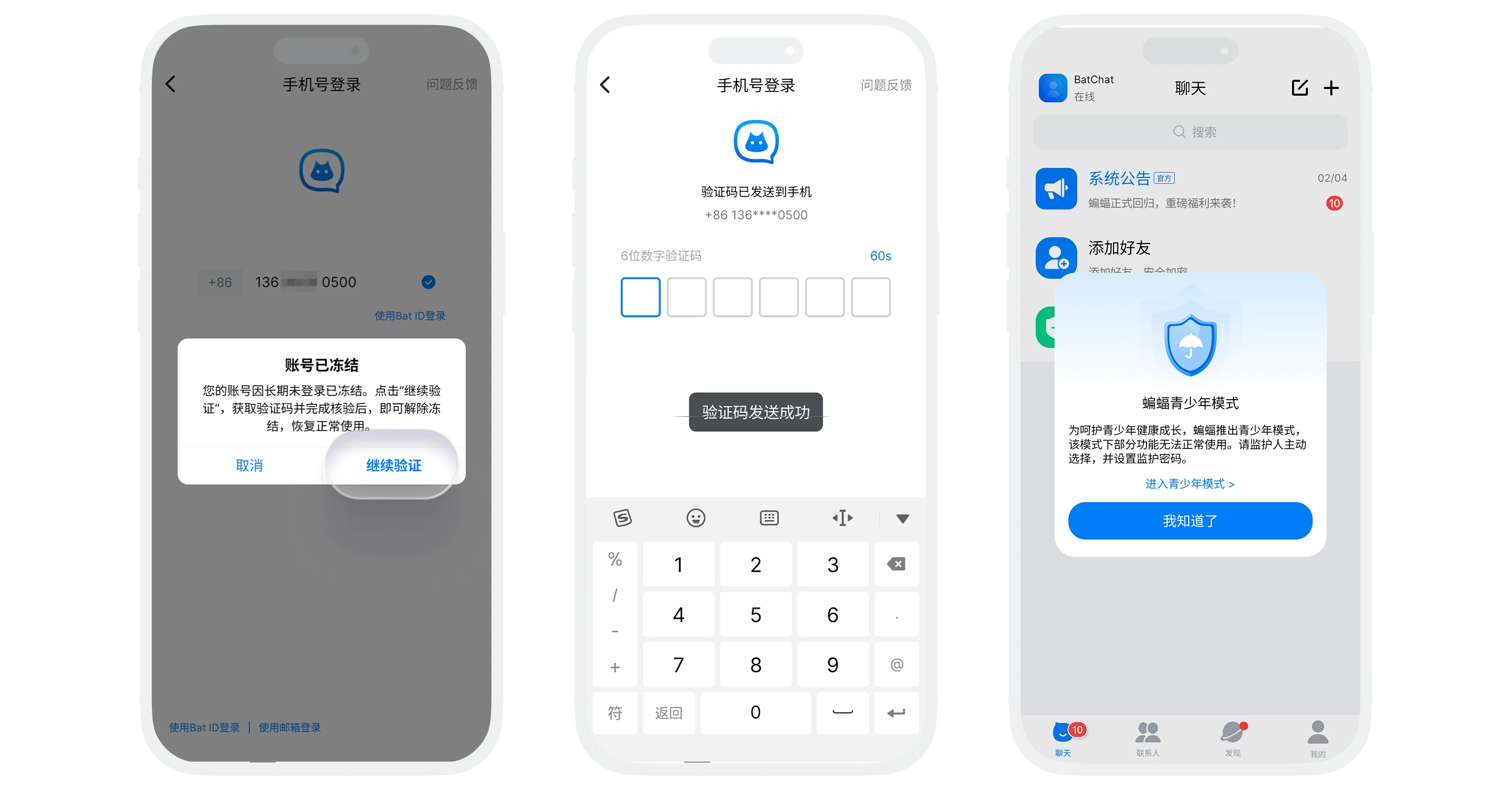
Method 1: Activate by Verification Code Login
- On the login page, enter your phone number or email and tap "Get Verification Code";
- If the account has been frozen, the system will show a popup indicating that the account is frozen;
- Tap "Continue Verification". The system will send a verification code to your phone or email;
- Enter the received verification code. After verification passes, the account is automatically activated and login succeeds.
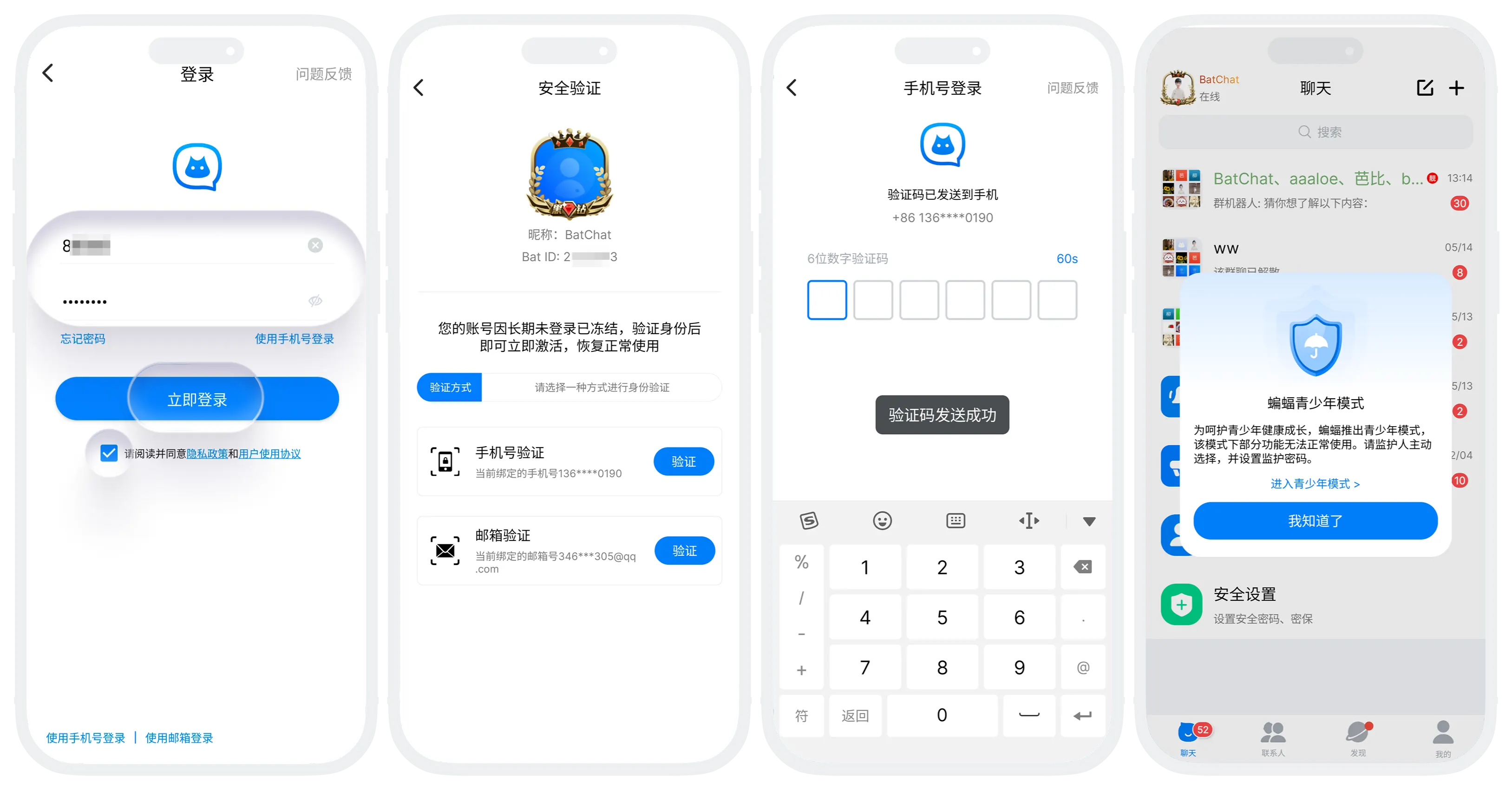
Method 2: Activate by Password Login
- On the login page, enter your account and password, then tap "Log In";
- If the account has been frozen, the system will automatically redirect to the activation page, where your account information is displayed. Please confirm that it is correct;
- Choose how to receive the verification code:
- Receive via the bound phone number (if bound);
- Receive via the bound email (if bound);
- Get and enter the verification code;
- After verification passes, the account is automatically activated and login succeeds.
After Activation
- The account returns to normal use, and all features are available;
- Friends, groups, profile data, and other information are fully retained.
FAQ
Friends, groups, profile information, and other data will not be lost. If you log in on the same device, local chat history is also retained. If you switch devices, local chat history cannot be migrated.
Please check your SMS messages or email spam folder to confirm whether it was blocked. If you still do not receive it, try again later.
Was this page helpful?