Earpiece Mode
'Earpiece Mode' controls the playback method of voice messages in chat. After enabling, voice messages will be played through the phone earpiece (listen close to the ear); when off, they will be played through the speaker.
Applicable Scenarios
- You are listening to voice messages in public and want to reduce privacy risks from speaker playback;
- You are using it at night or in a quiet environment and want to avoid disturbing others with speaker playback;
- When you need to listen to voice content with others, you can temporarily turn off Earpiece Mode and switch to speaker playback.
Setting Process
- Enter 'Settings' - 'General', find the 'Earpiece Mode' option;
- Click the right switch to set:
- On: Voice played through earpiece;
- Off: Voice played through speaker;
- Regardless of the switch status, you can also switch the playback method by long pressing the voice message.
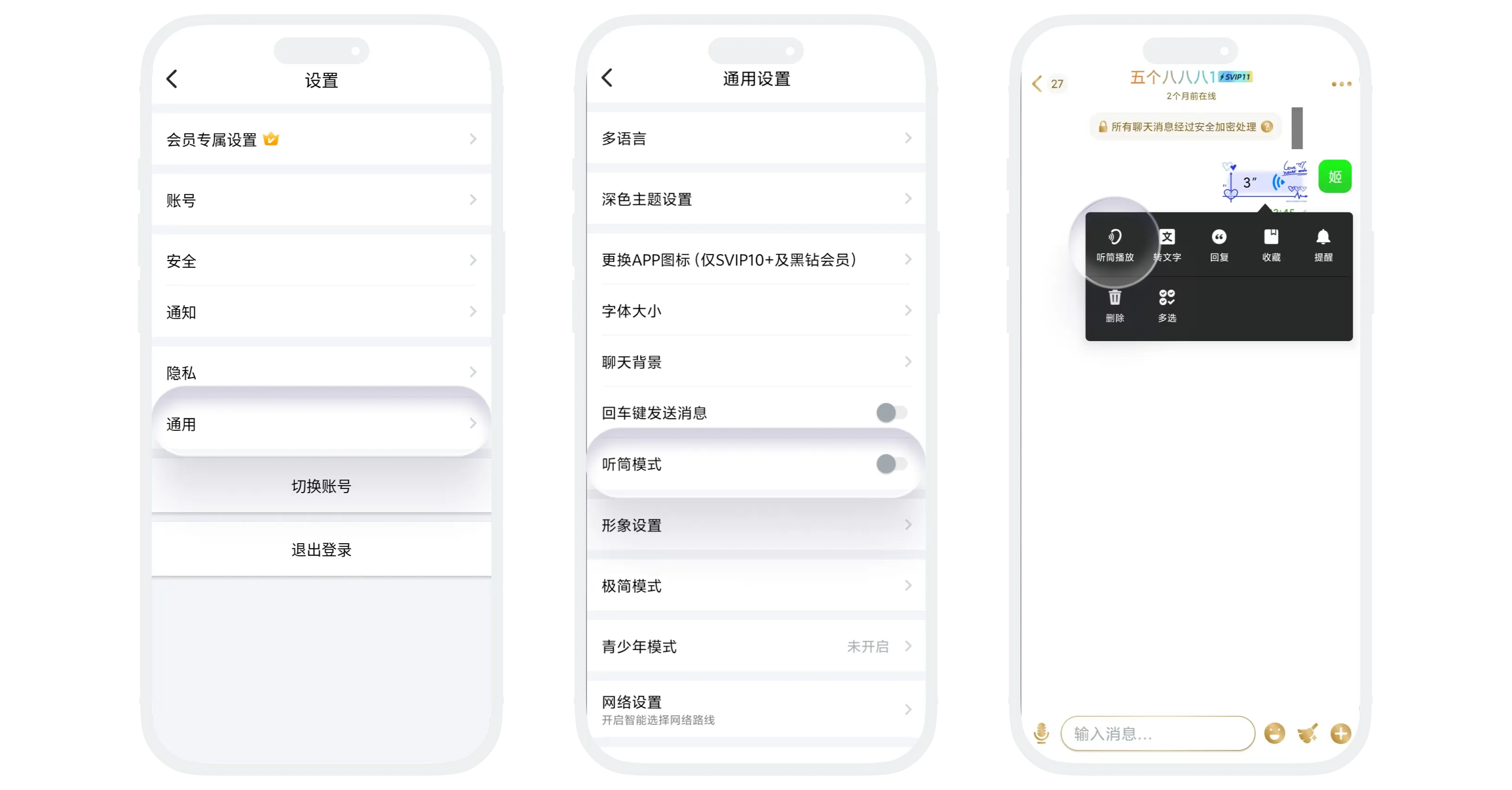

In earpiece mode, please hold the phone close to your ear for the best listening effect
Usage Notes
- After enabling, voice playback is more focused and suitable for protecting privacy;
- After disabling, voice messages play through the speaker, which is better for hands-free listening;
- If you do not want to change the global setting temporarily, you can also long press a voice message to switch the playback method.
FAQ
This is usually because Earpiece Mode is enabled, so voice messages play through the earpiece at the top of the phone. Hold the phone close to your ear to listen normally.
This document describes the playback method setting for chat voice messages. If audio is abnormal during calls, check the call page settings or the device system audio settings.
Was this page helpful?