Member Activity
Group Member Activity
"Group Member Activity Statistics" is a group member activity analysis feature provided by the group bot. After it is enabled, group members can send specified keywords to trigger the bot to automatically calculate and reply with group member message rankings.
Setting Steps
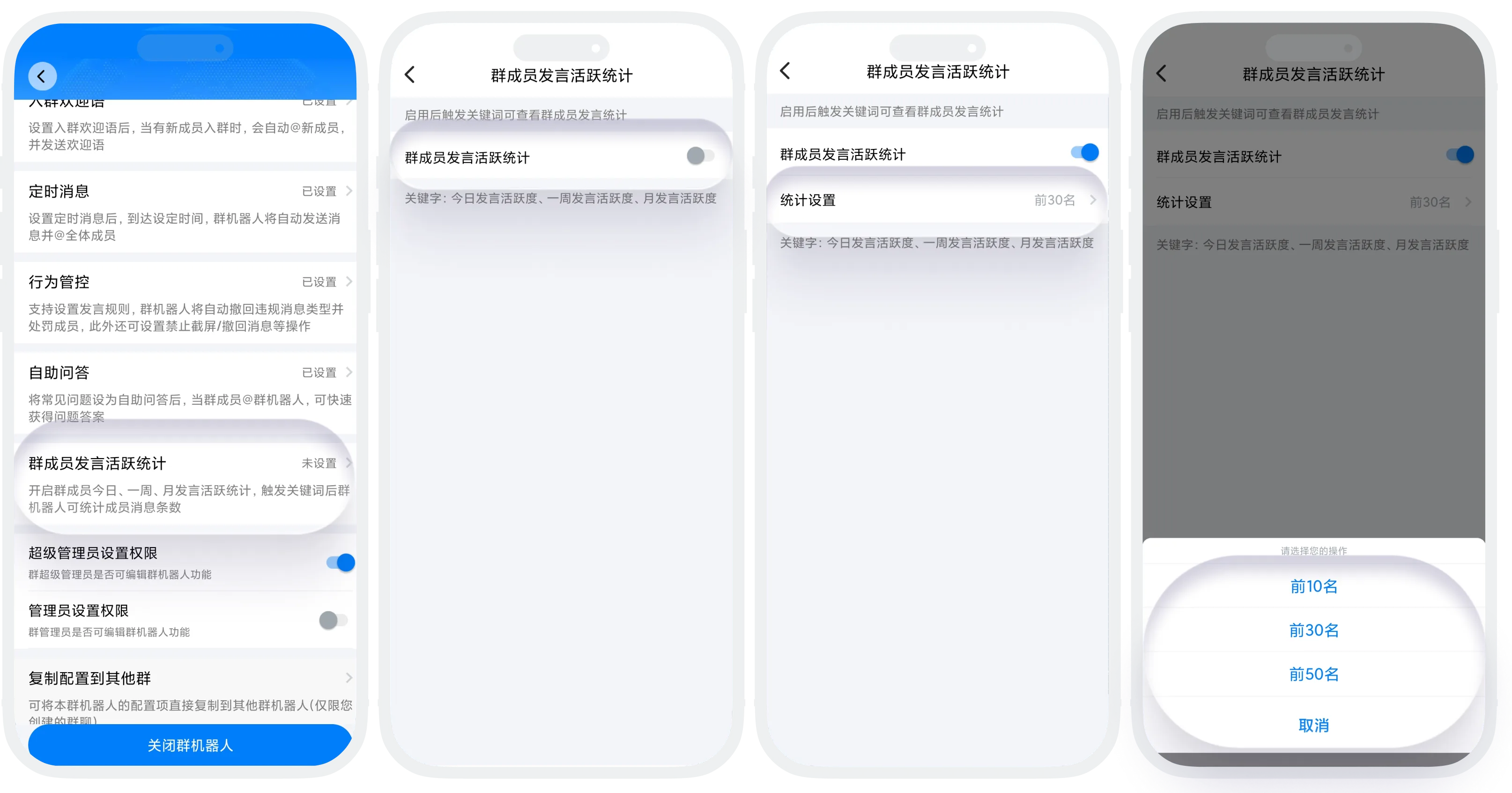
- Enter the group bot details page and tap "Group Member Activity Statistics";
- Turn on the switch and choose the ranking range shown in the bot reply. Supported ranges: top 10, top 30, and top 50.
Trigger Method
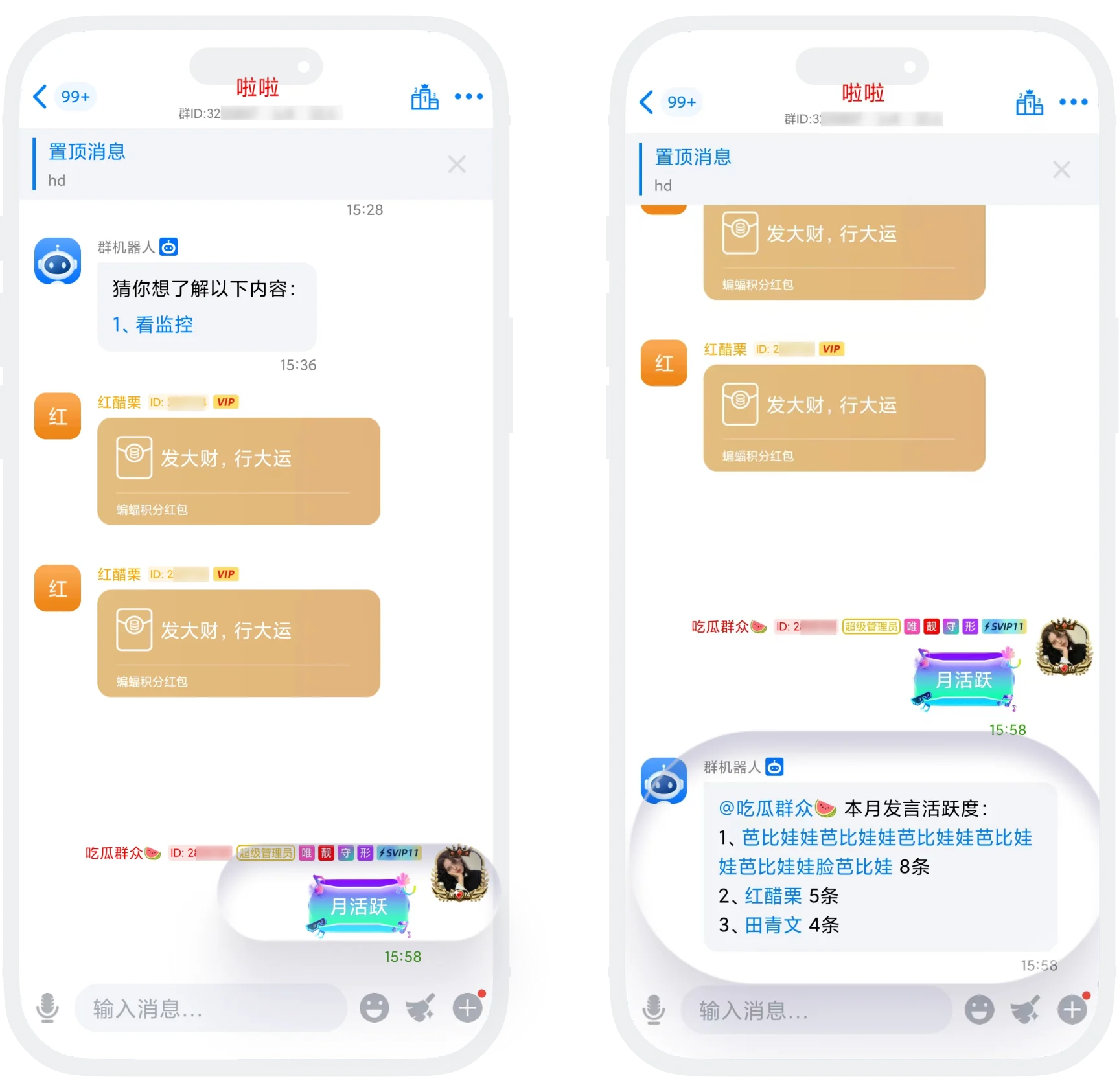
- When group members send the following keywords in the group, the bot will automatically reply with the corresponding message statistics:
| Statistic | Trigger Keywords | Statistics Range |
|---|---|---|
| Today's Messages | today's message activity, today active, today's messages | From 00:00 today to the trigger time, message count sent by each member |
| This Week's Messages | weekly message activity, weekly active, weekly messages, this week active, this week's messages | From 00:00 this week to the trigger time, message count sent by each member |
| This Month's Messages | monthly message activity, monthly messages, monthly active, this month active, this month's messages | From 00:00 on the 1st day of this month to the trigger time, message count sent by each member |
- The group bot will automatically reply with the corresponding message statistics and show the ranking.
FAQ
No. After it is enabled, any group member can send keywords to trigger the statistics.
Yes. As long as a message was sent, it is counted even if it is later recalled.
Was this page helpful?