My Greeting Message
"My Greeting Message" is an auto-reply feature provided by BatChat for users. When you accept someone's friend request, the system will automatically send preset greeting content to them, helping you quickly establish communication and improve social efficiency.
Setup Process
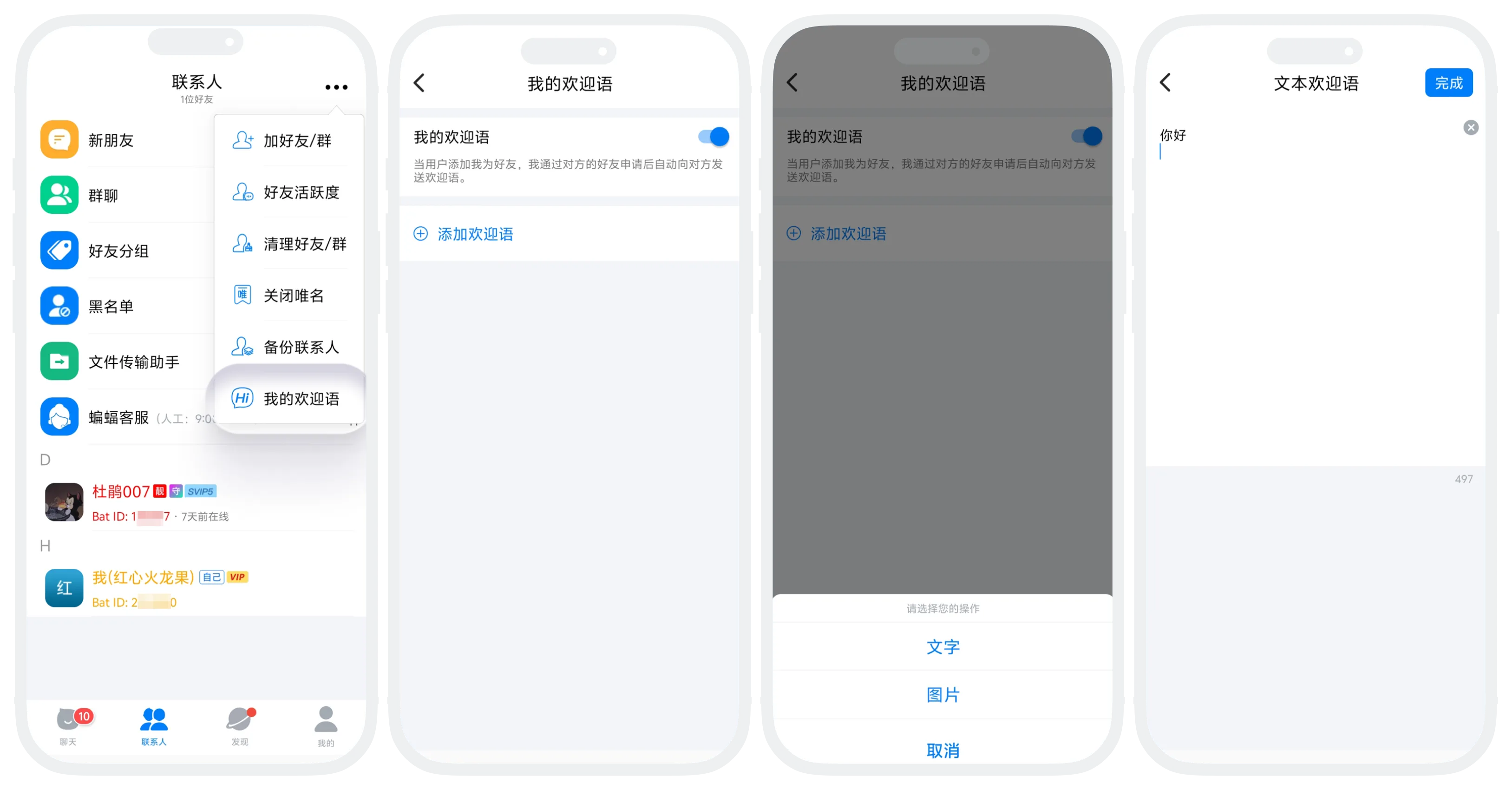
- In the "Contacts" list, click "More" in the upper right corner - "My Greeting Message";
- On the "My Greeting Message" page, turn on the switch button at the top of the page;
- Click "Add Greeting Message" and select the greeting message type:
- Text: Within 500 characters;
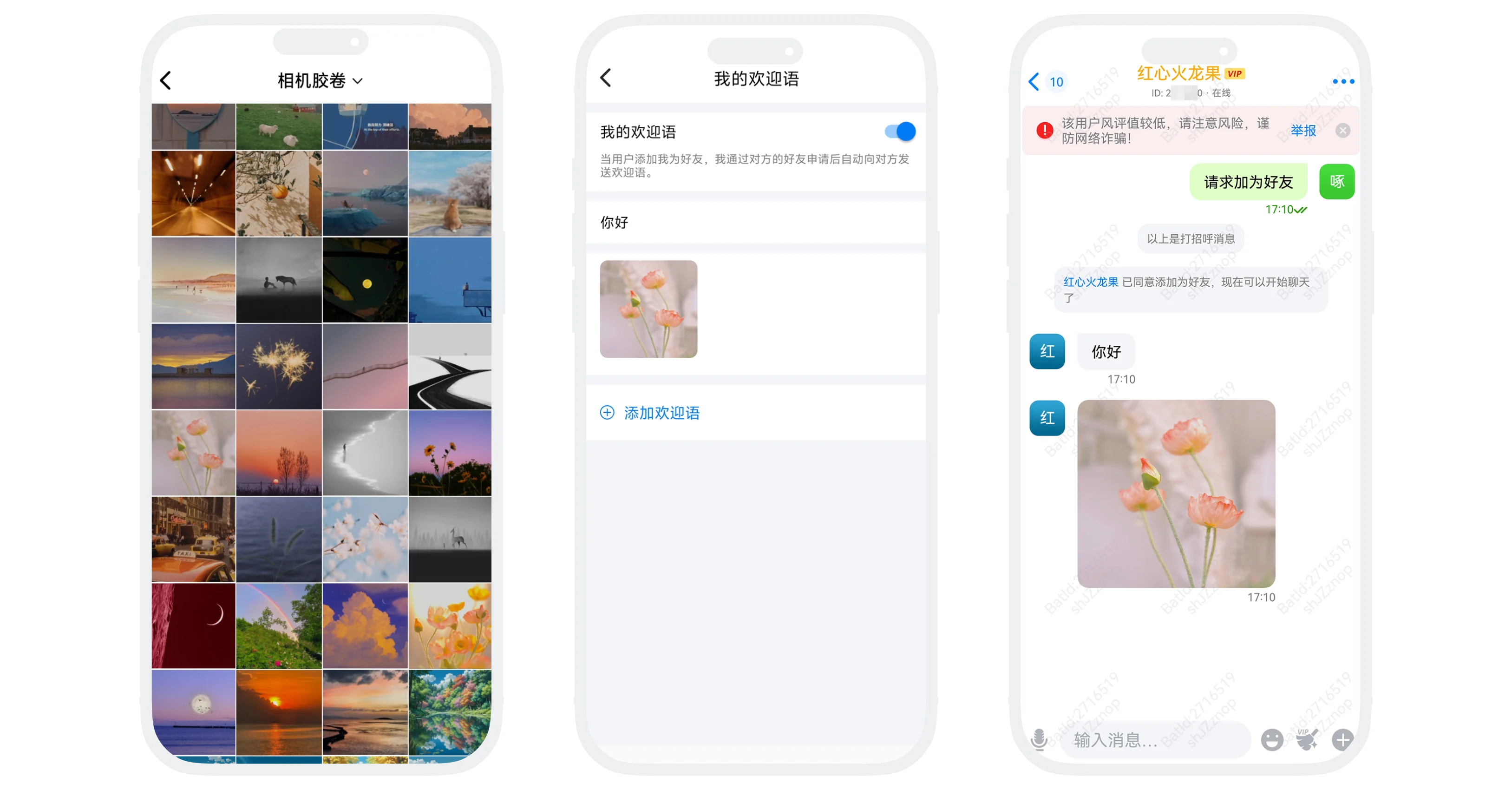
- Image: 1 image (supports common formats such as JPG, PNG);
- You can set up to 3 greeting messages. After successful setup, they will be sent sequentially according to the list order (send the first one first, then the second one, and so on).
Manage Greeting Messages
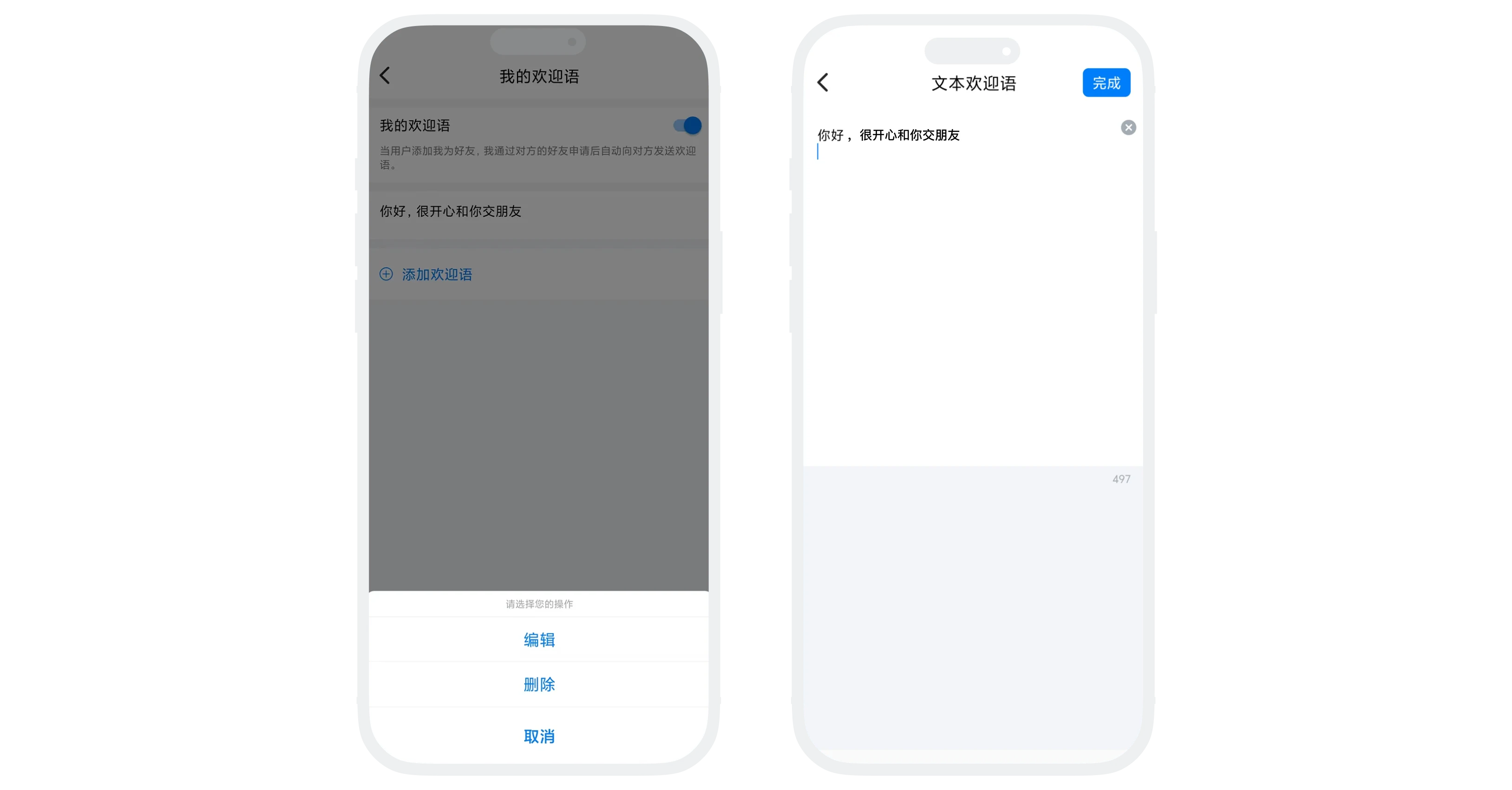
- Edit: Click on the greeting message to modify the greeting message content;
- Delete: Long press or swipe the greeting message, select "Delete" to remove it.

- Please ensure that greeting message content complies with platform guidelines and does not contain illegal, non-compliant, advertising, or other information;
- Violating content will be deleted, and serious violations may result in account suspension;
- Turn off the switch at the top of the page to disable all greeting messages. The set content will not be lost and will be restored after re-enabling.
Frequently Asked Questions
No. Turning off the switch only temporarily disables the function. The greeting message content remains unchanged after re-enabling.
No. It will only be sent once when the friend is successfully added for the first time. The same friend will not receive duplicate greeting messages.
No. Greeting messages are only sent to the other party when they add you as a friend and you agree.
Was this page helpful?