backupcontacts
Backup Contacts
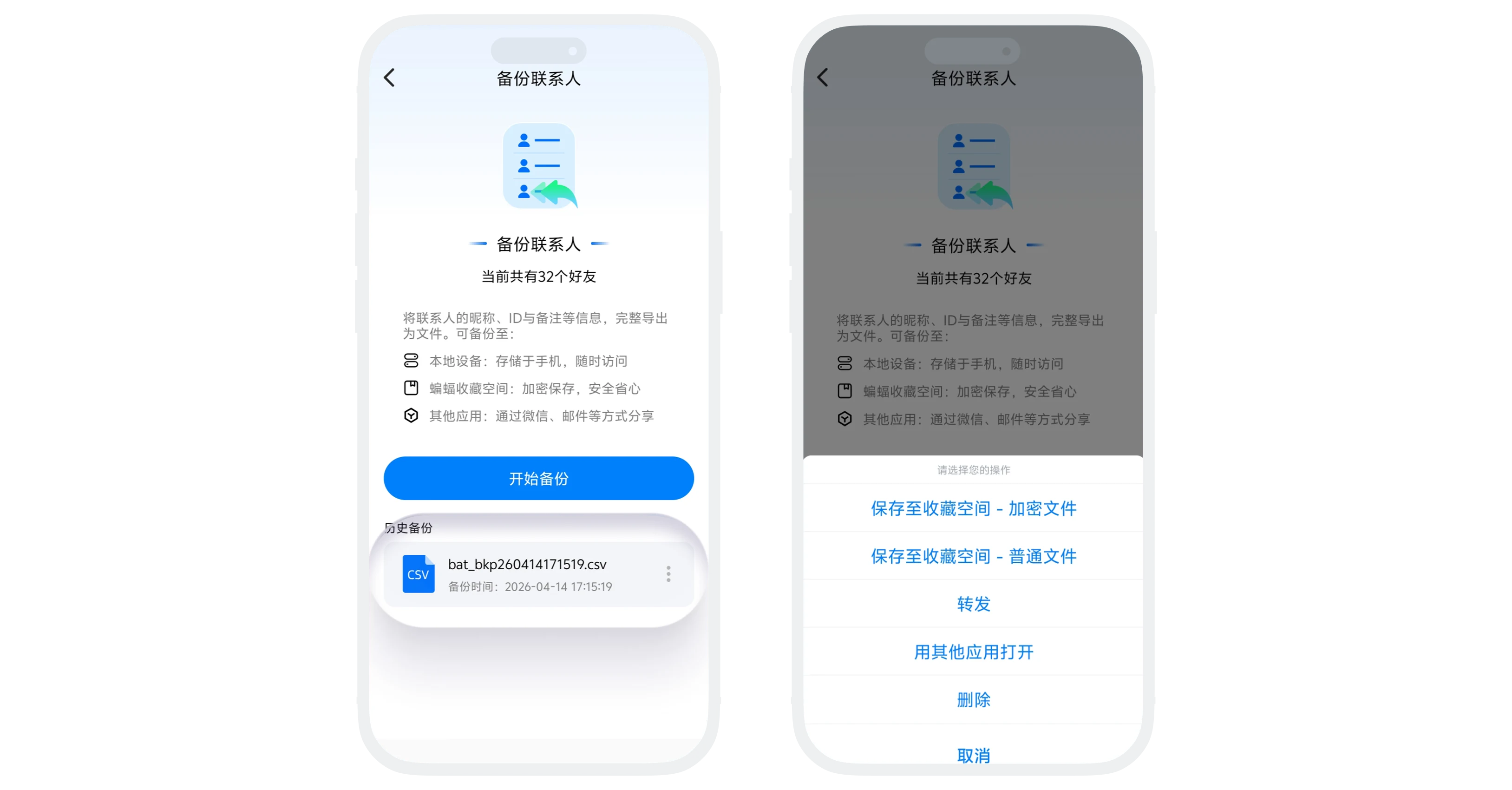
"Backup Contacts" is a contact data export feature provided by BatChat for users. You can backup important contacts' nicknames, user IDs, remark nicknames and other information as CSV files for easy preservation, migration, or management. Backup files support various saving methods, and historical backup records can be viewed and managed at any time.
Backup Process
- In the "Contacts" list, click "More" in the upper right corner - "Backup Contacts";
- Click the "Start Backup" button to enter the contact selection page;
- Select the contacts you want to backup (supports select all), and click "Next". The system will immediately generate the backup file;
- After backup is complete, you can choose to:
- Save to Favorites Space;
- Forward to BatChat friends;
- Open with other apps and save to third-party storage.

Manage Historical Backups
- Enter the "Backup Contacts" page to view all previously backed up historical file lists;
- Click on any backup file to perform operations such as saving, forwarding, or deleting the file.
Frequently Asked Questions
Batch restoration of contacts through backup files is not supported. It is only for information export purposes.
No. Only the contacts' nicknames, IDs, and remark nickname information are backed up.
CSV format files can be opened and viewed with common software such as Excel, WPS, Notepad, etc.
Was this page helpful?