Invisible Mode Settings
"Invisible Mode" is an exclusive privilege provided by BatChat for Honor Members. After enabling, you can add specified friends to the invisible list, which will hide your account from their chat list and contact list. You can still normally send messages to them, but after they close the chat window, they will not be able to find the chat history with you. This feature is suitable for scenarios where you need to temporarily reduce social disturbances or protect personal privacy.
Setup Process
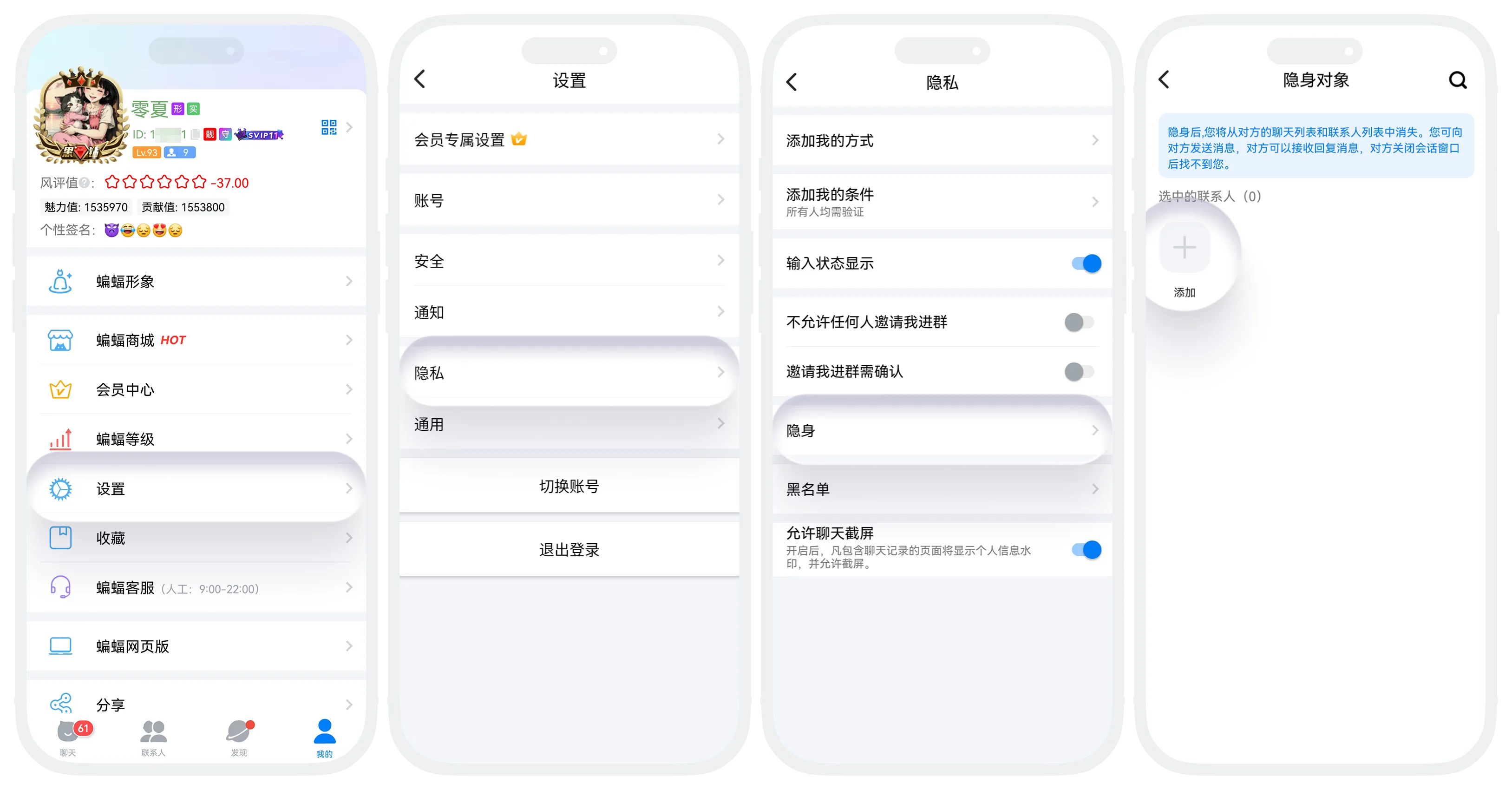
- Enter "My" - "Settings" - "Privacy", find "Invisibility" and click;
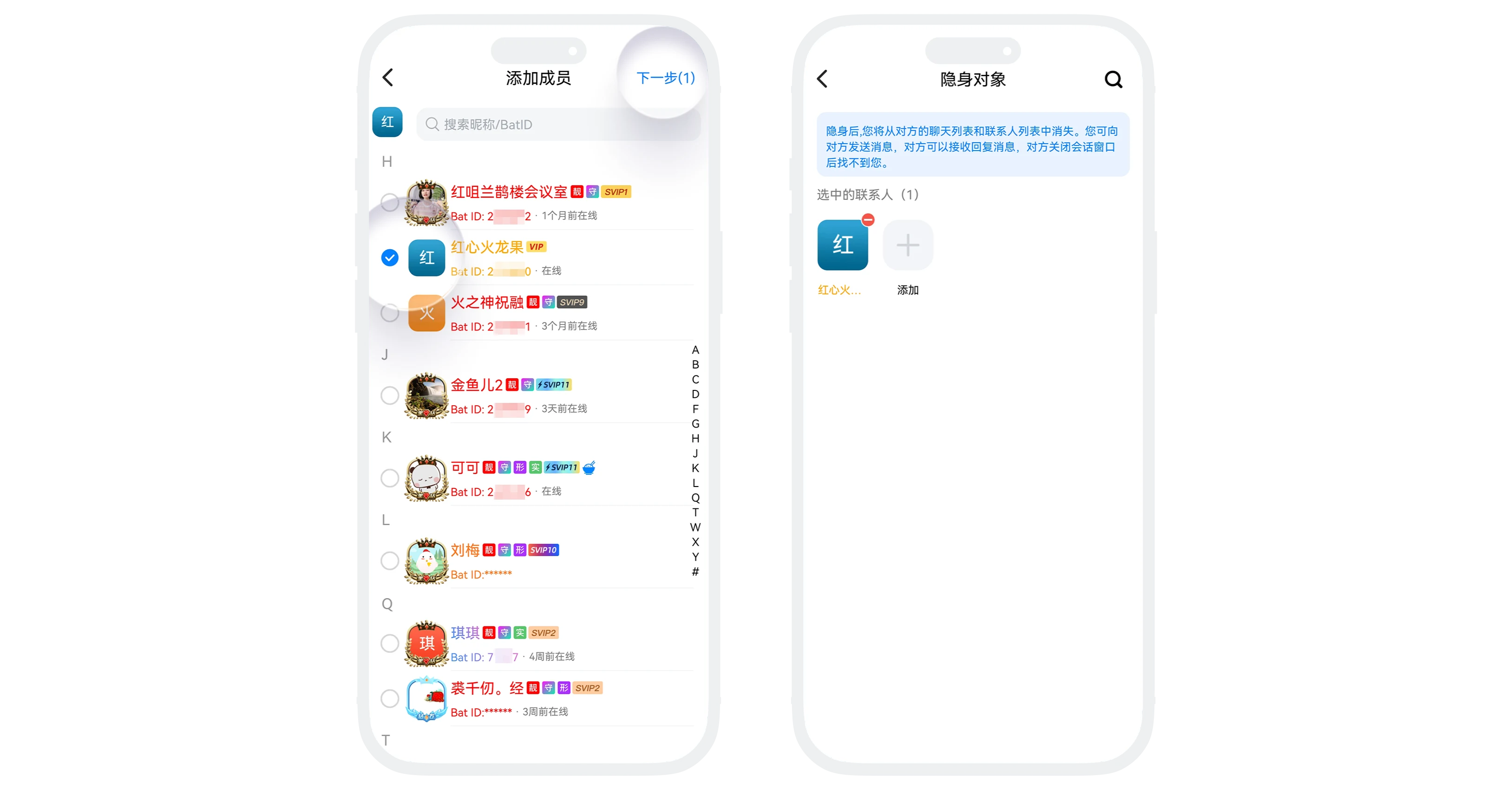
- Click the "Add" button to enter the friend selection page, and check the friends you want to be invisible to;
- After confirmation, the other party will be added to the invisible list;
- If you need to cancel the privacy status for the other party, find the friend you want to restore in the invisible list, and click the "-" button on their right side.
Effects After Setting Invisibility
- Your account will disappear from the other party's chat list and contact list, but they will not disappear from your page;
- You can normally send messages to them, and they can receive them normally. However, after they close the chat window, they will not be able to find the chat history with you in the chat list.
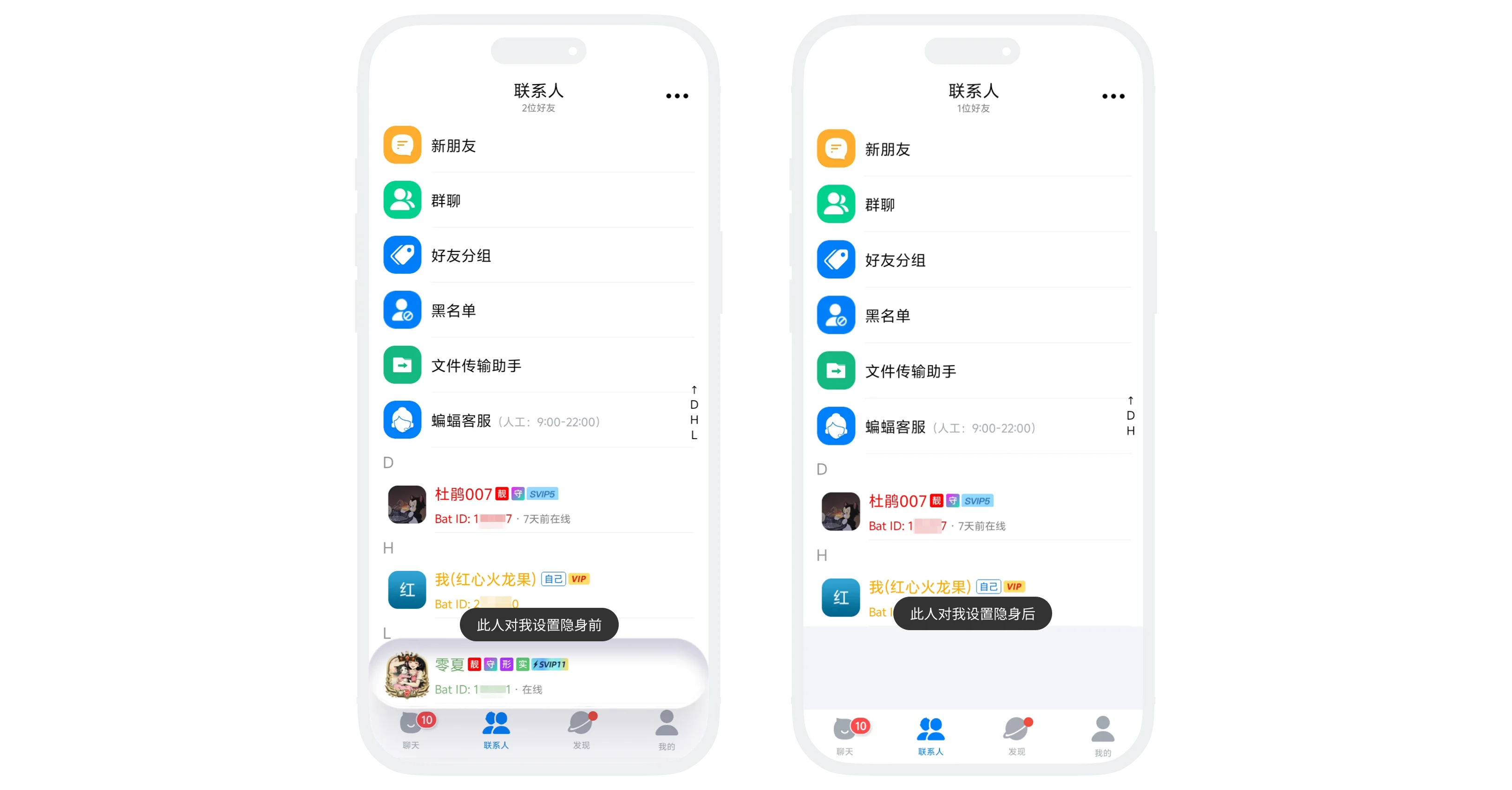

After removing a friend from the invisible list, they can normally find your account, and historical chat records will also be restored.
Frequently Asked Questions
No. Your account completely disappears from the other party's chat list and contact list, and they cannot view any of your status.
Yes. Messages you actively send can be received normally by the other party, but after closing the chat window, your account will no longer be displayed in the chat list.
Yes. After the other party re-enters the chat with you, historical chat records will be displayed normally.