Message Alert Detection
"New Message Detection" is a message reception diagnostic tool provided by BatChat for users. When you find that the application cannot receive new messages normally, you can use this function to detect various notification settings in the mobile phone system and within the app, and quickly locate abnormal items for repair. This function is suitable for scenarios such as message delays and not receiving notification reminders.
Detection and Repair Process
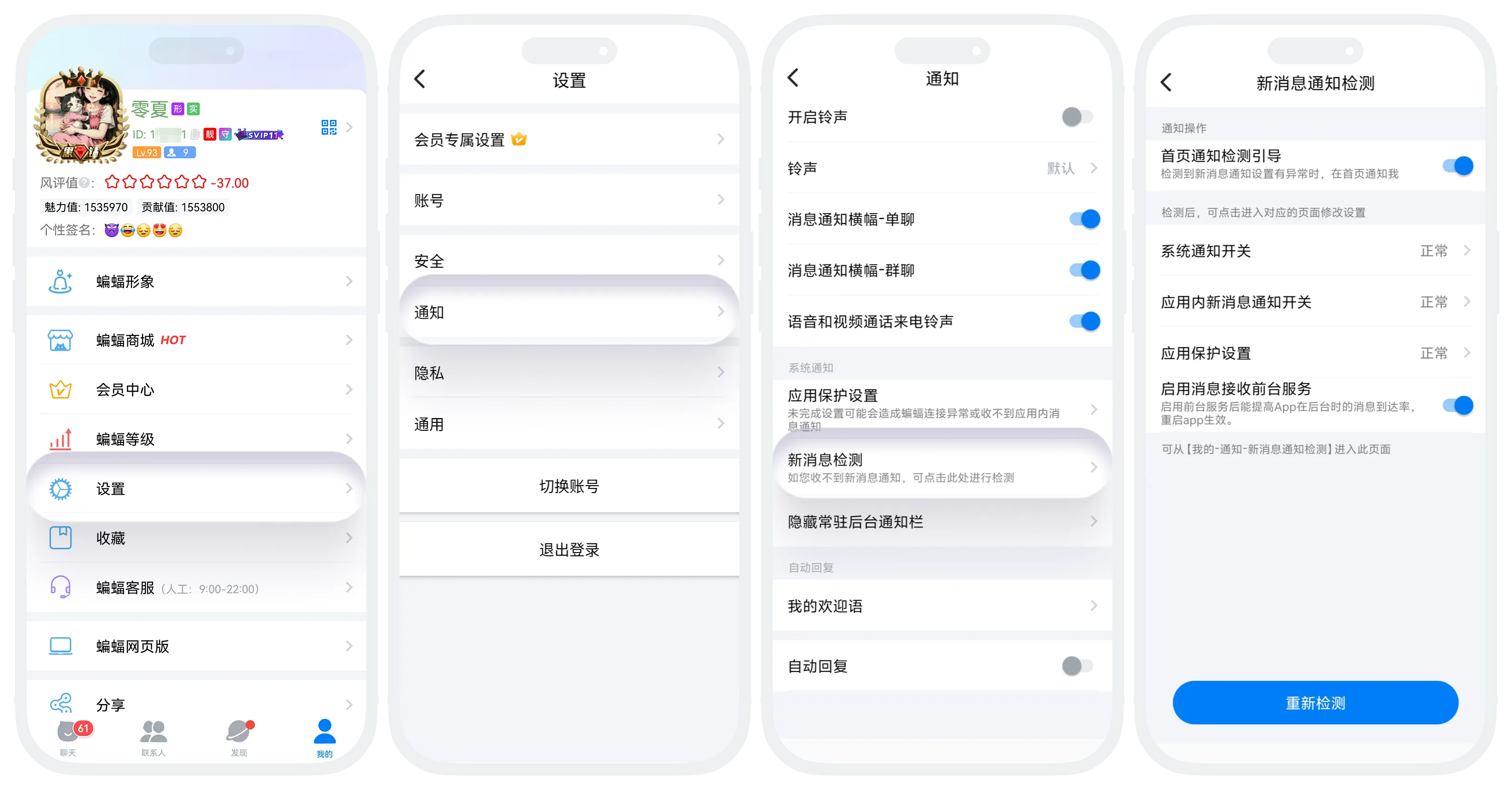
Enter "My" - "Settings" - "Notifications" - "New Message Detection", and the system will automatically detect the status of various settings. If an item shows as abnormal, please click on that item and follow the prompts to jump to the corresponding page for setup.
System Notification Switch
- Description: The main notification switch of the mobile phone system;
- Abnormal Handling: After clicking, it will jump to the mobile phone system settings to open the notification permission for the BatChat application.
In-App New Message Notification Switch
- Description: The message notification switch within the application;
- Abnormal Handling: Click to return to the notification settings page, and ensure that the "Allow Notifications" switch in the "BatChat Not Opened" module is turned on.
Additional Settings for Android Phones
Due to Android system restrictions, you also need to complete the following settings to ensure normal message reception (operation items may vary slightly for different brands of phones, subject to the actual display on the page):
| Setting Item | Description | Operation Method |
|---|---|---|
| Allow Auto-start | Prevent the application from being automatically closed by the system | Follow the video tutorial on the page to set up, then click 'Completed This Setting' |
| Prevent App from Being Mistakenly Closed by Battery Management | Avoid battery optimization killing the process | Follow the video tutorial on the page to set up, then click 'Completed This Setting' |
| Enable Message Reception Foreground Service | Keep the message reception service running | Simply turn on the switch |

Operation paths may differ for different brands of phones. If the problem persists after following the tutorial, please contact customer service for assistance.
Home Page Notification Detection Guide
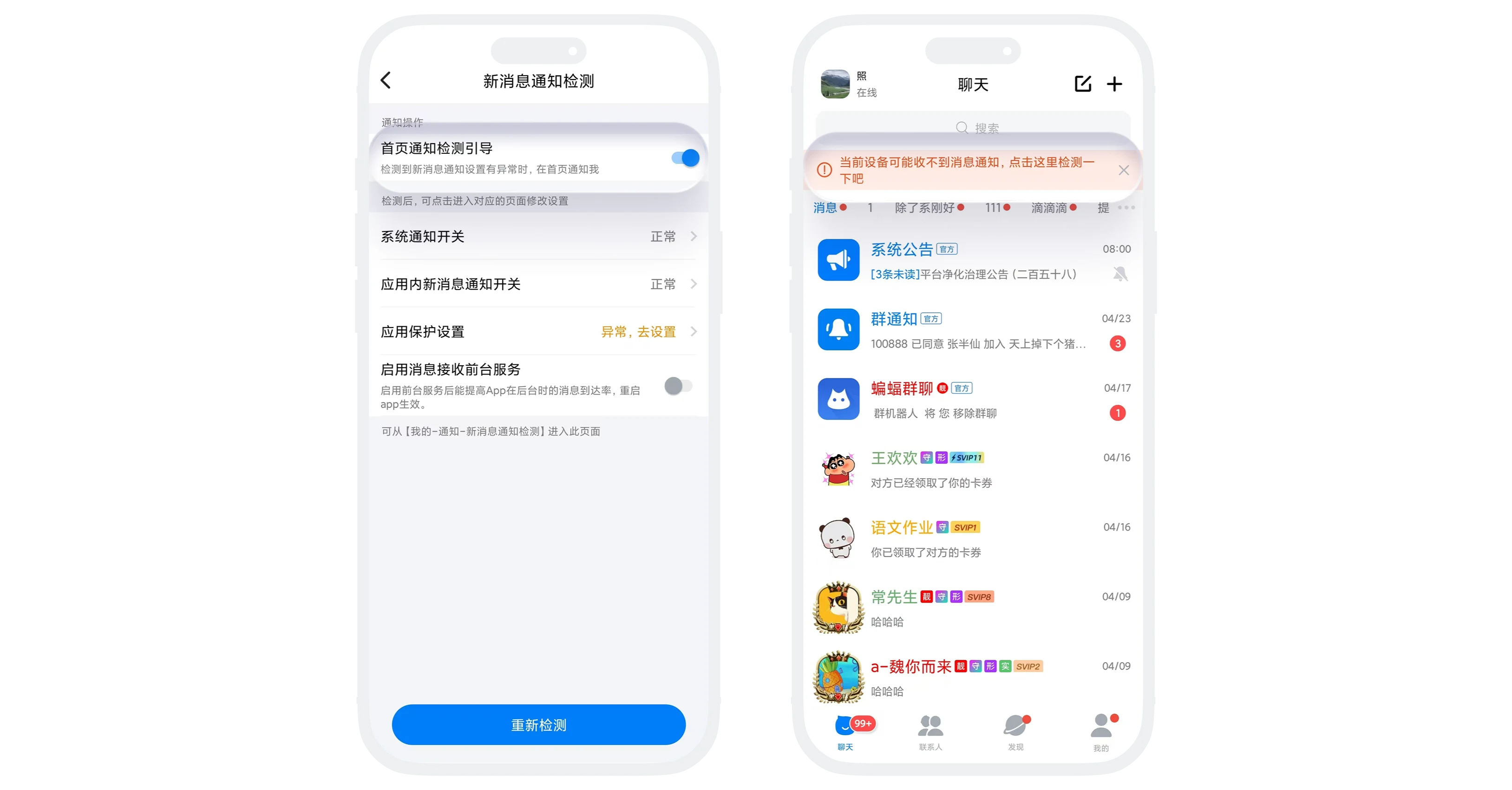
It is recommended to enable the "Home Page Notification Detection Guide" function. After enabling, if abnormal states are detected in various detection items, the system will display a reminder at the top of the message list, making it convenient for you to handle them in time.
Frequently Asked Questions
System settings may vary for different brands and models of phones, and some setting item names or paths may be slightly different. Please follow the video tutorial on the page, or contact customer service for targeted guidance.
Please confirm that you have completed all operation steps and clicked "Completed This Setting". If it still shows abnormal, you can click to re-detect.